On this page
- The budget up front
- Day 1, $0: one inbox everybody answers from
- Day 1, part two: set expectations you can keep
- Week 1, $0: saved replies for what you've already answered twice
- Weeks 2 to 4, $0: your first five help articles
- Months 2 to 3: should you turn on AI yet?
- What to measure with three people
- What the same three people pay elsewhere
- What this setup doesn't do
- When to outgrow the $50 setup
- Frequently asked questions
Customer support for a startup with one to three people can cost $0 for the first two of you and $49 or less a month when a third person joins. That includes live chat, a shared inbox, email, a help center, saved replies and, if you want it, an AI agent. The catch is that a few things have to be set up in the right order, and a couple of the cheap options have fine print.
This is a costed setup guide, not a vendor list. We'll build the stack in stages with a running monthly total, and use Talvo's plans to do the pricing because that's the product we know the numbers for. A short comparison section near the end shows what other tools charge for the same team, and links out to the longer comparisons.
The budget up front
| Stage | What you add | Monthly cost, 1 to 2 people | Monthly cost, 3 people |
|---|---|---|---|
| Day 1 | Chat widget, forwarded support email, shared inbox, away message | $0 (Talvo Free) | $49 (Starter, monthly) or $39 (Starter, annual) |
| Week 1 | Saved replies for questions you've answered twice | $0 | same |
| Weeks 2 to 4 | Five help articles on a hosted help center | $0 | same |
| Months 2 to 3 | Optional AI agent | $0 for 25 resolutions a month during the beta | Included: 100 resolutions; $0.49 each beyond |
Talvo's Free plan allows 2 teammates and includes the AI agent's 25 resolutions a month during the beta (the normal allowance is zero). A third person needs Starter, which is $49 on monthly billing or $39 a month billed annually, and includes 5 teammates and 100 AI resolutions.
Here is how far under $50 that leaves you:
- Monthly billing: $49 plus 2 extra resolutions at $0.49 is $49.98. So you can have up to 102 AI resolutions in a month and stay under $50. At 103 you'd pay $50.47.
- Annual billing: $39 plus 22 extra resolutions at $0.49 is $49.78. That's up to 122 resolutions in a month under $50.
Past that, the bill grows by $0.49 for each resolution. Talvo has no spending cap on paid plans (the only control is turning the AI off), so it's worth checking the count in the first month. More on that below.
Day 1, $0: one inbox everybody answers from
The point of the first day is that every message from a customer lands in one place and has an owner. Everything else is polish.
- Install the widgetPaste one script tag before
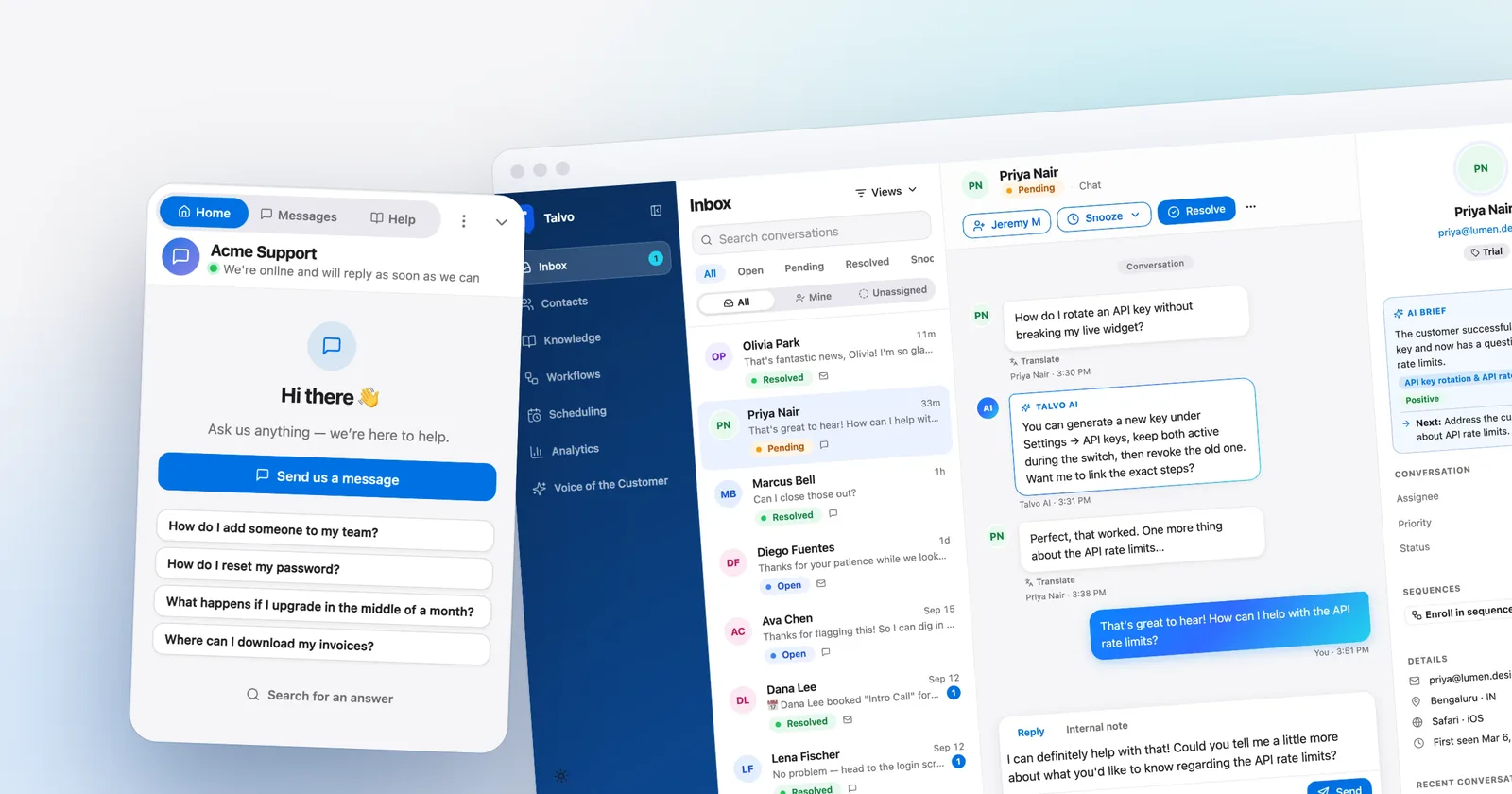
</body>on your site (guide). Copy the real snippet from Settings → Chat widget. - Forward your support addressIn Settings → Inbox → Email forwarding, point your support@ address at Talvo so email and chat share one inbox (two-way email).
- Invite the second personFree allows 2 teammates, so you and one other. Settings has a team invite flow, and roles are owner, admin, agent and viewer.
- Turn on notificationsTalvo works in your phone's browser, with push notifications (on your phone). Slack notifications are on Starter and up.
- Decide who owns whatAgree who answers by default. In a two-person team, "whoever sees it first, and say so in a note" is enough.
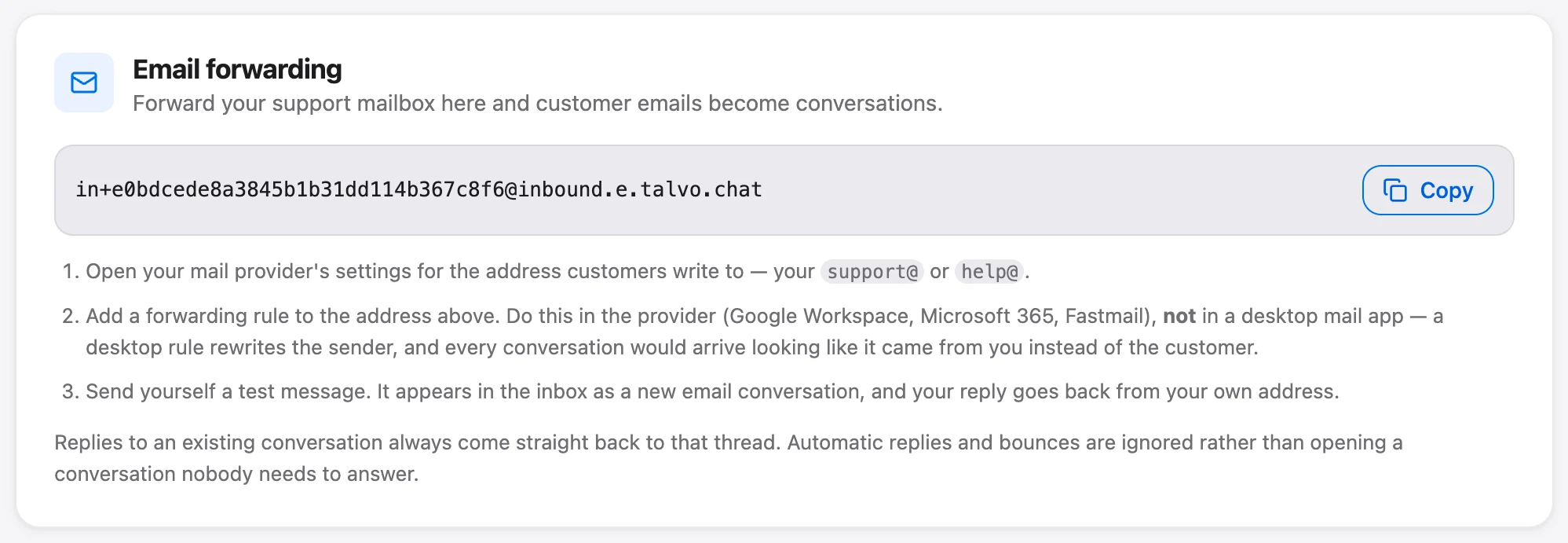
A few details about email are worth knowing before you rely on it. Replies go out from Talvo's sending address with your workspace name as the display name, and customers' replies thread back through a reply-to address. There's no custom sending domain. Replies don't appear in your Gmail Sent folder. Attachments work both ways, in email as in chat. And you can't import past email history; only contacts can be imported, from a CSV of up to 2,000 rows. If you've been living in a shared Gmail login, plan to start fresh.
Teammates can leave internal notes on a conversation, and you'll see "X is replying…" when someone else is typing, which keeps two founders from answering the same customer.
Day 1, part two: set expectations you can keep
A startup can't reply in five minutes at 11 p.m. Say so, and customers mostly accept it.
In Settings → Inbox → Business hours you set your hours, a timezone and an away message. Outside those hours the widget shows the message instead of "We're online". It's available on every plan. Reply reminders (Settings → Inbox, 12 hours by default) alert the team when a customer has been waiting, which saves you from the long-weekend problem.
Pick a first-response promise sized to how often you can check the inbox, not to what looks good. If you look twice a day, promise a business-day reply. First response time SLAs has a table that matches promises to check intervals, and after-hours customer support covers the overnight queue.
Week 1, $0: saved replies for what you've already answered twice
You will type the same answer many times. Talvo calls the saved version "Canned responses" (Settings → Inbox → Canned responses), they're on every plan, and they're shared across the workspace, so there are no personal ones.
Each has a title, an optional shortcut and a message. You insert one from the composer's "Canned response" button, and you can search it by title, shortcut or body. Variables fill in the customer's details: {{contact.first_name}}, {{contact.name}}, {{contact.email}}, {{agent.first_name}}, {{agent.name}} and {{workspace.name}}. Add a fallback with a bar, such as {{contact.first_name | there}}.
The safety net is the useful part. If a value is missing and there's no fallback, Talvo blocks the send until you fix it, so no customer receives "Hi ,".
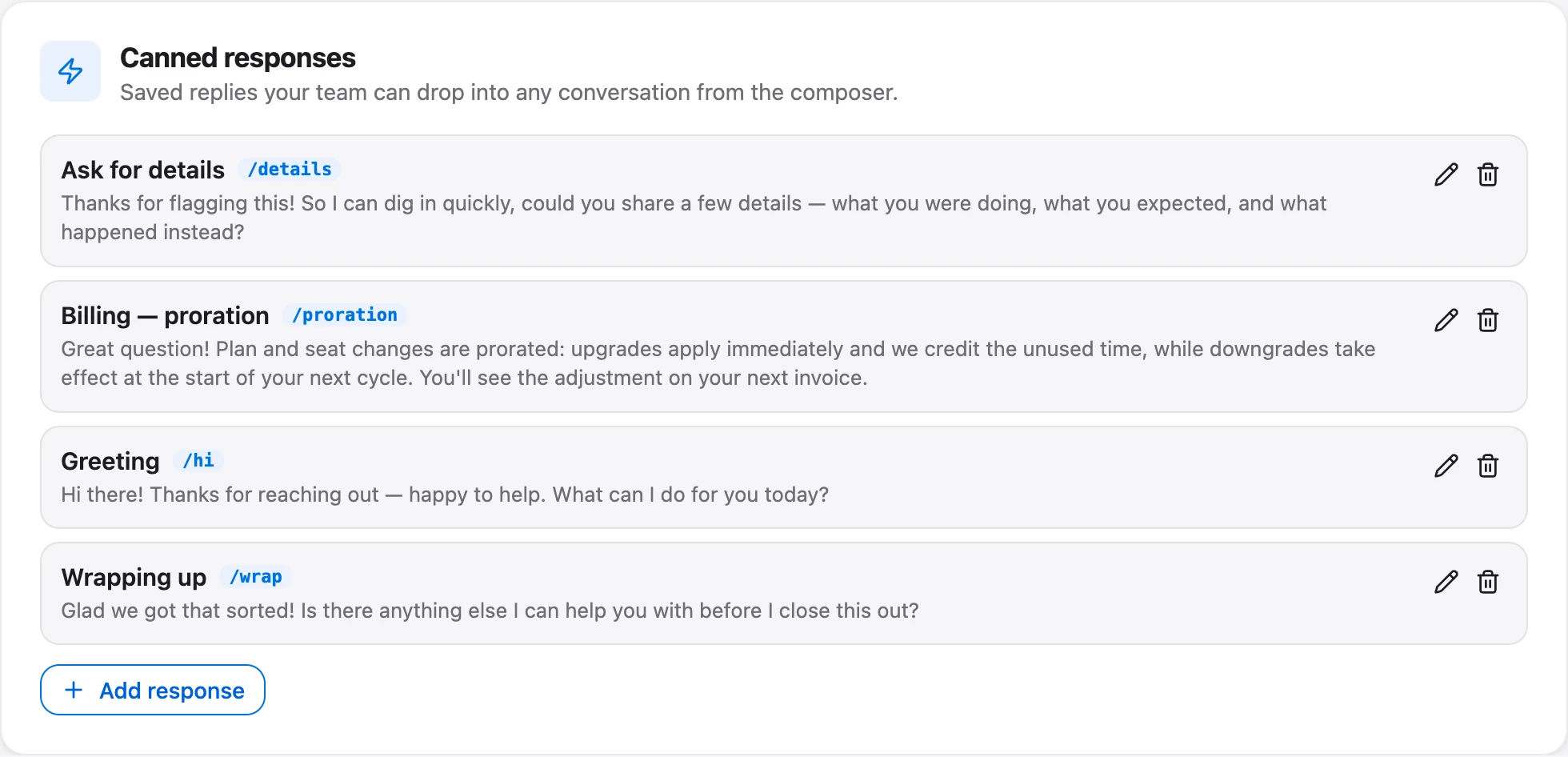
Start with three: how to reset a password or log in, where to find an invoice, and what to do when something doesn't work (ask for what you need, once). Write each in your normal voice.
Weeks 2 to 4, $0: your first five help articles
Pull the topics from the inbox, not your head. After two weeks, look at what people actually asked and write an article for the five that repeat. Short is fine: the question as a title, the answer in a few paragraphs, a screenshot if it helps.
Talvo has a knowledge base and a hosted public help center on the Free plan, with one level of categories and search-as-you-type. SEO titles are generated for you. Two limits: there's no custom domain (addresses look like talvo.chat/help?app=YOUR-ID), and no "was this helpful?" button.
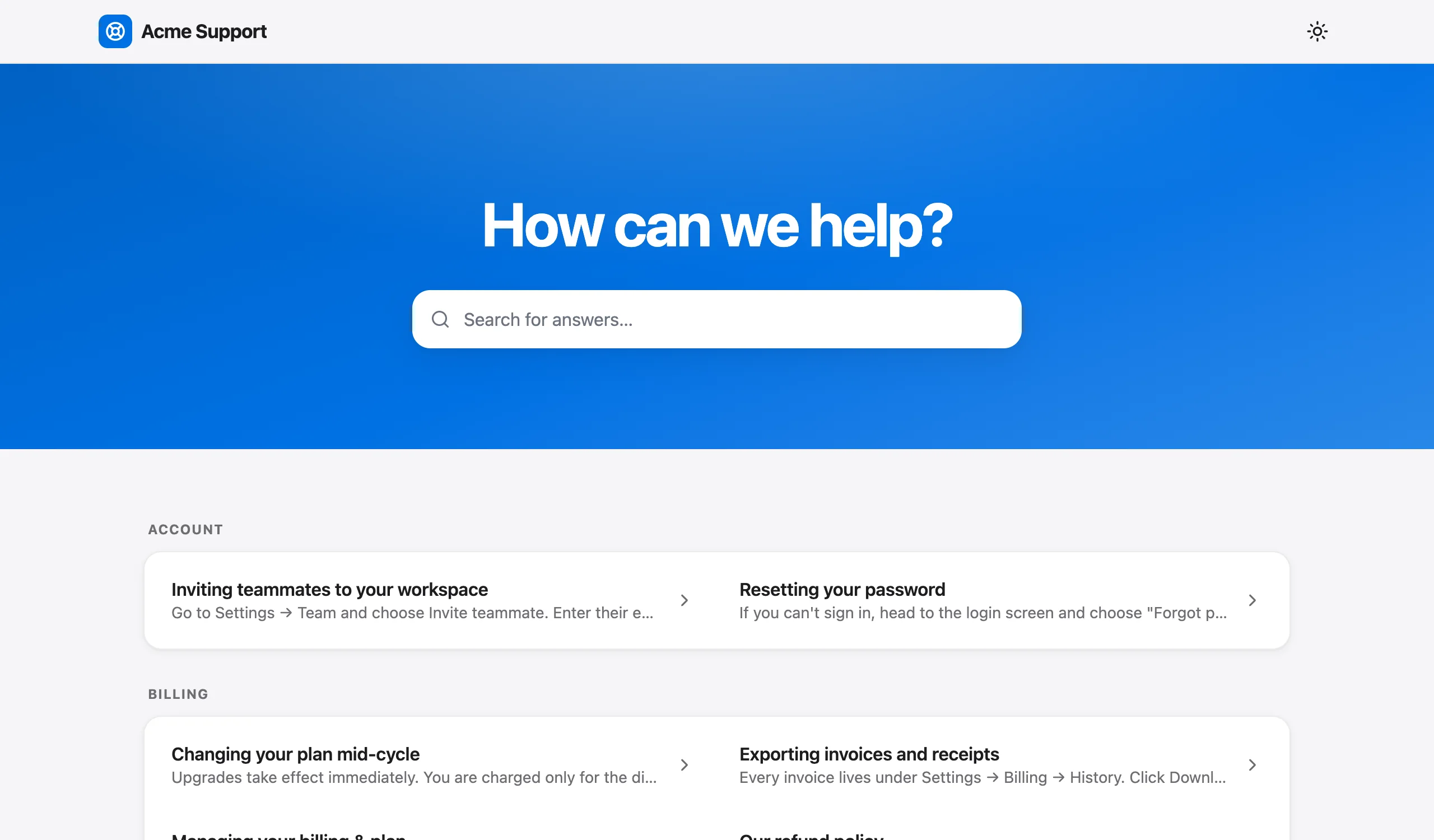
That last point matters for the next stage, because the AI agent answers only from published articles. If you want help writing them so a person and an AI can both use them, see write help articles for AI, and for the broader idea, reduce support tickets.
Months 2 to 3: should you turn on AI yet?
Not before two conditions are true. You have a few hundred conversations to learn from, and your help center has answers to the questions that repeat. An AI agent without articles hands almost everything off. With Talvo that's by design: it answers only from published articles, shows which article it used, and passes the conversation to your team when it isn't confident.
A cheap test: on the Free plan you get 25 AI resolutions a month during the beta, so you can try it before paying. When the allowance runs out, the AI stops for the month and new chats just wait for a human; there's no overage bill.
A "resolution" is a conversation the AI answered end to end from your articles with no teammate stepping in, counted once. Hand-offs aren't resolutions. What counts as an AI resolution has the detail, and AI resolution rate covers how to read the number.
What the bill looks like when AI gets busy
Here is the arithmetic. Say you're three people and the AI resolves 150 conversations a month:
- Starter on monthly billing: $49 + (150 − 100) × $0.49 = $49 + $24.50 = $73.50
- Starter on annual billing: $39 + $24.50 = $63.50
Keep going and there's a crossover where the next plan is cheaper. Talvo's Growth plan is $149 monthly or $119 annually and includes 500 resolutions.
- Monthly: Starter costs $49 + (n − 100) × $0.49. That equals Growth's $149 at 304 resolutions ($49 + 204 × $0.49 = $148.96). Above about 304 a month, Growth is the lower total.
- Annual: Starter reaches $118.87 at 263 resolutions (39 + 163 × 0.49). Above about 263, Growth at $119 is cheaper.
If you get there, you're no longer a "$50 startup", and it's a good problem to have. It's still wise to check the count weekly in the first month, since there's no cap.
One research note on what AI helps with. A 2023 study of 5,172 customer support agents found that an AI assistant raised issues resolved per hour by about 15% on average, with the largest gains for less experienced agents (Brynjolfsson, Li and Raymond). That was one company, and an assistant that suggests replies, not an agent that answers on its own, so don't read it as a forecast for auto-resolution. In Talvo, the drafting assistant (the copilot) comes with Starter and up.
What to measure with three people
Skip dashboards. Three numbers are enough:
- Median first response time. Talvo's analytics shows the median, not the average, which keeps one slow weekend from distorting it.
- CSAT. After a conversation is resolved, the customer can give 1 to 5 stars and an optional comment, on every plan. Talvo reports the average rating, not the "% satisfied" figure many tools use, so don't compare the two.
- Founder hours in the inbox. This is the one that decides when to hire. Estimate it as conversations a week × minutes per conversation ÷ 60. If you handle 40 conversations a week at 8 minutes each, that's 40 × 8 ÷ 60 = about 5.3 hours.
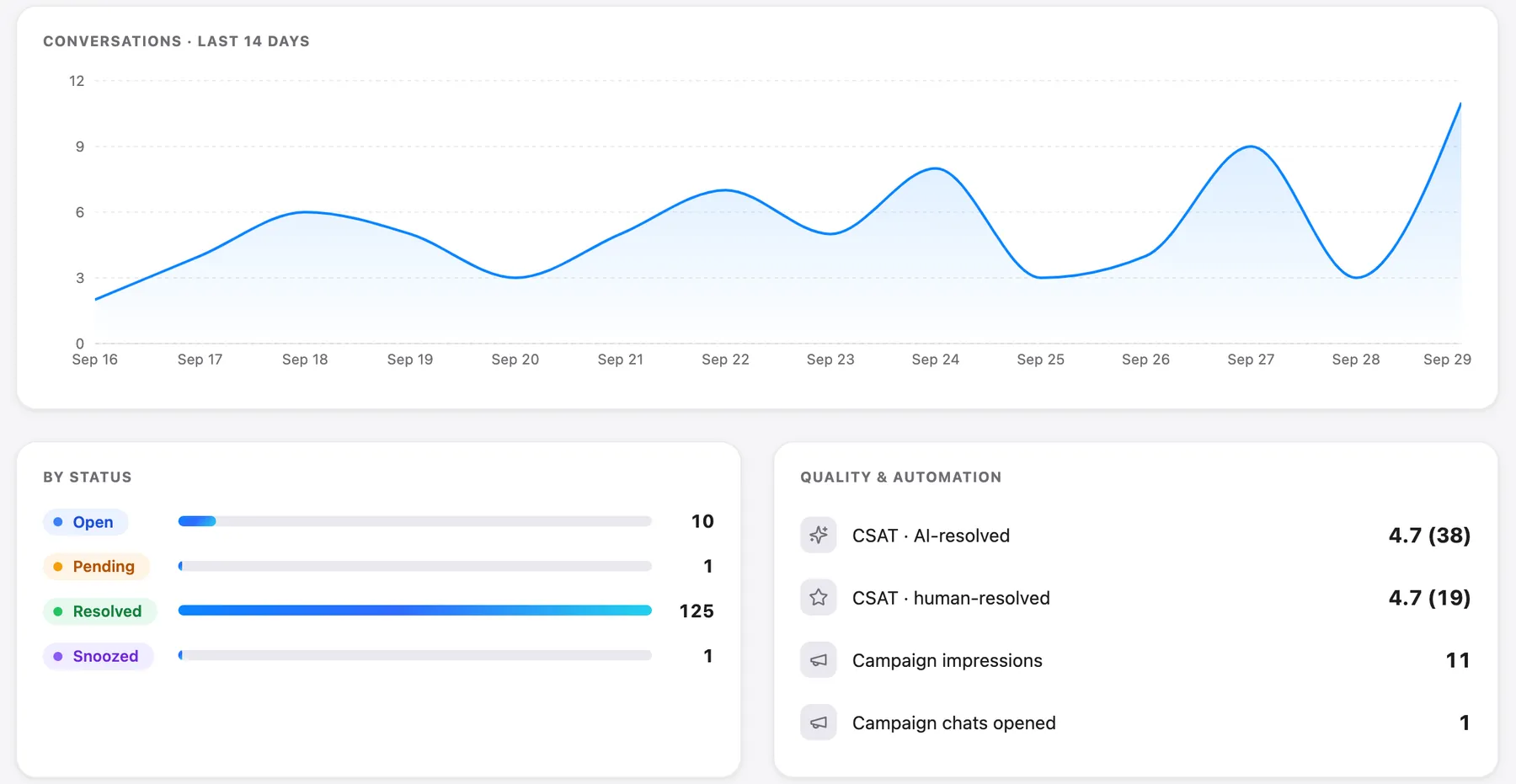
When the hours outgrow what you'd comfortably give up, that's the moment to think about a first support hire or part-time help. The support staffing calculator turns volume and handling time into a headcount.
What the same three people pay elsewhere
Prices from vendor pages, checked October 21, 2026, for a team of three that wants live chat and email:
| Tool and plan | 3 people, per month | What to know |
|---|---|---|
| Talvo Starter | $49 monthly or $39 annual | Flat per workspace for up to 5 teammates; 100 AI resolutions included |
| Crisp Mini | $45 | Flat per workspace, 4 seats; includes $5 of AI credits (about 90 automated conversations, by Crisp's estimate) |
| Help Scout Standard | 3 × $25 = $75 annual, or 3 × $30 = $90 monthly | AI answers cost $0.75 per resolution |
| Chatwoot Startups | 3 × $19 = $57 | The page doesn't say whether that price is monthly or annual |
Free tiers need their fine print read. Help Scout's free plan allows 5 users but only 100 contacts a month, and its chat widget isn't included. Chatwoot's free Hacker plan allows 2 agents with live chat only. Crisp's free plan has 2 seats and no email channel or AI. Talvo's is 2 teammates with chat, email, the shared inbox and the help center. None of these is the same product, and the cheapest is not always the best fit. Best live chat software for small business compares twelve in detail, and per-seat vs flat pricing shows how the totals diverge as you grow.
What this setup doesn't do
Better to know now:
- No WhatsApp, SMS, Instagram, Facebook Messenger or phone. If your customers live there, Talvo is the wrong tool.
- No native Shopify, HubSpot or Salesforce integrations. Today it's a REST API, webhooks and Slack.
- "Powered by Talvo" can't be removed, and there's no custom help-center domain.
- No SOC 2 report, and no native app-store app (it works in a phone browser).
- Talvo is new and in beta, with no review-site ratings yet.
- Free is two teammates, and the 25 AI resolutions are a beta allowance.
When to outgrow the $50 setup
You'll know because one of these happens. A sixth person needs a login (Starter covers five). You need routing rules, SLA policies or workflows, which are on the Growth plan at $149 a month or $119 annually. AI volume passes the crossover above. Or customers keep asking for a channel you don't have.
To set up chat first, read how to add live chat to your website, and for how Talvo's AI uses your articles, knowledge base chatbot. For a first look, get started with Talvo takes about fifteen minutes.
Frequently asked questions
How do I set up customer support for a startup?
Start with one shared inbox that receives both chat and your support email, and give every conversation an owner. Then add business hours and an away message, saved replies, five help articles written from real questions, and only then consider an AI agent. Talvo's Free plan covers the first steps for two people.
How much should a startup spend on customer support software?
Two people can spend nothing on Talvo's Free plan, and three can stay under $50 a month on Starter: $49 monthly or $39 annually with 100 AI resolutions included. Other tools run from $45 to $90 a month for three people on the plans compared in this guide, and per-resolution AI fees can add to that.
What customer support tools does an early startup actually need?
A shared inbox that takes chat and email, a place to put help articles, and saved replies. A hosted help center and an AI agent come later. Reporting matters less than knowing how many hours founders spend in the inbox each week.
Are AI support agents worth it for a small startup?
Only when you have enough repeat questions and enough published help articles for the AI to answer from. In Talvo the AI answers only from published articles and hands off when unsure. Try Free's 25 beta resolutions a month first, and keep an eye on usage because paid plans have no spending cap.
Can I bring old support conversations into a new tool?
Not into Talvo. You can import contacts from a CSV of up to 2,000 rows and import help-center articles, but past email or conversation history can't be imported. If you've been using a shared Gmail login, expect to start the new inbox fresh.
Should a startup use a shared inbox or a full help desk?
A shared inbox is enough while a few people share the work. You need routing rules, SLA targets or workflows when volume or team size grows. In Talvo those are on the Growth plan, $149 monthly or $119 annually.
When should a startup hire its first customer support person?
When the hours founders spend in the inbox outweigh what you'd rather do with them. Estimate it as conversations a week times minutes per conversation divided by 60. Talvo's support staffing calculator can convert volume and handling time into a headcount.
Can founders handle customer support themselves?
Yes, and early on it's valuable because you hear customers directly. Make it sustainable with one inbox, honest response expectations, saved replies and a few help articles, so replies take minutes instead of rewriting the same answer.
Sources
Other products' prices and features change. We checked these pages; if something is out of date, tell us and we'll fix it.