On this page
- How we judged these tools (and what we did not do)
- The 12 best live chat tools for a small business, side by side
- What three agents and 300 AI answers cost on each tool
- Best when you want AI answers without a per-seat bill
- Best for email-first support teams
- Best for chat-first teams with budget
- Best for specific shapes of business
- The best AI chatbot for customer service depends on the meter
- Free live chat options worth trying first
- How to choose
- Questions to ask in a demo
- Frequently asked questions
A three-person support team that wants AI answering about 300 chats a month can pay anywhere from about $55 to more than $700 for roughly the same job. Same website, same customers, same questions. The spread comes almost entirely from how each vendor counts seats and AI answers, not from how good the chat widget looks.
That is why this guide to the best live chat software for small business is organized around money and fit instead of a ranked list. Twelve products, one standard scenario, real arithmetic, and a plain statement of where each one falls short.
One disclosure up front: Talvo is our product. It is in this list because it belongs in the comparison, and we have tried to describe it the way we describe everyone else, including its gaps.
How we judged these tools (and what we did not do)
We did not hands-on test the competitors. Pricing, limits and security claims come from vendor pages as of October 21, 2026. Prices move, so check the vendor's page before you buy. Review themes, clearly marked as such, come from third-party write-ups, many written by competitors, because we could not pull G2 or Capterra directly. Anything we could not confirm, we say so or leave out.
We judged each tool on six things a small team actually feels:
- Real monthly cost for a small team, including AI usage, not just the headline seat price.
- How AI is billed. Per resolution, per conversation, per credit, or bundled. Each meter behaves differently when your volume changes.
- Channels. Website chat and email at minimum; WhatsApp, SMS, Instagram or phone if your customers use them.
- Knowledge base and help center, because the AI is only as good as the content it answers from.
- Free plan or trial, so you can find out before paying.
- Compliance and growth room, such as SOC 2, SSO and HIPAA, which matter less at 3 people and a lot at 30.
Talvo is the newest product here. It launched in 2026 and is in beta, with no review-site ratings yet. That belongs in the criteria too.
The 12 best live chat tools for a small business, side by side
| Tool | Best for | Starting price | AI model | Free plan |
|---|---|---|---|---|
| Talvo | Small teams who want AI answers on a flat, per-workspace price | $49/mo per workspace ($39 annual); AI agent starts on this plan | AI agent, $0.49 per resolution beyond included | Yes, 2 teammates |
| Crisp | Cheap, flat-priced chat across many messaging channels | $45/mo per workspace | Hugo, usage-based credits | Yes, 2 seats |
| Tidio | Small Shopify and WordPress stores | $29/mo ($24.17 annual) | Lyro, billed per conversation | Yes, 50 conversations |
| Help Scout | Email-first teams that want a human-feeling inbox | $25/user/mo annual ($30 monthly) | Envoy, $0.75 per resolution | Yes, 5 users |
| Front | Shared-inbox teams in B2B and operations | $25/seat/mo annual | Autopilot, per conversation | No (14-day trial) |
| Zendesk | Larger teams with compliance and ticket volume | $19/agent/mo annual (email only); chat from $55 | Zendesk AI agents, $1.50 to $2.00 per extra resolution | No (14-day trial) |
| Intercom (now Fin) | Product-led companies that want the polished Messenger | $29/seat/mo annual ($39 monthly) | Fin, $0.99 per outcome | No (14-day trial) |
| LiveChat | Chat-first sales teams, Shopify stores | $19/user/mo annual ($25 monthly) | AI Agent, resolutions bundled, then about $0.99 | No (14-day trial) |
| HubSpot Service Hub | Teams already living in HubSpot CRM | Free; Professional $90 to $100/seat plus $1,500 onboarding | Breeze Customer Agent, HubSpot credits | Yes, 2 users |
| Freshchat | Cheap seats, many channels, big free tier | $19/agent/mo annual | Freddy AI Agent, per session | Yes, up to 10 agents |
| Chatwoot | Technical teams, open source and self-hosting | $19/agent/mo cloud; self-hosted Community free | Captain, credits | Yes (2 agents, or self-host) |
| Gorgias | Shopify and DTC ecommerce | $10/mo (50 tickets) | AI Agent, about $0.85 to $1.00 per interaction | No (7-day trial) |
What three agents and 300 AI answers cost on each tool
Here is the scenario we use to price everything: 3 people answering customers, 300 conversations a month handled by AI. Where a tool counts human-handled conversations too, we assume 250 a month. Annual billing where the vendor offers it, with the month-to-month price next to it.
| Tool | Annual billing | Month-to-month | The arithmetic |
|---|---|---|---|
| Crisp (Mini) | not published | $55 to $70 | $45 for 4 seats, plus 300 AI conversations at Crisp's estimate of $0.05 to $0.10 each ($15 to $30), less $5 of included credits. Essentials, at $95 with $25 of credits, covers this volume outright and adds Crisp's workflow builder and omnichannel inbox |
| Talvo | $119 (Growth) | $147 (Starter; $149 on Growth) | Monthly, Starter plus overage is cheapest: $49 + 200 × $0.49 = $147. Annually, Growth at $119 is cheapest, and its 500 included resolutions leave headroom |
| Freshchat (Growth) | $204 | not published | 3 × $19 = $57, plus 300 × $0.49 = $147. The first 500 sessions are free once, so month one is $57 and $204 is the steady state |
| Tidio (Growth + Lyro) | not published | $269 | $59 for 250 conversations + $210 for 300 Lyro conversations |
| Help Scout (Standard) | $300 | $315 | 3 × $25 = $75 (or 3 × $30 = $90), plus 300 × $0.75 = $225 |
| LiveChat (Growth) | $336 | $396 | 3 × $79 = $237 (or 3 × $99 = $297), plus 100 extra resolutions as two packs of 50 at $49.50 |
| Intercom (Essential) | $384 | $414 | 3 × $29 = $87 (or 3 × $39 = $117), plus 300 × $0.99 = $297 |
| Zendesk (Suite Team) | $735 | $777 | 3 × $55 = $165 (or 3 × $69 = $207); 15 resolutions included, 285 extra × $2.00 = $570 |
A few tools do not fit a clean row. Chatwoot's cloud Startups plan is 3 × $19 = $57 a month with 300 Captain credits, but the pricing page does not say how many credits one AI answer uses. HubSpot Professional is 3 × $100 = $300 monthly ($270 with an annual commitment) plus a required $1,500 one-time onboarding fee, with AI billed separately in HubSpot credits. Front Starter is 3 × $25 = $75 annual, and Autopilot is listed only as "starting at $0.05" per conversation. Gorgias bills per ticket, and each AI interaction also counts as a ticket, so a 300-AI-answer month does not map neatly onto its Basic plan.
Two cautions about the table. First, "an AI answer" is not the same unit everywhere: we compare what each vendor bills as a resolution in a separate guide. Crisp, Tidio and Freshchat bill on usage, so escalated chats still cost you. Intercom counts a customer who simply stops replying. Zendesk only counts LLM-verified resolutions, but extra ones cost $1.50 to $2.00 each, so it adds up quickly. Second, Zendesk could be $592.50 on annual billing if you commit to prepaid resolutions at $1.50 (285 × $1.50 = $427.50, plus $165), and commitments require 100 or more.
Best when you want AI answers without a per-seat bill
Talvo
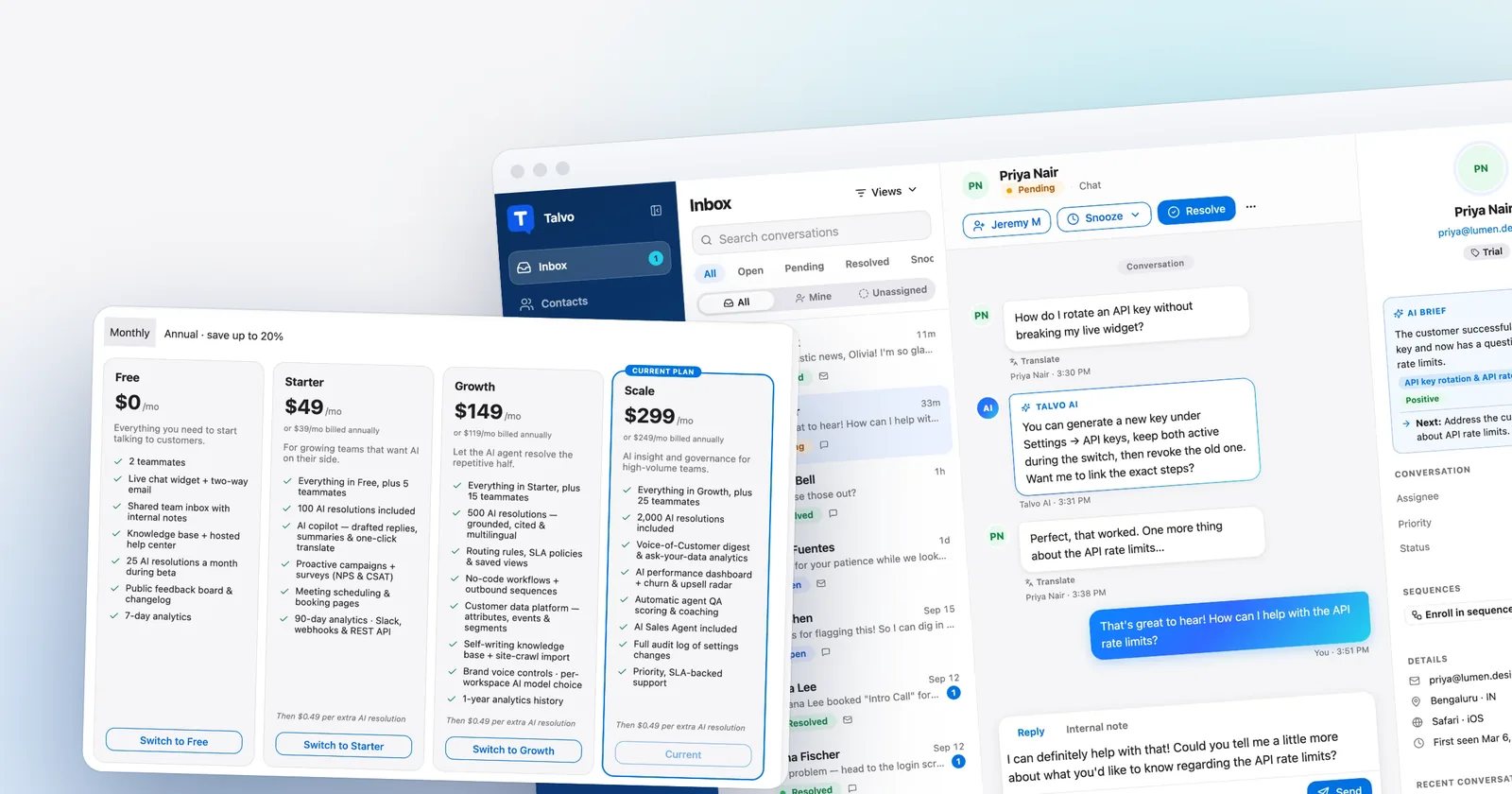
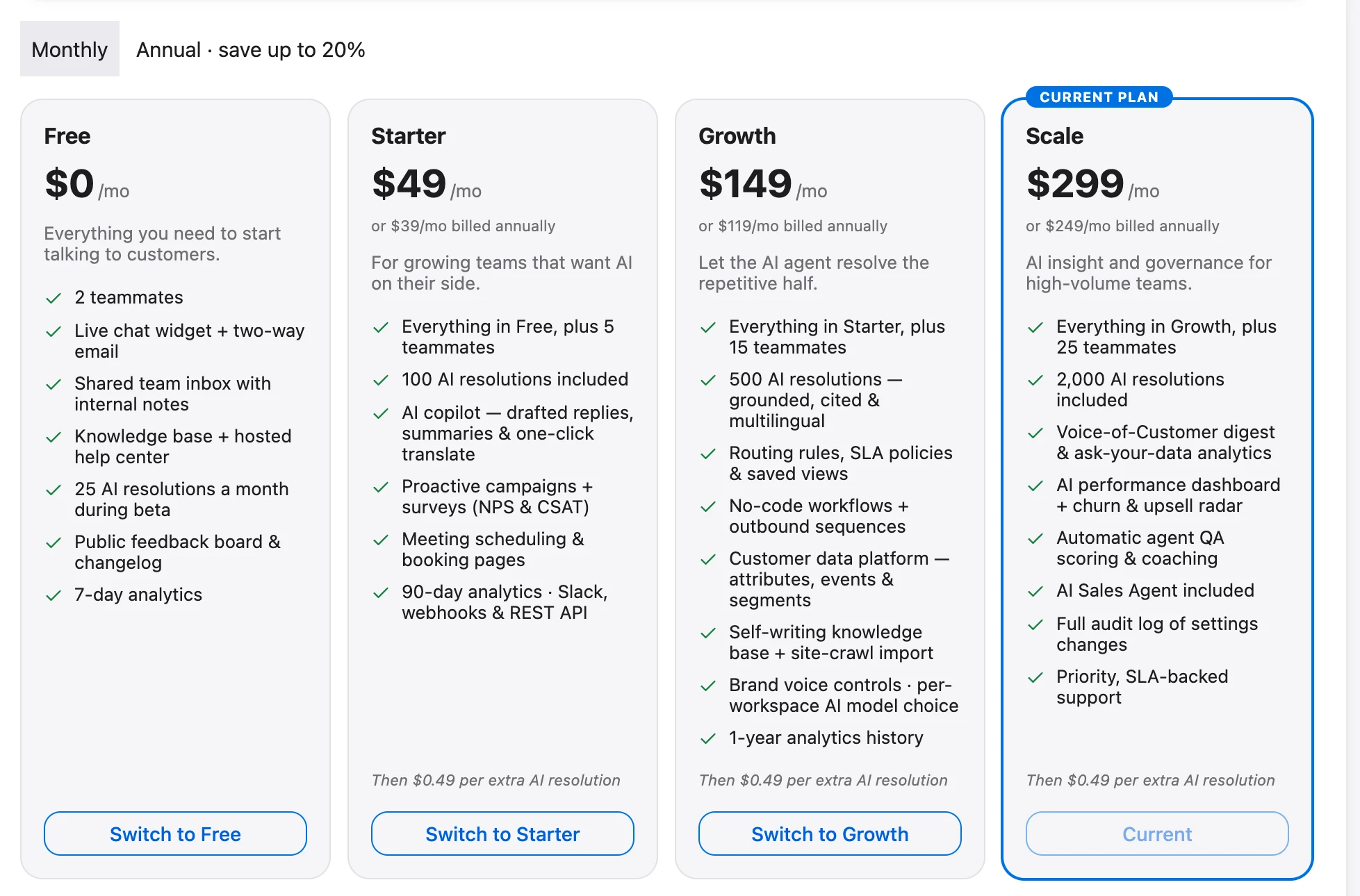
Talvo is a live chat widget, AI agent, shared inbox, two-way email, knowledge base and help center in one product, priced per workspace instead of per seat. Starter is $49 a month ($39 on annual billing) for 5 teammates and 100 AI resolutions. Growth is $149 ($119 annual) for 15 teammates and 500 resolutions. Scale is $299 ($249 annual) for 25 teammates and 2,000. Beyond the included amount, each extra resolution is $0.49. There is a free plan with 2 teammates, and during the beta it includes 25 AI resolutions a month. The full price list is on our pricing page.
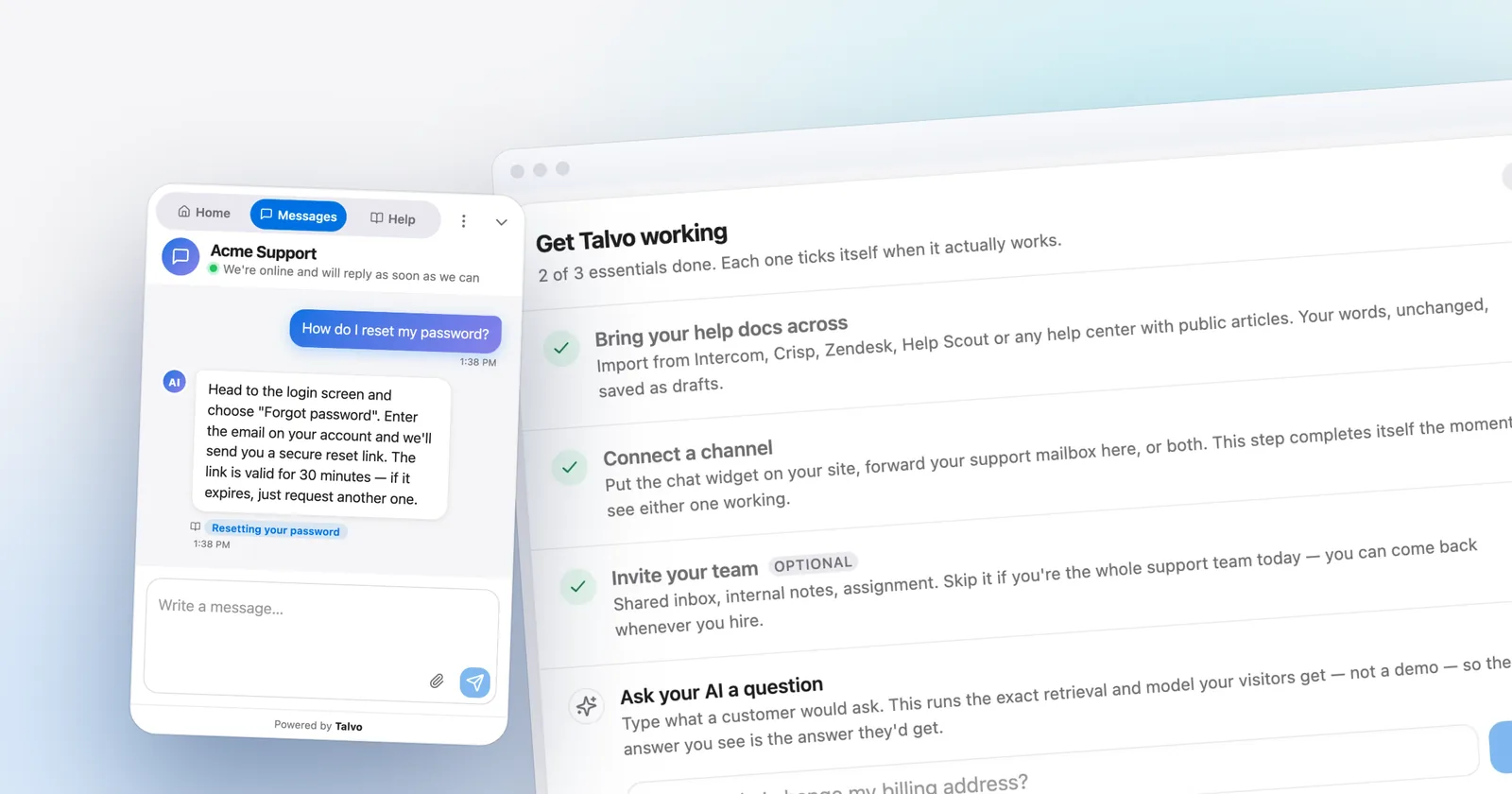
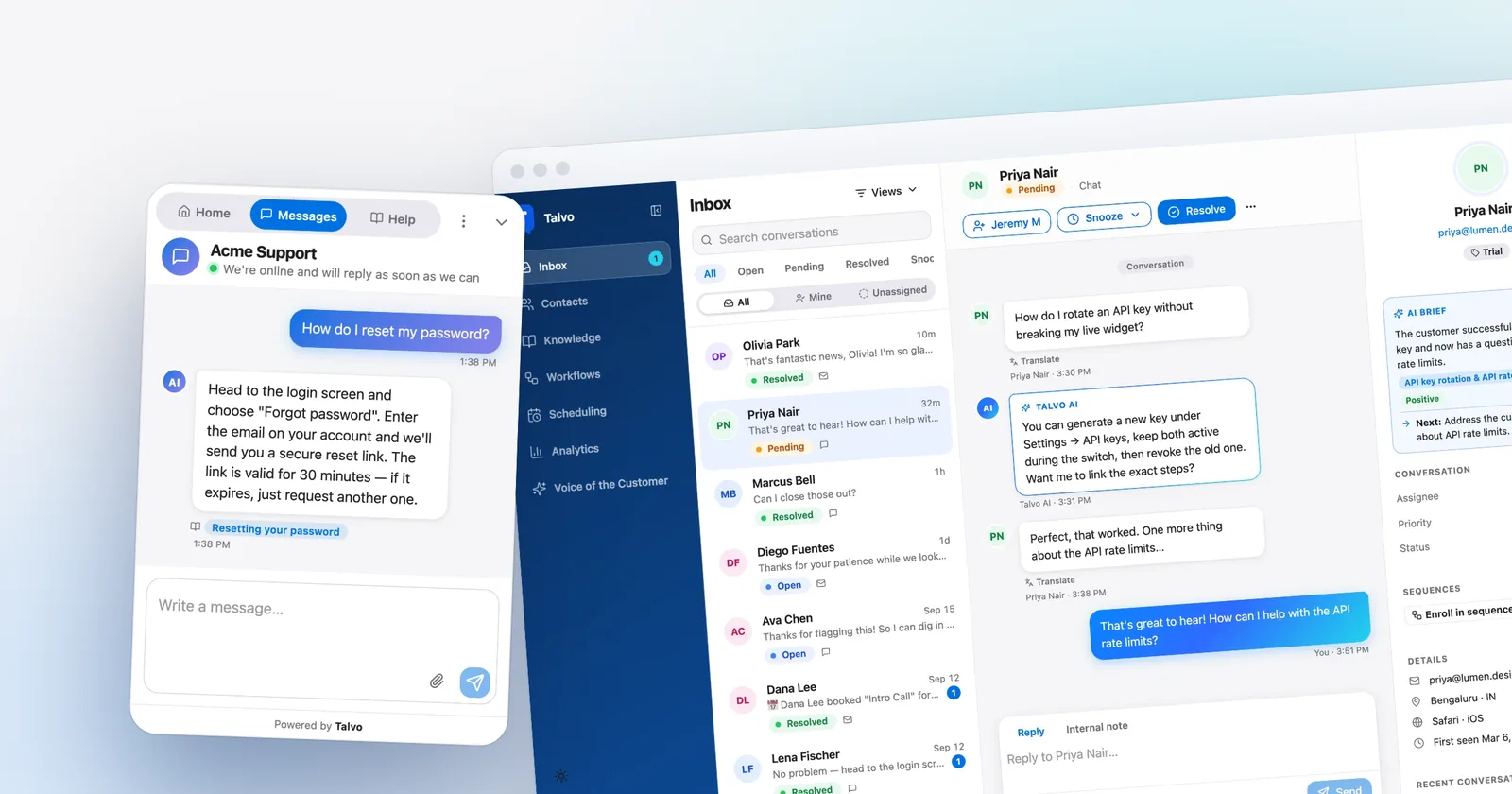
The AI agent answers only from your published knowledge base, shows which article it used, and hands off to a person with the conversation intact when it is not confident. A resolution is a conversation the AI answered end to end without a teammate stepping in, counted once. Hand-offs are not billed. You can pick the AI model per workspace on Growth and above. If you want the mechanics, the knowledge base chatbot guide covers how cited answers and hand-off work.

Now the catch, and it is a real one. Talvo is new and in beta. There are no customer case studies and no ratings on G2 or Capterra to lean on. It has no WhatsApp, SMS, Instagram, Facebook Messenger or phone calling today; WhatsApp, SMS and Instagram/Messenger are on the public roadmap but not shipped. There is no native Shopify, HubSpot or Salesforce integration, no Zapier yet, and integrations today mean the REST API, webhooks and Slack. No SOC 2 report, SAML single sign-on, HIPAA support or choice of data region. And no App Store app, though the inbox works in a phone browser with push notifications.
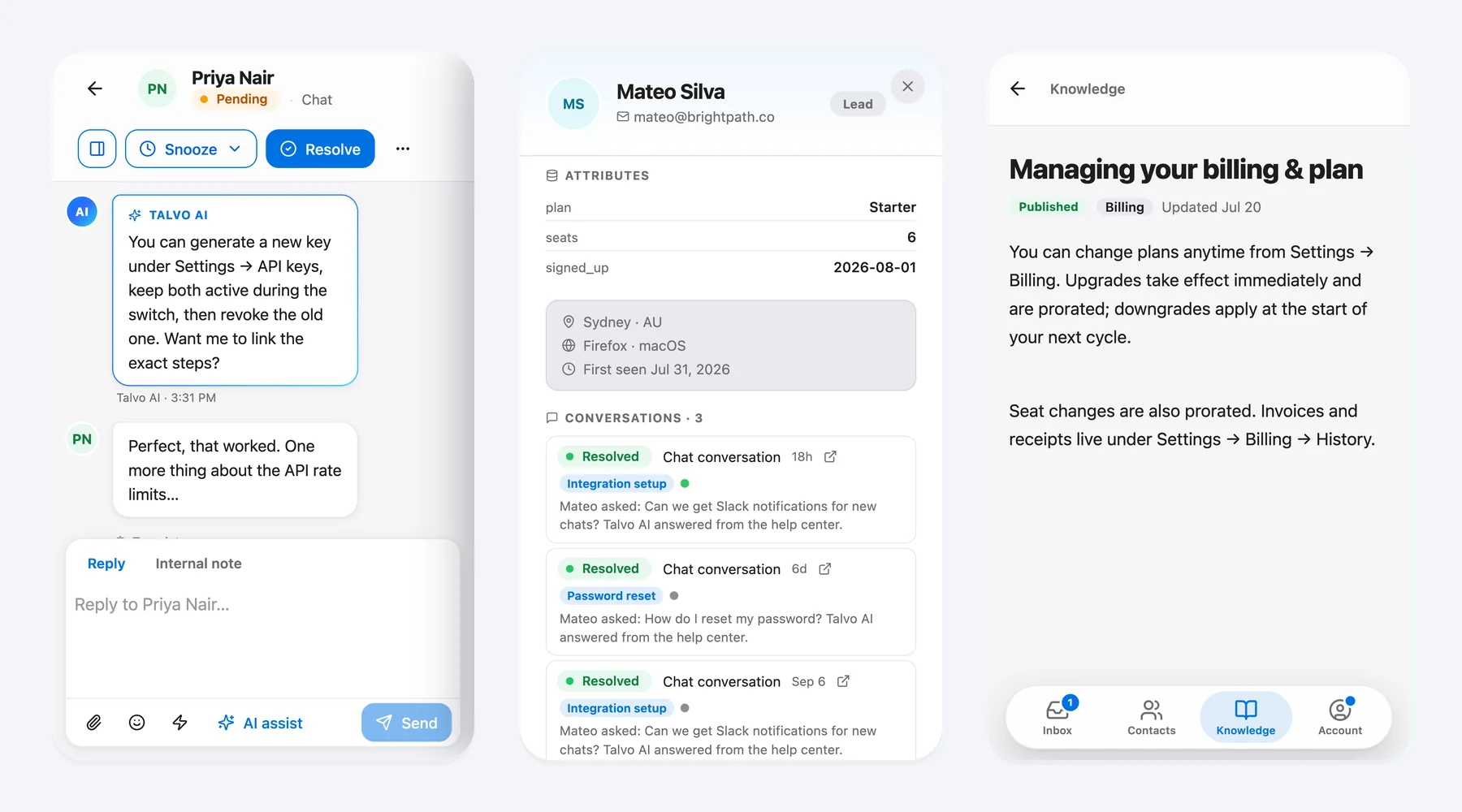
Talvo fits a small team whose customers arrive through the website and email, who want AI that cites its sources, and who dislike watching a bill grow every time they hire. It is the wrong choice if WhatsApp is how your customers talk to you, or if procurement wants a SOC 2 report.
Crisp
Crisp is the closest like-for-like on pricing shape: flat per workspace, with extra agents at $10 each. Free covers 2 seats. Mini is $45 a month for 4 seats, Essentials is $95 for 10 seats, and Plus is $295. The shared email inbox starts on Mini. The omnichannel inbox (WhatsApp, Instagram, SMS, Line, Viber), the knowledge base and the no-code workflow builder are Essentials features, so $95 is the realistic number for most teams.
Its AI agent, Hugo, runs on dollar-denominated credits: $5, $25 and $75 a month on Mini, Essentials and Plus. Crisp estimates about $0.05 to $0.10 per full AI-handled conversation, which is among the lowest per-answer costs in this guide on paper (Front lists Autopilot from $0.05, a floor rather than a quote). The catch is that it bills on usage, not resolution, so escalated conversations still draw credits, and when credits run out Hugo stops answering unless you turn on pay-as-you-go, whose rates are not published. Yearly prices are not published either.
Crisp is strong on messaging channels and on price. Customer-profile caps (5,000 on Mini) push people up a tier, and its own help center says it has not been through a SOC 2 audit. Data is hosted in Europe. We go through the head-to-head in Talvo vs Crisp.
Tidio
Tidio prices by billable conversations, meaning conversations that include a message from a human agent. Free includes 50, with 10 seats. Starter is $29 a month ($24.17 annual) for 100, and Growth starts at $59 for 250 and scales to $349 for 2,000. The AI agent, Lyro, is a separate add-on: free for 50 conversations once, then $39 a month for 50 up to $700 for 1,000.
That is three meters: human conversations, Lyro conversations, and Flows visitors reached. They are individually reasonable and collectively hard to forecast, which is the most common complaint in the write-ups we read. Lyro bills on any conversation where it replies at least once, whether or not it resolved it.
It is a good fit for a small Shopify or WordPress store with modest human volume. If your volume grows, our Tidio alternatives guide works through the options.
Best for email-first support teams
Help Scout
Help Scout feels like a very good shared email inbox that also has live chat (Beacon), a knowledge base (Docs) and messaging. Free covers 5 users and 100 contacts a month. Standard is $25 per user annual ($30 monthly) for up to 25 users, Plus is $45 ($54), and Pro is $75 ($90) with a 10-user minimum.
Its AI agent, Envoy, is $0.75 per resolution on every paid plan, cheaper per resolution than Fin, Zendesk or LiveChat, with a monthly spending cap you can set and three free months of unlimited resolutions to start. It uses a strict definition: a customer who asks for more help, searches further or clicks "I still need help" voids the charge.
Where it pinches: per-user pricing and plan caps on users (25 on Standard, 50 on Plus). Phone is by integration only, and we did not find product tours or outbound email campaigns on its pricing page. A support team of mostly email, with a handful of agents, will like it. A chat-heavy team of twenty will find it expensive.
Front
Front is a collaborative inbox for teams that run support, account management and logistics from shared email. Starter is $25 per seat annual for up to 10 seats and one channel type (email, Front Chat or SMS). Professional is $65 per seat and adds omnichannel, SSO and SCIM. Enterprise is $105.
AI is a separate add-on: Autopilot is listed as "starting at $0.05" a conversation, which is a floor, not a quote, and Copilot is $20 a seat on Starter and Professional. G2 reviewers praise ease of use and collaboration; GetApp reviewers call pricing unintuitive and say essential features sit behind higher tiers.
It is not a chat-first tool. If most of your conversations start on a website widget, look elsewhere. If most start in an inbox and need handing between people, Front deserves a look.
Zendesk
Zendesk is the default answer for large support orgs, and it is the least comfortable choice for a small team that only needs chat. Support Team is $19 per agent annual ($25 monthly) but is email and ticketing only, with no live chat. Suite Team, at $55 ($69), adds messaging, live chat, telephony and AI agents. Suite Professional is $115 ($149).
AI agents bill per automated resolution: 5 included per agent a month on the Team plans, then $1.50 each committed or $2.00 pay-as-you-go. Under its resolution tiers, introduced in May 2026, only a verified resolution (an LLM checks the transcript) draws from your allowance, which is a fairer definition than "the customer went quiet". Copilot is a $50 per agent add-on on Professional and above (annual billing), and things like HIPAA enablement and quality assurance are separate add-ons.
You get depth no one else here matches: FedRAMP, SOC 2 Type II, data residency in the US, EEA, UK and APAC, 1,000+ integrations. You pay for it in complexity and in the table above, where it is the most expensive line for the standard scenario. Worth it if you need those things, overkill if you don't.
Best for chat-first teams with budget
Intercom (now Fin)
Intercom (now Fin) is the product to beat on polish. The company reportedly renamed itself Fin in May 2026. In June 2026 Salesforce agreed to acquire it for about $3.6 billion, and Salesforce announced on September 10, 2026 that the acquisition was complete. The helpdesk is still sold as Intercom, at intercom.com/pricing.
Essential is $29 per seat annual ($39 monthly), Advanced is $85 ($99) with 20 free Lite seats and workflows, and Expert is $132 ($139) with SSO, HIPAA support, SLAs and 50 free Lite seats. New customers are currently shown a lower promotional Essential price, which we have not used because the page does not say how long it lasts. Fin is $0.99 per outcome.
The part to understand is what an outcome is. It includes a customer who confirms the fix, a customer who does not ask for more help after Fin responds, and a completed workflow, including ones that end in a handoff. Product tours, surveys and checklists are not in any base plan; Proactive Support Plus is $99 a month for 500 messages. On the strength side: Messenger polish, Fin's resolution quality as reviewers describe it, HIPAA, and data hosting in the US, EU or Australia.
If you are weighing it, Intercom pricing in 2026 walks through the bill in detail and Talvo vs Intercom compares us directly.
LiveChat
LiveChat is built chat-first, and it shows: a polished agent console, strong Shopify selling features, and a per-user price. Essential is $19 per user annual ($25 monthly). Growth is $79 ($99) and adds chat supervision, 10 AI Agents and 200 AI resolutions a month. Essential includes just 10 resolutions. Extra resolutions are sold in packs of 50 for $49.50, about $0.99 each.
There is no free plan, only a 14-day trial. Its pricing page lists website, in-app, Messenger, Shopify and SMS through Twilio, with WhatsApp and Instagram appearing as integrations. The pricing page does not show which channels each tier includes. The big complaint in review snippets is cost relative to competitors, with add-ons growing the bill, and per-seat pricing at $79 to $99 means every hire counts. LiveChat has a SOC 2 Type 2 audit and a long list of compliance claims.
HubSpot Service Hub
The catch with HubSpot arrives before the benefit: seats, a required onboarding fee and credits you can't easily convert to a per-answer price. The benefit is real if your contacts already live in HubSpot, because support sits in the same record. Free covers 2 users with live chat (HubSpot branded), limited bots and surveys. Paid seats are priced per seat, and the Starter price is unclear on the pricing page (we saw both $7 and $20). Professional is $90 per seat on an annual commitment or $100 monthly, with a required $1,500 one-time onboarding fee. Enterprise is $150 per seat with $3,500 onboarding.
The AI agent, Breeze Customer Agent, is paid in HubSpot Credits. Extra credits are $0.01 each. HubSpot's own pricing page links out to a rate sheet for the per-resolution rate, which we could not retrieve; third-party write-ups say about 50 credits, roughly $0.50. Treat that as unconfirmed.
HubSpot is the right answer for teams already paying for its CRM. For everyone else the combination of seats and onboarding makes it among the costlier ways to add chat.
Freshchat
Freshchat, from Freshworks, is unusual because its free plan covers up to 10 agents with a web and mobile chat widget, team inbox and email connection. Growth is $19 per agent annual and adds the Freddy AI Agent plus Facebook, Instagram, SMS, WhatsApp and LINE. Pro is $49, Enterprise is $79. Monthly prices did not render on the page, so we only have annual ones.
Freddy AI Agent gives you 500 sessions once per account, then $49 per 100 ($0.49 each). A session is every interaction within 24 hours, so it is a usage meter, not a resolution meter. Freddy Copilot is a further $29 per agent a month, billed annually, on Pro and Enterprise. Freshworks lists SOC 2 Type 2 and ISO 27001. The cheap seats are real, but Capterra summaries flag bugs, weak email management and add-ons for advanced features.
Best for specific shapes of business
Chatwoot
Chatwoot is open source, so it is the only entry here you can run on your own servers. The self-hosted Community Edition is free forever but has no Captain AI, SSO, voice, custom branding or SLA policies. Self-hosted Premium Support is $19 per agent and brings Captain and voice back. On Chatwoot Cloud, Hacker is free for 2 agents and 500 conversations, live chat only. Startups is $19 per agent, Business $39, and Enterprise $99.
Captain AI works on credits (300, 500 and 800 a month on the paid cloud tiers; extra are $20 per 1,000) and uses OpenAI GPT models. Chatwoot does not say how many credits one answer costs.
Choose it if you have someone who is comfortable with Docker and servers and you value data control. Reviewers note "free" still carries hosting and maintenance cost, and Captain's pricing is harder to predict than a flat rate.
Gorgias
Gorgias exists for Shopify and DTC brands. It prices by ticket volume, never per agent: Starter is $10 a month for 50 tickets, Basic is $60 monthly ($50 annual) for 300, Pro is $360 ($300) for 2,000, and Advanced is $900 ($750) for 5,000. The AI Agent is included on every plan and billed only on resolution, at roughly $0.85 to $1.00 an interaction, though each AI interaction also counts as a ticket.
The value is order actions (cancel, refund, discount), revenue attribution and Shopify integration. The pain, per third-party write-ups, is overage during Black Friday and the double count of AI interactions as tickets. Two sets of prices on the page mean you should confirm what the live price cards show before budgeting. For a Shopify store with high order volume it is a strong pick; for anyone else it is not.
The best AI chatbot for customer service depends on the meter
Searching for the best AI chatbot for customer service mostly turns up the vendor with the best marketing. A more useful question is which meter you can live with.
Per resolution (Intercom, Zendesk, Help Scout, LiveChat, Talvo) means you pay when the AI actually finishes the job, but the definition of "finished" varies from "customer went quiet" to "an LLM verified it". Per conversation or usage (Crisp, Tidio, Freshchat, Front) means you pay whether or not it worked, but the unit price is often lower. Credits (HubSpot, Chatwoot) hide the unit cost until you measure it. HubSpot's credits reportedly convert to a per-resolution rate, and Gorgias bills per AI interaction, which also counts as a ticket.
At 300 answers a month the per-answer difference between $0.49 and $2.00 is about $450. At 3,000 it is about $4,500. Volume changes the answer, which is why our AI resolution pricing comparison puts all of them side by side.
For quality, none of this is hands-on tested by us. The one thing that does generalize: AI that answers only from your own documentation, cites the article and hands off when unsure is easier to trust than AI that improvises. Ask each vendor how theirs behaves when it does not know.

Free live chat options worth trying first
If you are not ready to pay, several of these give you a working chat widget for nothing, with different limits.
- Freshchat Free: up to 10 agents, web and mobile widget, team inbox. The most generous seat count.
- Help Scout Free: 5 users, 1 inbox, 1 Docs site, 100 contacts a month.
- Crisp Free: 2 seats, 100 customer profiles, no AI.
- Talvo Free: 2 teammates, live chat, two-way email, shared inbox, knowledge base and help center, plus 25 AI resolutions a month during the beta.
- Tidio Free: 50 billable conversations, 10 seats, 50 Lyro AI conversations once.
- HubSpot Free: 2 users, with HubSpot branding on chat.
- Chatwoot: Hacker cloud plan (2 agents, 500 conversations, chat only) or the self-hosted Community Edition.
Free plans are best for finding out whether people use chat at all. They are a poor basis for choosing a vendor, because the paid tier is where the pricing model bites.
How to choose
Start with what your customers use to reach you. If it is WhatsApp, SMS, Instagram or the phone, cross Talvo off for now and look at Crisp, Freshchat, Intercom or Zendesk. If it is the website and email, the field is wide open and price should decide.
Next, decide what your growth looks like. If you expect to add support people, per-seat pricing grows with you, and flat versus per-seat pricing is worth reading before you sign. If you expect more customers but the same team, the AI meter matters more than the seat price.
Then check procurement. A SOC 2 report, SSO or HIPAA support narrows the list immediately: Intercom, Zendesk, Help Scout, LiveChat, Freshworks and HubSpot, among others, publish SOC 2 audits or reports, and several add SSO or HIPAA on higher tiers. Crisp says it has no SOC 2 audit, and Talvo has no SOC 2 report, SAML SSO or HIPAA today.
Finally, match to your business. Shopify store with heavy order questions: Gorgias or Tidio. Email-first B2B team: Help Scout or Front. SaaS with a budget and in-app needs: Intercom. Technical team that wants control: Chatwoot. Small team wanting AI answers on a flat bill: Crisp or Talvo, depending on whether messaging channels or cited-source AI matter more.
Questions to ask in a demo
Vendors are good at showing the polished path. These questions find the rest.
- What exactly counts as a billable AI answer, and is a hand-off to a human billable?
- What happens when I hit the included AI usage? Does the bot stop, or does the bill rise?
- What does my team cost at double the volume, and at double the headcount?
- Which channels are included in my plan, and which are paid usage?
- Can I set a spending cap on AI?
- What do I lose if I cancel or downgrade, and when does it take effect?
- Can I export my conversations and knowledge base?
- Will the AI answer only from my content, and can I see which article it used?
- Which compliance documents can you share today (SOC 2 report, DPA, HIPAA BAA)?
- What is the price I pay at renewal?
Frequently asked questions
What is the best free live chat for a website?
It depends on which limit matters. Freshchat's free plan covers up to 10 agents, Help Scout's covers 5 users, and Tidio's covers 10 seats but only 50 billable conversations a month. Crisp and Talvo both give 2 seats free, and Talvo's free plan includes 25 AI resolutions a month during the beta.
How much does live chat software cost for a small business?
Per-seat entry tiers run from about $19 to $99 per person per month before AI. Flat per-workspace tools such as Crisp ($45 to $95) and Talvo ($49 to $149 on monthly billing) cost the same no matter how many teammates fit the plan. AI answers add $0.49 to $2.00 each on tools that bill per resolution.
Is live chat worth it for a small business?
It is worth it when customers have quick questions that you can answer in a minute, because chat removes the wait of email. It is less useful if nobody can reply during business hours, unless an AI agent answers from your knowledge base and hands off the rest. A free plan lets you test whether your visitors use it before you pay.
Do I need live chat or a chatbot?
Most small teams end up wanting both in one tool: a chat widget where people can reach a human, plus an AI agent that answers common questions and hands off when it is unsure. A chatbot alone frustrates customers when it cannot escalate. Live chat alone leaves you answering the same questions repeatedly.
What is the best AI chatbot for customer service?
There is no single winner, because the cost depends on how the vendor bills AI. Intercom's Fin costs $0.99 per outcome, Help Scout's Envoy is $0.75 per resolution, and Talvo charges $0.49 per resolution beyond the included amount. Crisp and Tidio bill on usage instead, so escalated chats still cost you.
What is the best live chat software with AI?
For a small team, the realistic choices are Talvo, Crisp, Tidio, Help Scout, and Intercom. Look for AI that answers only from your own content, shows its source, and hands off to a person when unsure. Then compare how each one counts a billable answer, because that decides your monthly bill.
Is Intercom too expensive for a small business?
It can be. Essential is $29 per seat on annual billing, and Fin adds $0.99 per outcome, so 3 seats and 300 outcomes come to about $384 a month. Tools priced per workspace, such as Crisp and Talvo, cost far less for the same scenario, though they have fewer channels and compliance options.
Sources
Other products' prices and features change. We checked these pages; if something is out of date, tell us and we'll fix it.
- Intercom pricing page (checked Oct 21, 2026)
- Salesforce press release: Salesforce completes acquisition of Fin (Sept 10, 2026)
- Crisp pricing page (checked Oct 21, 2026)
- Crisp Hugo pricing and billing explained (checked Oct 21, 2026)
- Crisp SOC 2 compliance status (checked Oct 21, 2026)
- Zendesk pricing page (checked Oct 21, 2026)
- Zendesk: About automated resolution tiers (checked Oct 21, 2026)
- Tidio pricing page (checked Oct 21, 2026)
- Help Scout pricing page (checked Oct 21, 2026)
- LiveChat pricing page (checked Oct 21, 2026)
- Freshchat pricing page (checked Oct 21, 2026)
- Freshdesk Omni pricing page (checked Oct 21, 2026)
- Gorgias pricing page (checked Oct 21, 2026)
- Front pricing page (checked Oct 21, 2026)
- HubSpot Service Hub pricing page (checked Oct 21, 2026)
- Chatwoot pricing page (checked Oct 21, 2026)
- Chatwoot self-hosted plans (checked Oct 21, 2026)
- Talvo pricing