
Customer support that resolves itself.
A real-time chat platform with an AI agent that answers from your knowledge base — in any language, with cited sources — a shared inbox with copilot, no-code automation, and AI that turns every conversation into insight.An AI agent that answers from your own articles, and a shared inbox for everything it hands to your team.


Why Talvo
Why teams pick Talvo
Talvo is new, so here is the short case for it. When you want the full picture, we compare it with 12 other tools, including where they are the better pick.
A price that doesn't grow with every hire
One price per workspace. Adding teammates up to your plan's limit (5 on Starter, 15 on Growth, 25 on Scale) never changes the bill.
See plans and limitsAI at $0.49 a resolution, counted at most once
Each paid plan includes AI resolutions, and each one beyond that is $0.49. A conversation counts at most once, and only when the AI fully answers the customer on its own, citing one of your help articles, before anyone on your team replies. A later hand-off doesn't undo a count.
What counts as a resolutionAn AI agent that sticks to your content
It answers questions only from your published help articles and the knowledge files and snippets you add for it, and cites the help article when it uses one. When your articles don't cover a question, it hands off with the conversation intact, and you can switch AI off for the workspace.
How the AI agent worksNo per-seat add-ons
Chat, email, the shared inbox and a help center come on every plan, Free included. The AI copilot, campaigns, surveys and booking pages come with Starter, and workflows, routing and SLAs with Growth, at no extra cost per seat. The one add-on is the AI Sales Agent on Starter and Growth.
Compare plansStart free, move over without a project
The Free plan needs no card. Install is one script tag, and you can import your articles from most public help centers or crawl your site.
Switching to Talvo
Follow one conversation, end to end
From the first message a visitor types to the insight it leaves behind — five moments, each handled by a surface that's already built.
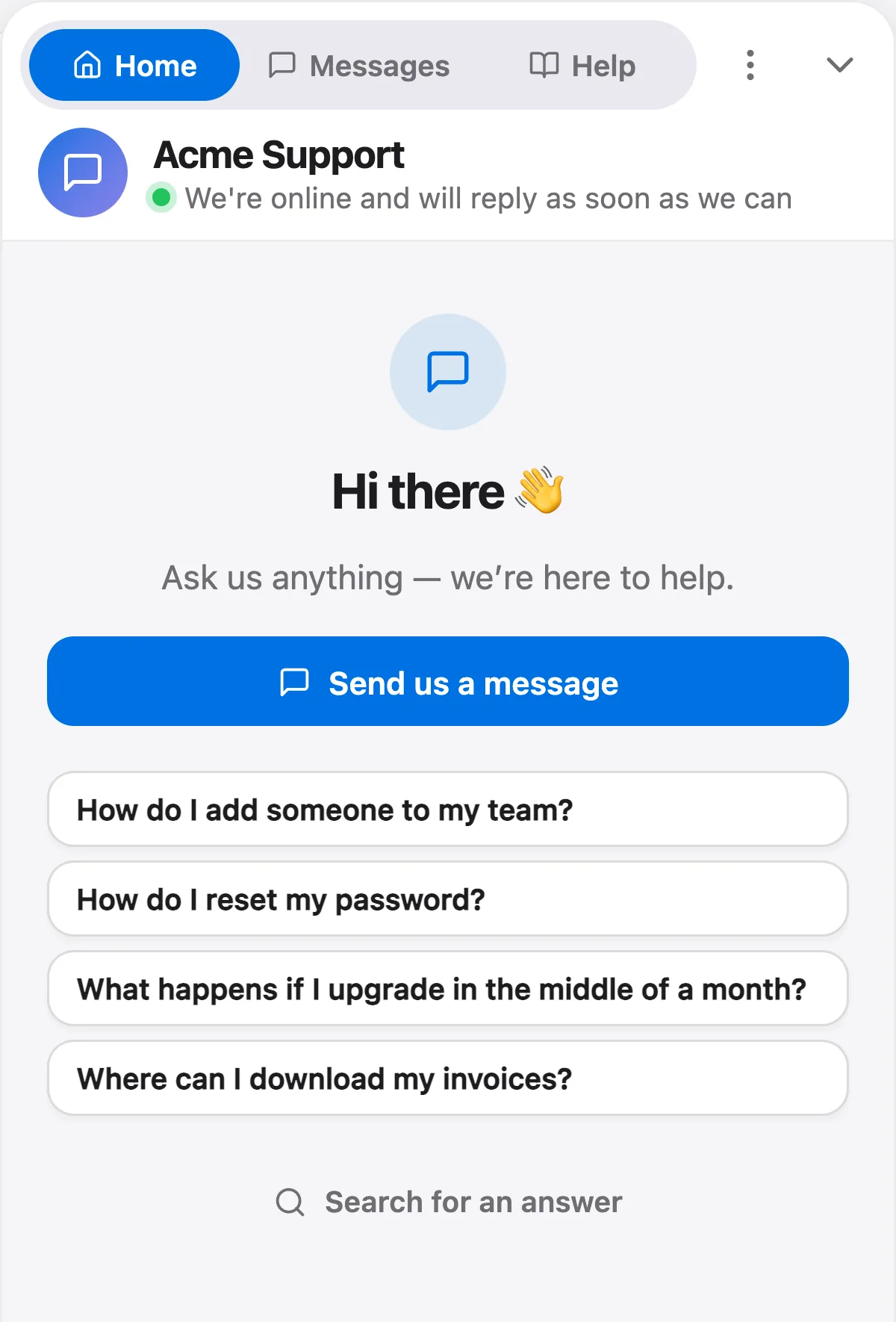
It starts on your site, in their words
Drop one line of script on any page and the messenger is live. Visitors ask in whatever language they speak, and the conversation lands in your inbox the moment they hit send.
- One script tag — live in minutes
- Themed to your brand, on any site
- Chat and two-way email in one thread
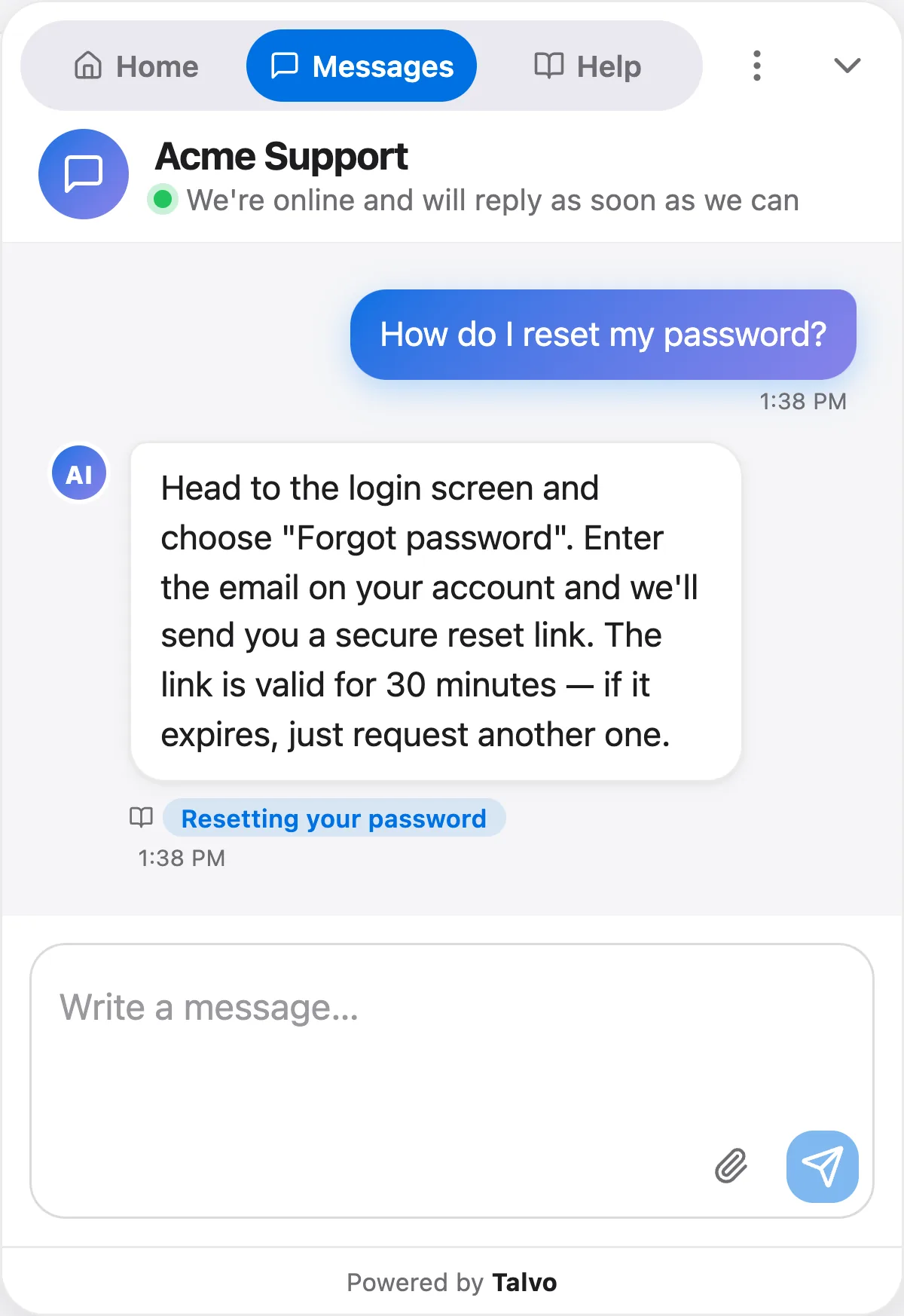
Answers that cite their own sources
Semantic search finds the right article — even across languages — and the agent answers in seconds with the sources it used. It hands off when your articles don't cover the question, so nothing gets a scripted dead-end.
- Cited answers grounded in your own articles
- Replies in the customer's own language
- Hands off cleanly when your articles don't cover it
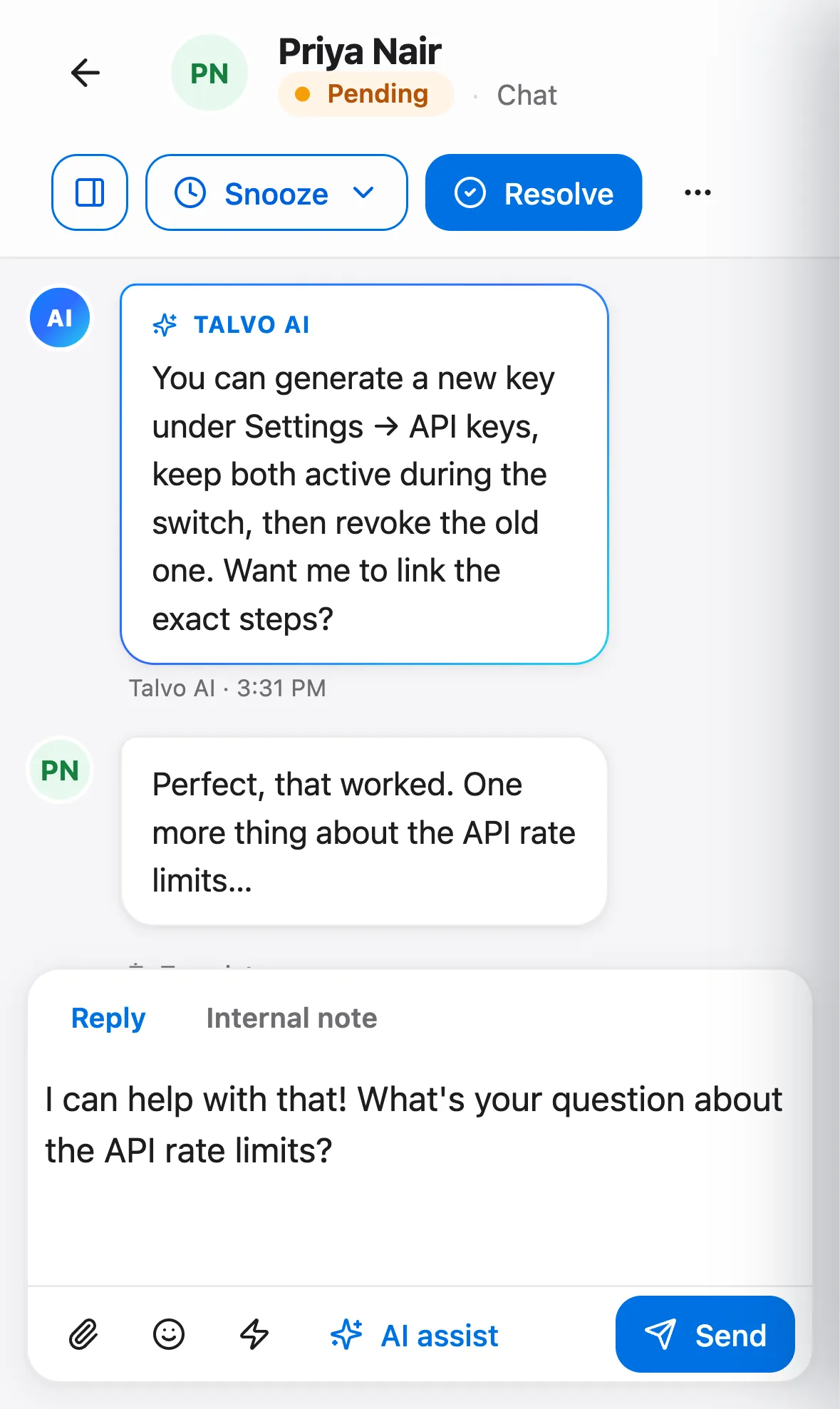
Your team picks up with the whole thread and a note on why
On paid plans, opening a thread brings up an AI brief — summary, intent, sentiment and, for open threads, the next step. The copilot drafts cited replies, summarizes long threads, and translates incoming messages into English in a click.
- AI brief on every conversation you open
- Copilot drafts cited replies and summaries
- One shared inbox for the whole team
Rules that route, tag and reply — without code
Pick a trigger, add the conditions that matter, and order the actions to run: assign a teammate, set priority, tag the contact, send an instant reply, or enroll them in a follow-up sequence.
- Triggers, conditions and ordered actions
- Match on channel, priority, tag or keyword
- Runs on new chats, replies and resolutions
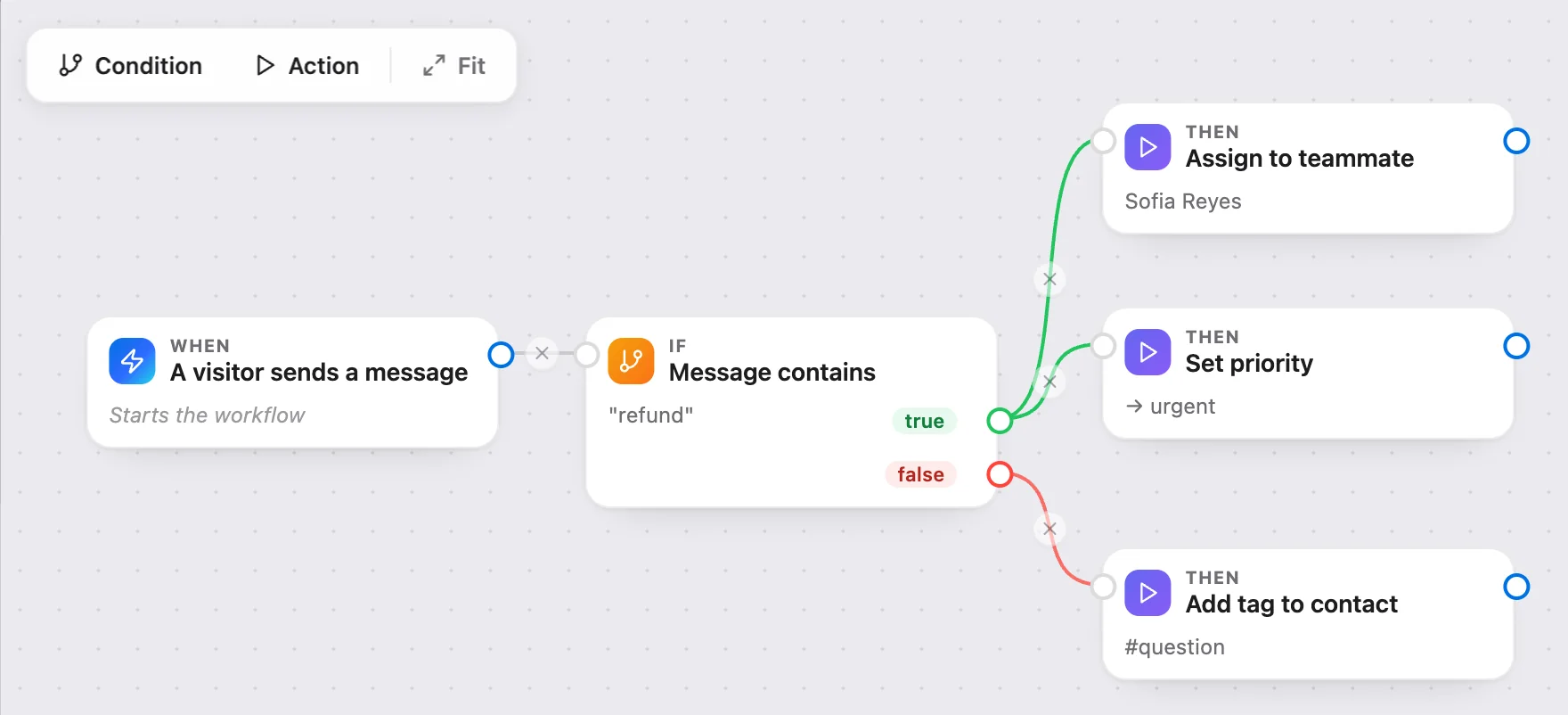
A drawing of this kind of workflow. Workflows are built on a computer.
Every resolved thread teaches you something
Talvo reads what closed and rolls it into a living picture of your customers — top themes, sentiment and the friction worth fixing. Ask questions in plain English, and see exactly which knowledge gaps to close next.
- Voice-of-Customer digest from real conversations
- Ask your data in plain English — no SQL
- AI performance dashboard and churn radar

Which means your team stops answering the same question for the fourth time today.
- How do I reset my password?9:02
- How do I reset my password?11:40
- How do I reset my password?2:15
- How do I reset my password?4:48
Everything else it already does
Fifteen surfaces in one product — instead of four products, four integrations and four bills.
Priced so growth doesn't punish you
No per-agent meter, and no charge for a conversation the AI never fully answered.
- $0.49 per AI resolution
- A conversation counts at most once, and only when the AI fully answers the customer on its own, citing one of your help articles, before anyone on your team replies. A later hand-off doesn't undo a count.
- Flat per workspace, not per seat
- Flat pricing for the whole team up to your plan's cap. Add teammates without watching a per-agent meter climb.
- $0 to start, forever
- The free plan needs no credit card and doesn't expire. Move up — or back down — from your workspace settings at any time.
A 1,000-resolution month on Growth
Worked example · billed monthly- Growth planFlat, up to 15 teammates$149
- 500 AI resolutions included$0
- 500 more AI resolutions × $0.49$245
- Conversations the agent handed to your teamThe hand-off itself adds nothing; a conversation counts only if the AI had already fully answered$0
- Teammates added this month$0
Chat and email, one conversation
Both funnel into the same inbox and the same customer profile. WhatsApp, SMS and social channels are next on our public roadmap.
Fits your stack instead of replacing it
Push conversations to Slack, fire signed webhooks on any event, and drive everything through a REST API.
What we shipped lately, and what's next
Talvo is new, so here is the most honest proof we can offer: a public record of what has shipped and what we're building now. Vote on the roadmap to change what comes next.
Your customers' data, protected
Strict tenant isolation, encrypted transport and role-based access — so every conversation stays private to the workspace it belongs to.
How we protect your dataYour whole inbox, in your pocket
Reply, assign and follow every conversation from your phone — the same shared inbox, synced in real time. Get the Talvo iPhone app on the App Store, with push notifications for new chats and hand-offs. On Android, open Talvo in your phone's browser.
- Replies, notes and assignment on the go
- Same shared inbox, synced instantly
- Push notifications in the iPhone app

I built Talvo because support teams spend a lot of their day answering questions they've already answered.
The tools that fix this are built for large companies and priced that way. You pay per seat, so every teammate you add raises the bill, and you pay again for every AI answer. For a five-person team, that can easily pass $800 a month. On Talvo, the same team pays $119 a month on the Growth plan, billed annually. Small teams shouldn't have to choose between good support and a sensible bill.
Talvo works differently. You pay one flat price for your workspace, not per seat. The AI answers from your own help articles, shows its sources, and hands off to a person when your articles don't cover the question. An AI answer only counts when it fully answers the customer on its own, citing one of your help articles.
Talvo is new, and I'd rather tell you that than pretend otherwise. You can see everything we've shipped and what's coming next on our public changelog and roadmap. If something is missing or broken, email me at support@talvo.chat and I'll read it myself.
— Jeremy, founder of Talvo
Let the agent take the first shift.
Three steps, and the agent is answering.
- Add the messengerOne script tag, just before
</body>.Install the chat widget - Import your help centerCrawl your own site, or bring your articles over from your old help desk.Import by crawling your site
- Invite your teamOne flat price for the workspace, up to your plan's teammate cap.Invite your team
<!-- Settings → Chat widget → copy your snippet -->
<script async src="https://talvo.chat/_api/widget/loader?app=your-app-id"></script>
</body>