
A messenger customers love to use.
Drop a beautiful, fast chat widget on your site in one snippet. Customers get a greeting, one-tap answers to popular questions, and self-serve help — in your brand color.
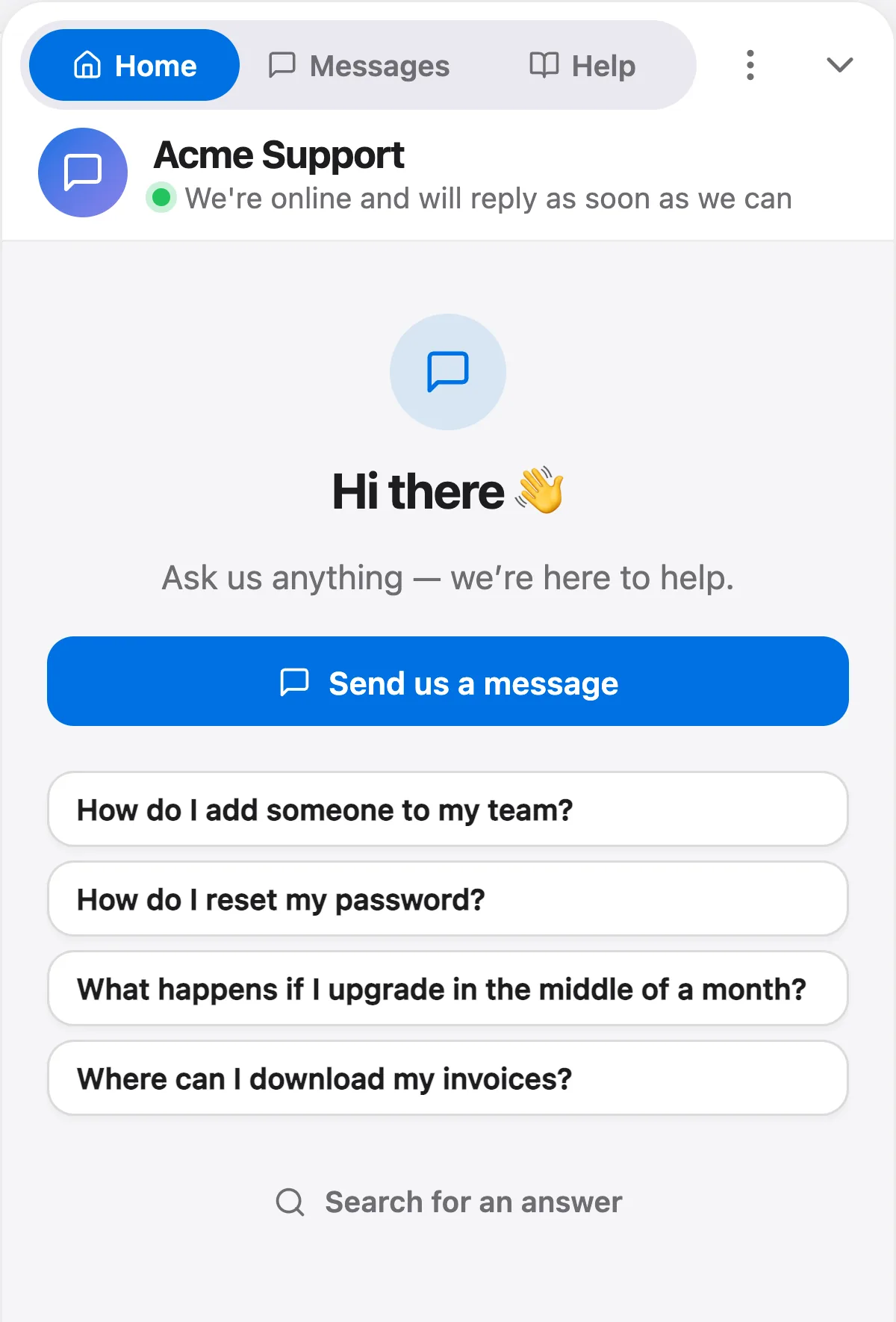
The real messenger, from our demo workspace.
Beautiful on the outside, resolving on the inside
A messenger that helps customers help themselves first — and puts AI and your team one tap away when they need more.
Answers before they even ask
A greeting, one-tap answers to your most popular questions, and searchable help — right inside the widget. Most visitors help themselves before a conversation ever starts.
- Popular questions surfaced up front
- Searchable help center in the widget
- Deflects the repetitive questions
AI answers instantly, day or night
When a visitor does start a chat, the AI agent replies in seconds from your knowledge base — and hands off to your team with context when it should. No waiting, no dead-ends.
- Instant, cited answers
- Confident hand-off to humans
- Available 24/7 in every timezone
One snippet, fully your brand
Drop a single line of code before your closing body tag and you're live on any site or platform. Set your brand color once and it carries across the launcher, header, buttons and message bubbles — per workspace.
- One-line install, works everywhere
- Your brand color, per workspace
- Fast and lightweight on every page
Which plans include it
- Free$0included
- Starterfrom $39/moincluded
- Growthfrom $119/moincluded
- Scalefrom $249/moincluded
Questions, answered
Let the agent take the first shift.
Three steps, and the agent is answering.
- Add the messengerOne script tag, just before
</body>.Install the chat widget - Import your help centerCrawl your own site, or bring your articles over from your old help desk.Import by crawling your site
- Invite your teamOne flat price for the workspace, up to your plan's teammate cap.Invite your team
<!-- Settings → Chat widget → copy your snippet -->
<script async src="https://talvo.chat/_api/widget/loader?app=your-app-id"></script>
</body>