
Timed follow-ups that run themselves.
Build multi-step follow-ups that space each step the right amount of time apart and post into the customer's conversation automatically — enrolled straight from a workflow or a click in the inbox.
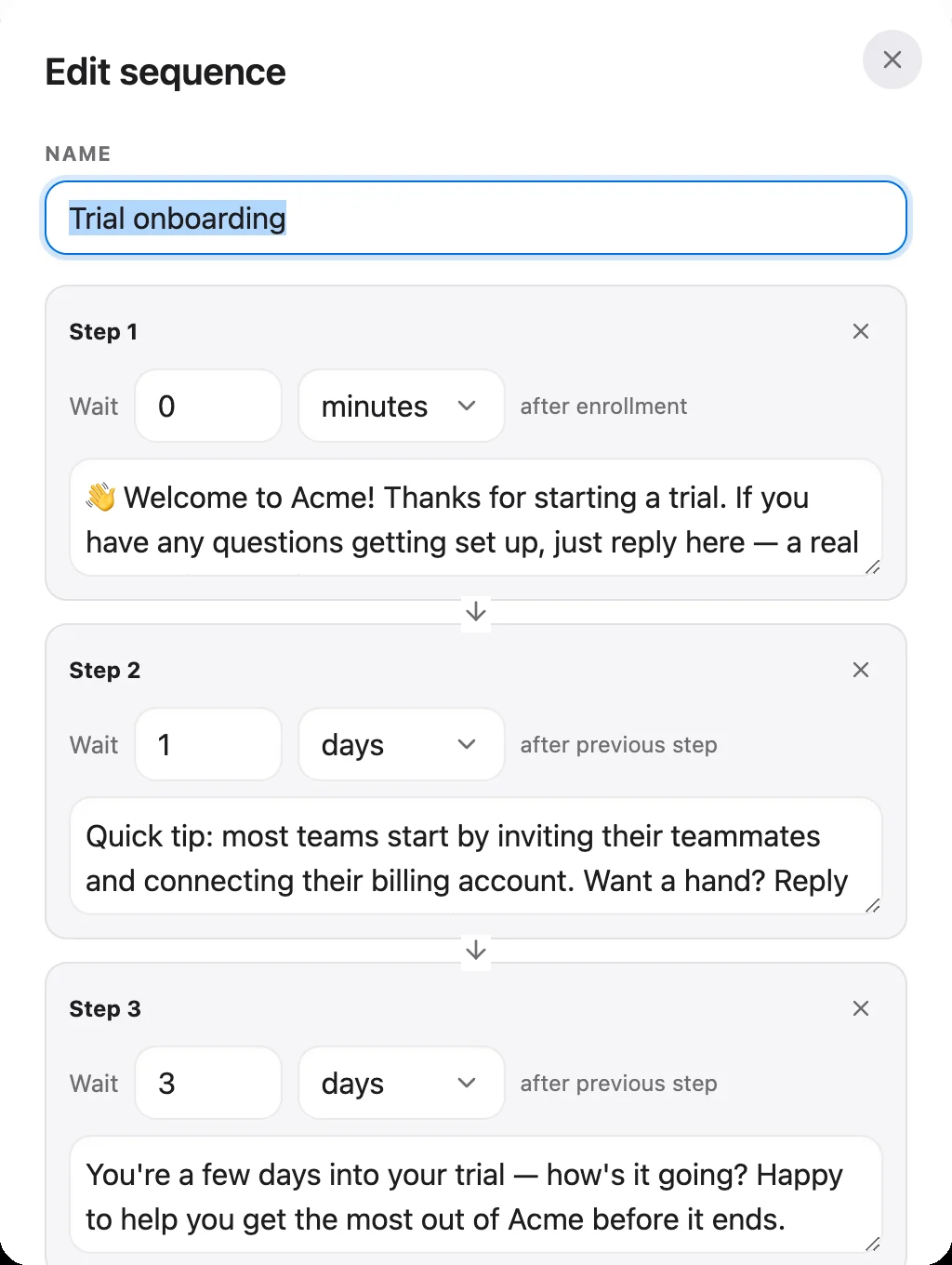
A real sequence, from our demo workspace.
Onboard, nudge and check in — on a schedule
Sequences live inside the same platform as your inbox, so your follow-ups and your support history share one view of the customer.
Enroll from a workflow or the inbox
Add a customer to a sequence with a workflow action when they hit a trigger, or from a single click on a conversation in the inbox. Each enrollment is tracked against that conversation, so you can see exactly who is partway through what.
- Enroll from a workflow action
- Or one click in the inbox
- Tracked per conversation
Write the steps once
Each sequence is an ordered list of message steps you author once — a welcome, a nudge, a check-in. Reorder them freely, and every enrolled customer moves through the same steps automatically.
- Ordered, reusable message steps
- Author once, reuse for everyone
- Lives beside your inbox & CRM
Every step waits for the right moment
Space each step a set number of minutes, hours or days after the previous one, and Talvo paces the sequence for you. Turn a sequence off at any time and every enrolled customer holds where they are — no further steps go out while it's paused.
- Set the delay before each step
- Minutes, hours or days
- Pause to hold everyone mid-sequence
Which plans include it
- Free$0not included
- Starterfrom $39/monot included
- Growthfrom $119/moincluded
- Scalefrom $249/moincluded
How-to guides
Questions, answered
Let the agent take the first shift.
Three steps, and the agent is answering.
- Add the messengerOne script tag, just before
</body>.Install the chat widget - Import your help centerCrawl your own site, or bring your articles over from your old help desk.Import by crawling your site
- Invite your teamOne flat price for the workspace, up to your plan's teammate cap.Invite your team
<!-- Settings → Chat widget → copy your snippet -->
<script async src="https://talvo.chat/_api/widget/loader?app=your-app-id"></script>
</body>