On this page
- How a knowledge base chatbot that answers from your docs works
- Why bots make things up, and the three levers that stop it
- Write articles for two readers: a human and a retriever
- What to measure, and what each number can fool you about
- Building one versus buying one
- Setting it up in Talvo, step by step
- What it costs, and what a "resolution" means for the bill
- The order that works
- Frequently asked questions
Picture a customer asking your chatbot whether the annual plan can be refunded after 30 days. The bot answers, confidently and in perfect grammar, "Yes, within 60 days." Your policy says 14. Nobody on your team sees the exchange until the customer quotes it back to you.
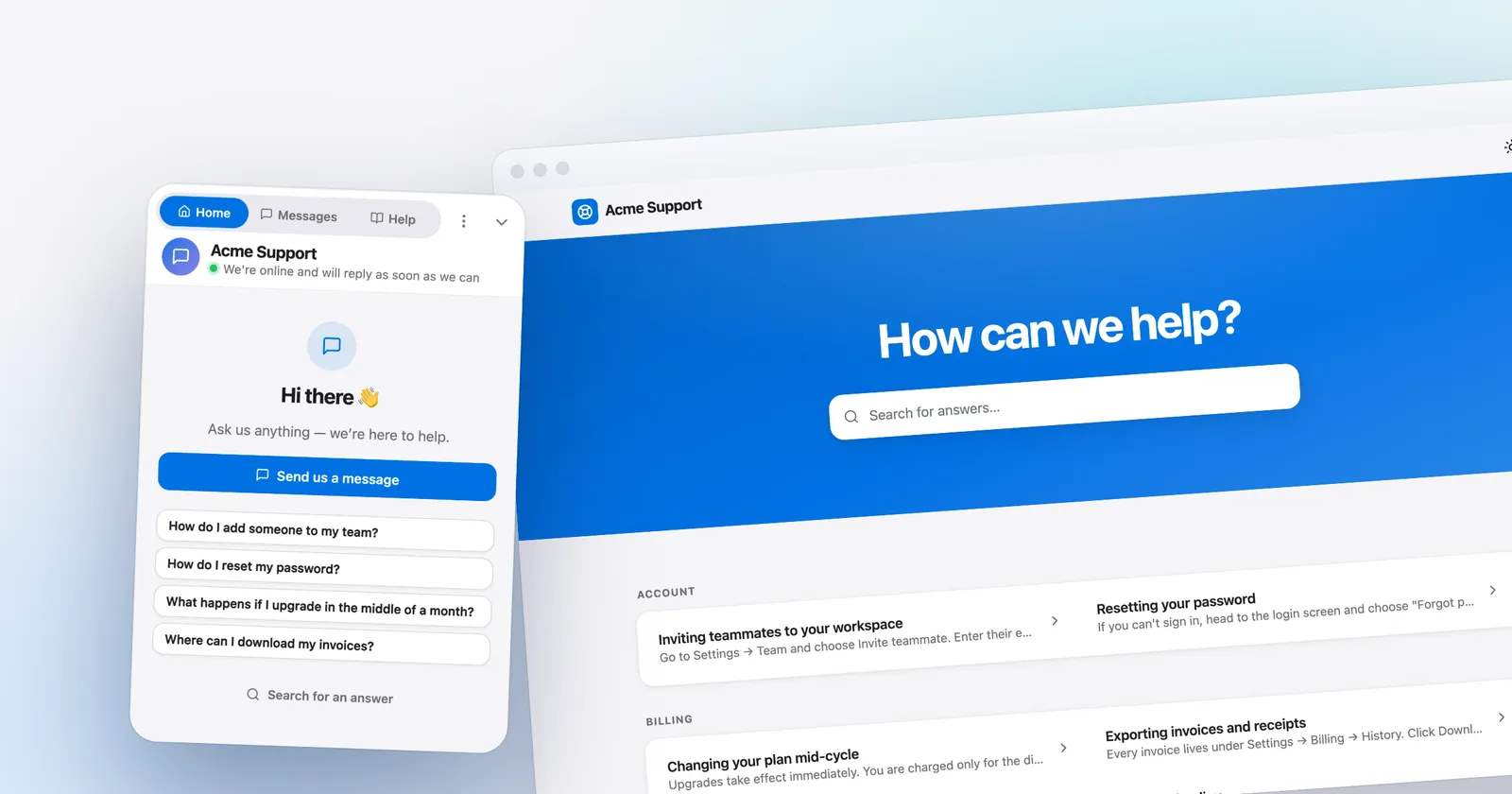
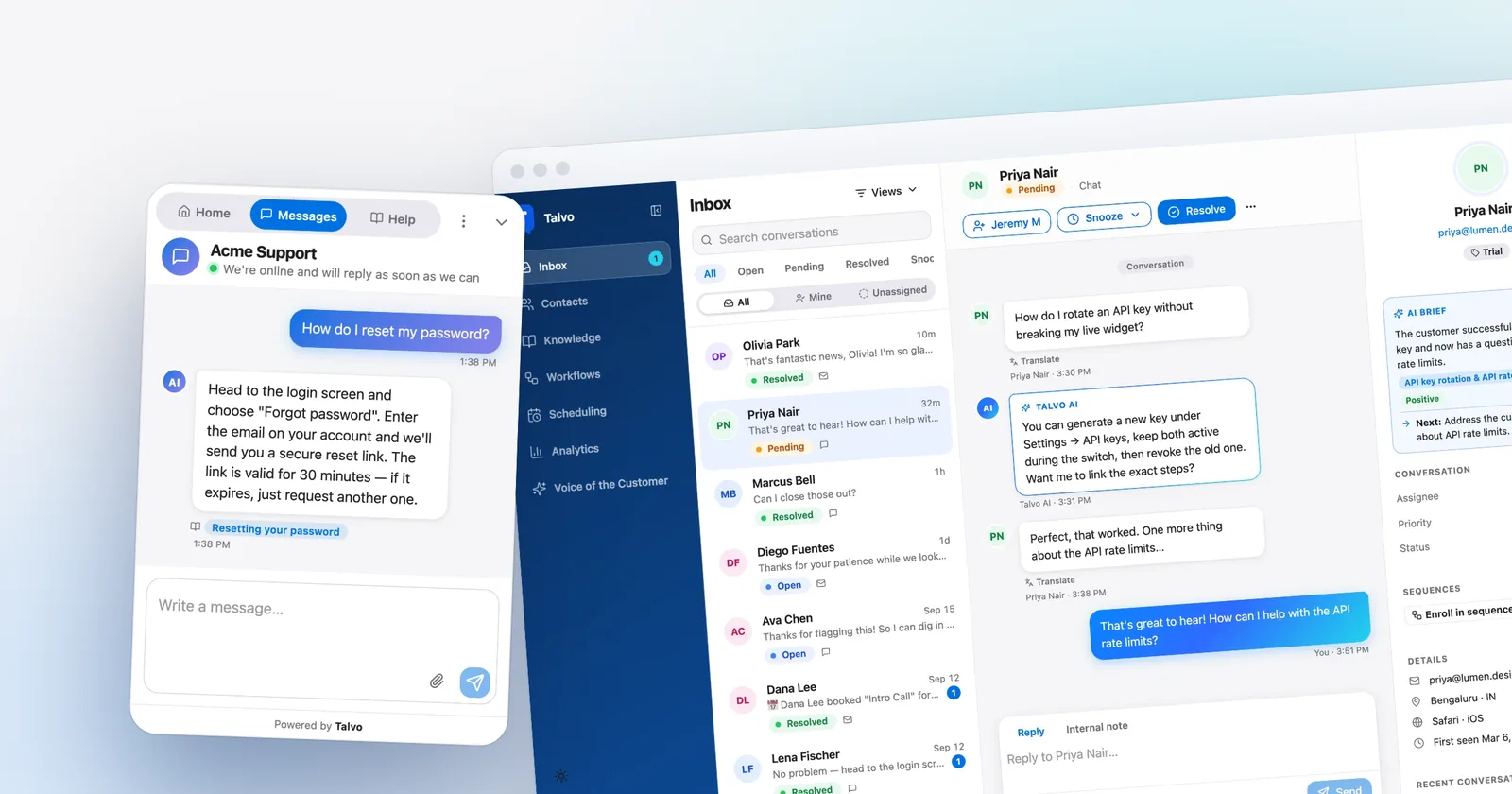
That's the failure a knowledge base chatbot is built to prevent. Instead of improvising from whatever a language model absorbed in training, it looks up your own articles, answers from them, shows which one it used, and passes the conversation to a person when it can't find a good answer.
This guide explains how that works in plain words, why bots still make things up, how to write help articles an AI can actually use, what to measure, and when to build versus buy. Talvo is the worked example for the setup steps, but the advice holds for any tool.
How a knowledge base chatbot that answers from your docs works
Most of these bots follow the same four-step loop. Engineers call it retrieval-augmented generation, or RAG. Here's the version without the acronym.
- Your content gets prepared. Articles are split into chunks and indexed so the system can search them by meaning, not just by matching keywords.
- A question arrives. The bot finds the handful of chunks most related to what the customer asked.
- The model writes an answer using only those chunks. That's the grounding step. The instruction to the model is roughly: here are the passages, answer from them, and say so if they don't cover it.
- The system decides whether to send it. If the passages were a poor match, a good bot doesn't guess. It hands off.
Steps 3 and 4 are where products differ. A bot that "trains on your website" and a bot that is restricted to your website sound alike in marketing copy and behave very differently on a question your docs don't cover. The first may fall back on general knowledge. The second says it doesn't know.
Talvo's AI agent is the restricted kind: it answers only from your published knowledge base articles, and it won't use a draft. That's a design choice you'll want to look for in any tool you evaluate.

Why bots make things up, and the three levers that stop it
Language models are fluent by default and cautious only by instruction. When the retrieved passages are thin, irrelevant or contradictory, a model still wants to produce a smooth paragraph. That paragraph is the hallucination.
It tends to come from one of three places.
The answer isn't in your docs. The customer asks about a policy or edge case nobody wrote down. A grounded bot should decline. A loosely grounded one improvises.
The answer is in your docs, but twice, differently. An old pricing article says one thing and a newer one says another. The bot picks one. Contradictions in your help center are the most common cause of confidently wrong answers, and they are your problem to fix, not the model's.
The answer is in a document the bot can't read well. A key detail lives in a screenshot, a PDF table or a video. The text around it is vague, so the bot fills the gap.
Against those, you have three levers.
Grounding
Restrict the bot to your content. If a tool lets the model answer from general knowledge when your docs come up empty, you've lost most of the protection. Ask the vendor directly what happens on an out-of-scope question, then test it yourself.
Citations
Every answer should name the article it came from, and the customer should be able to click through. Citations do two jobs. For the customer, they're a quick way to check the claim. For you, they're the fastest debugging tool you'll ever have: when an answer is wrong, you can see which article it leaned on and fix that article.
Confidence and handoff
The bot needs a way to say "I'm not sure" and a place to send the customer next. In Talvo, when the agent isn't confident it hands the conversation to a human with the full thread intact, and your team is notified. A handoff that drops the customer into a fresh, empty chat is almost as bad as a wrong answer, because they have to repeat everything.
Write articles for two readers: a human and a retriever
Most help centers were written to be skimmed by people who arrive from a Google search. A retrieval system reads differently. It pulls out chunks and has to work out, from a few paragraphs alone, whether they answer the question. That changes how you should write.
Here are the habits that matter, each with a before and after.
One question per article, stated in the title
Before: a "Billing" article covering invoices, refunds, plan changes, taxes and failed payments in seven headings.
After: "How do I get a refund?", "How do I change plans mid-cycle?", "Why did my payment fail?" as separate articles.
A big catch-all article forces the retriever to pull a chunk from the middle of it, stripped of the context that made it correct. Small, titled articles stay correct when they're cut apart.
Put the answer in the first sentence
Before:
After:
The second version works as a standalone chunk. If the bot only retrieves that paragraph, the customer still gets the right answer.
Name things the way customers do
If customers say "invite my coworker" and your article says "provision a seat," the match is weaker than it should be. Read your last 50 support conversations and borrow the phrases people actually typed. Put those phrases in headings.
State the conditions out loud
"Refunds are available" is dangerous. "Refunds are available within 14 days of your first payment, on monthly and annual plans, for new customers only" is safe. Every unstated condition is a place the bot can overreach.
Don't hide facts in images
A screenshot of your plan limits is invisible to a text retriever. Put the numbers in text and keep the screenshot as decoration.
Retire the old version
Delete or unpublish outdated articles rather than adding a newer one beside them. When you must keep history, put the date and "applies to plans before March 2026" right in the text so the conflict is visible to the model and to you.
What to measure, and what each number can fool you about
You'll see four numbers in almost every tool. Each of them can mislead if you read it alone.
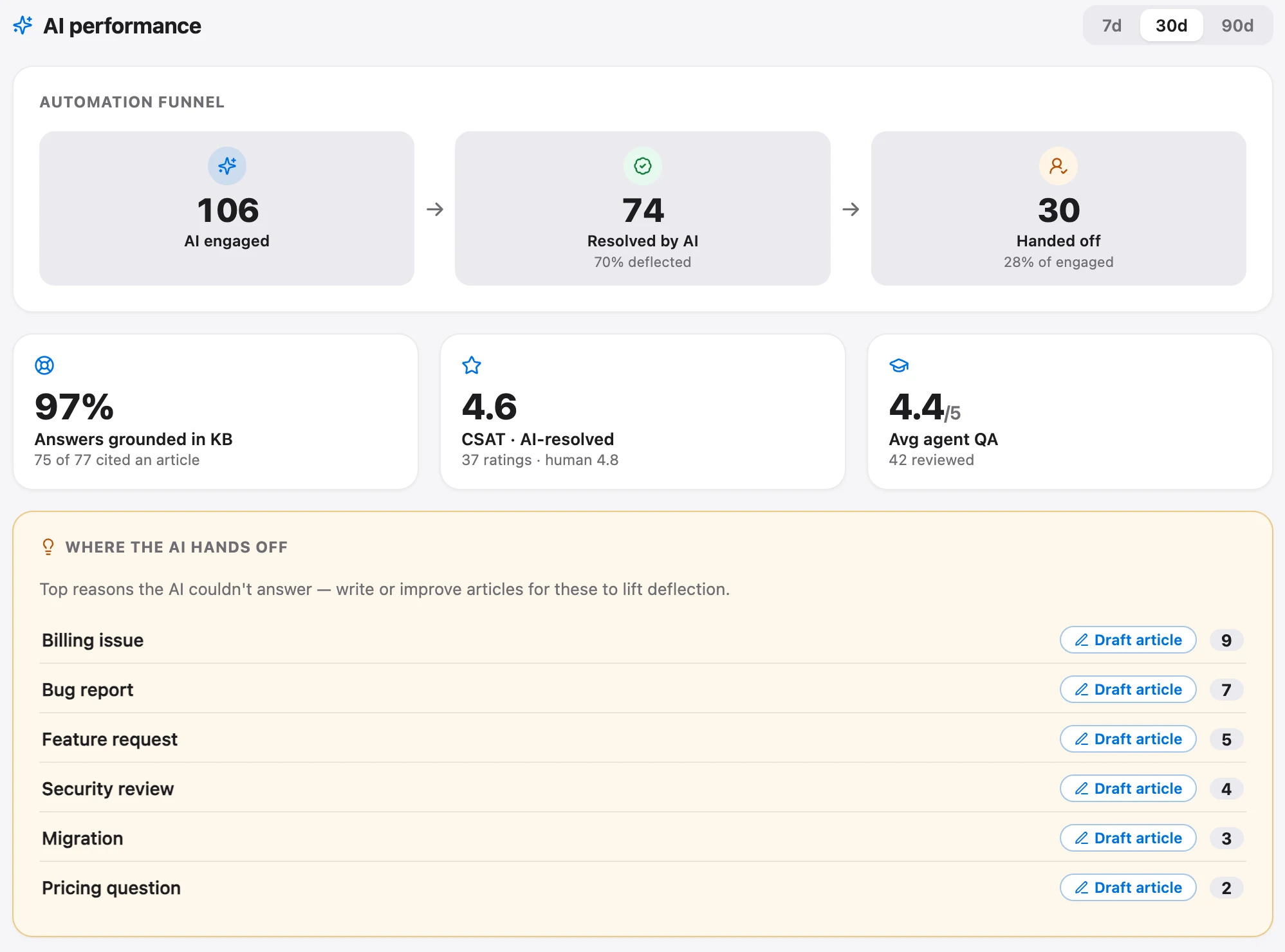
Resolution rate is the share of conversations the bot handled end to end. It rises when the bot is good and also when it's pushy. A bot that makes it hard to reach a person has a flattering resolution rate and unhappy customers. Pair it with CSAT.
Handoff rate is the share that ended up with a human. A high number early on isn't bad news. It tells you where your docs have holes. A handoff rate near zero should make you suspicious, not proud.
CSAT on AI conversations versus human ones. If you only look at one satisfaction score, you can't tell whether the bot is helping. Split it. A bot whose CSAT sits near your human average is doing its job. A big gap points you to the topics where it shouldn't be answering yet.
Questions the docs couldn't answer. The most useful output of a knowledge base bot is the pile of questions it handed off because your articles had nothing good to say. Each one is either a missing article or a policy you hadn't decided on. Read that pile weekly for the first couple of months.
In Talvo, a billed AI resolution is a conversation the agent answered end to end from the knowledge base, with no teammate stepping in, counted once. A handoff isn't a resolution. That definition matters because it ties the number to something you can audit: open the conversation, read the answer, check the cited article. For how that's priced against other tools, see our AI resolution pricing comparison.
On the Scale plan, an AI performance dashboard shows the engage, resolve, hand-off funnel and a grounding rate. On smaller plans you can still read the conversations themselves, which for the first month is the better exercise anyway.
A simple routine works for a small team. Every week, read ten AI conversations: five that resolved, five that handed off. Ask of each one whether the answer was correct, whether the cited article was the right one, and whether the handoff arrived at the right moment. Ten conversations a week will teach you more than any dashboard.
Building one versus buying one
You can build this yourself. The pieces are well known: an embedding model, a vector store, a prompt, a chat interface. A competent developer can have a demo running in a weekend.
The demo is the easy part. What takes the time:
- Keeping the index in sync as articles change, including deletions.
- Writing the "say you don't know" behavior and testing it against hundreds of off-topic and adversarial questions.
- Citations that link to the right place.
- The handoff, which means an inbox, notifications, routing and context passing. This is usually the bulk of the project.
- Languages, abuse prevention, analytics, and a UI your support team can use without a developer.
Building makes sense when the bot is a product feature for your own customers, you have unusual data, or you need control that no vendor offers. For a support team of 2 to 25 people that mostly wants fewer repetitive questions, buying is almost always cheaper once you count the engineering hours.
When you buy, there's a second choice: a standalone bot, or a bot that lives inside the same system as your inbox. A standalone bot can be sharp at answering and awkward at everything after, because the handoff has to cross into another tool. A bot built into the shared inbox hands off with the thread, the customer's details and your team's routing rules already in place. That's the argument for an all-in-one platform, and it's the one Talvo makes: live chat, AI agent, inbox and knowledge base in one workspace.
Setting it up in Talvo, step by step
This is the actual sequence, with the plan each step needs. Other tools will differ in menu names but follow the same order.
1. Get your content in. Write articles in the knowledge base editor, which is available on every plan including Free. If you already have a help center elsewhere, the site-crawl import pulls it in from your public pages. Talvo can also bring articles over from Intercom, Zendesk, Help Scout, Crisp, Freshdesk, GitBook, Document360, HubSpot and most public help centers, as covered in the switching guide.
2. Clean before you publish. Imported content is a starting point. Read the top 20 articles that customers ask about, apply the habits from the section above, and delete the stale ones. This is the step people skip and regret.
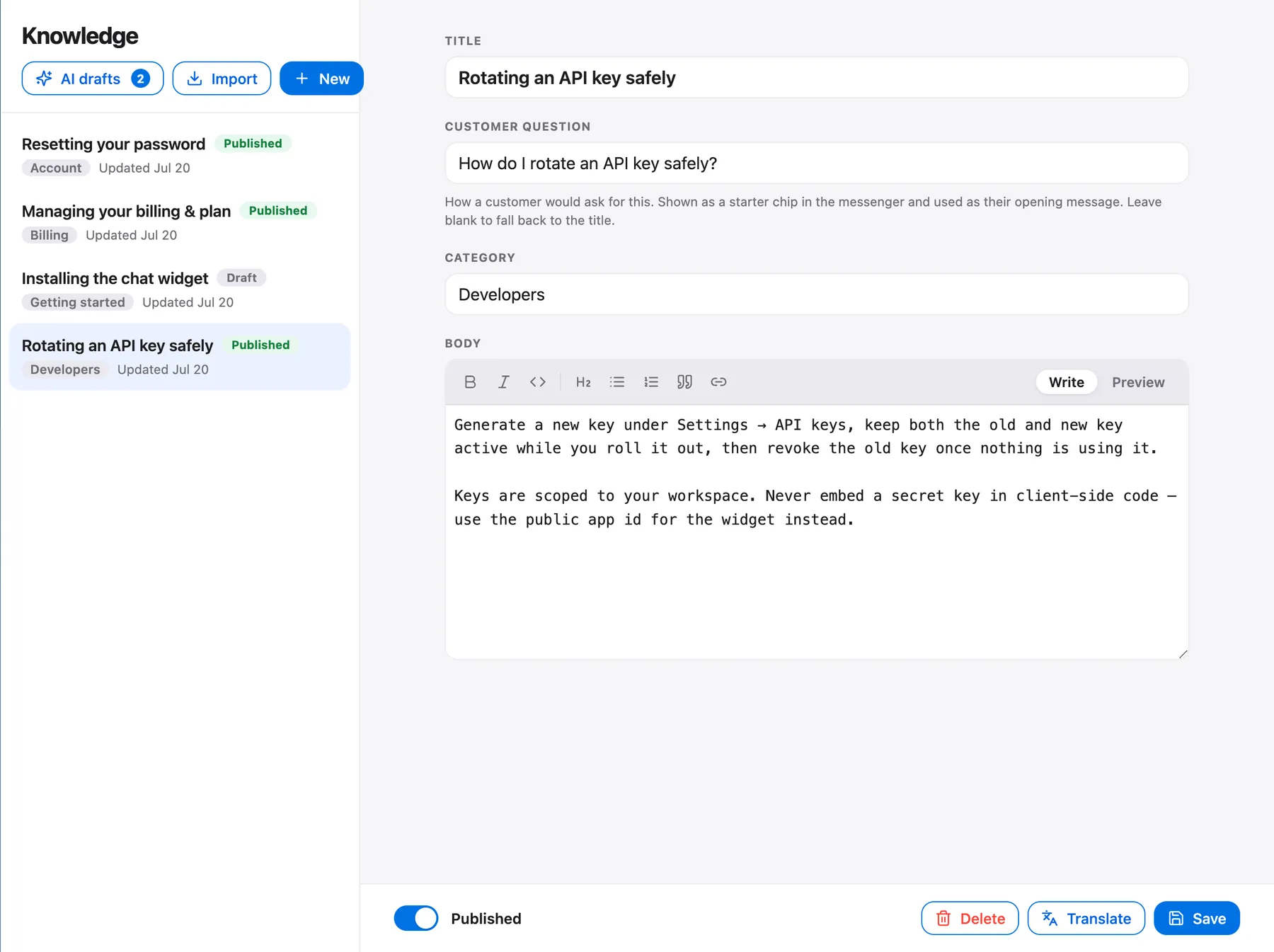
3. Publish. The AI agent answers only from published articles, so drafts are safe to leave half-finished. That's a useful property: you can stage a rewrite without exposing it to the bot.
4. Turn on the AI agent and choose a voice. The AI agent is included from the Starter plan, at $49 a month, with 100 AI resolutions. During the beta, the Free plan also includes 25 a month so you can try it first. On the Growth plan, brand voice controls tone and you can pick the model per workspace. Replies come back in the customer's language, and agents can translate any message with one click.
5. Install the widget. In Settings, open the chat widget page, copy the one-line script and paste it before the closing body tag on your site. Our guide to adding live chat to your website has the steps for each platform.
6. Test like a skeptic. Before real customers see it, ask the bot at least these:
- Three questions your docs answer clearly. Check the answer and the citation.
- Two questions your docs answer only partly. Does it overreach?
- Two questions your docs don't answer at all. Does it hand off?
- One question that tries to pull it off topic, like asking for a joke or a competitor comparison.
Fix what fails by fixing the article, not by tweaking the bot.
7. Read the handoffs. For the first two weeks, open every conversation the AI handed to your team. Each is either a documentation gap or a case that should always go to a person.
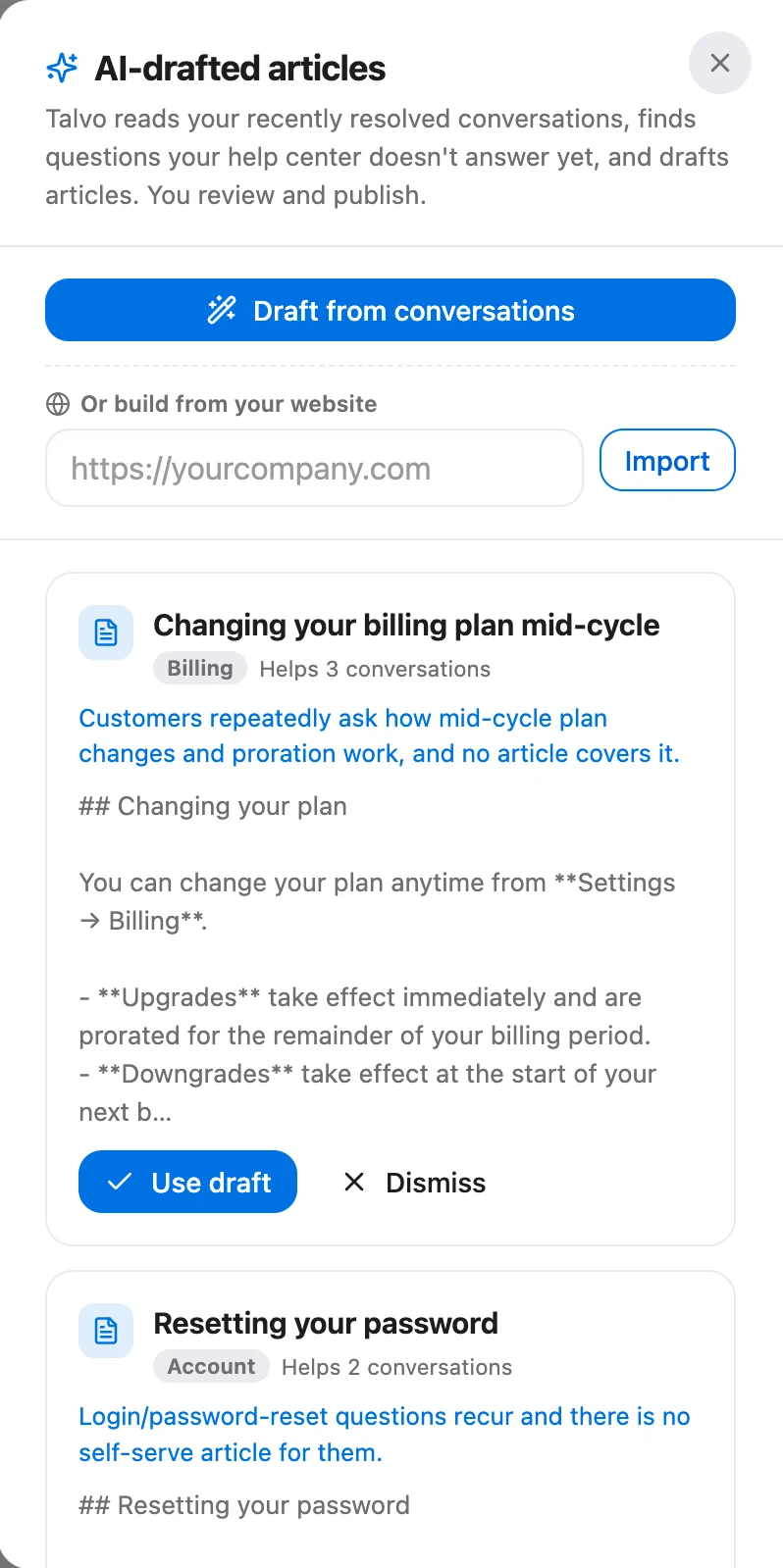
8. Let the gaps write themselves. On the Growth plan, the self-writing knowledge base drafts articles from questions the AI couldn't answer. You review them, edit and publish. It's a good way to turn the weekly pile of handed-off questions into a queue instead of a chore, but the drafts still need a person who knows the real answer.
What it costs, and what a "resolution" means for the bill
The tool you pick will charge in one of three ways: per seat, per resolution, or a platform fee with usage on top. Many mix them. The trap is a per-resolution price that looks small until you multiply it by real volume.
Talvo's version, for reference: plans are per workspace, not per seat. Starter is $49 a month with 5 teammates and 100 included AI resolutions, Growth is $149 with 15 teammates and 500, and Scale is $299 with 25 teammates and 2,000. Extra resolutions are $0.49 each on every paid plan. The Free plan covers 2 teammates, the knowledge base and the hosted help center, with 25 AI resolutions a month during the beta. Full details are on the pricing page.
Whatever tool you evaluate, work out the same two things. First, how many conversations a month could the bot realistically resolve? Look at your last month and count questions that a published article fully answers. Second, what does the vendor count as a resolution, and does a handoff cost you anything? The second answer is where bills diverge.
The order that works
Fix the docs, then turn on the bot, then read what it gets wrong. The model matters less than the library it reads from. A well-kept set of thirty articles and a grounded bot will out-answer a thousand-page help center full of contradictions.
Talvo is new and in beta, and it doesn't yet cover WhatsApp, SMS or Instagram, which matters if your customers live there. If your questions arrive through your website and email, though, the setup above covers it, and the AI agent page shows how the pieces fit.
Frequently asked questions
How do I train a chatbot on my website?
Most tools don't retrain a model on your site. They index your pages or help articles, then look up the relevant passages for each question and answer from them. Import or crawl your content, clean out outdated pages, publish, and test with real customer questions. In Talvo you can crawl your site to import articles, or write them directly in the knowledge base editor.
Can a chatbot cite sources?
Yes, if it answers from retrieved articles it can name the one it used and link to it. Citations let customers check a claim and let you trace a wrong answer back to the article behind it. Talvo's AI agent shows which article it used in each answer.
How do I stop a chatbot from making things up?
Restrict it to your published content, require citations, and give it a clear path to hand off when it isn't confident. Then fix the real cause, which is usually a missing article, two articles that contradict each other, or a key fact hidden in an image. Test with questions your docs do not answer and confirm the bot hands off instead of guessing.
Chatbot or live chat: which do I need?
Most small teams need both in one place. A chatbot absorbs repetitive questions that your docs already answer, and live chat with a person covers everything else. The important part is that the bot hands off with the conversation intact, so the customer never has to start over.
How many help articles do I need before turning on an AI chatbot?
There's no magic number. A focused set that covers your top 20 to 30 repeat questions clearly will serve better than a large, messy help center. Start with the questions your team answers most often, publish accurate articles for those, and add more from the questions the bot hands off.
What should I measure after launching a knowledge base chatbot?
Track resolution rate, handoff rate, and CSAT for AI conversations versus human ones, and read them together. Also keep a running list of the questions the bot handed off, since each one is a missing article or an undecided policy. Reading a handful of AI conversations every week is the most reliable check.
Is it better to build a knowledge base chatbot or buy one?
A basic demo is quick to build, but production use needs index syncing, reliable out-of-scope behavior, citations, a handoff to a real inbox, and analytics. For a small support team that mostly wants fewer repetitive questions, buying is usually cheaper than the engineering time. Building makes more sense when the bot is a feature of your own product.
Sources
Other products' prices and features change. We checked these pages; if something is out of date, tell us and we'll fix it.