
On this page
- First response time, SLA and resolution time, side by side
- What counts as a response
- Business hours or wall clock: the same email, two numbers
- Use the median and the 90th percentile, not the average
- What other teams report, with the fine print
- Set a target you can actually hit
- The staffing math behind the target
- Getting faster without hiring
- Setting it up in Talvo
- Frequently asked questions
A first response time SLA is one sentence: "We will reply to new conversations within X." The sentence is easy. Deciding what counts as a reply, which clock it runs on, and an X your team will actually hit is where small teams go wrong.
This guide covers all three, with the arithmetic. You'll get the definitions side by side, a worked example of why the average is the wrong number, benchmarks with their fine print, a starter SLA table, and staffing math for a team of two to ten people. Talvo's SLA policies are the worked example for setup, but the thinking applies to any inbox.
First response time, SLA and resolution time, side by side
People mix these up constantly, and the mix-up is how targets end up meaningless.
| Term | What it is | Starts | Stops |
|---|---|---|---|
| First response time (FRT) | A measurement of how long a customer waited | The customer's first message | The first reply from a human on your team |
| First response SLA | A target for that measurement, per priority | n/a | n/a |
| SLA compliance | The share of conversations that met the target | n/a | n/a |
| Resolution time | How long the whole problem took | The customer's first message | The conversation is marked resolved |
| Next response time | The wait after each later customer message | A customer follow-up | Your next reply |
First response time is the one customers feel first. It says nothing about whether you fixed the problem, which is why it sits next to resolution time rather than replacing it. A support team can be fast to say "looking into it" and slow to finish, or the other way around.
One more distinction matters. The measurement is what happened; the SLA is what you promised. You can have a perfectly good median first response time and still miss your SLA on one in five conversations.
What counts as a response
An automatic "thanks, we got your message" does not count. It stops no one's wait; it just makes the wait look shorter on a dashboard. Treat auto-acknowledgments as part of your away message, not part of your metric.
The harder question is AI. If an AI agent answers in five seconds, did you respond? The most defensible answer is that it depends on what the AI did. If it fully resolved the conversation from your help content, the customer's problem is solved and there is no human wait to measure. If it handed off to a person, the customer is still waiting for someone, and their clock should still be running.
That is exactly how Talvo works. Its first response time is stamped once, on the first human reply, and an AI answer does not stop the clock. If the agent resolves a conversation outright, no target is at stake. If it hands off, the clock is still running and the badge in the inbox tells your team so.
Whichever tool you use, find out how it treats AI replies before you trust its first response numbers, because tools differ and the difference can flatter you. Then keep two measurements: time to first reply of any kind (what the customer experienced) and time to first human reply (what your team is accountable for).
Business hours or wall clock: the same email, two numbers
A customer emails at 4:30 on Friday afternoon. Your team works 9 to 5, Monday to Friday. Someone replies at 9:20 on Monday morning.
On a wall clock, that wait is 64 hours and 50 minutes. On a business-hours clock, it is 50 minutes: 30 minutes on Friday and 20 on Monday.
Both numbers are true. They answer different questions. The business-hours number tells you how your team performed against the promise you made. The wall-clock number tells you what the customer lived through. A fair SLA uses business hours for the promise, because nobody should be breached for sleeping, and you keep an eye on the wall-clock number so you don't forget that the customer waited the weekend.
- Business hours: fair to the team, since a message at 6 p.m. isn't a failure at 9 a.m.
- Business hours: matches how most SLA tools and some benchmarks count
- Wall clock: shows the wait the customer actually experienced, including nights and weekends
- Wall clock: simple, with no schedule to maintain
- Business hours: can hide a poor experience if your hours are short
- Wall clock: punishes you for being closed, so targets either get ignored or get too loose to mean anything
The comparison trap is real. Freshworks' 2024 benchmark report states that its ticket figures are in business hours while its chat figures are in calendar hours, and its 2025 report doesn't say. If you compare your wall-clock email number with a business-hours benchmark, you will look worse than you are.
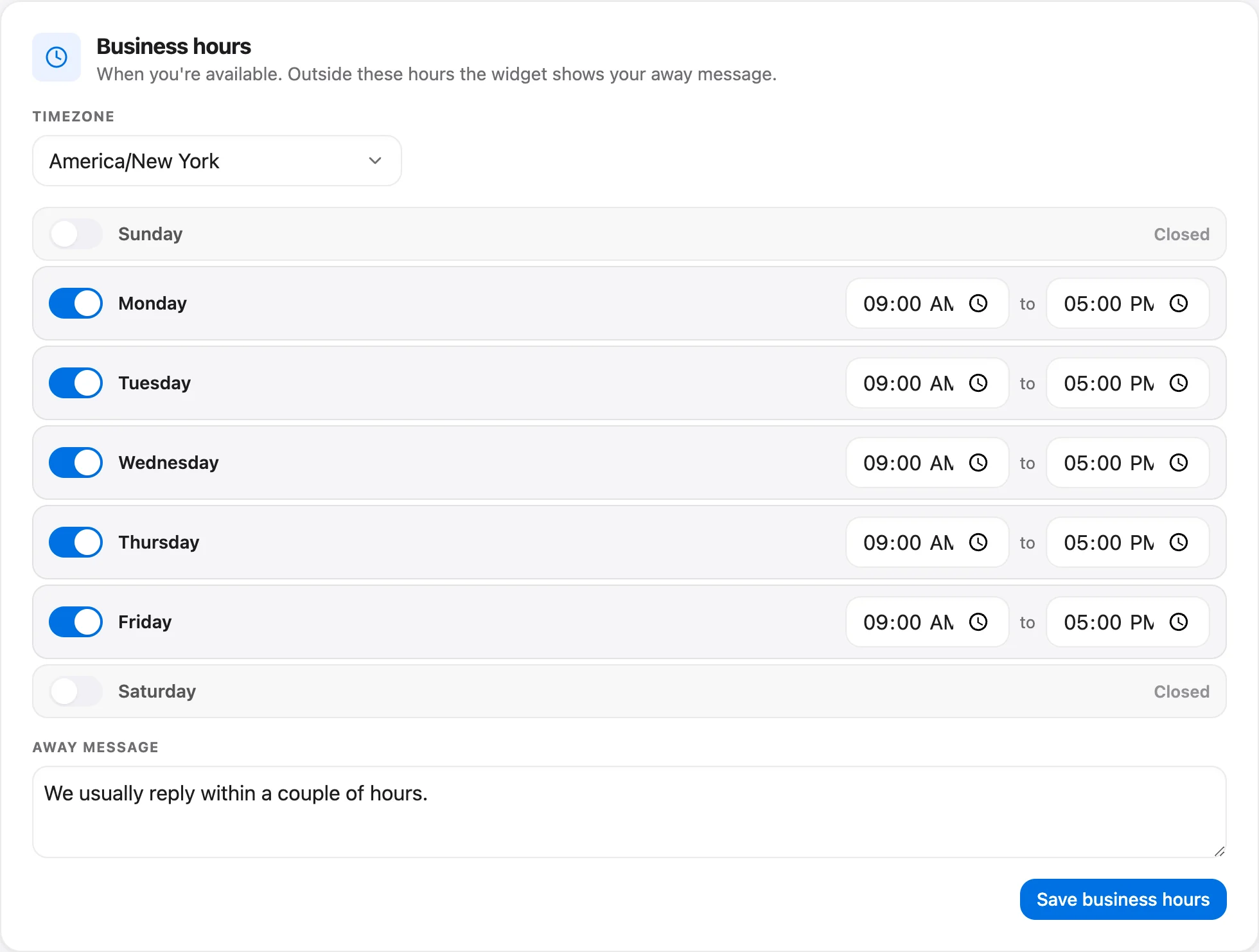
In Talvo you set working hours, a timezone and an away message under Settings → Inbox → Business hours. This is available on every plan (see pricing). When a schedule is set, SLA due times count business hours only, so the clock effectively pauses outside them. Outside those hours the widget shows your away message, which sets the expectation before the customer starts typing. For what to do with the overnight queue, see after-hours customer support.
There is one safety net that works on any clock. Talvo's no-reply reminders (Settings → Inbox → Reply reminders, 12 hours by default) alert the team when a customer has been waiting, so a conversation can't sit unnoticed over a long weekend.
Use the median and the 90th percentile, not the average
Take ten conversations from a small team, measured on a wall clock, in minutes: 5, 7, 9, 12, 14, 18, 25, 600, 840, 960. The last three are emails that arrived in the evening and were answered the next morning.
| Measure | How to get it | Result |
|---|---|---|
| Average (mean) | Add them up (2,490), divide by 10 | 249 minutes, about 4 hours 9 minutes |
| Median | Middle of the sorted list: (14 + 18) ÷ 2 | 16 minutes |
| 90th percentile | The 9th of 10 sorted values | 840 minutes, 14 hours |
| Within 1 hour | 7 of 10 | 70% |
The average says this team takes over four hours to respond. That is wrong for seven of the ten customers. The median says 16 minutes, which is right for the typical customer and wrong for the three overnight ones. The 90th percentile says the slowest experiences are very slow, which is the thing to fix.
Report all three: the median for the typical wait, the 90th percentile for the bad ones, and the percentage inside your target for the promise. Check which statistic your tool reports before you compare anything. If it shows a single average, export the raw times and compute the median yourself.
What other teams report, with the fine print
Benchmarks are useful for orientation and dangerous for target setting. Almost all the large datasets are vendor-published, they come from that vendor's own customers, and they rarely say which clock they used.
| Source | What it measured | Figure | Fine print |
|---|---|---|---|
| Freshworks 2025 benchmark (32,000+ companies, 2024 data) | Ticket first response, all companies | Median 1 h; top 20% 3 m 10 s; slowest group 7 h 4 m | Business or calendar hours not stated |
| Same report | Chat first response, all companies | Median 41 s; top 10 s; slowest group 4 m 42 s | Same |
| Same report, companies with 0 to 250 employees | Tickets | Median 1 h 3 m | Closest to a small team |
| Same report, 0 to 250 employees | Chat | Median 55 s; top 11 s; slowest group 7 m 55 s | Same |
| Freshworks 2024 benchmark | Ticket first response | Median 1 h 49 m | Business hours; chat is 36 s in calendar hours |
| SuperOffice mystery-shop test of 1,000 companies | Email response | 62% didn't respond; average 12 h 10 m | Page last updated March 2023 |
| Toister Performance Solutions survey, 2018, 1,200+ consumers | Email expectations | One hour meets the expectations of 89% of customers | Older; the only independent email survey we found |
Two readings are worth drawing out. First, the typical small-company ticket median is about an hour and the typical chat median is under a minute, but the slowest group in the 2025 ticket data waits seven hours or more. Second, the SuperOffice test is a reminder of the baseline: in its sample most companies didn't reply to a customer email at all.
Does speed matter commercially? Zendesk's CX Trends 2026 report says 86% of consumers say responsiveness and accuracy strongly influence purchasing decisions, based on surveys of more than 11,000 consumers and business leaders (Zendesk, November 2025). It's a vendor survey, but it is consistent with what you'd expect. HubSpot's State of Customer Service puts response time at the top of the list for 29% of service professionals, behind satisfaction and retention at 31% each (HubSpot).
You'll see claims that most customers define "immediate" as ten minutes. We couldn't trace that to a primary source, so we've left it out.
Set a target you can actually hit
Here is the most useful number in the Freshworks 2025 report, and almost nobody quotes it. Across all companies, median response SLA compliance for tickets was 15%, with the top group at 39% and the rest at 5%. For chat conversations, median first-response SLA compliance was 71.74% (Freshworks 2025). The ticket figure suggests that many teams set targets they don't meet. A target nobody meets teaches the team to ignore the badge.
So begin looser than feels ambitious, measure for a month, and tighten once you're meeting it. Consistency beats speed. A team that hits 95% of a two-hour target is giving customers a better, more predictable experience than a team that promises 15 minutes and hits it 60% of the time.
A published email-SLA guide from Drag suggests 15 minutes to an hour for urgent items and about an hour for standard ones. That is on the fast side for a team of three people also doing other jobs. Here is a gentler starting table, in business hours.
| Priority | What belongs here | Starting target | Talvo's demo value |
|---|---|---|---|
| Urgent | Outage, can't log in, payment problem for a paying customer | 30 minutes | 30 minutes |
| High | Paying customer blocked, time-sensitive request | 2 hours | 2 hours |
| Normal | General questions, how-to, billing questions | 4 hours | 8 hours |
| Low | Feature ideas, feedback, non-urgent requests | 1 business day | 24 hours |
These are starting points, not standards. One detail catches people out: if your tool counts business hours, "24 hours" means 24 business hours, which is three working days. If you mean one business day, enter eight hours.
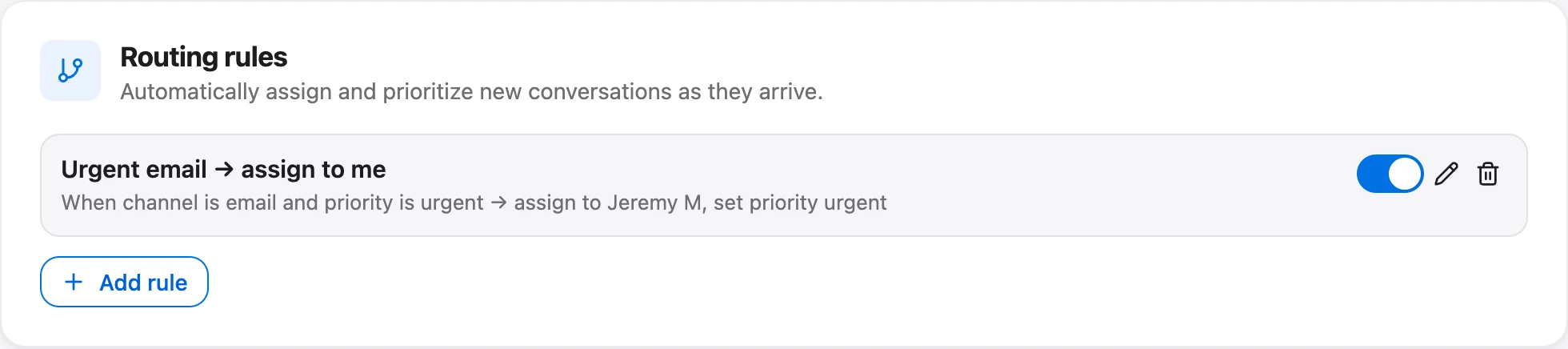
Priority is the hinge. Talvo sets its targets per priority rather than per channel, so if chat deserves a faster promise than email, use a routing rule that sets the priority by channel. Rules run the moment a conversation is created, test channel, priority, tag and keyword, and can set priority and assign a teammate. The first matching rule wins, so keep the most specific one on top.
The staffing math behind the target
A target is a promise about people as much as about process. You can check whether the promise is physically possible with three numbers: how many conversations arrive, how long each takes you in actual work, and how much of a person's week is truly available.
The formula is short. Workload hours = conversations per week × minutes of work per conversation ÷ 60. Then divide by a utilization cap. We use 70%, which is our rule of thumb: a queue gets disproportionately slow as people approach 100% busy, and nobody is productive every minute they're logged in.
| Scenario | Conversations a week | Minutes of work each | Workload hours | Support hours needed at 70% | Full-time equivalents (40 h) |
|---|---|---|---|---|---|
| Two founders | 40 | 10 | 6.7 | 9.5 | 0.24 |
| Small team | 200 | 9 | 30.0 | 42.9 | 1.07 |
| Growing team | 1,000 | 8 | 133.3 | 190.5 | 4.76 |
Read the middle row. Two hundred conversations a week at nine minutes each is 30 hours of real work. Dividing by 0.7 gives 42.9 hours, which is slightly more than one full-time person, and nobody takes zero days off. A team of three people each giving 40% of their time works on paper. A team of one person giving full time is one sick day from missing every target.
Your minutes-of-work figure should include the follow-ups, not just the first reply. Time a sample of 20 conversations before you trust anyone's guess.
Volume is not the only thing that decides how long customers wait. Time until someone looks matters at least as much. If a conversation arrives at a random moment and the inbox is checked on a regular interval, the wait before anyone sees it is predictable.
| Inbox checked every | Average wait to be seen | Worst case wait to be seen |
|---|---|---|
| 15 minutes | 7.5 minutes | 15 minutes |
| 30 minutes | 15 minutes | 30 minutes |
| 1 hour | 30 minutes | 1 hour |
| 2 hours | 1 hour | 2 hours |
That is simple arithmetic rather than a measurement, and it leaves out writing time. But it shows that a one-hour promise needs the inbox looked at at least every 30 minutes, with time left to write the reply. Push notifications and Slack alerts matter more than they sound for that reason. Talvo has push notifications in the phone browser and, on Starter and up, Slack notifications.
What about AI? Suppose the small-team row has an AI agent that fully resolves a quarter of conversations. That is a hypothetical, not a forecast. The human workload becomes 150 conversations × 9 minutes ÷ 60 = 22.5 hours, which needs 32.1 support hours at 70%, or 0.80 of a full-time person. That is real but modest relief, and every article you add moves the number. Whether the agent can reach that share depends on your content; see AI resolution rate for how to measure it.
One cost point for small teams. In many tools, adding a person to hit your SLA means paying for another seat, which pushes teams to under-staff. On Talvo, adding a teammate up to your plan's limit never changes the bill, which is covered in per-seat vs flat pricing.
Getting faster without hiring
Before you add a person, look for the minutes you're wasting.
Saved replies are the first. Freshworks' 2024 report says canned responses lowered first response time by up to 60% per conversation; that is a vendor figure, and "up to" does a lot of work in it, but the direction is plausible for any team that retypes the same answers. Canned responses in Talvo are shared across the workspace.
Routing and views are the second. If urgent conversations land with a named person and your team works from a shared "Unassigned, high priority" view, nobody scans a mixed pile. Saved views are a Growth feature in Talvo.
Third is reducing how much arrives at all. The cheapest response is the one nobody needs to send, which is the subject of how to reduce support tickets.
- Hours and timezone are set, and the away message says when customers will hear back
- You know whether your tool counts business hours or wall-clock time
- Targets are looser than your current median and p90 suggest you can manage
- Priorities are defined in writing, with an example of each
- Someone owns checking the inbox on a fixed interval, with a named backup
- You know how your tool treats AI replies and auto-acknowledgments
- You will review percent met every week for the first month
Setting it up in Talvo
SLA policies are part of Talvo's Growth plan ($149 a month, or $119 billed annually), and business hours work on every plan.
- Set your hoursIn Settings → Inbox → Business hours, enter your working hours and timezone and write the away message. See SLA policies.
- Set targets per priorityIn Settings → Inbox, enter a target in minutes for urgent, high, normal and low. Start looser than you think.
- Map channel to priorityAdd a routing rule so email arrives as normal and chat as high, if that matches your promise.
- Watch the badgesConversations in the inbox list show on track, due soon, breached or met, so the queue tells you what to pick up next.
- Review weeklyCheck the share of conversations met, the median and the slowest ones. Tighten a target only after a clean month.
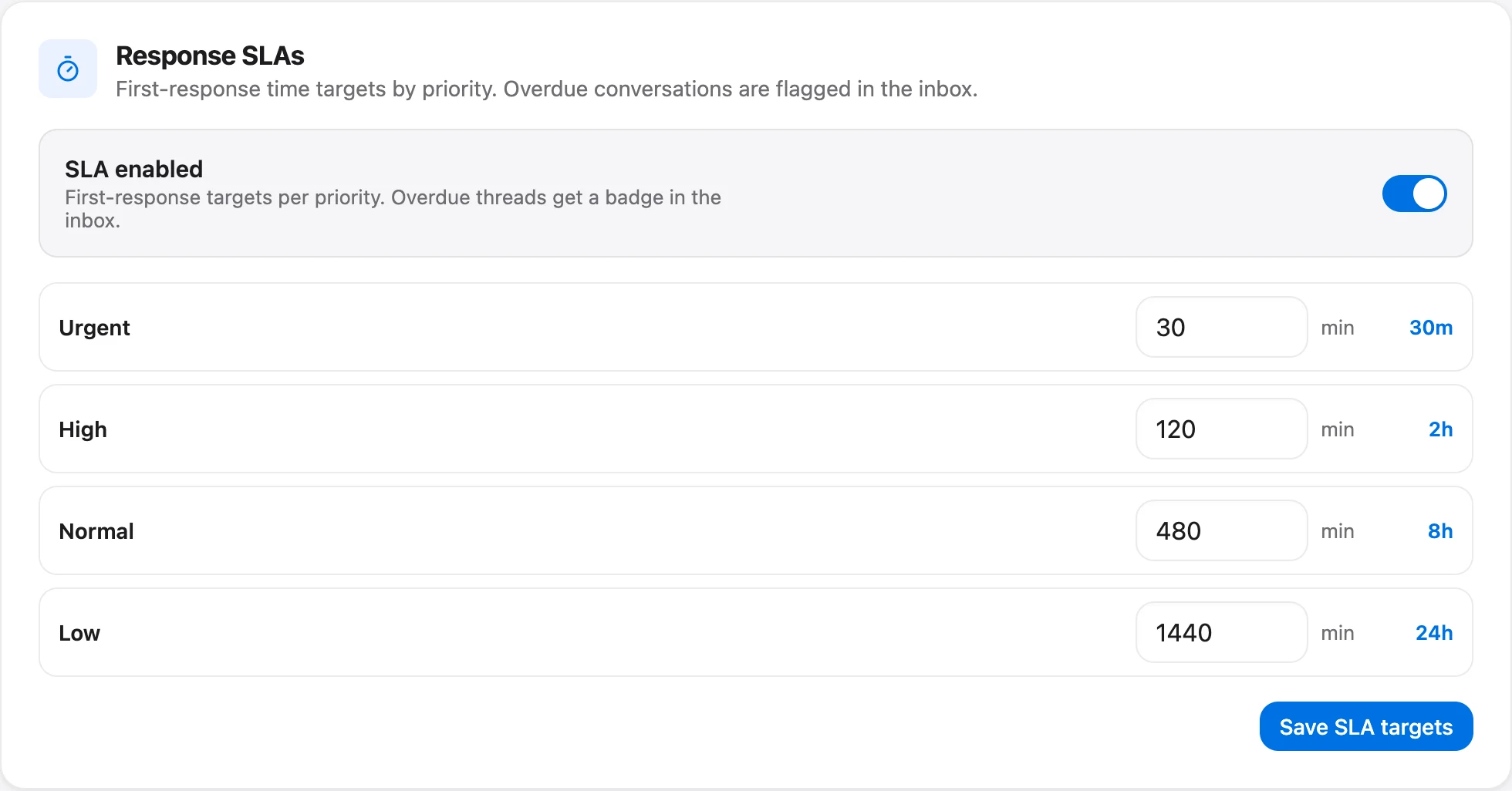
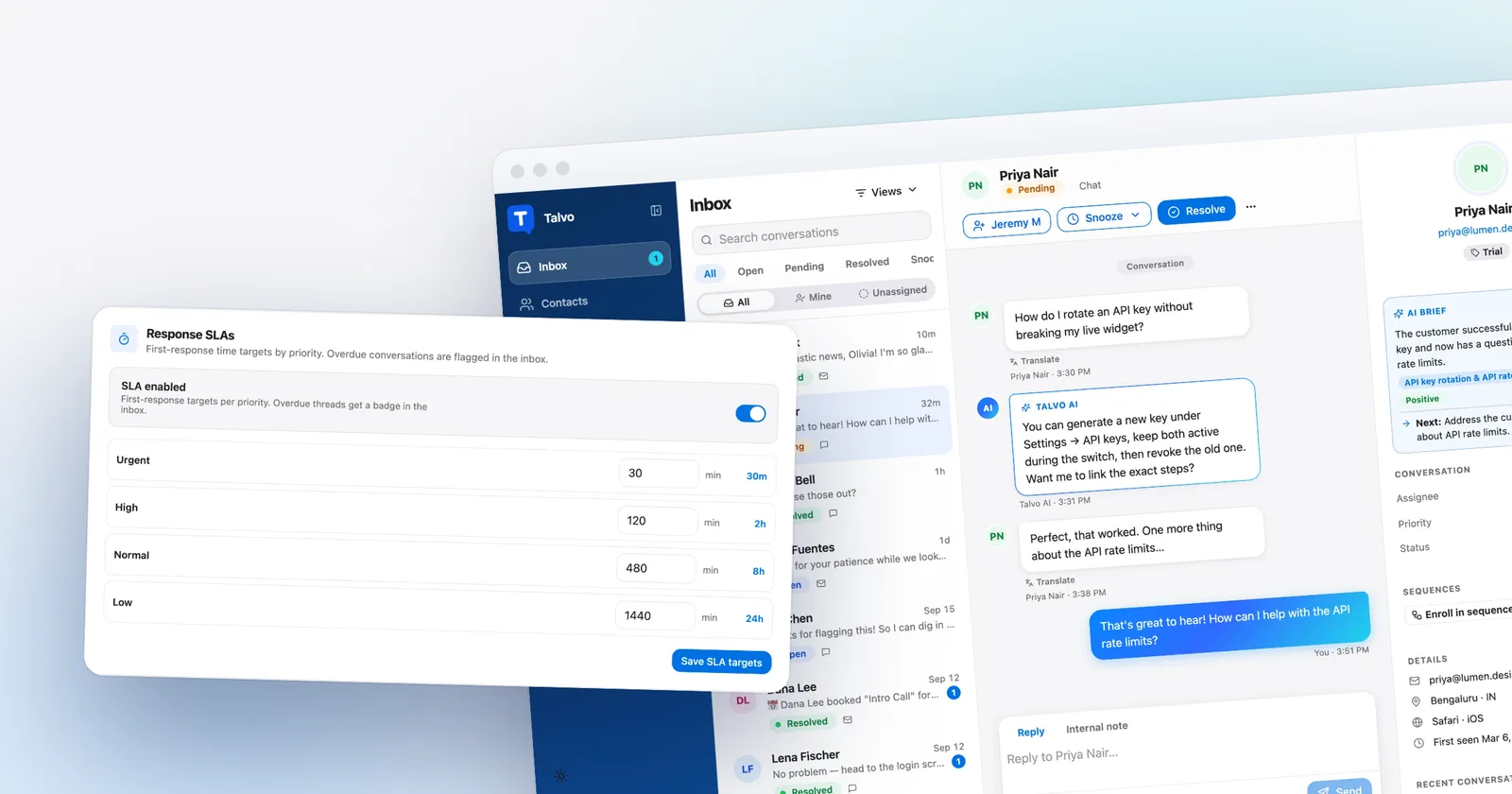
The conversation list is where the targets become visible to the team. Priority is what the targets are measured against, so set it deliberately when a conversation arrives, or let a routing rule do it.

Where Talvo falls short, plainly. SLA policies are not on the Free or Starter plans. Talvo's targets are first-response targets, measured by the first human reply; the help documents no separate next-response or resolution targets. And the product covers live chat and email only, so there is no phone, SMS or WhatsApp clock to configure. If you also answer customers on those channels, you'll be tracking them somewhere else.
Talvo is new and in beta. There are no customer benchmarks for its SLA performance, and this guide doesn't claim any. The method stands on its own.
Frequently asked questions
What is a good first response time for customer service?
Freshworks' 2025 benchmark report puts the median first response for tickets at about one hour (1 h 3 m for companies with up to 250 employees) and for chat at 41 to 55 seconds. Those are vendor-published medians from Freshworks customers, not targets. A reasonable small-team goal is one you hit consistently, then tighten.
What is a first response time SLA?
It is a target for how quickly your team replies to a new conversation, usually set per priority, such as 30 minutes for urgent and 4 hours for normal. First response time is the measurement; the SLA is the promise, and SLA compliance is the share of conversations that met it.
How do you calculate first response time?
Subtract the time of the customer's first message from the time of the first reply by a human on your team. If you use business hours, count only the hours you are open. Report the median and the 90th percentile rather than the average, since a few slow overnight replies can distort the mean.
Does an auto-reply or chatbot answer count as a first response?
An auto-acknowledgment should not count. An AI answer should stop the clock only if it fully resolves the conversation. In Talvo, the SLA clock measures the first human reply and an AI answer does not stop it; if the AI hands off, the clock is still running.
Should SLAs use business hours or calendar hours?
Use business hours for the promise so your team is not breached for being closed, and watch wall-clock waits to understand the customer's experience. Be careful when comparing with benchmarks: Freshworks' 2024 report measured tickets in business hours and chat in calendar hours. In Talvo, SLA due times count business hours when you set a schedule.
What is the difference between first response time and resolution time?
First response time measures how long a customer waits for the first human reply. Resolution time measures how long it takes until the conversation is resolved. A team can be fast on the first and slow on the second, so track both.
What SLA should a small support team set?
Start looser than you think: for example 30 minutes for urgent, 2 hours for high, 4 hours for normal and one business day for low, in business hours. Measure for a month, check the percent met each week, and tighten only after you consistently meet the target. Use workload math to check that you have the people to deliver it.
Does the SLA clock reset when the customer replies?
A first response time is measured once, from the opening message to the first human reply. In Talvo it is stamped on that first human reply and later replies do not overwrite it. Talvo's SLA policies are first-response targets, so they do not track the wait after later customer messages.
Sources
Other products' prices and features change. We checked these pages; if something is out of date, tell us and we'll fix it.
- Freshworks Customer Service Benchmark Report 2025 (PDF)
- Freshworks Customer Service Benchmark Report 2024 (PDF)
- SuperOffice customer service benchmark
- Toister Performance Solutions: how fast should a business respond to an email (2018)
- Zendesk CX Trends 2026 coverage (Nov 2025)
- HubSpot customer service statistics
- Drag: SLA for customer support
- Talvo: SLA policies and response targets


