
On this page
- How an AI reads your help center, without the jargon
- Rule one: one question per article, titled as that question
- Rule two: say the subject every time
- Rule three: use the words customers type
- Rule four: text first, screenshots second
- Rule five: say who it applies to
- Tables, lists and length: where the vendors disagree
- Write the "contact us" line on purpose
- How to write knowledge base articles from a template you can paste
- Which articles to write first
- Edit AI drafts like an editor, not a proofreader
- Keep it true: the maintenance loop
- Test an article before customers do
- Where Talvo helps, and where it stops
- Frequently asked questions
Most advice on how to write knowledge base articles was written for a person who landed on the page from Google, skimmed the headings and scrolled to the part they needed. An AI agent doesn't do any of that. It never sees your page layout, and it reads the few paragraphs it retrieved, cold, with no idea what the rest of the article says. Writing for it isn't a different craft. It's the same craft with the slack removed.
Talvo's own help text puts the failure mode in one line: a two-line article "gives the agent almost nothing to retrieve or cite." This guide is about the other side of that sentence. It covers what to put in an article so an AI agent can answer from it, with real before-and-after rewrites, a template you can paste, and the loop that keeps your help center true. It's the content companion to our knowledge base chatbot guide, which covers choosing a tool, setting it up and testing it. We won't repeat that walkthrough here.
How an AI reads your help center, without the jargon
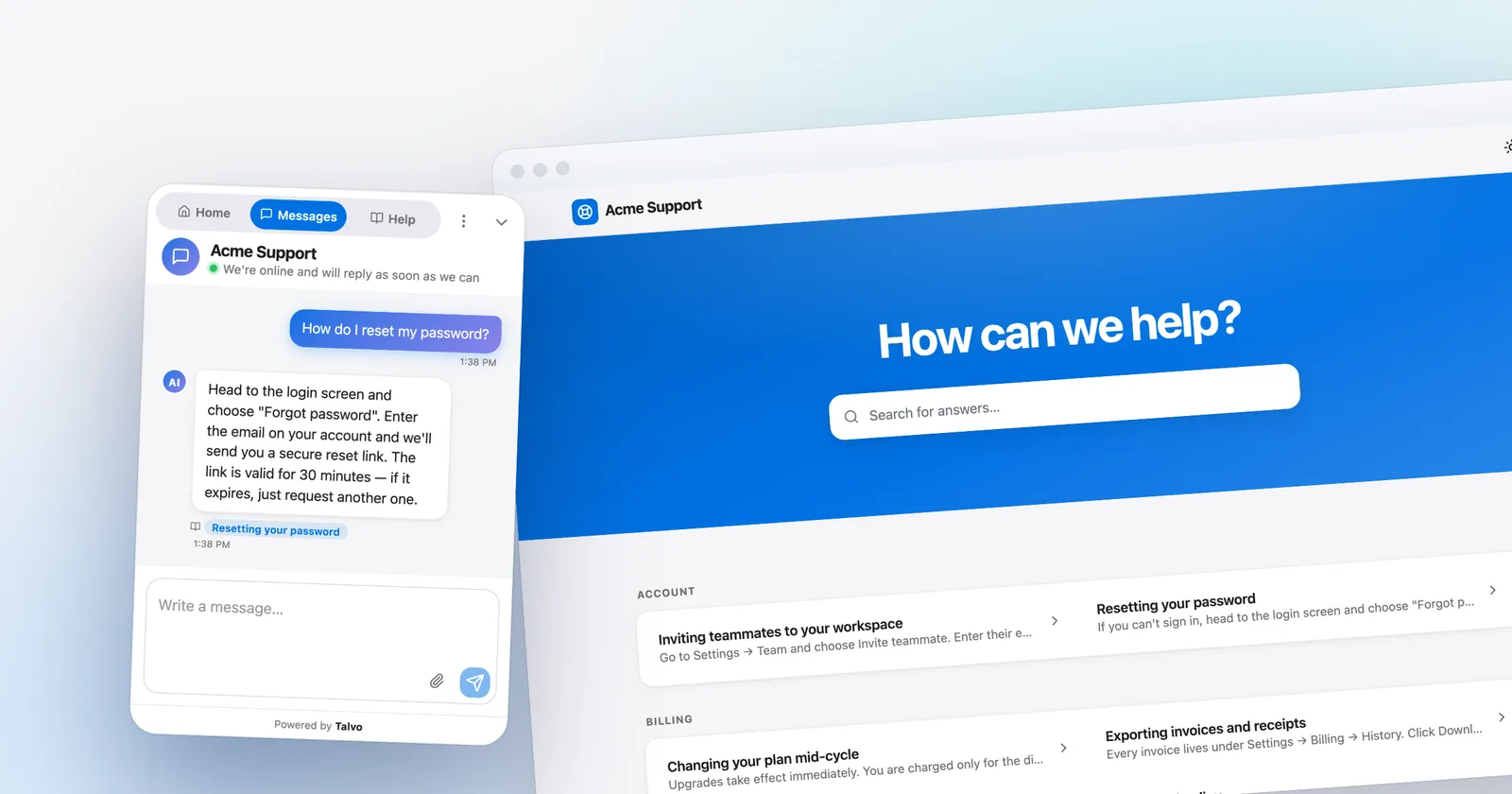
When a customer asks a question, the AI searches your published articles for passages that match the meaning of the question, picks the best ones and writes an answer from them, naming the article it used. If no passage is a clear match, a well-built agent hands the conversation to a person instead of guessing. In Talvo, drafts are invisible to the agent, so you can stage a rewrite without exposing it.
Three consequences shape everything below.
A passage has to make sense on its own, because the agent may retrieve only that paragraph. A sentence that says "this applies to everyone" is useless if the paragraph holding "this" wasn't retrieved. The answer has to be where the question is, not three headings down. And when two articles disagree, the agent doesn't know which is current. It picks one and sounds sure of itself.
None of this is exotic. It's also what a customer scanning the page needs. Gartner's survey of 5,728 customers found that when self-service failed, 43% said they couldn't find content relevant to their issue and 45% said the company didn't understand what they were trying to do. Both are writing problems, whether the reader is a person or a model.
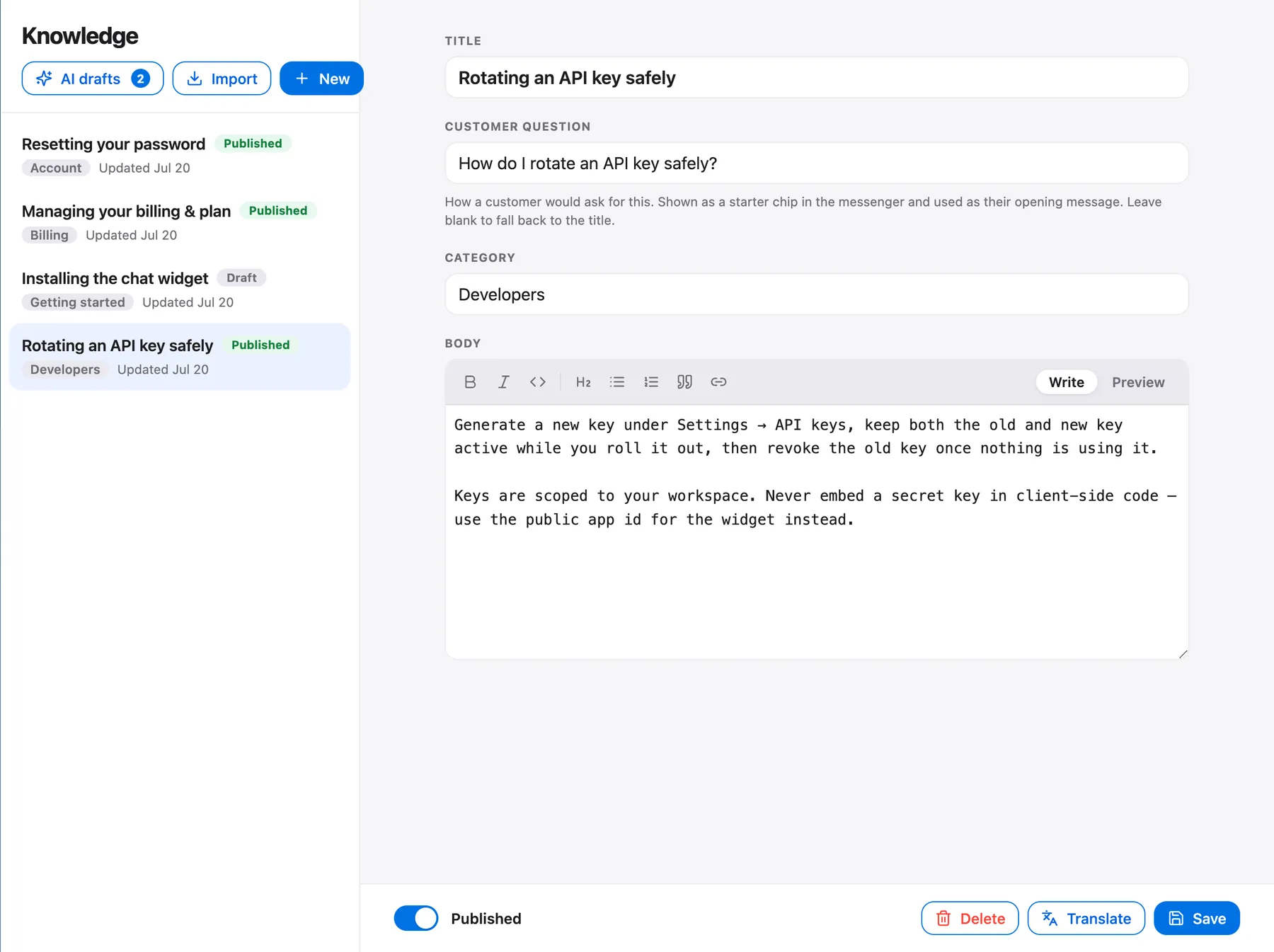
Rule one: one question per article, titled as that question
A common problem in help centers isn't bad writing. It's articles that try to answer six questions at once. Here's a typical one, condensed.
Title: Billing and subscriptions

Welcome to the billing center. We know managing a subscription can feel
overwhelming, so we've put everything you need in one place.

Pausing: You can pause for up to 3 months from Settings. Not available on
annual plans.
Invoices: Download them from the Billing tab.
Card changes: See the Billing tab.
Canceling: Contact us.
Taxes: Depends on your location.
A human can find "Pausing" in two seconds. A retriever sees a bag of fragments under a title that matches almost any billing question and answers none of them well. Split it, and write the first one like this.
Title: Can I pause my subscription?

Yes, on monthly plans. Go to Settings > Billing > Pause plan and choose
up to 3 months. Annual plans can't be paused; you can cancel to stop the
next renewal instead.

How to pause
1. Open Settings > Billing.
2. Select Pause plan.
3. Choose 1 to 3 months and confirm.

What happens while you're paused
You won't be charged, and your data is kept. You can resume at any time
from the same screen.

Still stuck? Email support and tell us your plan and the date you want
the pause to start.
(Every example in this post is fictional unless we say otherwise. Your policy will differ; the shape is the point.)
The second version has the answer in its first two sentences, restates the subject ("pause") in every section, and says who it's for. If the agent pulls only the opening paragraph, the customer still gets a correct answer. If it pulls only "What happens while you're paused", the heading carries the context.
Titles carry more weight than they seem to, because they're what the retriever and the customer both match first. Phrase them as the question a customer would type.
| Before | After | Why it's better |
|---|---|---|
| Billing | How do I get an invoice? | One question; the customer's wording |
| Seats | How do I add a teammate? | "Teammate" is what people say, not "seat provisioning" |
| SSO | Why can't my coworker sign in? | Starts from the symptom |
| Integrations overview | Which tools can I connect? | Answers a question instead of naming a topic |
| Account | How do I change the email on my account? | Narrow enough to answer completely |
If you can't phrase an article's title as a question, it probably holds more than one answer. Split it. If it needs a long title, check whether it's really two articles.
This is also the difference between a knowledge base article and an FAQ page. An FAQ page lists many questions on one URL, which is convenient for scanning. A knowledge base article answers one question in full, which is what an AI agent needs. An FAQ page with twelve answers is twelve articles that haven't been split yet.
Rule two: say the subject every time
Pronouns are the quiet killer. They work in a document because the reader has the context. They fail in a passage that was lifted out of one.
Before:
To get started, go to Settings. Click it, then turn it on. This applies
to everyone, but they can change it later.

After:
To turn on auto-renew, go to Settings > Billing. Click Auto-renew to switch
auto-renew on. Auto-renew applies to every workspace member, and owners
can switch it off again at any time.
The first version has four pronouns and no noun. Read it as an agent would if only that paragraph came back: "it", "this" and "they" refer to nothing. The rewrite is a little clumsy to read aloud, and that's the cost. Keep it anyway. Fin's guide for writing AI-readable content says to restate the subject under each header, and Zendesk's says to replace vague pronouns and repeat the title's topic in the body.
A rule of thumb that works: any sentence starting with "it", "this", "that" or "they" gets a second look. Any heading that depends on the title above it ("Next steps", "Overview") gets rewritten to say what it's about.
Acronyms need the same treatment. If your article says "set up SSO", spell it out once, in the article itself: "single sign-on (SSO)". The agent can't rely on your glossary page being retrieved alongside it.
Rule three: use the words customers type
Feature names are your vocabulary, not your customers'. Customers describe what they see. "My card was declined." "I can't find the invoice." "Why am I still being charged?" An article titled "Payment method management" will match all of those less well than one that says "If your card was declined" in a heading.
You don't need to run a research project. Open the last 50 conversations your team handled and highlight the customer's first sentence in each. Those are your headings. Add the feature name as well, so customers who use your terminology still match.
Title: Why was my card declined?

If your card was declined, the usual causes are an expired card, a
billing address that doesn't match the card, or a bank block on online
payments. To fix it, go to Settings > Billing > Payment method and
update the card, then select Retry payment.
Notice the symptom words ("declined") and the feature words ("Payment method", "Retry payment") both appear. That's deliberate. It isn't keyword stuffing, it's covering the two ways people ask.
One practical bonus: because Talvo's search matches on meaning rather than exact words, one help center written in English can answer customers asking in other languages. You don't need to translate every article, but you do need to write clearly. Idioms and jokes survive that trip badly.
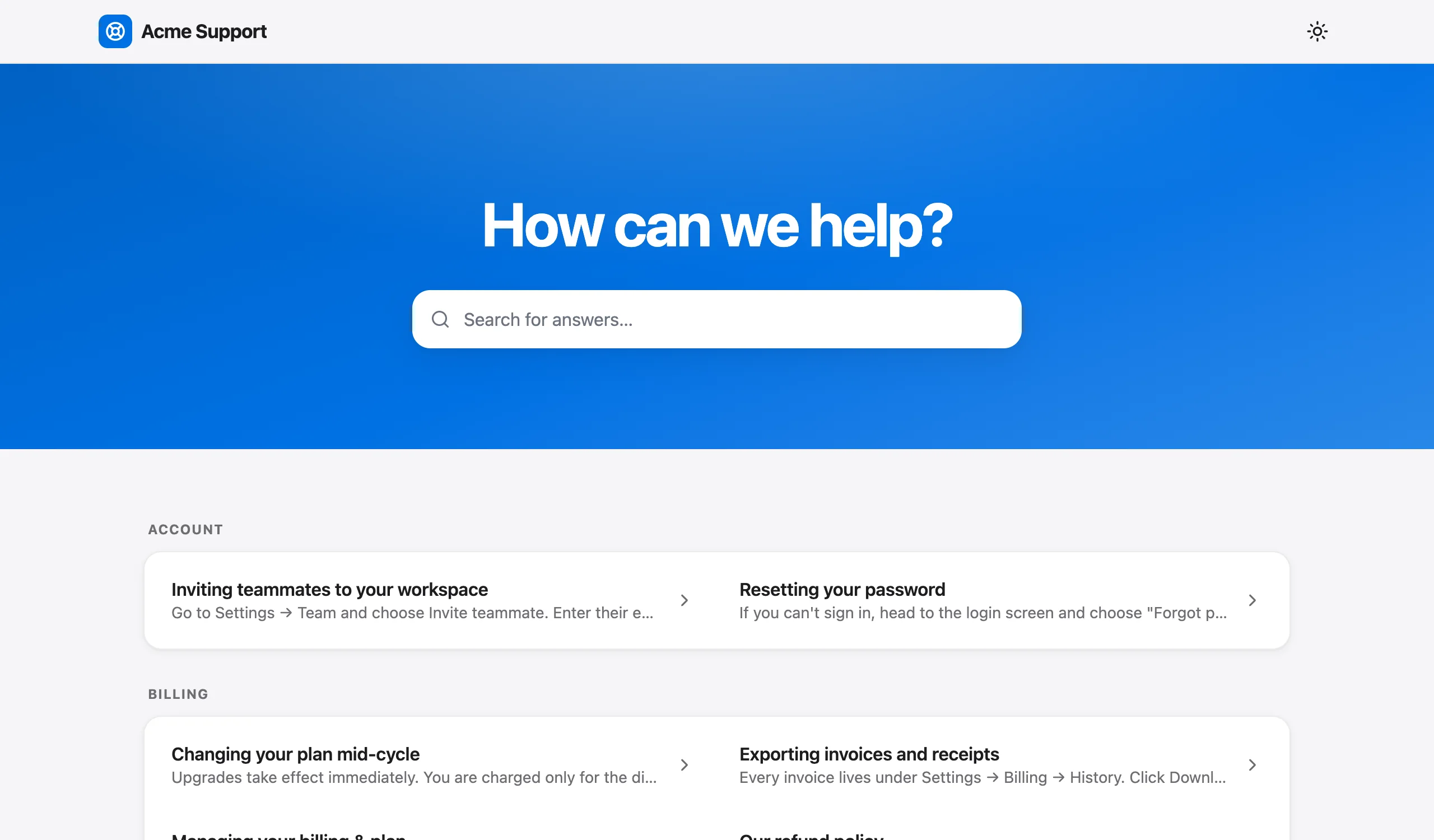
The same articles power the hosted help center and the Help tab inside the chat widget. So you're writing for two readers at once, and neither needs more than the other: clear titles, answers up top, categories that make the list scannable.
Rule four: text first, screenshots second
A screenshot of your plan limits is invisible to an AI that reads text. The same goes for a table pasted as an image, a video walk-through with no transcript, and a PDF whose content lives in graphics. Zendesk's guidance says its AI interprets text only, and Fin's says to add text alongside every image. We agree.
Before:
Here's what each plan includes: [image: plan-limits.png]

After:
Each plan has a teammate limit. The Free plan allows 2 teammates, Starter
allows 5, Growth allows 15 and Scale allows 25. Adding a teammate up to
your plan's limit doesn't change the bill.
(These happen to be Talvo's real limits, which is why we used them.) Keep the screenshot as decoration for the human reader. Make sure every fact it shows also appears in a sentence.
Rule five: say who it applies to
This is where AI answers go wrong in the most expensive way. An article says "Annual plans can be canceled at any time for a prorated refund." True for most customers, false for the ones who bought before a policy change, in a different region, or through a reseller. The agent doesn't know the exceptions, because you never wrote them down.
Before:
Annual plans can be canceled at any time for a prorated refund.

After:
You can cancel an annual plan at any time. If you cancel within 30 days
of buying it, you get a full refund. After 30 days, you get a prorated
refund for the unused full months. This applies to plans bought directly
on our website. If you bought through a reseller, contact the reseller.
Plans bought before March 1, 2026 follow our earlier terms: no refunds
after 30 days.
Same facts, but now every audience is named. Notice the date written out. A line like "plans bought before March 1, 2026" does more for a retriever than "legacy plans", because "legacy" means something only to you.
Write down the conditions in three places: which plan, which date and which region. If your article would be wrong for any one of those, say so in the text, near the top.
Tables, lists and length: where the vendors disagree
Here's a real disagreement. Fin's content guide says to use tables for structured information. Zendesk's guide for its AI agents says to avoid them, because a model parses sentences more reliably. Both are vendor-published guidance, and neither has published evidence.
The practical resolution is a test you can run in a minute. Take each row of a table and read it as a sentence. If it still stands alone ("The Growth plan allows 15 teammates and includes 500 AI resolutions a month"), the table is safe. If it doesn't ("Growth | 15 | 500"), put it in a sentence.
- Good for genuinely tabular facts: limits by plan, prices by region
- Easy for a person to scan
- Zendesk advises against them because its AI parses sentences more reliably
- A retrieved passage may arrive without its row and column headings, so a bare cell can lose its meaning
- Anything a table carries should also exist as a sentence somewhere
Lists are safer than tables. Numbered steps are the best structure for procedures, because the order is the meaning. Bullets are good for parallel items. Long paragraphs of reasoning are fine when the reasoning is the point.
On length, be suspicious of any number you read. We looked for a credible benchmark for ideal article length or ideal article count, and there isn't one. The principle Talvo's help text states is the one we'd follow: depth matters more than article count. Five genuinely useful articles will deflect more than fifty thin ones. Our rule of thumb, which is an opinion and not data: long enough to answer the question and its two most obvious follow-ups, short enough that the first two sentences are still plainly the point.
Also compare these two:
Thin:
Reset your password: click Forgot password on the sign-in page.

Useful:
How do I reset my password?
Select Forgot password on the sign-in page and enter your email. We send a
reset link that works for 60 minutes. If the email doesn't arrive, check
spam, then try again; the address must match your account email exactly.
If you no longer have access to that email, contact support and we'll
verify your identity before changing it.
The thin version isn't wrong. It just gives the agent nothing to say when the customer follows up with "I didn't get the email."
Write the "contact us" line on purpose
An AI agent that answers everything is a liability. Some questions should always go to a person: anything that needs a look inside the customer's account, refunds that take judgment, security incidents, legal questions, exceptions to a policy. Say so in the article.
Can I get a refund after 30 days?

Refunds after 30 days are decided case by case. We can't promise one from
this article, and the AI assistant can't approve one. Contact support and
include your order number and the reason; a person will reply within one
business day.
(The reply window is an example. Put your real one.)
That last line does two jobs. It tells the agent this question should be handed off rather than answered with a guess, and it sets the customer's expectations. It also matters more than it might seem, because customers want to know a person is available. In a Gartner survey of 3,566 customers (February and March 2026), 87% said companies using generative AI for customer service must provide access to a human agent.
How to write knowledge base articles from a template you can paste
Put these in a shared document, and let people copy it when they write a new article.
TITLE: <A question, in the customer's words?>

ANSWER (1-2 sentences): <The answer, naming the subject. No bare yes or no.>

STEPS (if it's a procedure):
1. ...
2. ...

CONDITIONS: Applies to <plan / region / purchase date>. Doesn't apply to
<exception>.

IF YOU'RE SEEING: <the symptom as customers describe it>

NOT COVERED HERE: <what needs a person>. Contact <where>, and include
<what to send>.

LAST REVIEWED: <date>   OWNER: <name or team>
Before publishing, run the checklist below. It takes two minutes and catches most of what goes wrong.
- The title is a question a customer would type
- The answer is in the first two sentences
- Every "it", "this" and "they" has a noun
- Plan, region and date conditions are written in the text
- Every number in a screenshot also appears in a sentence
- Any table passes the read-a-row-as-a-sentence test
- There is a "contact us" line for what a person should handle
- The article doesn't contradict another published article
- A review date and an owner are recorded
Which articles to write first
Don't start with the topics you find interesting. Start with the questions that aren't being answered. Three sources are good, in rough order of value.
The hand-offs. Each time Talvo's AI agent hands a conversation off because no article covers the question, that's a gap, and the conversation your team picks up includes a summary of what was asked. Read a week of them, group them by topic, and the order to write in is the count.
On the Scale plan, the AI performance dashboard does that grouping for you: it ranks the hand-off topics by how often they occur, so the article at the top of the list is the one that will deflect the most conversations, and you can draft it from there. On the Growth plan and above, the self-writing knowledge base drafts articles from questions the AI couldn't answer. On Free and Starter you do the grouping by hand. Budget an hour a week to start with, and adjust once you see your own hand-off volume.
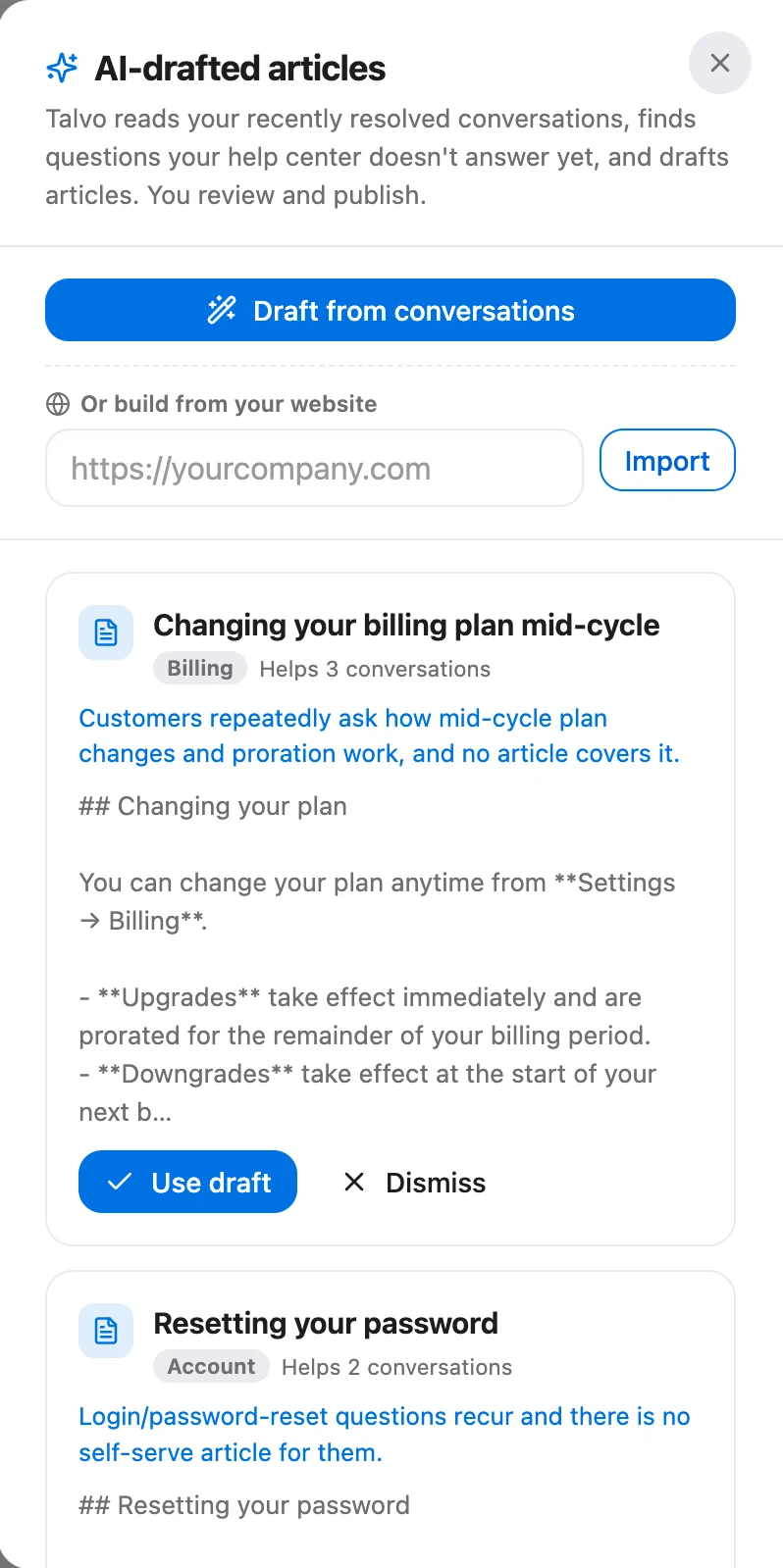
The last 50 conversations. If you're starting from nothing, take the 50 most recent conversations, highlight the customer's question in each and group them. Write articles for the groups with the most conversations.
Your imported content. If you crawled your site, imported articles arrive as drafts, deliberately. Triage them: publish what's still true, trim what's nearly right, delete what's out of date. A stale article is worse than a missing one, because the AI will cite it confidently.
Edit AI drafts like an editor, not a proofreader
Drafts from a self-writing system are a starting point. Talvo's help text says to read one as a customer would and check three things: is it true, is it complete, does it sound like you?
"True" matters most. A draft is written from the questions asked, not from a source of truth, so anything it states about your policy is a guess until you've confirmed it. Say a draft claims "refunds are available within 30 days" because three customers asked about 30 days. If your policy is 14, the draft sounds right and is wrong. Correct it before publishing.
"Complete" is where you add what no customer thought to ask. If the draft explains how to cancel, add what happens to their data afterwards. "Sounds like you" is cheap to fix: rewrite the first sentence in your own voice, leave the rest, and apply your brand voice setting for tone (Growth plan and up), which changes how the AI sounds but never what it's willing to say.
Nothing is published automatically. A draft is invisible to the agent, the help center and the widget until you publish it.
Keep it true: the maintenance loop
A help center rots at the speed your product changes. The fix isn't a big annual audit. It's a short weekly loop tied to what customers are actually asking.
- Read the week's hand-offsThirty minutes. Open each conversation the AI passed to your team and note the question.
- Sort each into one of four binsMissing article, thin article, two articles that disagree, or a question a person should always handle.
- Fix the cause, not the symptomWrite the missing article, expand the thin one, merge and retire the duplicates. For the fourth bin, add a "contact us" line instead.
- Publish, then ask the widgetAsk your own chat widget the original question in the customer's words and confirm the right article is cited.
- Review by age once a monthSort by last updated and start with the articles customers use most. Assign an owner for each area and a review date for each article.
- Retire, don't stackUnpublish the old version instead of adding a newer one beside it. If you must keep history, put the date in the text.
The loop also fixes the most common cause of wrong answers. Contradictions between articles are your problem, not the model's. Changing the model won't help; Talvo's help text is clear that a low grounding rate points at your articles, not at the model.
Test an article before customers do
You can test an article the moment you publish it, and you should.

Ask the widget three kinds of question. A question your new article answers directly, in the customer's words and not your title. A question it answers only in part, to see whether the agent overreaches. And a question it doesn't answer at all, to confirm it hands off. If the first fails, rewrite the title and the opening sentence. If the second overreaches, add the missing condition. If the third doesn't hand off, you've got a contradiction or an over-broad article somewhere, and it's worth finding before a customer does.
Where Talvo helps, and where it stops
Talvo's AI agent answers only from your published articles and cites the article it used. A knowledge base editor, the hosted help center and a Help tab in the widget are available on every plan, including Free. The AI agent is on Starter and up (with 25 AI resolutions a month on Free during the beta), the self-writing knowledge base is Growth and up, and the hand-off topic ranking is on Scale.
What Talvo can't do is write the truth for you. It drafts from questions, not from your policies, and it doesn't publish anything on its own. It's also new and in beta, with no customer case studies or published resolution rates to point to. If you want to see how many of the hand-offs you close after a round of rewrites, the next step is measuring: our guide to AI resolution rate shows how to count it honestly, and AI resolution pricing compared shows what each resolution costs on each vendor.
Frequently asked questions
How do you write a good knowledge base article?
Answer one question per article and title it as the question a customer would type. Put the answer in the first two sentences, name the subject instead of using pronouns, and write down which plan, region and date it applies to. Add a line saying when to contact a person, and record a review date and an owner.
What should a knowledge base article include?
A question-style title, a short direct answer, numbered steps if it is a procedure, the conditions and exceptions it depends on, the symptom words customers use, and a 'contact us' line for what a person should handle. Add a last-reviewed date and an owner so the article does not go stale unnoticed.
How long should a help article be?
No credible benchmark exists for ideal length. A working rule is to answer the question and its two most obvious follow-ups while keeping the first two sentences plainly the point. Talvo's help text notes that depth matters more than article count, and that a two-line article gives the AI almost nothing to retrieve or cite.
How do I make my help center work with an AI chatbot?
Publish clear, single-topic articles, because an AI agent such as Talvo's answers only from published articles and cites the one it used. Retire outdated or contradictory versions, put facts in text instead of images, and test the agent with questions in customers' words, including some your articles do not answer, to confirm it hands off.
Should knowledge base articles use tables or screenshots for AI?
Keep screenshots as support only, with every fact also written in text, since AI agents generally read text. Vendor guidance on tables conflicts: Fin recommends them for structured information and Zendesk advises avoiding them. A safe rule is to use a table only if each row also reads as a complete sentence.
How do I know which help articles to write first?
Start with the questions your AI agent handed off, grouped by topic and ranked by how often each occurs. In Talvo the AI performance dashboard on the Scale plan ranks those topics, and the self-writing knowledge base on Growth and up drafts articles from them. On other plans, read a week of hand-offs and tally them by hand.
Why does my chatbot give wrong answers from my help center?
Most wrong answers come from the articles: a question with no article, a thin article, two articles that contradict each other, or an exception that was never written down. Changing the model rarely fixes any of these. Find the article the answer cited, correct it and retire the conflicting one.
What is the difference between an FAQ and a knowledge base article?
An FAQ page lists many short questions and answers on one page, which suits scanning. A knowledge base article answers one question completely, with steps, conditions and exceptions, which suits retrieval by an AI agent. Splitting each FAQ entry into its own titled article is usually the single biggest improvement.
Sources
Other products' prices and features change. We checked these pages; if something is out of date, tell us and we'll fix it.
- Talvo: how AI auto-resolve works
- Talvo: your self-writing knowledge base
- Talvo: your hosted help center
- Talvo: import your help content by crawling your site
- Talvo: choose your AI models
- Fin: optimizing content for Fin (updated Sept 11, 2026)
- Zendesk: optimizing your help center content for AI agents
- Gartner: only 14% of customer service issues are fully resolved in self-service (Aug 19, 2024)
- Gartner: 87% of customers say companies using GenAI for service must provide access to a human (Aug 4, 2026)


