
On this page
- How to use this customer support playbook
- Tone: three rules, not a style guide
- Channels, hours and the promise you make
- Triage: four priorities, with examples
- Response targets, and the staffing to meet them
- Saved replies: who writes them and when they die
- AI rules: what it answers, what it hands off
- Escalation: names, triggers and an after-hours rule
- Refunds, credits and exceptions
- Feedback and bugs: where they go
- The weekly review: thirty minutes, one owner
- A changelog for the playbook itself
- Rolling it out
- What a playbook cannot do for you
- Frequently asked questions
A customer support playbook is the written answer to the questions your team currently settles by asking whoever is online. How fast do we reply? Who can approve a refund? What may the AI say? Where does a feature request go? When it lives in people's heads, every new hire gets a different answer, and every busy Friday produces a fresh argument.
This is a customer support playbook template for teams of two to ten, built to be copied. Each section below has a short explanation, a filled-in block you can paste into a document, and a note on what to change. Square brackets mean "your value goes here." The numbers shown are starting points, not benchmarks, and none of them comes from a study.
A word on scope: this is a support playbook, the rules for answering customers. If you came looking for a customer success playbook (renewals, health scores, account reviews), that's a different document.
How to use this customer support playbook
Keep it short. A playbook nobody finishes reading is a shelf ornament, and three pages is plenty for a small team. Put one person's name at the top as owner, add a review date, and store it somewhere every teammate opens daily.
CUSTOMER SUPPORT PLAYBOOK: [Company]
Owner: [Name]          Last reviewed: [Date]          Next review: [Date + 3 months]
Applies to: chat, email, help center, feedback board
It beats a knowledge base, which tells customers how to use your product, and a standard operating procedure, which describes one task step by step. The playbook sits above both and sets the rules your team works by.
One honest limit before you start: Talvo has no place to store this document itself. An internal help article would be public once published, so keep the playbook in your team's own docs and use Talvo for the settings it describes.
Tone: three rules, not a style guide
Long style guides go unread. Three rules a new teammate can recite are better.
TONE
1. Answer first, pleasantries second.
2. Say "we" for the company, "I" for the person, and never "unfortunately" without an alternative right after it.
3. One idea per paragraph. If it needs more than two short paragraphs, link a help article or move to email.

We sound like: [two adjectives, e.g. direct and warm].
We never sound like: [one or two, e.g. scripted, defensive].
In Talvo, brand voice controls apply one of six tones to AI answers and drafts, on Talvo's Growth plan and up. That keeps the AI's tone close to the rules above, but it doesn't replace them.
Channels, hours and the promise you make
Decide what each channel is for and what you promise on it. Customers forgive a slow reply they were warned about much more readily than a silence they weren't.
CHANNELS
Chat (widget): quick questions and pre-sale. Replies within [X] minutes in business hours.
Email: anything needing attachments, time or a paper trail. Reply within [X] hours in business hours.
Help center: the first stop. Every common question has an article.
Feedback board: feature ideas. We answer on the board; we don't promise dates.

HOURS
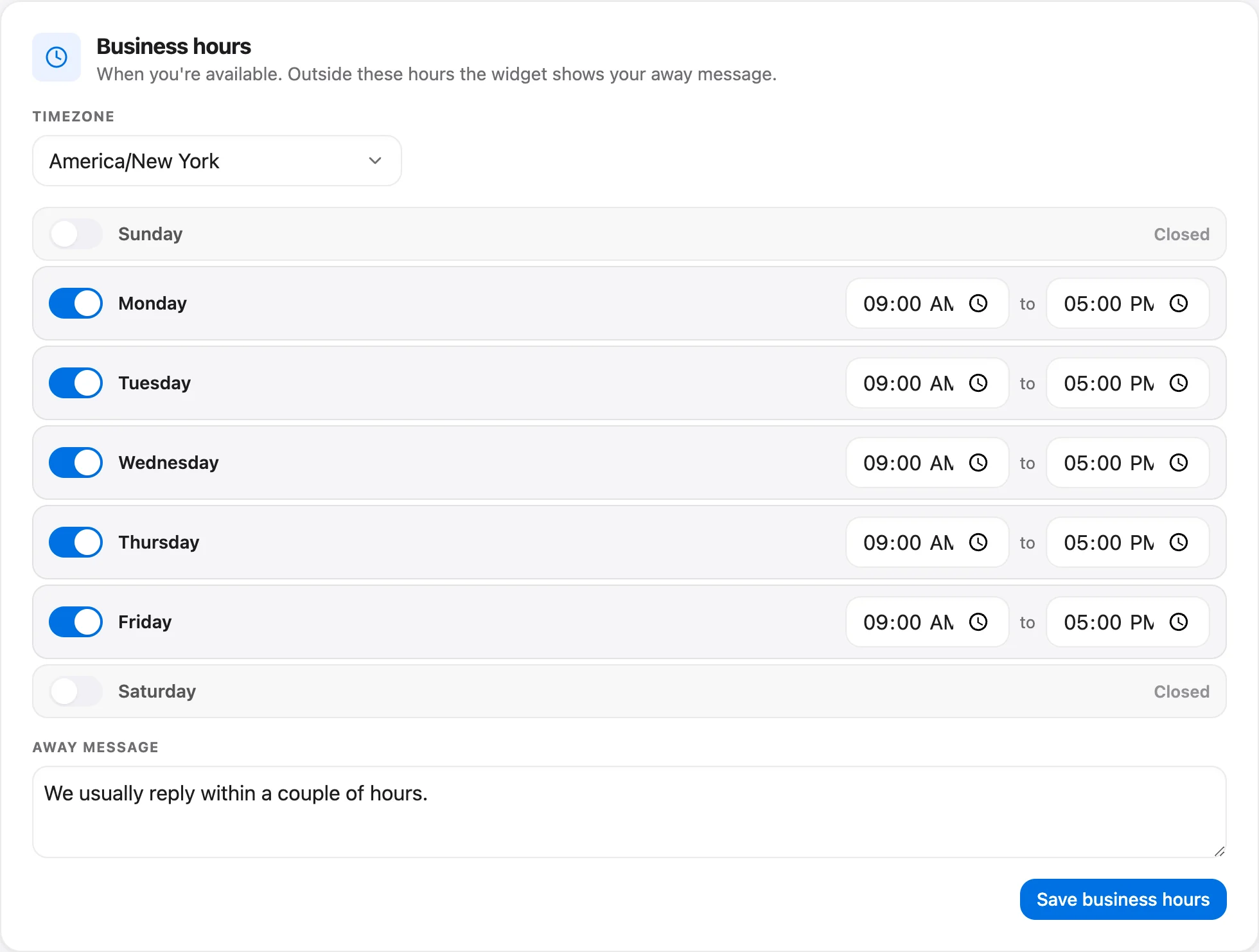
We are open [days, hours, timezone]. Outside those hours the widget shows [away message].
After hours the AI answers [any time / only outside business hours / not at all].
Talvo's business hours and away message live in Settings → Inbox → Business hours, on every plan. The widget can also show an expected reply time, from "a few minutes" up to "within a day," which is worth setting honestly. If you cover nights or weekends with AI, the after-hours guide covers what to promise.
Triage: four priorities, with examples
Triage is deciding what gets answered first. Four levels are enough. More than that and nobody can remember which is which.
| Priority | What it means | Example | First-reply target (starting point) |
|---|---|---|---|
| Urgent | The customer cannot use the product, or money or security is at risk | Outage, double charge, locked-out account | 30 minutes |
| High | A broken feature or a billing question with no workaround, or an upset customer | Failed export, repeated complaint | 2 hours |
| Normal | A how-to question or a bug with a workaround | "How do I add a teammate?" | 4 hours |
| Low | Ideas, general feedback and non-urgent requests | Feature request, pricing curiosity | 1 business day |
The targets are first-reply times in business hours, the same starting points used in the first response time SLA guide. Start looser than you think, because a missed target teaches the team to ignore targets. Tighten after a clean month.
Talvo's priority levels are exactly Low, Normal, High and Urgent, set by a dropdown on every plan. Routing rules can set priority automatically (Growth plan and up). Conversation tags, which describe the thread (refund, bug, how-to), filter the inbox on every plan. Be aware that saved views, routing rules, workflows and analytics don't use conversation tags, so a tag is a label for people, not a trigger.
Response targets, and the staffing to meet them
Write the targets into the playbook and then check you have the people. A target nobody can staff is a wish. The support staffing calculator turns your volume and handling time into the headcount a target needs, and the customer support metrics guide explains which numbers to watch.
RESPONSE TARGETS
First reply, by priority: Urgent [30 min] / High [2 h] / Normal [4 h] / Low [1 business day]
Clock: business hours only.
"First reply" means the first message from a person. An auto-acknowledgment doesn't count.
When we miss a target: say so in the reply, and tell the owner in the weekly review.
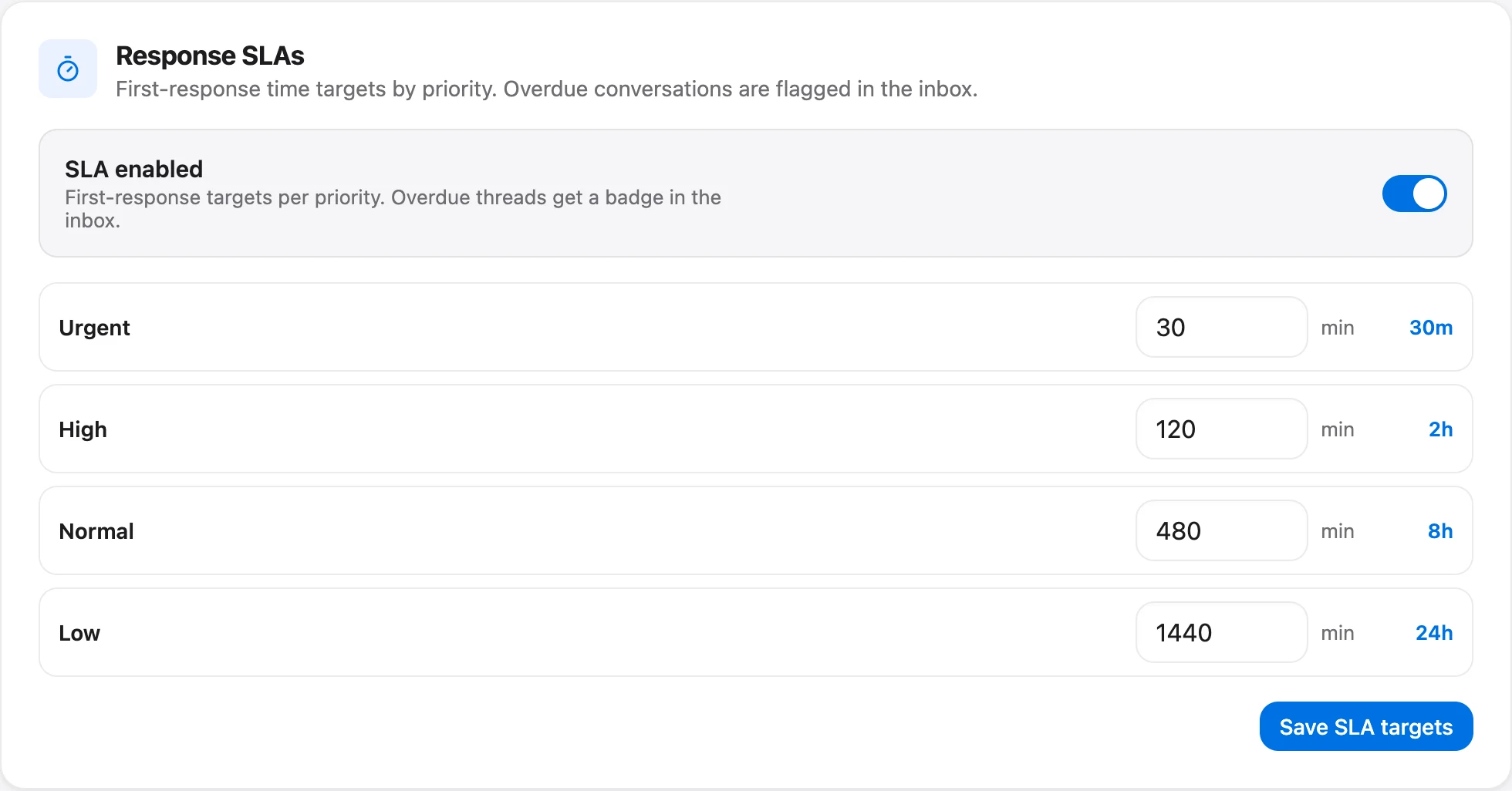
SLA policies in Talvo need the Growth plan or higher ($149 a month, or $119 billed annually). They are first-reply targets only, with no separate next-reply or resolution target, and when business hours are set the due times count only those hours. Inbox rows then show a "Due in 2h" or "Overdue 15m" badge, so the queue shows what's due next. On the Free and Starter plans, the same targets still belong in the playbook; you just check them yourself in the weekly review.
Saved replies: who writes them and when they die
Saved replies go stale quietly. A price changes, a feature moves, and a template keeps telling customers something that stopped being true in spring. Give them an owner and a review date, like any other document.
SAVED REPLIES
Owner: [Name]. Review every [quarter]; delete anything unused in 90 days.
Rules: every template has a purpose in its title ("Refund: outside window"), every variable has a fallback, and nothing contains a price, date or deadline that can change. Link to the page instead.
Never templated: billing disputes, legal threats, safety issues. Write those by hand.
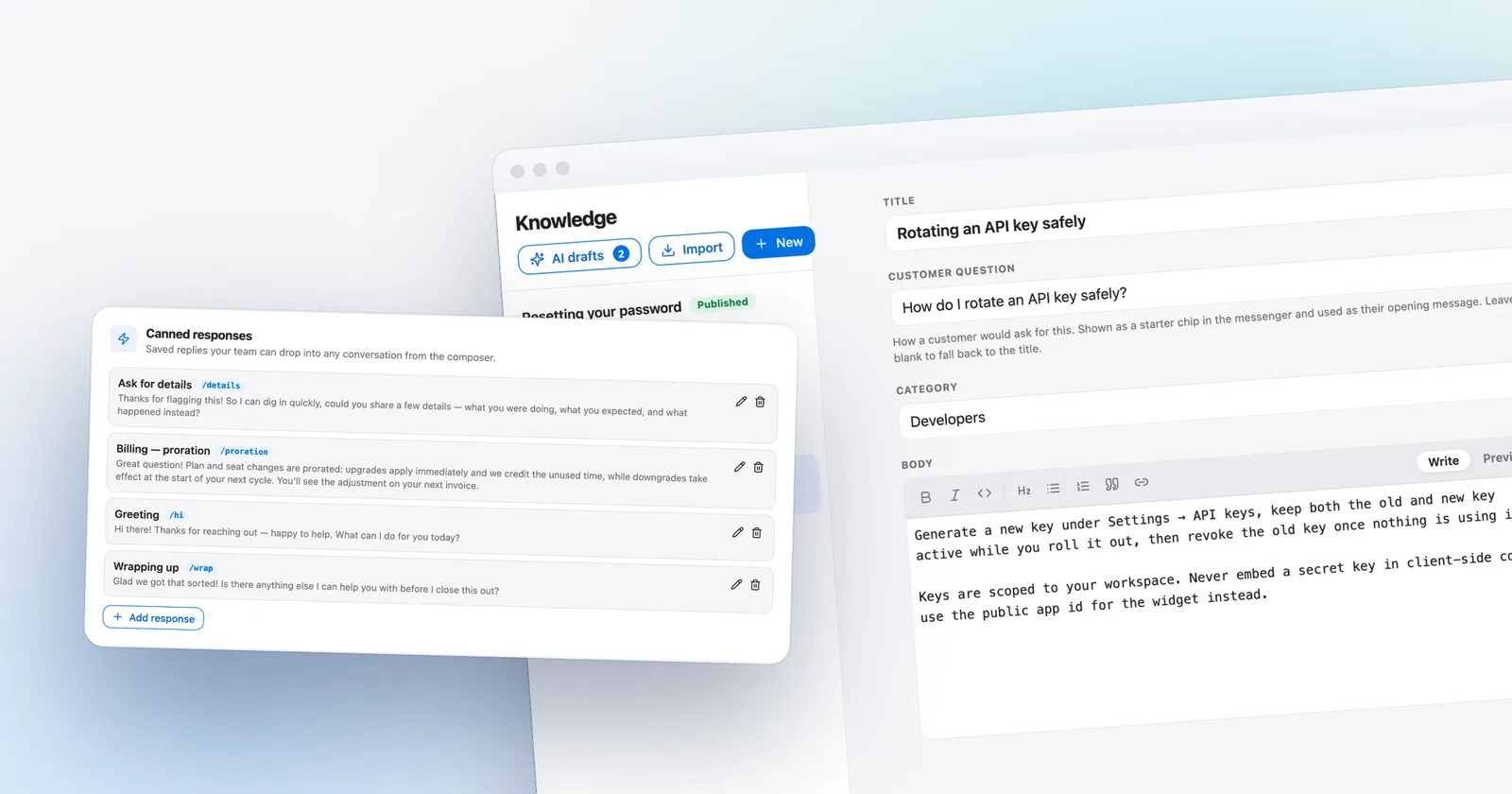
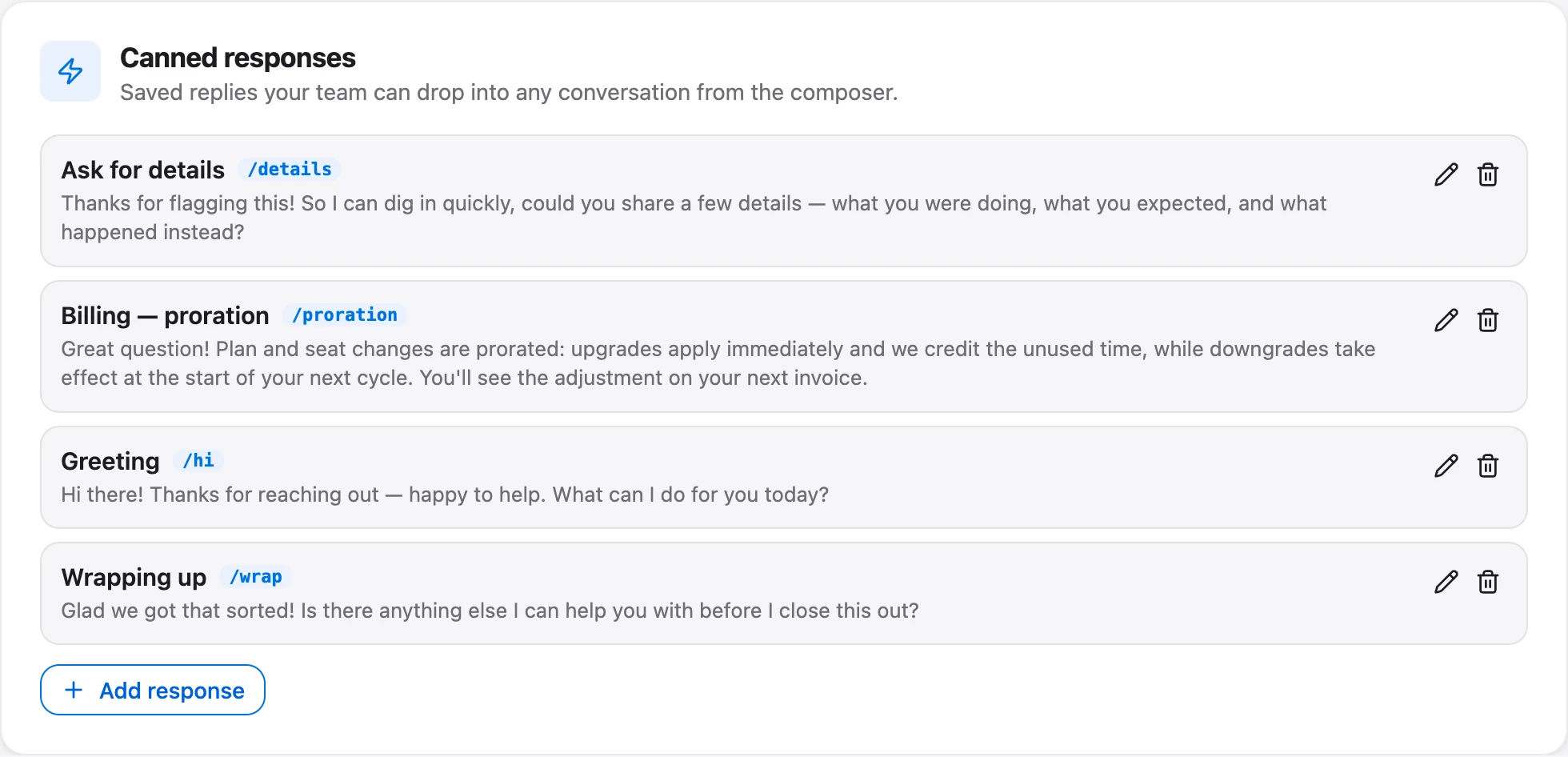
A few facts about how Talvo handles this. Canned responses are shared across the workspace on every plan, with no personal ones, and every teammate except Viewers can create and edit them. There's no approval step, which makes the owner field above do real work. The six variables are customer first name, customer full name, customer email, your first name, your full name and the business name, each with an optional fallback, and Talvo won't send a reply that still has an unfilled placeholder. The AI agent doesn't use canned responses. For the actual wording, see the live chat canned responses library.
AI rules: what it answers, what it hands off
If an AI agent answers customers, the playbook has to say what it may do, because nobody else will. Decide it deliberately.
AI RULES
The AI answers only from published help articles. If we have no article, we have no answer.
It answers [any time / only outside business hours / only during business hours].
Topics that always go to a person: [refund, chargeback, cancel, lawyer, legal, ...].
After a hand-off a person replies within the Normal target, or the Urgent target if flagged.
Each week we read the hand-offs and either write the missing article or accept that a person should answer.
In Talvo this maps to settings. The AI answers only from published articles and cites the one it used. When it isn't confident, or has no article, it hands off with the conversation intact, tells the customer the team will follow up, asks for an email if it has none, adds an internal note and alerts the team. Under Settings → General → AI controls, owners and admins choose when the AI answers (any time, only outside business hours, or only during business hours; with no business hours set, it answers any time) and list the "Always hand these topics to a person" words. Matching is case-insensitive, checks only the latest customer message and requires a word to start at a word boundary, so refund also catches "refundable."
Gaps matter here. The widget has no "talk to a person" button, and there's no spending cap on AI resolutions, so the playbook should say who watches the count. The AI-to-human hand-off guide explains the whole path, and its ten-message test is the right way to check these rules before launch.
Escalation: names, triggers and an after-hours rule
An escalation path with job titles instead of names fails on the first weekend. Write real names and a backup for each.
ESCALATION
Level 1: whoever picked it up.
Level 2: [Name], backup [Name]. Triggers: a second complaint on the same issue, a customer asks for a manager, refund or credit above [$ amount].
Level 3 (always a person): chargeback, dispute, legal threat, cancellation, press or review threat. Owner: [Name]. Handwritten replies only.
Outage or security: [Name] gets a call or text, not an email.
After hours: [who is reachable, how, and for which levels only].
How to escalate: set priority, add an internal note with the facts and what's been promised, then @mention the person.
Talvo's internal notes aren't visible to customers, and an @mention in a note sends the person a push notification and an email. It does not go to Slack. Round-robin assignment is a routing-rule action on the Growth plan and up; it rotates by whoever was assigned least recently and skips Viewers and anyone marked Away, but it doesn't check who is online. See the round-robin guide for the limits. For the human side of a heated case, see how to respond to angry customers, which includes the full ladder.
Refunds, credits and exceptions
Nothing causes more inconsistency than money. Settle the numbers once.
MONEY
Agents may refund up to [$X] and credit up to [$X] without asking.
Above that, ask [Name] in an internal note before promising anything.
Standard policy: [window, conditions]. Exceptions are allowed when [conditions], and are noted on the conversation.
Never promise a refund before confirming the charge exists.
Talvo doesn't process refunds, so this is policy for your payment tool, not a setting. The playbook's value is that two agents give the same answer.
Feedback and bugs: where they go
Customers stay patient when they can see their report went somewhere. Decide the two destinations and who tells the customer.
FEEDBACK AND BUGS
Feature requests go to the feedback board. If the customer asked in a conversation, turn that conversation into a request, then tell them what you did and what happens next.
Bugs go to [issue tracker]. Reply to the customer with what we know and when we'll next update them.
Declined requests are marked Not planned with a public reason. See the saying-no guide for wording.
Talvo's feedback board, roadmap and changelog are included on every plan, and a teammate can turn a conversation into a request. It posts under the customer's name with one vote and leaves an internal note, but the customer isn't told, so your reply has to do that. The guide to saying no to feature requests covers one-to-one wording, and the public feedback board guide covers the board.
The weekly review: thirty minutes, one owner
Everything above rots without a review. Keep it to half an hour, the same day each week, and always end with one change.
- Check first-reply performance: median first response and SLA attainment for the week
- Open the five slowest conversations and note why
- Read the AI hand-offs and decide: write an article, change a rule, or leave it with a person
- Read every conversation rated low in CSAT
- Check Team performance: conversations assigned, resolved and replies per teammate
- Tag the week's recurring questions and turn the top one into an article
- Choose one change to the playbook and write it in the changelog below
Talvo's analytics page (every plan) shows total conversations, average CSAT, median first response, median resolution and SLA attainment, and the Team performance table breaks assigned, resolved, replies, median first reply and CSAT out by teammate. Analytics history runs seven days on Free, 90 on Starter, one year on Growth and unlimited on Scale. Analytics can't report by tag, though; for a recurring-topic count, filter the inbox by tag and count by hand.
Watch small samples. A handful of CSAT responses can't rank anyone, and the NPS and CSAT calculator shows how much a score moves with so few responses. Use the weekly numbers to find patterns, not to grade individuals.

A changelog for the playbook itself
End the document with a dated log of what changed and why. It's what lets a newcomer see that a rule exists for a reason.
PLAYBOOK CHANGELOG
[Date]: [Change]. Reason: [what happened].
[Date]: Initial version.
Rolling it out
Don't launch the whole thing at once. A team of three can adopt it in an afternoon, and a team of ten in a week, if you stage it.
- Draft in one sittingFill the template yourself, with placeholders for what you don't know yet. A rough version everyone can edit beats a perfect one nobody has seen.
- Settle the numbers with the teamAgree the refund limit, the first-reply targets and the topics that always go to a person. People follow rules they helped set.
- Set up the settingsBusiness hours, the away message, canned responses, the topic list and, on the Growth plan and up, response targets and routing.
- Run it for two weeksThen review. Every rule nobody followed is either wrong or unclear; fix the rule, not the people.
- Put the review on the calendarThe first weekly review is the one that makes it stick.
What a playbook cannot do for you
A playbook can't fix a thin help center, a product that confuses people or a team that's too small for its volume, and it won't say whether you need to hire. A written rule that nobody reviews becomes an out-of-date rule. And Talvo, where it appears in this document, is new and in beta: we have no customer results to share, and the template doesn't depend on any. It works in a shared document and a spreadsheet if that's what you have. The settings just make it easier to follow.
Frequently asked questions
What is a customer support playbook?
It is a short written document that sets the rules your support team works by: tone, priorities, response targets, saved replies, AI rules, escalation and who can approve refunds. It turns decisions people make from memory into decisions made once, in writing.
What should a customer service playbook include?
At minimum: tone rules, channels and hours, triage priorities with examples, first-reply targets, ownership of saved replies, what the AI may answer and when it hands off, an escalation ladder with names, refund and credit limits, where feedback and bugs go, and a weekly review.
How is a playbook different from an SOP or a knowledge base?
A knowledge base tells customers how to use your product, and an SOP describes one task step by step. A playbook sits above both and sets the standards and decisions for how your team handles customers in general.
How long should a support playbook be?
For a team of two to ten, about three pages. If people won't read it in one sitting, they won't follow it. Link out to help articles and policies instead of copying them in.
Who should own the support playbook?
One named person, usually the support lead or the founder on a small team, who is responsible for the review date. Everyone can suggest changes, but a single owner keeps the document consistent and current.
How often should you update a support playbook?
Review it every three months, and make one small change each week during the review if something proved wrong. Add every change to a dated log at the bottom so newcomers can see why a rule exists.
Do small teams need a support playbook?
Yes, because small teams change fast and rely on memory. Two or three people answering customers will drift apart on refunds, tone and escalation unless the rules are written down. The document can be short, and it matters most when you add a teammate or an AI agent.
What's the difference between a customer success playbook and a support playbook?
A support playbook covers how you answer customers who contact you: triage, replies, escalation. A customer success playbook covers proactive work with accounts, such as onboarding, health checks and renewals. This template is the first kind.
Sources
Other products' prices and features change. We checked these pages; if something is out of date, tell us and we'll fix it.


