
On this page
- Why public roadmaps go wrong
- The status dictionary: what each label says and what it doesn't
- Never put dates on it
- What belongs on the board, and what stays off
- Votes are a signal, not a ballot
- When something slips or gets cut: the slip protocol
- Close the loop: changelog first, then the people who asked
- How to say no in public
- Tools people compare, with prices
- Running the board in Talvo
- Three numbers to track yourself
- Frequently asked questions
The moment you put a card labeled "In progress" on a public page, someone writes it on a calendar. A customer tells their boss the feature is coming. A prospect decides to wait. Three months later it's still "In progress," and now you have an unhappy person with a screenshot.
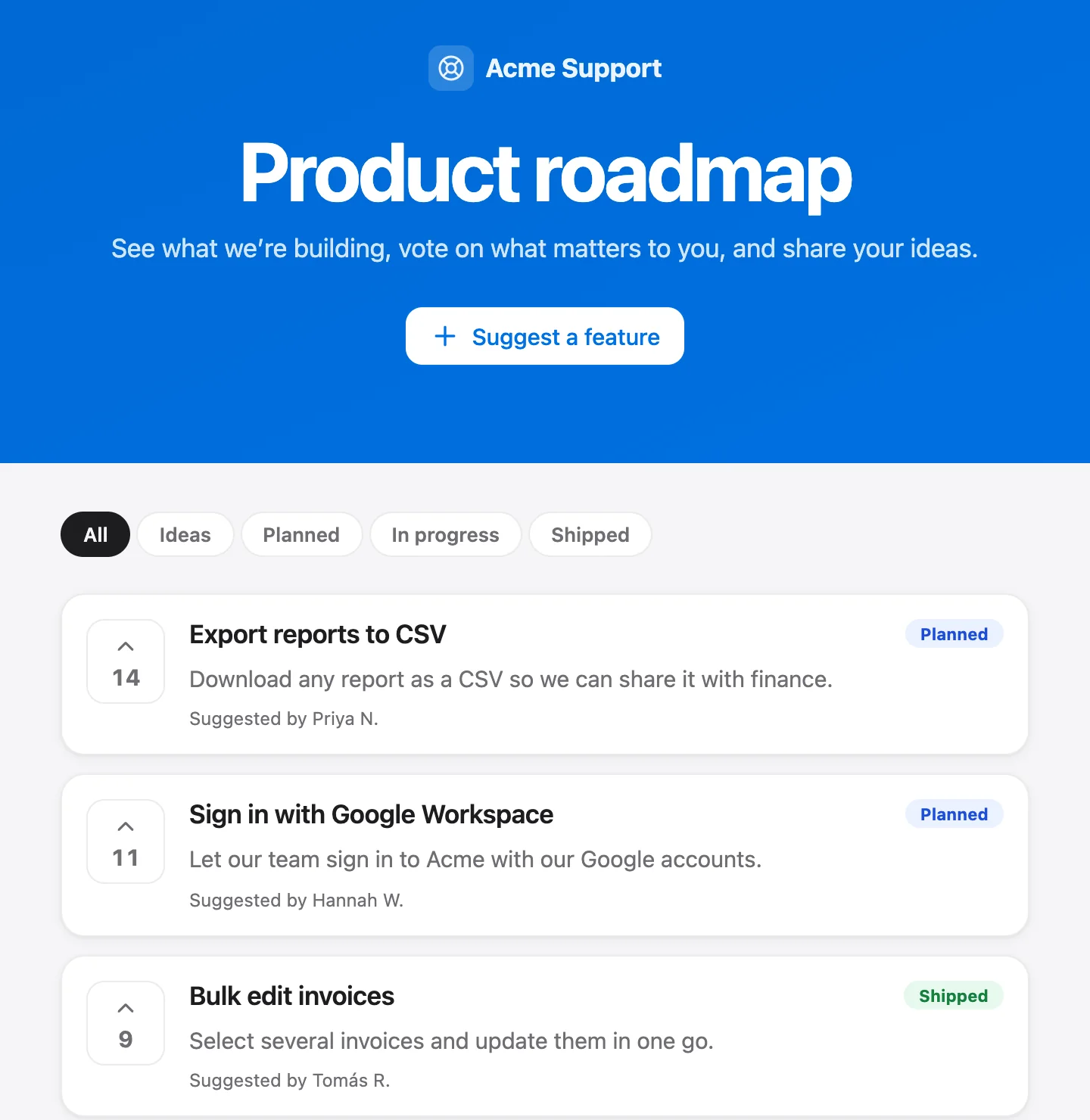
A public feedback board and roadmap are worth running anyway, because they answer the same question your support team gets asked every week: "Are you going to build this?" The trick is to run the board so a status means exactly what you can deliver. This guide covers the wording, the habits, what to do when plans change, which tools people compare (with prices checked on October 21, 2026), and how it works in Talvo, where the board is free.
Why public roadmaps go wrong
They go wrong in three predictable ways.
A status gets read as a promise. Customers don't see a workflow label; they see a commitment. A date makes that worse, since a date is the part people remember.
Things slip, and nobody says so. The card sits there. Silence reads as either incompetence or indifference.
Nobody hears back. A customer votes, waits, and finds out the thing shipped when they stumble across it. The board was supposed to build trust and instead it showed them how little of their effort registered.
None of this needs research to believe, which is lucky, because there's little of it. The figures vendor guides quote, such as "tickets dropped by a third" or "shared roadmaps raise project success," are anecdotes or the seller's own claims. What follows is a method you can check against your own numbers.
The status dictionary: what each label says and what it doesn't
Talvo's board has five statuses. Whatever tool you use, write down what each one means, because the people reading the board will invent their own meanings otherwise.
| Status | What it tells customers | What it does not promise |
|---|---|---|
| Under consideration | We've seen the request and it's on the list. | That we'll build it, or that anyone is evaluating it today. |
| Planned | We intend to build it, and it's ahead of the pile. | A date, a quarter, or the exact shape. |
| In progress | Someone is working on it now. | When it ships, or that it ships as requested. |
| Shipped | It's live. | That it covers every use or every plan. Say so in the changelog if not. |
| Not planned | We've decided not to build it. | That the answer is forever. You may revisit it. |
Two habits keep this honest. First, use "In progress" only when work has actually started, not when it's next. Second, use "Not planned" and give a reason. A board with no way to say no fills with items that look alive and aren't.
Never put dates on it
If you want one rule from this guide, it's this one. Dates are what customers quote back to you. Nothing else on the page is as easy to hold against you.
What to say when someone asks "when?":
- Tell them the status and what it means: "It's planned, which means we intend to build it. We don't give dates."
- Tell them what you'll do when it changes: "It will move to In progress when work starts, and you'll find it in the changelog when it's live."
- If they need a date to make a decision, say that you can't give one, and what they could do instead. It's a better answer than a guess.
Some teams use a loose "now, next, later" grouping instead of dates. That's fine as long as the group is a priority order, not a timeline. Talvo's statuses cover this: Planned is roughly "next," In progress is "now," and Under consideration is "later, maybe."
What belongs on the board, and what stays off
Not everything you're thinking about should be public. Leave off:
- Anything under negotiation or embargo, such as a feature built for one customer, an integration that depends on a partner announcement, or anything legal hasn't cleared.
- Pricing changes and plan moves. Those need their own announcement.
- Security work. Fixes belong in the changelog after they ship, not on a board beforehand.
- Anything you wouldn't defend in a screenshot. If a card would embarrass you pasted into a customer's Slack, don't post it.
Ask yourself one question per card: if this slips by six months, will I be comfortable having it visible all that time? If not, it stays in your private notes.
One more thing to plan for: visitors can post ideas without signing in, and in Talvo new ideas appear on the board right away. There is no approval queue before something shows publicly. Admins can delete a post afterward, so check the board regularly, and decide in advance what you'd remove (spam, abuse) and what you'd merely answer.
Votes are a signal, not a ballot
A vote count tells you how many people clicked. It doesn't tell you who they are, how much they pay, or whether they'd actually use the feature.
Because visitors vote without signing in, a vote has no identity attached. That's good for participation and weak for weighing. Use votes to see which ideas keep getting attention, then check against the people behind your real conversations: who asked in chat, who is on which plan, who churned and mentioned it.
Two practices make the signal better:
- Connect requests to real conversations. In Talvo, a teammate can turn a conversation into a feature request. It's posted under the customer's name with one vote, and an internal note is added to the conversation. The customer isn't told, which matters later: you're the one who has to go back to them.
- Merge duplicates. The same request arrives in five wordings. An admin can fold a duplicate into another post, and the surviving post gains the duplicate's votes. The card shows how many similar requests were merged in, and a merge can be undone. In any tool, treat a merged total as a rough signal rather than a head count.

When something slips or gets cut: the slip protocol
Plans change. What matters is whether the public page changes with them.
- Move the card the day you decideIf a Planned or In progress item is cut or postponed, change its status that day. Don't wait for the next planning meeting.
- Say why in publicWrite a public response on the post. A short, honest reason ("we took on a security fix first") beats silence.
- Put it in the changelog if it mattersIf many people were counting on it, a changelog line gives them one place to look.
- Tell the people you know askedFor requests that came from a conversation, reply in that thread yourself. Don't expect the board to do it for you.
- Keep the postResist deleting it. A visible "Not planned" with a reason is more trustworthy than a card that disappeared.
In Talvo, admins write the team's public answer on a post from Settings → Roadmap → Feedback triage. It shows on the board with the responder's name, the workspace name and the date. Clearing the text removes it.
Close the loop: changelog first, then the people who asked
Shipping something is half the job. The other half is making sure the people who wanted it find out.
Start with the changelog. Owners and admins publish entries in Settings → Roadmap → Changelog, and they appear on a public changelog page. Write the entry in terms of what a customer can now do, not what the team built, and link to the help article.
Then reach out directly wherever you can. For requests that began as a conversation, you know who asked, so write to them. For anonymous votes, don't promise anyone a notification. Assume the board and the changelog are where people will find out, and say so on the page.
If you track one number, track how many of the people you know asked for a shipped item were actually told. A board that ships a lot and tells nobody still feels abandoned.
How to say no in public
"Not planned" is the status most teams avoid and customers appreciate most. A few kinds of wording work:
- It doesn't fit the product. Say what the product is for and what it isn't. "We're keeping the inbox focused on support, so we won't be adding a full CRM."
- We'd rather do something else well. Name the trade-off. "We decided to improve search before adding more channels."
- Not now. If you might revisit it, say what would change your mind, such as demand, a partner or a new customer segment.
Pair each with a public response, and avoid anything that sounds like a promise to reconsider unless you mean it. Anyone who gets a clear no can plan around it. Someone who gets "we'll see" will wait.
Tools people compare, with prices
Most teams don't need a dedicated feedback tool beside their support desk, but plenty have one, and the prices are worth seeing. These come from each vendor's pricing page on October 21, 2026.
| Tool | Entry price | Free tier | What to know |
|---|---|---|---|
| Canny | Pro $79/mo billed yearly (no monthly price shown) | Yes: 25 tracked users, 5 managers | Priced by tracked users, meaning anyone who posts, votes or comments. Over the limit you're upgraded unless you set a spend limit. |
| Featurebase | Growth $29/seat/mo billed yearly, plus $0.49 per AI resolution | Yes: 1 seat, no AI | Now a help desk plus feedback suite in one subscription. It charges the same $0.49 per AI resolution as Talvo, plus seats. |
| Productboard | No public price | No | The public Portal is on Business and Enterprise, with a 5-maker minimum. |
| Frill | Startup $25/mo (50 active ideas); Business $49; Growth $149; Enterprise $349 | No; 14-day trial, no card | Roadmap, announcements and merging are listed without a plan mapping. |
| UserVoice | No public price; "never by seat" | No; 30-day trial after a demo | Pricing scales with use. The pricing page doesn't make clear whether its portal is public. |
| Talvo | $0, every plan | Yes | Board, roadmap and changelog are on the Free plan. See below for what's missing. |
Two pricing points. A separate feedback tool is another bill and another login, which is the same pattern as per-seat support pricing; per-seat vs flat pricing shows how those add up. And a seat-priced suite like Featurebase's grows with your team: three seats are 3 × $29 = $87 a month on annual billing, before any AI resolutions. In Talvo, adding teammates up to the plan limit never changes the bill.
If you're choosing a support tool as well, best live chat software for small business compares twelve of them.
Running the board in Talvo
Talvo's board, roadmap and changelog are on every plan, including Free. Visitors can suggest an idea (a title, optional details and an optional name) and vote, without signing in. There are no comments. New ideas show up on the board right away with the status Under consideration and one vote.
Admins can respond publicly, merge duplicates, change status and delete posts, all from Settings → Roadmap. A teammate can turn a conversation into a request from the inbox. The pages show "Powered by Talvo." The board lives at an address like talvo.chat/roadmap?app=YOUR-APP-ID, and the changelog at talvo.chat/changelog?app=YOUR-APP-ID. The feedback board feature page covers the basics.
What it doesn't have, so you can plan around it:
- No comments on posts, so no public back-and-forth. A clarifying question has to happen in a conversation instead.
- No custom statuses, and no dates or timeline view (which suits this guide's advice, though not everyone's wishes).
- No way to weight votes by customer value, and no private boards or segments.
- No approval step before a post goes public.
Whatever tool you run, the safe course is the one above: treat the changelog and your own replies as the way people find out that something shipped.
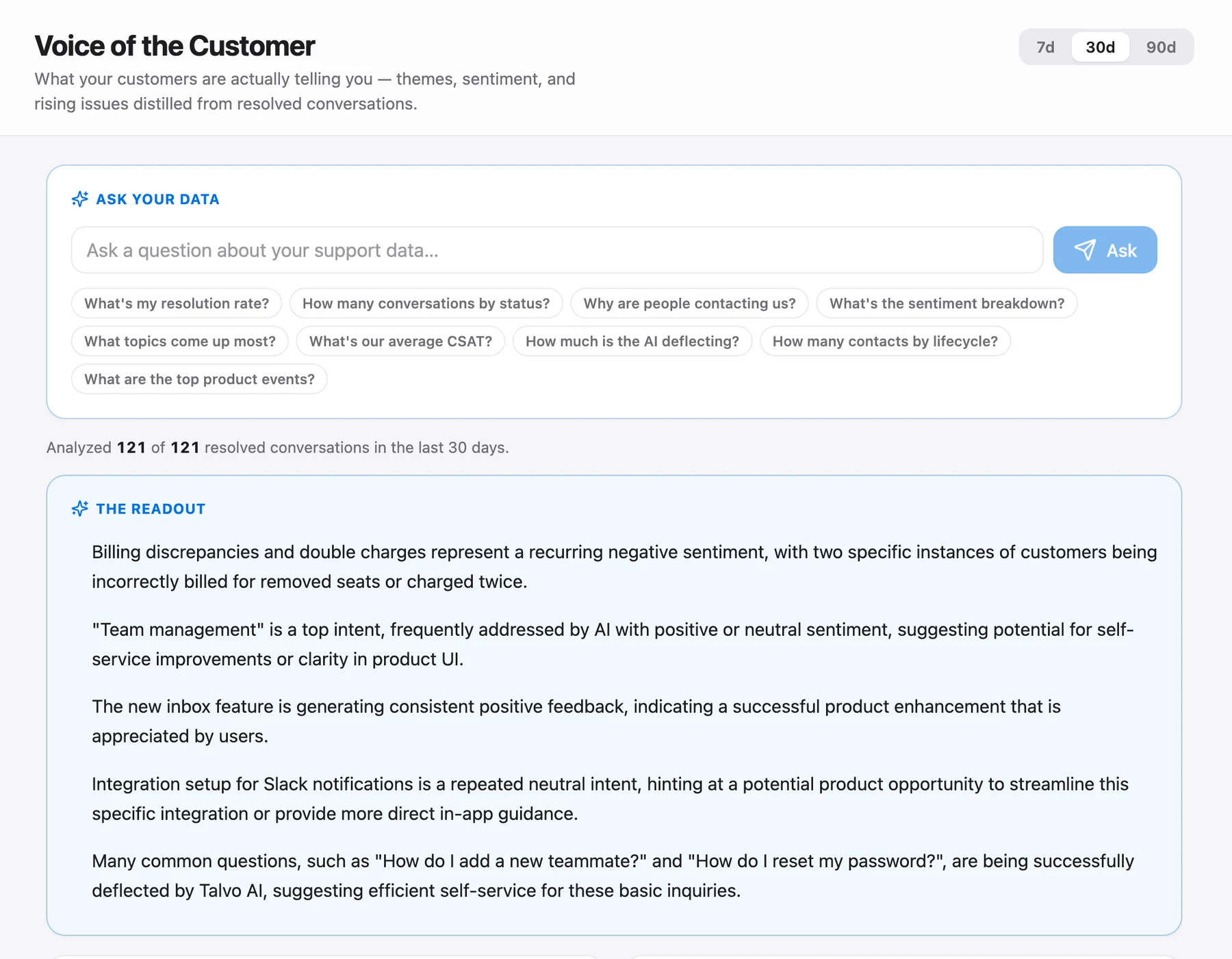
The upside is that the board lives next to the inbox. Requests start in real conversations, and on Talvo's Scale plan ($299 a month), the Voice of Customer digest can show which themes keep coming up in resolved conversations.
Live chat for SaaS shows how feedback fits into a broader product-company setup, and reducing support tickets explains how repeated requests become fixes.
Three numbers to track yourself
No tool will hand you these, so keep a simple tally:
- Shipped-from-requests share: shipped items that had at least one request, divided by all shipped items. It tells you whether the board actually steers the product.
- Slip rate: items moved back from Planned or In progress, divided by items that entered Planned, per quarter. A rising rate means "Planned" is promising too much.
- Loop-closure rate: requesters you contacted when their item shipped, divided by all requesters on shipped items. This one measures whether the board earns trust.
If your team is small, begin with five statuses, a rule of no dates, and a habit of answering every post. That's enough to make a public roadmap an asset instead of a liability.
Frequently asked questions
What is a public product roadmap?
A public roadmap is a page where customers can see what a team is considering, planning, building and has shipped, usually alongside a way to vote on or suggest ideas. It works best as a list of statuses, not a schedule.
Should a public roadmap have dates?
We recommend not. Customers quote dates back when plans change, and dates are the easiest thing to hold against you. Use statuses with clear definitions instead, and say what each one does and doesn't promise.
What statuses should a public roadmap use?
Talvo uses five: Under consideration, Planned, In progress, Shipped and Not planned. Whatever you choose, write down what each one means, use In progress only once work has started, and include a way to say no with a reason.
What is the difference between a roadmap and a changelog?
A roadmap looks ahead at what you're considering or building; a changelog records what has shipped. Closing the loop usually means moving a card to Shipped and then writing a changelog entry that explains what customers can now do.
How do you say no to a feature request?
Mark it Not planned and give a short public reason: it doesn't fit the product, you're prioritizing something else, or it's not now with what would change your mind. A clear no lets customers plan around it, while 'we'll see' keeps them waiting.
How do you prevent duplicate feature requests?
You can't fully prevent them, so merge them. In Talvo an admin can fold a duplicate into another post; the surviving post gains the duplicate's votes, shows how many similar requests were merged in, and the merge can be undone.
What is the best free feature request tool?
It depends on what else you need. Canny's free plan covers 25 tracked users, Featurebase's free tier has 1 seat and no AI, and Talvo includes a board, roadmap and changelog on every plan, including Free, alongside its chat and inbox. Prices were checked on October 21, 2026.
Can visitors comment on Talvo's feedback board?
No. Visitors can suggest ideas and vote without signing in, but there are no comments. Admins can respond publicly on a post, merge duplicates, change status and delete posts.
Sources
Other products' prices and features change. We checked these pages; if something is out of date, tell us and we'll fix it.


