
On this page
- Anger is allowed. Abuse is where the line sits
- How to respond to angry customers: the order matters more than the words
- What to leave out of the reply
- Writing it down changes the rules
- An apology with the parts that matter
- Scripts for chat and email, by stage
- The escalation ladder
- How Talvo supports the ladder
- When the AI is in the loop
- After the conversation
- Frequently asked questions
The message lands at ten to five on a Friday. Half of it is in capital letters, the other half is a list of everything that has gone wrong since March, and the last line says you have until Monday before they tell everyone they know. You can feel your own pulse in the reply box.
Knowing how to respond to angry customers is mostly knowing the order to do things in. The wording matters less than people think. Answer the problem before the person feels heard and you get a longer, angrier thread. Acknowledge forever and never fix anything and you get the same thread with more adjectives.
This guide gives you a sequence for written channels, a way to apologize that survives scrutiny, original scripts for chat and email, and an escalation path so one frayed agent never has to carry a hard case alone. The method comes from public-sector complaint handling, which deals with angry people all day and has written down what works.
Anger is allowed. Abuse is where the line sits
Start by separating two things teams routinely blur together. The Managing unreasonable conduct by a complainant manual from the NSW Ombudsman (3rd edition, 2021) treats anger as understandable, and acceptable up to a point. It turns unacceptable when it becomes abuse, threats or violence.
That distinction changes how you read the Friday message. Shouting about a double charge is a customer with a problem. Insulting your colleague by name, or threatening someone, is a different situation with different rules, and the last sections of this guide cover it.
You will meet plenty of the first kind. The 2023 National Customer Rage Survey, run by Customer Care Measurement & Consulting (CCMC) with Arizona State University's Center for Services Leadership, reported that 74% of US customers had a problem with a product or service in the previous year. By their account that was the highest since the survey began in 2003 and up 8 points since 2020. Problems are normal. The difference is whether yours get handled well.
How to respond to angry customers: the order matters more than the words
The Ombudsman manual credits a four-step sequence to Robert Bacal, abbreviated CARP: control, acknowledge, refocus, problem-solve. Its central warning is about the order. If you jump to refocusing or fixing before the person feels heard, you end up explaining the same thing repeatedly to someone who isn't listening yet.
Here is how those four translate to a chat window or an inbox, in our words rather than the manual's.
- ControlIn writing, control is pace and tone. Reply in short paragraphs, plain words, no capital letters of your own. Don't match their volume, and don't rush a reply you'd regret.
- AcknowledgeSay what happened, in their terms, and that it was a bad experience. You are not agreeing that you are at fault. You are showing you read it.
- RefocusTurn from what went wrong to what they want to be true by the end. Ask for one fact if you need it. Offer one next step, not five.
- Problem-solveNow fix it, or say precisely what you can and cannot do. Give a time for the next update and keep it.
The first two steps are cheap and fast, and the whole sequence often fits in one message. A good first reply can acknowledge, refocus and open the fix together, as long as the acknowledgment comes first and is specific.
What to leave out of the reply
The manual's do and don't list is short, and every item holds up in chat and email. Paraphrased:
Acknowledge feelings without conceding the whole argument, and look for something you can honestly agree on, such as "this should have been simpler." Don't promise anything you'll have to take back later. Skip "why" questions, which sound like cross-examination ("why didn't you read the email?"). Never tell someone to calm down, because it tends to do the opposite. Don't use policy as a shield, as if a rule made the decision and nobody did. Own mistakes and apologize instead of building excuses around them.
One more from the manual deserves its own mention: be careful with "I understand." Said about a person's feelings it can land well. Said about their situation, it can read as a claim you don't back up, because you have not lived their Friday. "That sounds exhausting" is safer than "I completely understand your situation."
Writing it down changes the rules
A phone call lets your voice carry warmth. A chat bubble or email carries only what you typed, and the customer reads it in the worst possible mood. The manual's guidance for online and written replies is that they stay unemotional and respectful, with short paragraphs and short sentences, and that heated public exchanges are best moved into a private channel.
Two habits help most. First, answer every point they raised, even briefly. In an angry email, the ignored paragraph is the one that gets quoted in the next message. Second, put the answer or the next step near the top, because an angry reader may stop at line three.
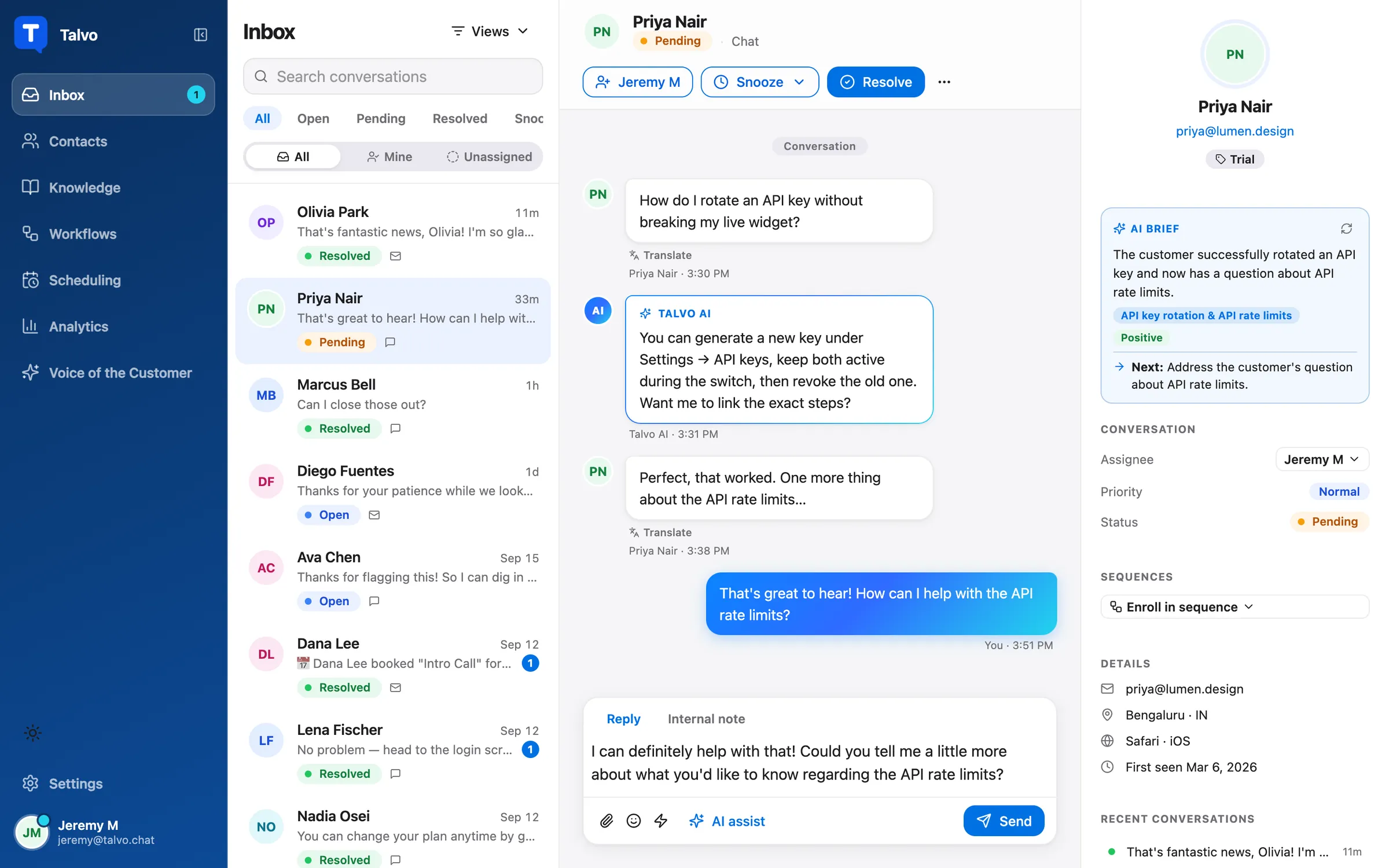
If you use AI drafts, treat them as a first pass at structure. An upset customer deserves a sentence that could only have been written about their message, and that part still has to come from a person.
An apology with the parts that matter
Most apologies fail in the same way: a reflex "sorry for the inconvenience" that owns nothing. Researchers at Ohio State tested what people look for. Lewicki, Polin and Lount (Negotiation and Conflict Management Research, May 2016) studied 755 participants, 333 adults recruited online and 422 undergraduates, and examined six elements of an apology.
The element rated most important was acknowledging responsibility. Offering to repair the damage came second. Expressing regret, giving an explanation and showing repentance tied for third. Asking for forgiveness was the least effective, and apologies with more of the elements were rated as more effective overall.
Read that as a drafting order: say what you did, say what you'll do about it, and keep the pleas for forgiveness out. One caveat worth knowing. Participants rated written apologies in a hiring scenario involving a tax-return error. That measures how effective an apology seemed to readers, not whether customers stayed. It is a useful guide to wording and no promise of retention.
Scripts for chat and email, by stage
These are written from scratch and meant to be edited. Square brackets are things the agent fills in by hand; double-brace variables fill in automatically, with a fallback so nobody receives "Hi ,". For a wider library, see the live chat canned responses guide, which has short "customer is upset" and "when the answer is no" templates; the scripts below go deeper on the sequence.
First reply
In chat, speed and specifics matter most:
Hi {{contact.first_name | there}}, I've read your message and I can see the problem: [their issue in one plain line]. I'm checking [the order / your account / the logs] now, and I'll report back here by [time] with what I find.
In email, you have room to show you read all of it:
Hi {{contact.first_name | there}},

You've had to write to us about [issue] more than once, and that's a poor experience. I've read the whole thread.

Here is what I understand so far:
- [Point one, in their words]
- [Point two]

I'm looking at [first thing] today and will write again by [time], whatever I find.

{{agent.first_name | The team}} at {{workspace.name}}
When it was your mistake
We got this wrong. [What happened, one plain sentence]. That cost you [the specific loss: a day, a double payment, a missed delivery], and I'm sorry. I've already [fix done]. Next, [what happens and when], and I'll confirm here once it's done.
Notice what is missing: "any inconvenience this may have caused," a passive voice, and a request for forgiveness.
When the answer is no
I can't [what they asked for], and I'd rather explain than leave you guessing: [reason in one or two sentences]. What I can do is [option A] or [option B]. Tell me which suits you better and I'll do it now.
The reason does real work here. The Ombudsman manual makes the point that people who see a process as fair and feel respected are more likely to accept an outcome they didn't want, and a bare refusal gives them nothing to accept. If the thing they want is a product feature, the guide to saying no to feature requests covers that case on its own.
When you need to set a limit
Only after you've tried the sequence above, and only about behavior, never about the customer's character:
I do want to get this resolved for you. To keep going I need us to keep this conversation free of insults and threats. If we can do that, I'll carry on right here. If the messages continue like this, I'll end the chat and the details will stay with [owner or senior teammate] to follow up by email.
When you end the conversation
I'm ending this chat now because the last few messages included [abuse / threats]. Your request is still open. [Name] will review it and reply by email within [time]. Please send any further messages to that email thread.
Keep your own record of what was said. If the messages include a threat to a person, follow your local law and your own safety policy, which is a decision for an owner or a lawyer, not an agent mid-chat.
The escalation ladder
A ladder removes the worst moment in support, which is an agent alone with a hard case and no idea whether they're allowed to say yes. Write the triggers down in advance so the decision isn't made under pressure.
| Rung | Trigger | Who takes it | What changes |
|---|---|---|---|
| 1. Agent | A frustrated customer with a fixable problem | Whoever picked it up | Use the sequence and the scripts above |
| 2. Senior or owner | A second complaint about the same issue, a request for a manager, or a refund or credit above the agent's limit | Named senior teammate or owner | Raise priority to High, add an internal note with the facts, @mention them |
| 3. A person, always | Chargeback, dispute, lawyer, "cancel my account", press or review threats | Owner or the person you name for that topic | Hand-written reply only, no saved reply, no AI |
| 4. Stop | Abuse, threats, harassment | Owner | Set the limit once, then end the chat, keep the record |
The triggers in the second column are yours to adjust, including the refund limit at rung 2. What matters is that they're written down and that your whole team has seen them.
How Talvo supports the ladder
Most of the ladder runs on settings that exist in Talvo today, and some of it doesn't. Here is each in plain terms.
Internal notes and @mentions. A note in a conversation is never shown to the customer. Type @ in a note and a picker lets you mention a teammate, who gets a push notification and an email quoting the note. Email is limited to one per person per conversation every 10 minutes, and mentions don't go to Slack. This is how rung 2 happens without a side channel. A note like "Second complaint, wants a manager, refund over our limit" tells the owner everything before they open the thread.
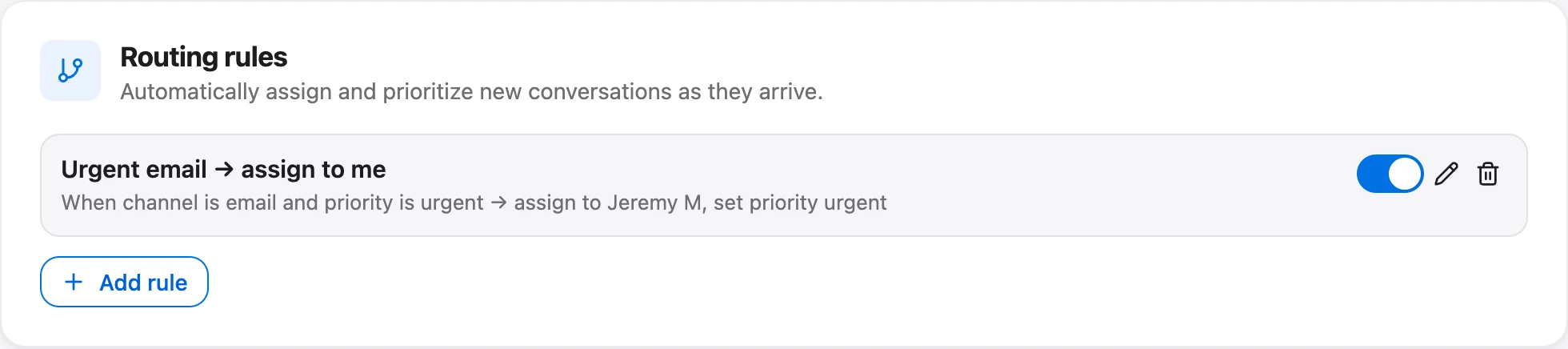
Priority. The conversation has a Priority dropdown: Low, Normal, High, Urgent. Raise it when you reach rung 2. On Talvo's Growth plan and up ($149 a month, or $119 billed annually), the same priority drives first-response targets and the countdown badges in the inbox, and routing rules can set priority automatically from a keyword in the first message.
"Always hand these topics to a person." In Settings → General → AI controls, owners and admins list words or phrases, one per line, such as chargeback, lawyer or cancel. When the customer's latest message contains one, the AI stays out of it, the customer gets the standard hand-off message, and the team gets an internal note naming the topic plus a "needs a reply" alert. The check runs before any AI call, so it costs nothing. That is your rung 3, built as a setting.
Know how it matches. It checks only the customer's latest message, ignores case, and each topic has to start at a word boundary but is open-ended at the end. So refund catches "refunds" and "refundable," and legal does not catch "paralegal." Pick longer words over short ones, because a short stem matches more than you intend. The topic list isn't a mood detector. "This is ridiculous" mentions no topic, so it triggers nothing.
Reply reminders and the away status. Talvo alerts the team when a customer has been waiting without a reply, 12 hours by default, on every plan. It's a backstop for an angry customer who would otherwise sit unanswered over a weekend. Teammates marked Away are skipped by round-robin (a routing-rule action on the Growth plan and up), but there's no check on who is online, and no automatic reassignment when someone goes Away later.

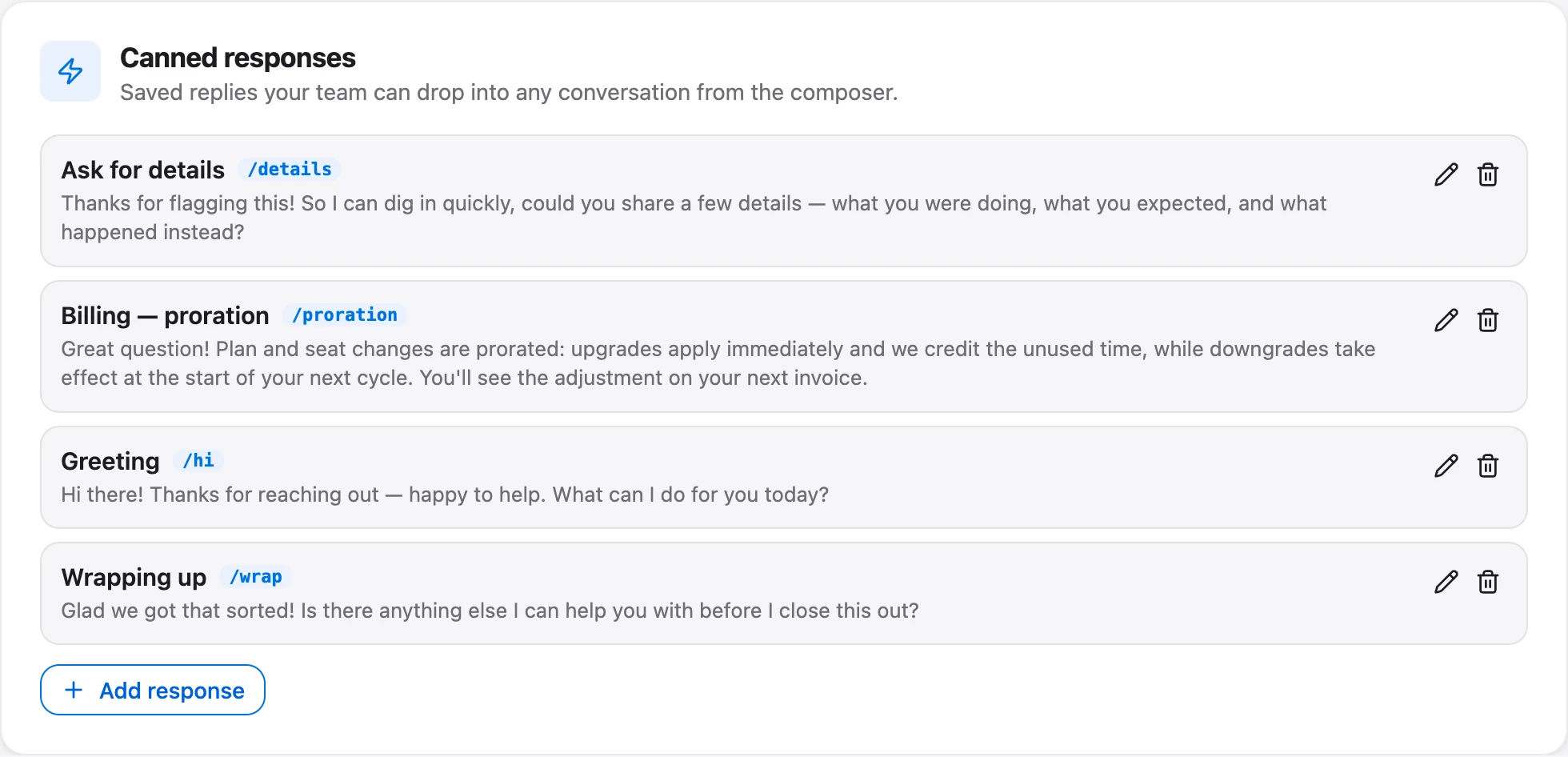
Saved replies and rewrite. Canned responses are shared across the workspace on every plan, and the missing-variable guard blocks a send until placeholders are filled. For a heated thread, use them only for the first acknowledgment. The composer's AI Rewrite menu, on the Starter plan ($49 a month) and up, has a "Make it friendlier" option that rewrites only your own draft and keeps names, numbers and links as written; it's useful on a day when your first draft came out terse.
What Talvo does not do
Be clear-eyed about the gaps. Talvo has no sentiment alert or automatic escalation when someone is angry. Its Voice of the Customer sentiment and churn radar are Scale-plan features that look backward over resolved conversations, not at a live thread. The widget has no "talk to a person" button, so the topic list and a plain line in your welcome message have to do that work. There's no option to block a contact. There is no phone channel to escalate into. And Talvo is new and in beta, so there are no customer results here to cite. The method holds up without them.
When the AI is in the loop
An angry customer is the worst audience for a bot that argues. Talvo's AI answers only from your published help articles and hands off when it can't answer confidently, and once a teammate replies it stops answering that conversation. It also stops after ten AI replies in one chat. That is the right shape for this problem, provided your topic list covers the money and legal words and your hand-off message promises something real. The AI-to-human hand-off guide walks through the full setup and a test you can run before customers find the gaps.
- Write down the four rungsName a person for each, including who covers when they're away.
- List the money and legal topicsAdd them under Settings → General → AI controls, and test with a real phrase.
- Set a priority habitHigh means a rung-2 escalation, Urgent means a customer who can't work. Say so in your team doc.
- Save one acknowledgment replyShort, specific, with fallbacks on every variable. Keep everything else hand-written.
- Check NotificationsIn Settings → Inbox, confirm "Email me when a chat needs a reply" is on for the people who should see hand-offs.
After the conversation
The conversation isn't over when you hit resolve. Add a short internal note on what happened and what you promised, because the next agent who picks up this customer needs it. Tag the thread with a word you'll recognize later; conversation tags filter the inbox, though saved views, routing rules and analytics don't use them. Follow up once if you promised an update, and read the CSAT rating when it arrives. If your team also reviews quality, pull the angry threads into your weekly review, as described in the support playbook template.
And check on your agent. Three hostile chats in a row is a hard afternoon even if every one of them was handled well. Someone else taking the next one is part of the job.
Frequently asked questions
How do you respond to an angry customer email?
Lead with what you understood, in their terms, then answer every point they raised, even briefly. Put the next step and a time for the next update near the top, keep paragraphs short, and leave out phrases like 'calm down' and 'per our policy'. An ignored paragraph is usually the one quoted in the next angry message.
What should you never say to an angry customer?
Avoid telling them to calm down, using 'why' questions that sound like cross-examination, hiding behind policy, and promising things you will have to take back. Be careful with 'I understand' about their situation, since you have not lived it. Admit mistakes instead of excusing them.
Should you apologize if it wasn't your fault?
You can acknowledge the experience without accepting blame you don't hold: 'that was a poor experience, and I want to fix it'. Where you or your product did get something wrong, say so plainly and name the repair. In the Ohio State apology study, acknowledging responsibility was rated most important, with an offer to repair second.
How do you calm down an angry customer in chat?
Do not try to calm them directly. Reply quickly with something specific from their message, keep your sentences short, and give a concrete next step with a time. Feeling heard and seeing action does more than any soothing phrase.
When is it OK to end a conversation with an abusive customer?
Anger alone is not a reason. Abuse, threats or harassment are. Set the limit once, in plain words, and if it continues, end the chat, say who will follow up and how, and keep a record. A threat to a person is a decision for your owner and local law, not for an agent mid-chat.
What is the CARP method?
CARP stands for control, acknowledge, refocus and problem-solve, a sequence credited to Robert Bacal in the NSW Ombudsman's manual for handling unreasonable conduct. The order is the point: jumping to a solution before the person feels heard tends to produce repeated explanations.
How do you escalate an angry customer?
Decide the triggers ahead of time: a second complaint on the same issue, a request for a manager, or a refund above the agent's limit goes to a named senior person. Money disputes, legal threats and cancellations go to a person only. In Talvo you do this with priority, an internal note and an @mention.
Should a chatbot handle angry customers?
It should not argue with them. Talvo's AI answers only from published articles, hands off when it cannot answer confidently, and stops once a teammate replies. Put words like refund, chargeback and lawyer on the always-hand-to-a-person list, because Talvo has no sentiment detection and the list matches words in the latest message only.
Sources
Other products' prices and features change. We checked these pages; if something is out of date, tell us and we'll fix it.
- NSW Ombudsman, Managing unreasonable conduct by a complainant: manual for frontline staff, supervisors and senior managers (3rd ed., 2021)
- Ohio State News, The 6 elements of an effective apology, according to science (2016)
- ASU W. P. Carey News, 2023 National Customer Rage Survey highlights
- Talvo help: work your shared inbox


