On this page
If your contacts, deals and marketing emails already live in HubSpot CRM, the honest answer to "what should I use instead of Service Hub" is often "probably nothing". Support that shares a record with sales is the reason people buy it, and most HubSpot Service Hub alternatives can't match that. So this guide starts with the CRM question, then prices the realistic alternatives for the same three teams.
One fact up front, because we make one of the tools below. Talvo has no HubSpot integration. No native connector, no sync, nothing that writes a conversation onto a HubSpot contact. If HubSpot is your system of record and you need support activity to land there, Talvo isn't the answer, and the rest of this post will help you pick something that is. All vendor numbers come from the vendors' own pricing pages, checked October 21, 2026.
Are you leaving HubSpot, or only Service Hub?
These are two different decisions, and they point to different tools.
Staying on HubSpot CRM, leaving Service Hub. You need a support tool that connects to HubSpot, or you accept two systems. A few support tools list HubSpot integrations on their own pages:
| Tool | HubSpot connection, per its own pages | Where it starts |
|---|---|---|
| Help Scout | Salesforce, Jira and HubSpot integrations listed on Plus and up | Plus: $45 per user annual, $54 monthly |
| Crisp | HubSpot listed in the integrations row from Essentials | Essentials: $95 per workspace |
| Fin (Intercom's AI) | fin.ai lists HubSpot among the helpdesks Fin works with, $0.99 per outcome | Self-serve path is "Contact sales" |
| Olark | HubSpot is on its integrations page; plan requirements not stated | AI plan: $400 a month, billed annually |
| Zendesk, Freshdesk | Not covered here; check each vendor's app marketplace | See the cost table below |
| Talvo | None | Not applicable |
The Fin row is worth a second look. It means you can keep HubSpot as the desk and swap only the AI. Fin's $0.99 per outcome is nearly twice HubSpot's own Customer Agent at $0.50 per resolution, so that's a quality-and-features choice rather than a savings one.
Leaving HubSpot entirely, or only using it for live chat. Then you're free to choose by price, channels and AI. That's where the cost table below and Talvo come in.
What HubSpot Service Hub costs a small team
The short version: seats, an onboarding fee, and a credit meter on the AI. Professional is the tier that includes the AI agent, knowledge base and SLAs, and it's the one small teams end up on. It starts at $90 a seat paid annually, or $100 paid monthly with the same annual commitment, plus a required $1,500 onboarding fee. The Customer Agent costs $0.50 per resolved conversation, paid in credits, with 3,000 credits (about 60 resolutions) included each month. The full breakdown, including Core and Service seats, the $7 Starter price that looks like a promotion, and the year-two math, is in HubSpot Service Hub pricing. Here we only need the monthly bill.
Team A is 3 agents with 300 AI-resolved conversations a month. Team B is 5 with 1,000. Team C is 10 with 3,000. All figures are monthly billing at list prices, before tax, on the cheapest plan that has live chat and an AI agent.
| Tool | Team A (3 / 300) | Team B (5 / 1,000) | Team C (10 / 3,000) |
|---|---|---|---|
| HubSpot Service Hub Professional (plus $1,500 one-time) | $420 | $970 | $2,470 |
| Zendesk Suite Team | $777 | $2,295 | $6,590 |
| Help Scout Plus (the tier with a HubSpot integration) | $387 | $1,020 | $2,790 |
| Intercom (now Fin) Essential | $414 | $1,185 | $3,360 |
| Crisp Essentials (usage-billed AI, estimated) | $95 to $100 | $120 to $170 | $220 to $370 |
| Talvo | $147 | $299 | $789 |
The arithmetic, so you can redo it with your own volumes:
- HubSpot: seats at $100 monthly plus credits beyond the 3,000 included. Team A: 3 × $100 = $300, plus 300 × 50 = 15,000 credits − 3,000 = 12,000 × $0.01 = $120, so $420. Team B: $500 + (50,000 − 3,000) × $0.01 = $470, so $970. Team C: $1,000 + (150,000 − 3,000) × $0.01 = $1,470, so $2,470. Paying annually ($90 a seat) lowers these to $390, $920 and $2,370.
- Zendesk: $69 per seat plus $2.00 for each resolution beyond the 5 per agent a month it includes: A is 3 × $69 + 285 × $2.00 = $777.
- Help Scout Plus: $54 per user plus $0.75 per resolution: A is 3 × $54 + 300 × $0.75 = $387.
- Intercom (Fin): $39 per seat plus $0.99 per outcome: A is 3 × $39 + 300 × $0.99 = $414.
- Crisp Essentials: $95 per workspace, which caps at 10 seats, plus AI usage at Crisp's own estimate of $0.05 to $0.10 per conversation, less the $25 of credits included. Crisp's AI bills activity, including chats that hand off, so real bills run higher if yours hands off often.
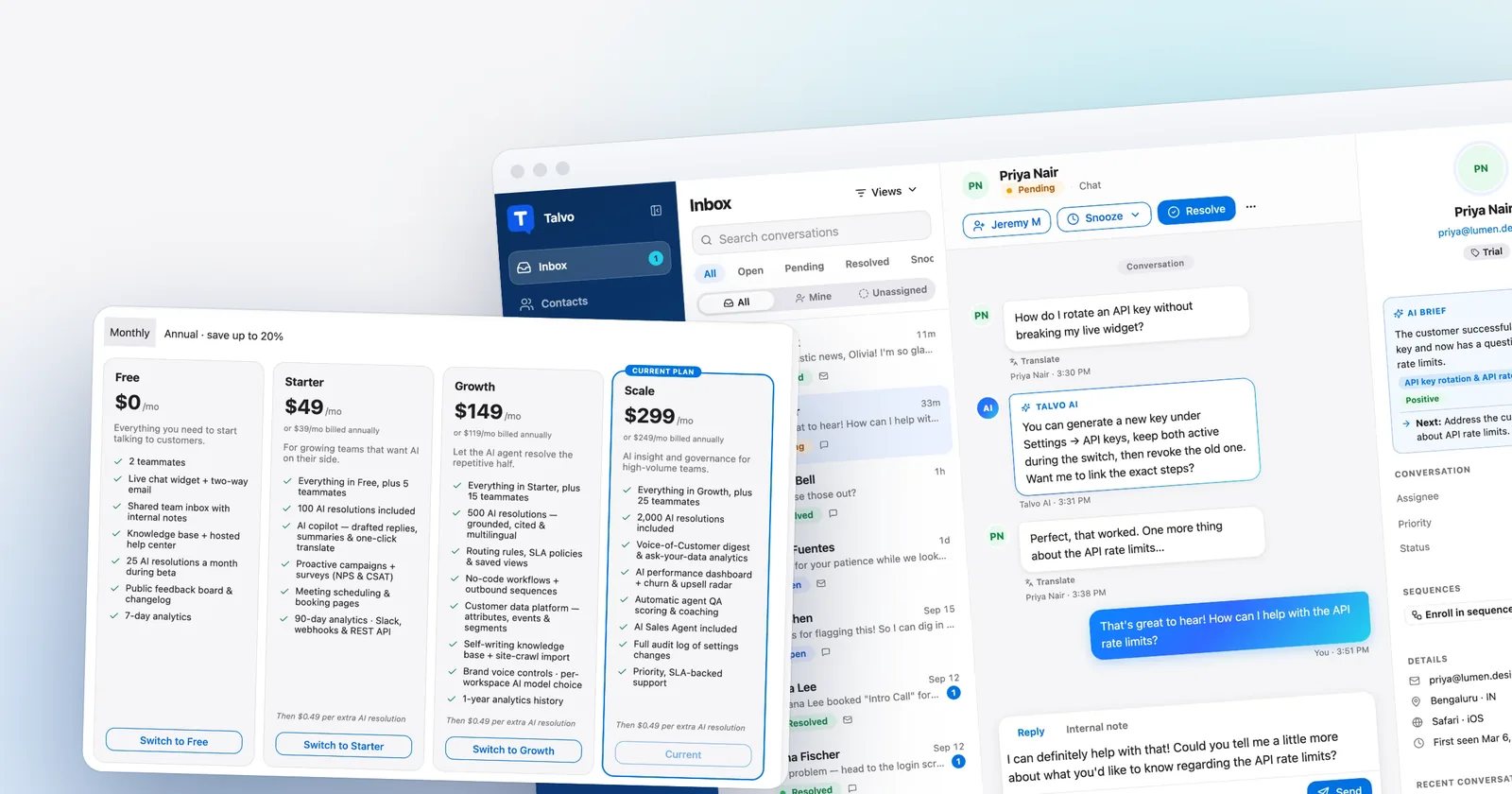
- Talvo: the cheapest plan with enough teammate seats once the AI is counted. A: Starter at $49 includes 100 resolutions, so $49 + 200 × $0.49 = $147. B: Scale at $299 includes 2,000. C: Scale plus 1,000 × $0.49 = $789. On annual billing: $119 for A (Growth, which beats Starter's $39 + $98), $249 for B and $739 for C.
The table is a map, not a ranking. The tools bill AI on different units, and each vendor defines a billable resolution its own way. Our AI resolution pricing comparison lines up the definitions.
- Crisp Essentials~$120–$170/mo$95 per workspace + AI at Crisp's estimate of $0.05–$0.10 per conversation, less $25 of included credits · Estimate: top-up rate and annual prices aren't published
- Talvo Scale$299/mo$299 per workspace, 2,000 AI resolutions included
- Help Scout Standard$900/mo5 users × $30 + 1,000 AI resolutions × $0.75
- Intercom (Fin) Essential$1,185/mo5 seats × $39 + 1,000 Fin outcomes × $0.99 · Workflow automation needs Advanced ($85–$99 per seat)
- Zendesk Suite Team$2,295/mo5 agents × $69 + 975 AI resolutions × $2.00 (25 included) · $1.50 each with a committed 100+ purchase
Estimates from each vendor's published list prices, checked October 21, 2026. Assumes the cheapest plan that includes live chat and an AI agent, and that every AI-resolved conversation is billable. Excludes taxes, promotions, add-ons (such as agent copilots) and per-use channels like SMS or WhatsApp. Talvo's annual price includes extra resolutions at the same $0.49, billed once a year.
The free tier, and where it stops
HubSpot Free is a genuine product: up to 2 users, no credit card, live chat and ticketing. The chat carries HubSpot branding, and the bots are limited. The feature table shows no knowledge base, no AI agent and no help desk workspace on Free or Starter, so the first upgrade that matters is Professional. That jump (a $1,500 onboarding fee, an annual commitment and a per-seat price) is what pushes small teams to look elsewhere.
Starter makes the chat branding removable and adds 500 calling minutes and one phone number. Its seat price is shown as $7 with $20 struck through; the card is the bundled Starter Customer Platform, and a third-party tracker reports $7 as a promotional cut from $9. The pricing explainer covers that in detail. Neither tier includes the Customer Agent.
The alternatives, one at a time
We priced six tools above. Here is what each is for, and who shouldn't pick it.
Help Scout: the email-first desk with a HubSpot link
Help Scout is a clean shared inbox with a knowledge base (Docs), a chat widget (Beacon), workflows and surveys. Its Standard plan is $25 per user annual or $30 monthly, but the HubSpot integration sits on Plus at $45 or $54. Its AI agent costs $0.75 per resolution, and escalating or pressing "I still need help" voids the charge. See Help Scout pricing for the full grid.
- Reviewers praise the email-like inbox and ease of use
- HubSpot integration on Plus, alongside Salesforce and Jira
- Escalated chats aren't billed for the AI
- Per-user pricing; Standard caps at 25 users
- No product tours, and voice only through an integration
Zendesk and Freshdesk: the heavyweight desks
Both are real ticketing systems, which is what you may be missing if reviewers' complaints about HubSpot's ticketing ring true. Zendesk Suite Team at $55 per agent annual or $69 monthly is the cheapest plan with live chat, and its resolutions cost $1.50 to $2.00 past a small allowance. Freshdesk Omni's Growth plan starts at $29 per agent annual, and its Freddy AI bills per session rather than per resolution. Ask each about a HubSpot connector before you commit. Read Zendesk pricing and Freshdesk alternatives for detail.
Crisp: flat workspace pricing, with a HubSpot integration on Essentials
Crisp charges per workspace: Mini is $45 for 4 seats and Essentials is $95 for 10. Essentials is where the omnichannel inbox (WhatsApp, Instagram, SMS) and the HubSpot integration are. The AI, Hugo, bills on usage credits, and Crisp says it hasn't been through a SOC 2 audit. See Crisp pricing.
Intercom (now Fin): the polished messenger, with the priciest AI
Salesforce acquired Fin (formerly Intercom) in September 2026. Essential is $39 monthly ($29 annual) per seat, plus $0.99 per outcome. It has the broadest channel list of the chat-first tools and SOC 2 Type II, but a quiet customer can count as an outcome. See Intercom pricing.
Olark: unlimited AI conversations, at a flat annual price
Olark's AI plan is $400 a month, billed annually ($4,800 a year), with one human seat and $29 per extra agent, and no token limits or overages. It's website chat only, and it lists a HubSpot integration. The commitment is the catch for a small team.
Talvo: one workspace price, no HubSpot link
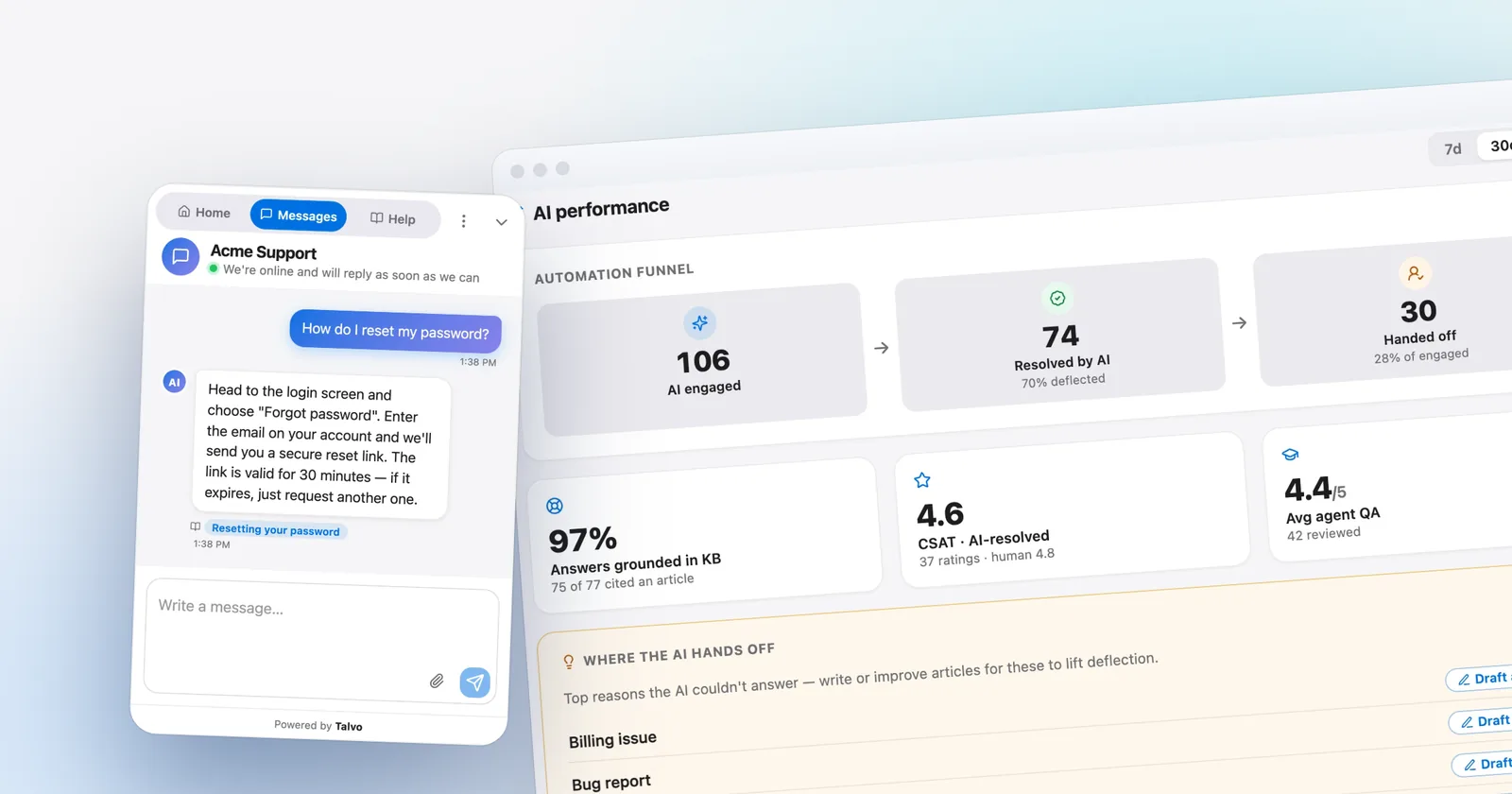
Talvo charges per workspace. Starter is $49 a month ($39 annual) for 5 teammates and 100 AI resolutions, Growth is $149 ($119) for 15 and 500, and Scale is $299 ($249) for 25 and 2,000. Extra resolutions are $0.49 each, hand-offs are never billed, and adding a teammate up to the plan limit never changes the bill. The AI answers only from your published help articles, cites the one it used, and hands off to a human when it isn't confident.

What you give up compared with HubSpot is a long list, so here it is plainly. Chat and email only, with no phone, WhatsApp, SMS, Instagram or Messenger. No HubSpot or Salesforce integration, and no Zapier yet. No SOC 2 report, SAML single sign-on, HIPAA or data-region choice. Talvo is new, in beta and has no reviews. Its contact profiles and custom attributes are not a CRM, so don't expect pipelines or deals.
- One workspace price; teammates up to the plan limit are free
- $0.49 per AI resolution, hand-offs never billed, no onboarding fee
- Free plan for 2 teammates, month-to-month paid plans
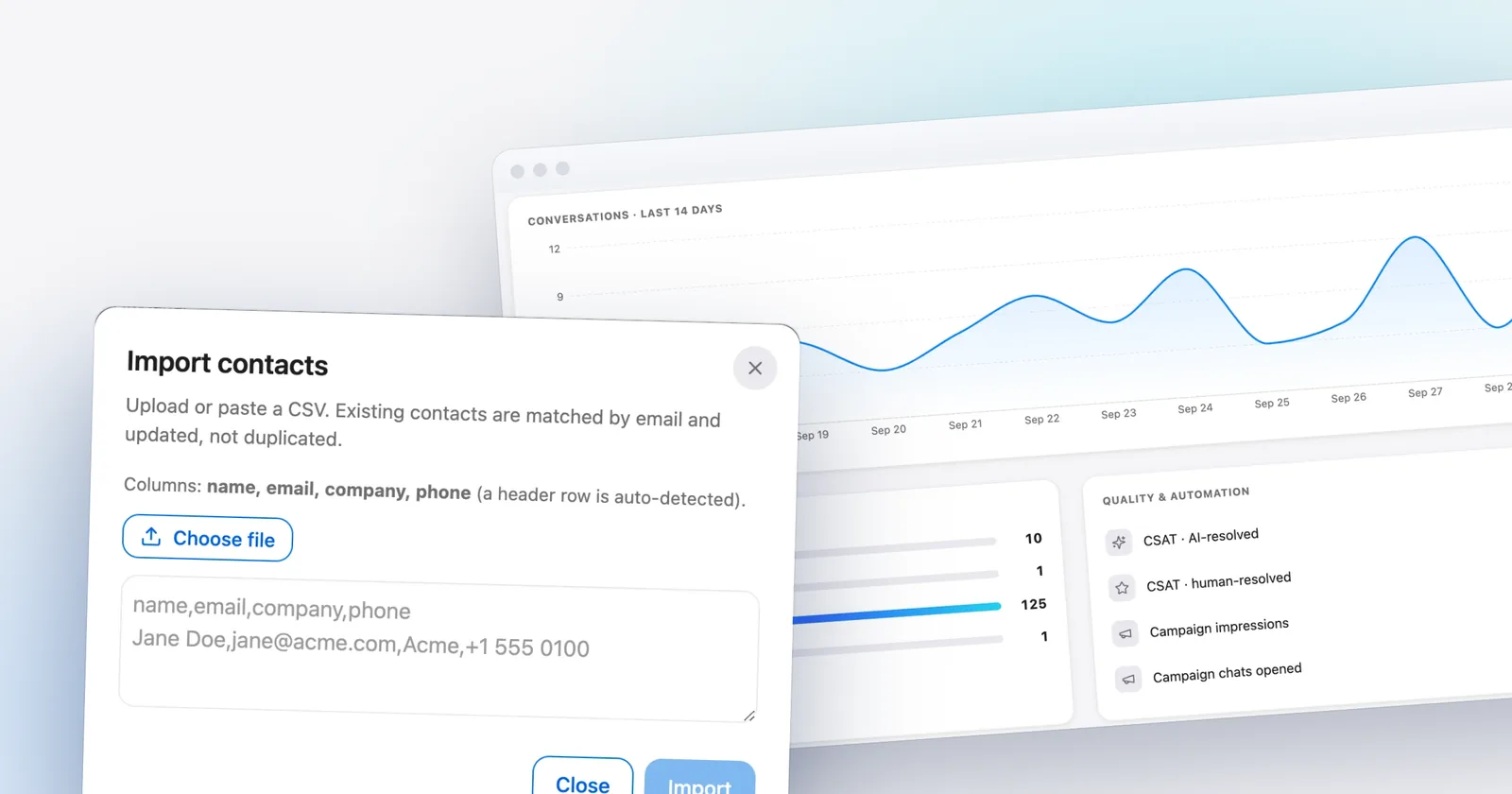
- Imports a HubSpot knowledge base and contacts from CSV
- No HubSpot integration, no sales CRM, no calling or WhatsApp
- No SOC 2, SAML SSO, HIPAA or region choice
- Beta product with no reviews yet
Chatwoot is the other name that comes up. It's open source, with cloud plans at $19, $39 and $99 per agent per month, and a free self-hosted edition. The AI credits there can't be converted into a per-resolution price from its pricing page, so it isn't in the table.
If you only used HubSpot for live chat
Plenty of teams adopted HubSpot for marketing, then found themselves using its chat widget and little else. If that's you, moving chat out is a smaller job than leaving the CRM. HubSpot stays for marketing and contacts, and a chat-and-AI tool takes the conversations. The cost is two systems, and conversation history won't appear on HubSpot contact records.
- Run both widgets side by sideInstall the new tool's script on a test page or a slice of traffic. Keep HubSpot chat live until you trust the answers.
- Move the help contentTalvo can import a HubSpot knowledge base, or any public help center, as draft articles (how). Publish what is accurate, because the AI answers only from published articles.
- Bring over the contacts you needExport contacts from HubSpot as a CSV and import them into Talvo, up to 2,000 rows. Past conversations don't move.
- Forward your support emailPoint the support address at the new inbox so replies thread into one conversation.
- Remove the HubSpot chat flowTurn it off only after the new widget has handled real traffic for a week or two.
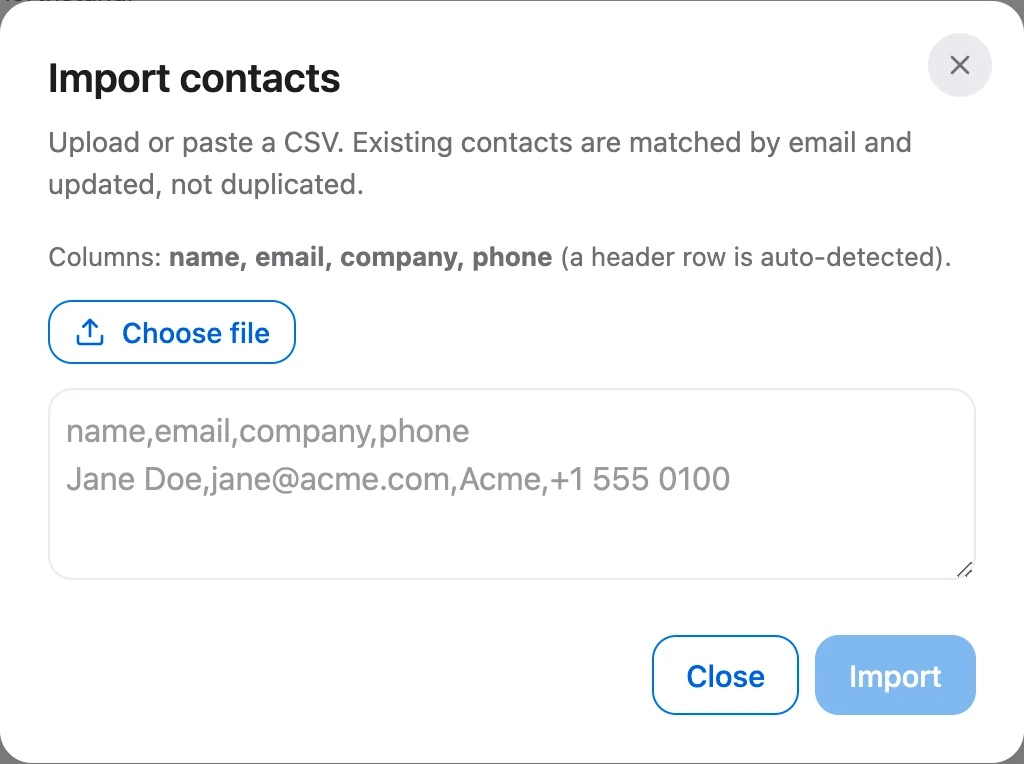
Two cautions. If your HubSpot chat feeds lead routing or deal creation, rebuilding that on a tool with no HubSpot connection means a developer and Talvo's signed webhooks and REST API, which is a build, not a feature. And the new tool's AI is only as good as the articles behind it, so writing help articles an AI can answer from matters more than the vendor you pick.
What you give up leaving HubSpot
Service Hub isn't only a bigger price tag. It also holds things that cost real effort to replace.
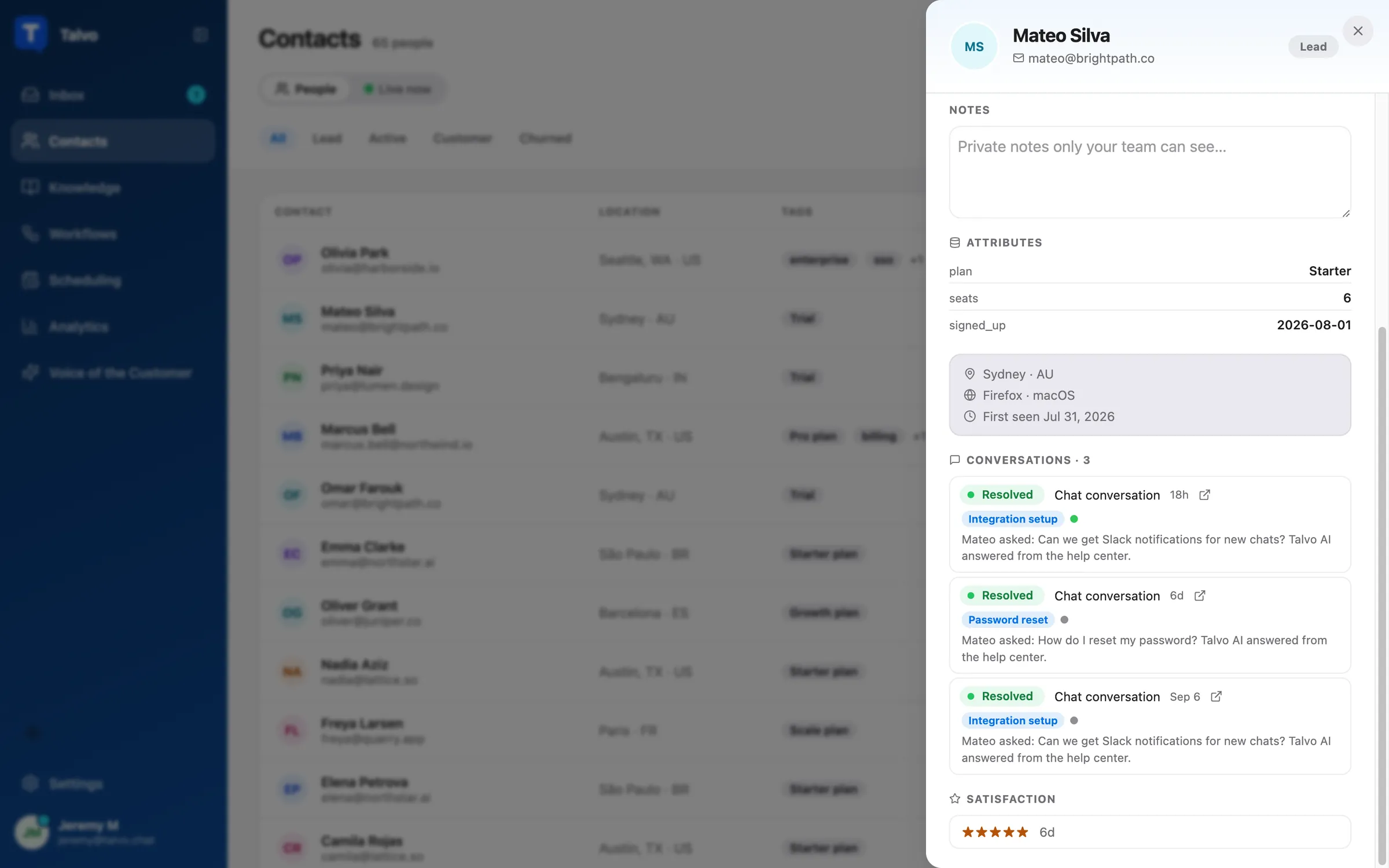
Calling is the first. Professional lists 3,000 calling minutes and up to three HubSpot phone numbers, and WhatsApp up to 1,000 messages a month. Then there's the single contact record across marketing, sales and service, which no support-only tool reproduces. HubSpot says it has a confidential SOC 2 Type 2 report, with SAML single sign-on on Enterprise. A customer portal and surveys come with Professional too. And there's the app ecosystem: the pricing page says "Over 2,000 leading apps."
If a buyer will send you a security questionnaire, or a large share of customers call, treat that as a reason to stay or to shortlist Zendesk or Help Scout rather than a small chat tool.
Which one fits which team
| If you are... | Look first at |
|---|---|
| Fully on HubSpot CRM, sales and support share contacts | Staying on Service Hub, or Help Scout Plus or Crisp Essentials alongside it |
| On HubSpot but only using it for chat, with a small team | A chat-and-AI tool next to it, such as Talvo, accepting two systems |
| Email-first, small team, wanting a human-feeling inbox | Help Scout |
| After deeper ticketing and SLAs across a larger team | Zendesk or Freshdesk Omni |
| Wanting many channels at a flat price | Crisp |
| Willing to be early, with high AI volume and chat plus email | Talvo |
| On the phone all day, or under a security review | HubSpot Professional, Zendesk or Help Scout, not a beta chat tool |
- Does anything create deals, tasks or lead scores from a chat or ticket today?
- Do customers reach you by phone or WhatsApp?
- Will a buyer ask for SOC 2, SAML or a HIPAA BAA?
- Is your help content public so it can be imported?
- Have you priced year two, without the onboarding fee, for both tools?
For a wider shortlist that isn't tied to HubSpot, see our roundup of the best live chat software for small business and the comparison of per-seat vs flat pricing. To run your own numbers, try the support cost calculator.
Which should you choose?
- you don't run HubSpot CRM, or you only used HubSpot for live chat and want a chat-and-AI tool beside it
- you want one workspace price with no per-seat charge, no onboarding fee and a free plan for 2 teammates
- you want AI answers that cite your help articles at $0.49 a resolution, with hand-offs never billed
- you can accept a beta product with no reviews, chat and email only, and no HubSpot integration
- your contacts, deals and marketing emails already live in HubSpot CRM and support should share that record
- customers call you or message on WhatsApp, and you want calling minutes and numbers in the same vendor
- you need a SOC 2 Type 2 report, SAML single sign-on on Enterprise, a customer portal or SLAs
- you rely on HubSpot's app ecosystem of 2,000+ listed integrations
Frequently asked questions
How much does HubSpot Service Hub cost for a small team?
On Professional, the tier that includes the Customer Agent, knowledge base and SLAs, seats start at $90 each paid annually or $100 paid monthly with an annual commitment, plus a required $1,500 onboarding fee. Five seats is $450 to $500 a month, or $6,900 to $7,500 in year one before AI credits beyond the included 3,000. Our HubSpot Service Hub pricing post has the full arithmetic.
Does HubSpot Service Hub charge an onboarding fee?
Yes on Professional ($1,500) and Enterprise ($3,500); HubSpot's pricing page marks both as required one-time fees. No onboarding fee is listed for Starter or Free.
Is HubSpot live chat free?
Yes, HubSpot Free covers up to 2 users with live chat and ticketing, no credit card required. The chat carries HubSpot branding and the bots are limited. Starter removes the branding, but neither Free nor Starter includes the Customer Agent.
Can I use HubSpot's AI Customer Agent on the Starter plan?
No. HubSpot's feature table shows the Customer Agent only on Professional and Enterprise, which carry the onboarding fees and an annual commitment.
How much does HubSpot's Customer Agent cost per resolution?
$0.50 per resolved conversation, paid as 50 credits at $0.01 each, since April 14, 2026. Professional includes 3,000 credits a month, enough for about 60 resolutions, and credits don't roll over.
Do I need the HubSpot CRM to use Service Hub?
HubSpot's pricing page sells Service Hub in its own tiers (Free, Starter, Professional and Enterprise). The practical point is that Service Hub's main benefit is the shared contact record, so without the CRM much of the reason to pay per seat goes away.
Does Talvo integrate with HubSpot?
No. Talvo has no HubSpot integration, no Salesforce integration and no Zapier connector yet. Its integrations today are a REST API, signed webhooks and Slack. It can import a HubSpot knowledge base as draft help articles, and contacts from a CSV.
What is a cheaper alternative to HubSpot for customer support?
It depends on what you need. Help Scout and Crisp list HubSpot integrations if the CRM stays. If you don't need the CRM link, Talvo costs $299 a month for 5 teammates and 1,000 AI resolutions on monthly billing, against about $970 a month plus a $1,500 onboarding fee for HubSpot Professional. Talvo is chat and email only, in beta, with no calling or WhatsApp.
Sources
Other products' prices and features change. We checked these pages; if something is out of date, tell us and we'll fix it.
- HubSpot Service Hub pricing page (checked Oct 21, 2026)
- HubSpot Credits (checked Oct 21, 2026)
- HubSpot Product & Services Catalog (checked Oct 21, 2026)
- HubSpot security (SOC 2 and SSO)
- Help Scout pricing page (checked Oct 21, 2026)
- Zendesk pricing page (checked Oct 21, 2026)
- Crisp pricing page (checked Oct 21, 2026)
- Intercom pricing page (checked Oct 21, 2026)
- Fin pricing page (checked Oct 21, 2026)
- Freshdesk Omni pricing page (checked Oct 21, 2026)
- Olark pricing page (checked Oct 21, 2026)
- Chatwoot pricing page (checked Oct 21, 2026)
- Talvo pricing (checked Oct 21, 2026)
- Talvo help: Switching from another help desk