On this page
- First decide: do you want a better inbox or a help desk?
- What Front costs, and what the same team pays elsewhere
- Front alternatives if you want to stay in email
- If you want a help desk: Help Scout, Zendesk and Freshdesk
- If chat should be the front door: Crisp and Talvo
- What Talvo's email does and doesn't do next to Front
- Where Front is still the better pick
- Moving off Front without losing your footing
- So which one?
- Frequently asked questions
A five-person team on Front Professional pays $325 a month before any AI, and $859 once Front's AI agent resolves 600 conversations. That number is why people go looking for Front alternatives. But the right replacement depends on what you like about Front, and it is rarely the price list. It is usually the inbox: the comments inside the thread, the shared drafts, the way email feels like email. So this post sorts the Front app alternatives by what you would be trying to keep.
Talvo makes one of the products below, and we put it in with its gaps. Prices come from each vendor's own pricing page, checked October 21, 2026, in US dollars before tax. We say plainly where Front is the better product, because for some teams it is.
First decide: do you want a better inbox or a help desk?
Front is a collaborative email client that grew support features. Most of what it does well is about people working on the same threads: a teammate comments on a customer email without the customer seeing it, two people draft a reply together, a manager assigns a conversation and watches it move. It has chat, SMS, social and WhatsApp too, but the center of gravity is a shared mailbox.
Alternatives split along that line. Some keep the shared-inbox idea and trim the cost. Some are help desks, which treat each customer question as a ticket with a status, an SLA and a report. And some are chat-first tools whose inbox is the second feature, not the first. Which fork you take matters more than which product you end up with, so it is worth five minutes of honesty about how your team actually works. If nobody on your team has ever used Front's comments or shared drafts, you are paying for a feature you do not use, and a ticket-style tool will feel fine. If those are the reason you picked Front, keep reading with that in mind.
What Front costs, and what the same team pays elsewhere
Front charges per seat. Starter is $25 per seat a month on annual billing ($35 monthly) for up to 10 seats and one channel type, so email or chat but not both. Professional is $65 ($85 monthly), runs every channel, and is where SLAs, webhooks and SSO start. Enterprise is $105 and annual only. The AI is extra: Copilot for your agents is $20 a seat, and the Autopilot agent is billed per conversation at $0.05 for triage, $0.39 for handoff and $0.89 for a full resolution. The complete breakdown, with the contract terms, is in our Front pricing post.
Here is the same team on each option. The teams are 3, 5 and 10 people, and the AI touches 300, 1,000 and 3,000 conversations a month. We assumed 60% of those become billable resolutions (180, 600 and 1,800). That 60% is our assumption, not a vendor figure. Each cell shows annual billing, then monthly billing.
| 3 people, 300 AI conversations | 5 people, 1,000 | 10 people, 3,000 | |
|---|---|---|---|
| Front Professional, seats plus resolved Autopilot conversations | $355.20 / $415.20 | $859 / $959 | $2,252 / $2,452 |
| Front Starter, seats only (email only, no AI) | $75 / $105 | $125 / $175 | $250 / $350 |
| Help Scout Standard, seats plus AI at $0.75 a resolution | $210 / $225 | $575 / $600 | $1,600 / $1,650 |
| Zendesk Suite Team, seats plus resolutions past the allowance | $412.50 / $537 | $1,137.50 / $1,495 | $3,175 / $4,190 |
| Crisp (Mini, then Essentials), flat plan plus usage-based AI | $55 to $70 | $120 to $170 | $220 to $370 |
| Talvo, lowest-total plan with enough teammates | $78.20 / $88.20 | $168 / $198 | $249 / $299 |
Some notes on how to read it. The Front row counts resolved conversations only, at $0.89, so it is the floor: every conversation that Autopilot touches and doesn't resolve adds $0.05 to $0.39 on top, which is $6 to $47 for the first team and $60 to $468 for the third. Crisp has no published yearly discount, so one range covers both billing modes, and its AI cost rests on Crisp's own estimate of $0.05 to $0.10 per AI conversation. Help Scout gives new accounts three months of AI resolutions free, which we left out. Zendesk's resolution counts are the least certain row, because it doesn't publish a typical verification rate.
The Talvo arithmetic, so you can check it: 3 people with 180 resolutions fit Starter, at $39 plus 80 × $0.49 = $78.20 annual, or $49 plus $39.20 = $88.20 monthly. Five people with 600 fit Growth: $119 plus 100 × $0.49 = $168, or $149 plus $49 = $198. Ten people are over Starter's 5-teammate limit, and Growth would cost $119 plus 1,300 × $0.49 = $756 annual ($786 monthly), so Scale is the lowest total: $249 annual or $299 monthly, with 2,000 resolutions included and 1,800 used.
These rows are not like for like. Front gives you collaboration features none of the others match, Zendesk gives you phone, and Crisp's cheapest plans leave out a knowledge base and WhatsApp. The table answers "what do the seats and AI cost", not "which tool is best".
Want your own numbers? The calculator uses a cheapest-plan rule for Talvo and list prices for four others.
- Crisp Essentials~$120–$170/mo$95 per workspace + AI at Crisp's estimate of $0.05–$0.10 per conversation, less $25 of included credits · Estimate: top-up rate and annual prices aren't published
- Talvo Scale$299/mo$299 per workspace, 2,000 AI resolutions included
- Help Scout Standard$900/mo5 users × $30 + 1,000 AI resolutions × $0.75
- Intercom (Fin) Essential$1,185/mo5 seats × $39 + 1,000 Fin outcomes × $0.99 · Workflow automation needs Advanced ($85–$99 per seat)
- Zendesk Suite Team$2,295/mo5 agents × $69 + 975 AI resolutions × $2.00 (25 included) · $1.50 each with a committed 100+ purchase
Estimates from each vendor's published list prices, checked October 21, 2026. Assumes the cheapest plan that includes live chat and an AI agent, and that every AI-resolved conversation is billable. Excludes taxes, promotions, add-ons (such as agent copilots) and per-use channels like SMS or WhatsApp. Talvo's annual price includes extra resolutions at the same $0.49, billed once a year.
Front alternatives if you want to stay in email
If a better inbox is all you want, Missive, Hiver and Gmelius are also worth a look. Price them against the table above using their own pages. What to check: whether they work on top of your existing Gmail or Outlook mailbox, what a seat costs, whether the shared-draft and comment features you use are on the plan you would buy, and what they offer for chat if you want it.
One thing worth knowing before you shop: the cost problem in the table above mostly isn't the seats. A 10-seat Front Starter team spends $250 a month on annual billing. The numbers get large when a team needs chat alongside email, which pushes you to Professional, and when the AI agent starts resolving real volume. A cheaper inbox won't fix a bill that is driven by $0.89 resolutions.
If you want a help desk: Help Scout, Zendesk and Freshdesk
Help Scout is the closest cousin to Front in feel. Reviewers describe a clean, email-like interface, and it is built around shared mailboxes rather than a heavyweight ticket queue. The Standard plan is $25 a user on annual billing ($30 monthly) for up to 25 users, with two inboxes, Beacon live chat and a two-site knowledge base. Plus is $45 ($54) for up to 50 users and adds round-robin routing, teams, and Salesforce and HubSpot integrations. Its AI agent, sold as Envoy, is billed at $0.75 per resolution, and Help Scout only charges when the customer doesn't ask for more help after the last AI reply. It is the cheapest per-seat landing for a team that wants to keep working in mailboxes. Our Help Scout pricing post has the whole grid.
- Email-first, so it feels familiar to a Front team
- Chat, a knowledge base and surveys on the $25 Standard plan
- AI billed only when a customer's question is actually resolved
- A free plan: 5 users, 1 inbox and 100 contacts a month
- Per-user pricing, and the 26th user forces Standard to Plus
- Standard has no round-robin routing and only one basic SLA
- Voice only through an integration
Zendesk is where you go if the thing you actually need is ticketing at scale. Its Support Team plan is $19 per agent on annual billing ($25 monthly), but that tier is email only. Live chat and the AI agent start at Suite Team, $55 ($69), and automated resolutions are $1.50 each committed or $2.00 pay-as-you-go after a small allowance (5 per agent a month on Suite Team). Our Zendesk pricing post goes into detail. Freshdesk is the budget ticketing option, with Growth from $19 per agent on annual billing and 500 AI sessions included once per account, then $49 per 100 sessions. Freshdesk is now the email-first product, and its AI agent counts every AI reply within 72 hours of a customer's first email as one session (the chat AI agent needs Freshdesk Omni), so it is a count of AI conversations rather than resolutions.
If your customer records live in HubSpot, HubSpot Service Hub has a free plan with live chat and ticketing for up to two users. The paid tiers are a different story: the Professional tier that includes the AI agent, SLAs and a knowledge base is $90 to $100 a seat, with a required $1,500 onboarding fee and an annual commitment. It is worth it when the CRM is the point and a poor fit when it isn't.
If chat should be the front door: Crisp and Talvo
Some Front teams find that most of their volume is a website chat widget and a support@ address, and that Front's depth sits unused. Those teams can move to a chat-first tool, which usually prices the workspace instead of the seat.
Crisp is the established one. Its plans are per workspace: Mini is $45 a month for four seats, with a shared email inbox but no knowledge base or WhatsApp, and Essentials is $95 for ten seats and adds the omnichannel inbox (WhatsApp, Instagram, SMS), a knowledge base, workflows and analytics. Plus is $295. Its AI agent runs on usage-based credits, at roughly $0.05 to $0.10 per AI conversation by Crisp's own estimate. Crisp states that it has not been through a SOC 2 audit, and it lists no SAML or HIPAA support, so it won't clear a security review that Front would. Read the Crisp pricing breakdown before you commit, and our Talvo vs Crisp comparison if you are weighing the two.
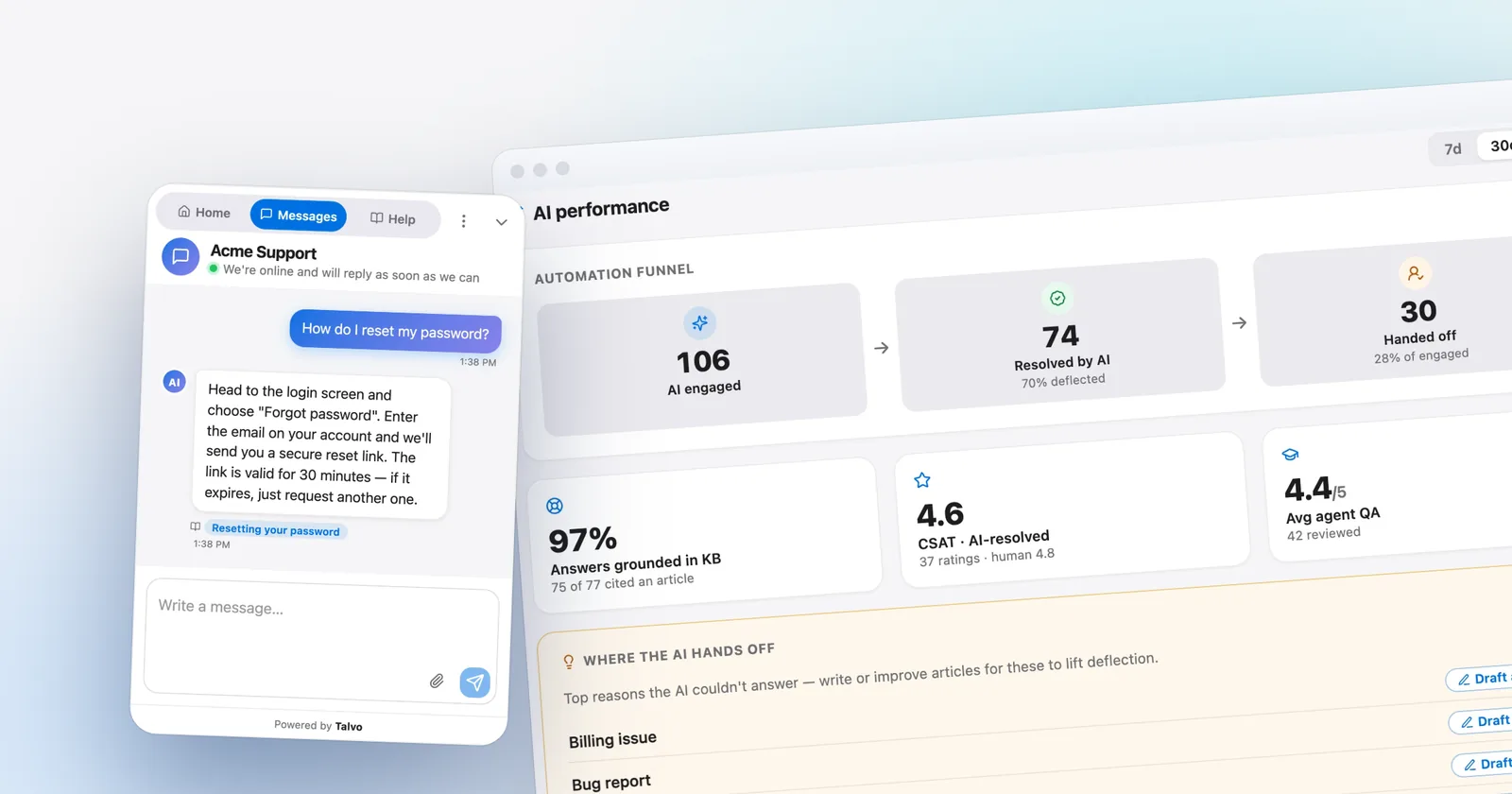
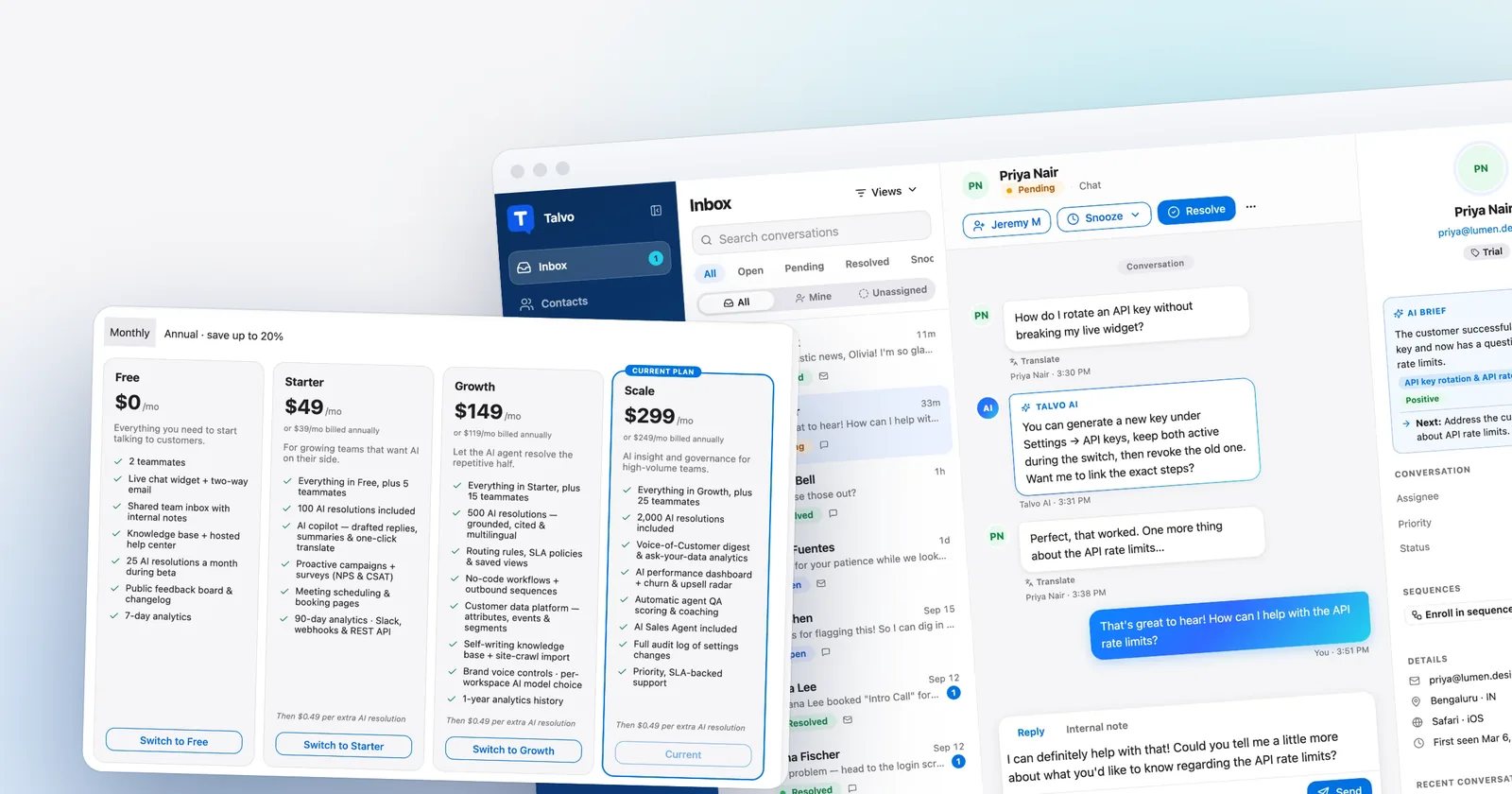
Talvo is the newer one, and the one we make. It combines a live chat widget, an AI agent that answers only from your published help articles and cites them, and a shared inbox with two-way email, internal notes and assignment. Plans are per workspace: Starter ($49, or $39 annual) covers 5 teammates, Growth ($149, or $119) 15, Scale ($299, or $249) 25, and an extra AI resolution is $0.49. A hand-off to a human is never billed. There is a Free plan for 2 teammates with 25 AI resolutions a month during the beta. The per-seat vs flat pricing post explains why that model behaves differently as a team grows.

What Talvo's email does and doesn't do next to Front
This is the section a Front user should read twice, because email is where we are weakest compared with Front.
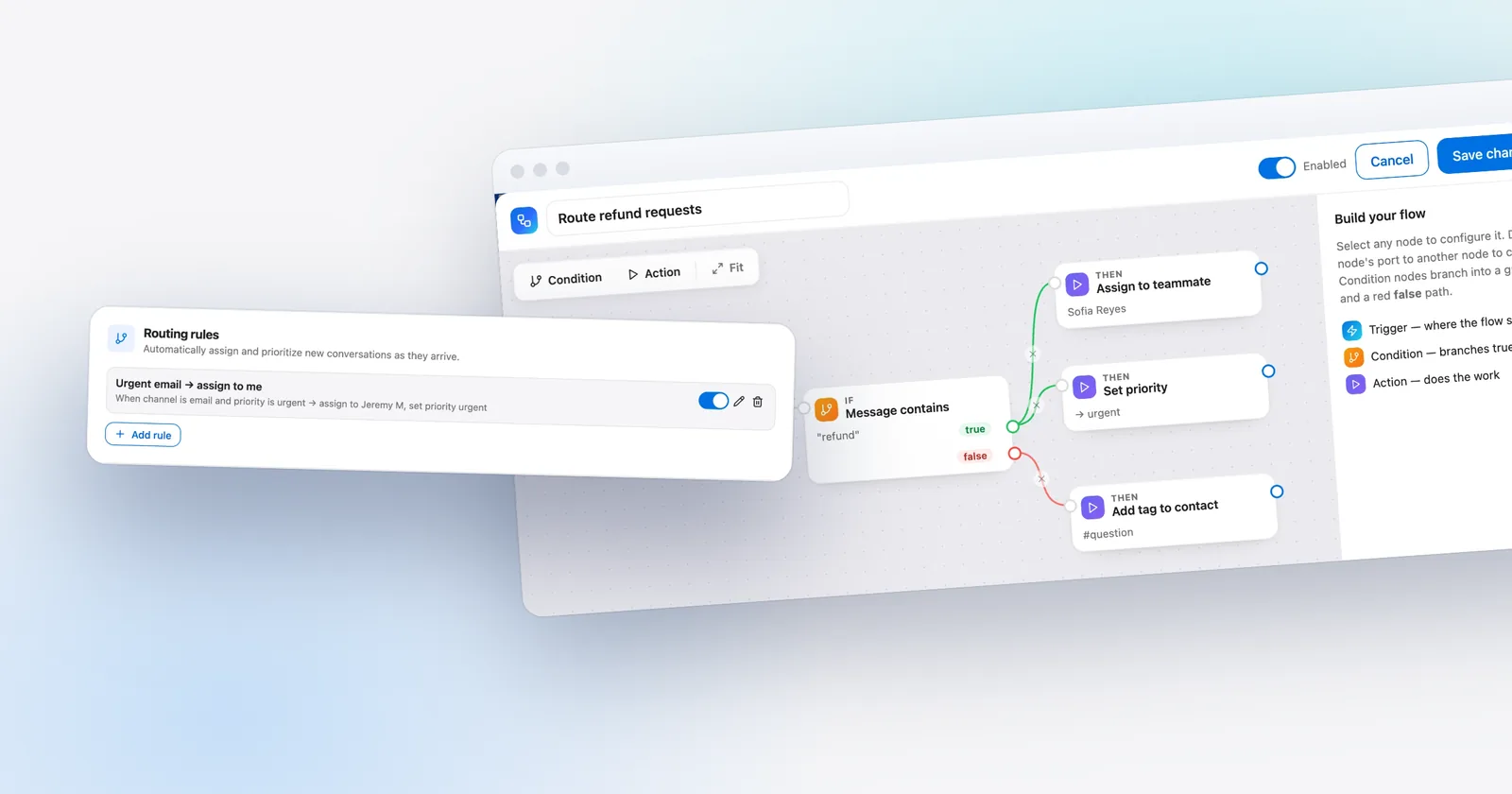
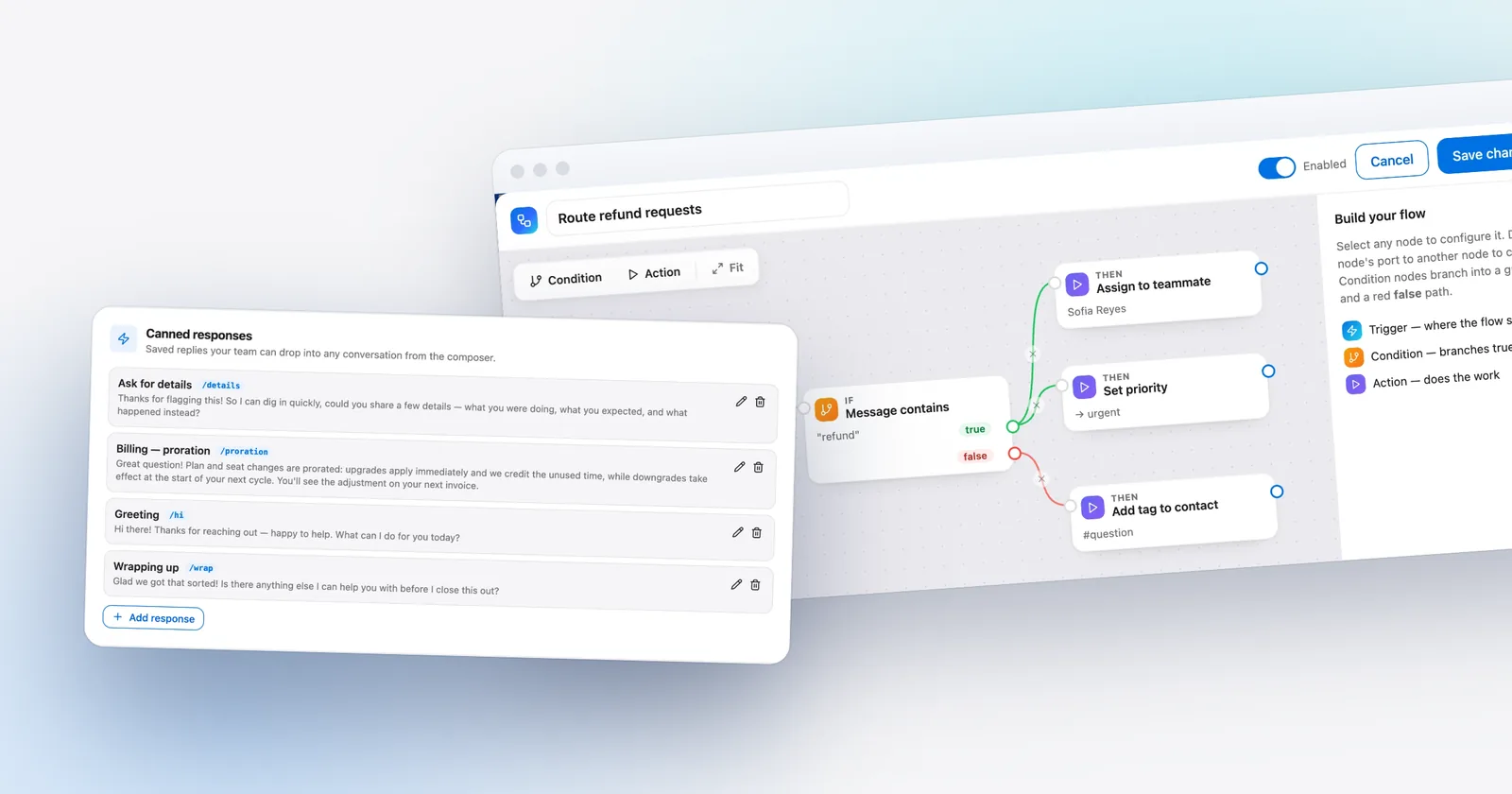
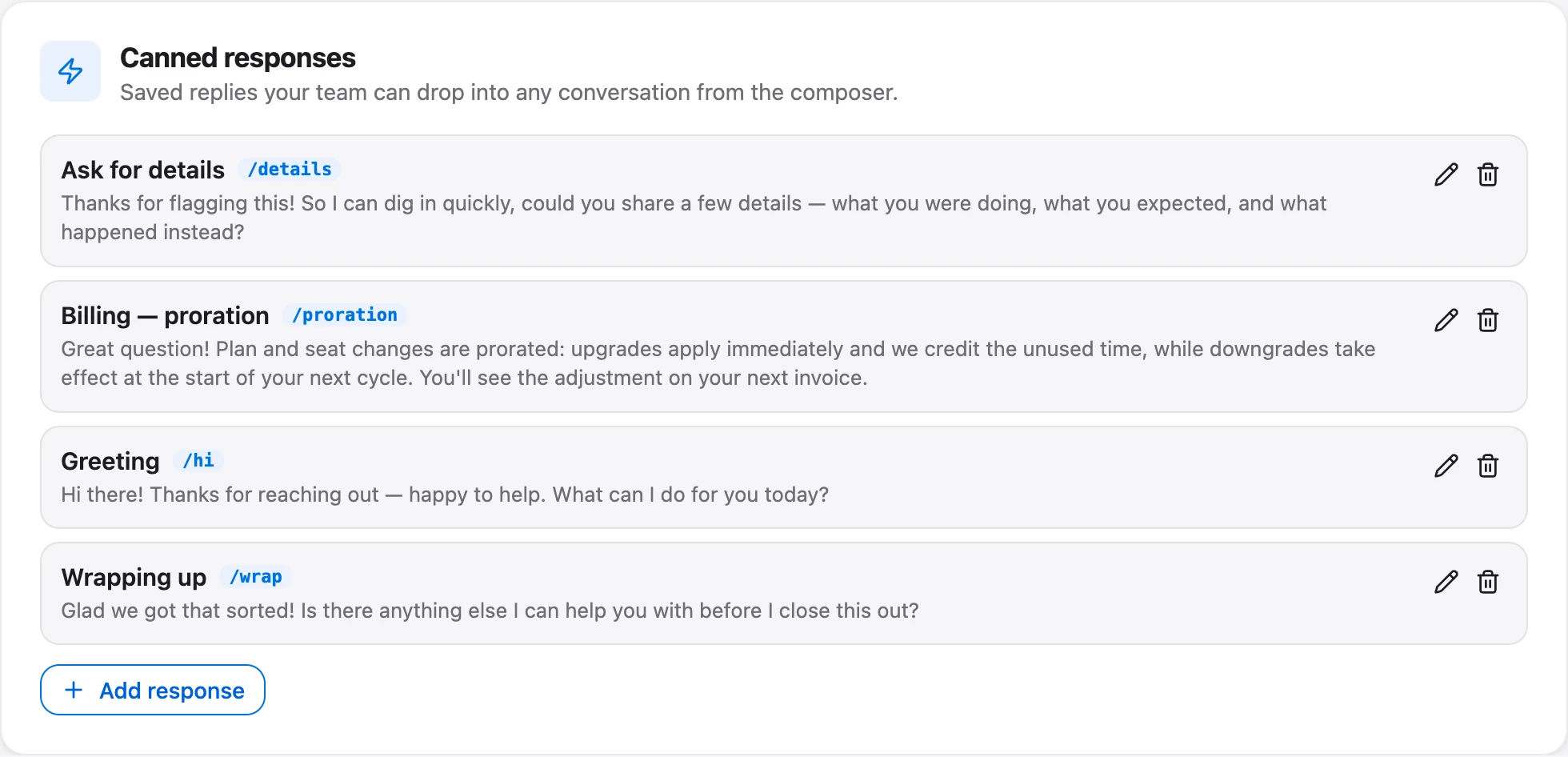
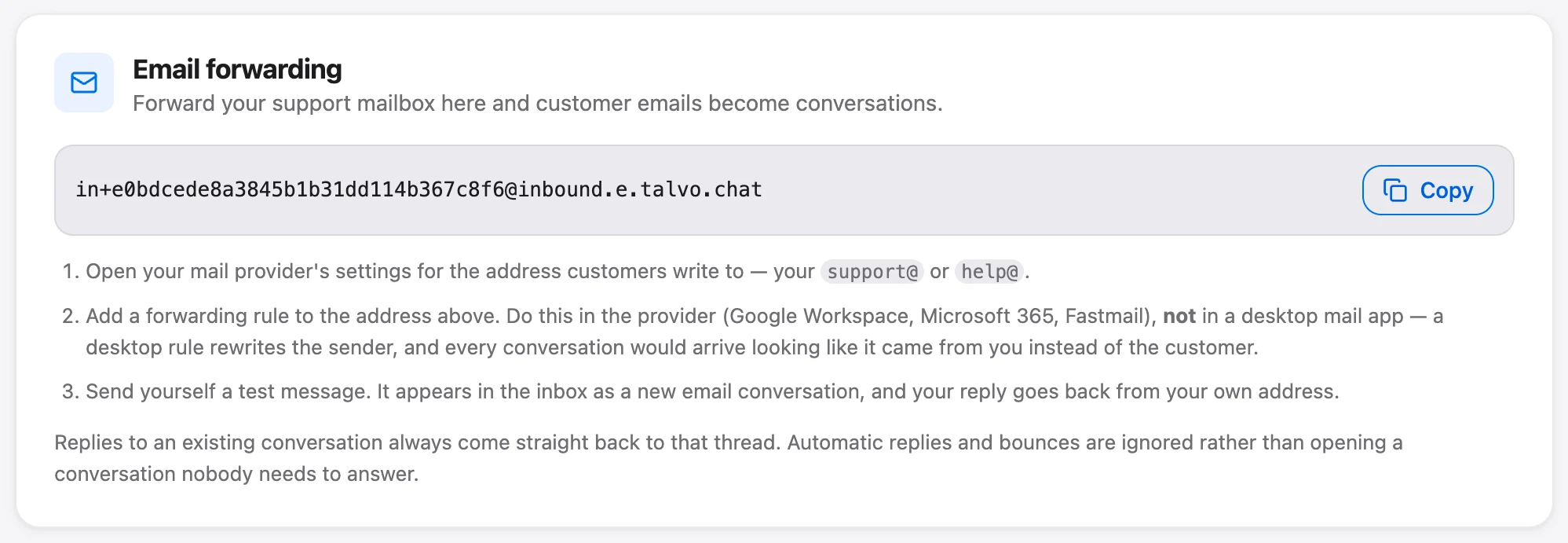
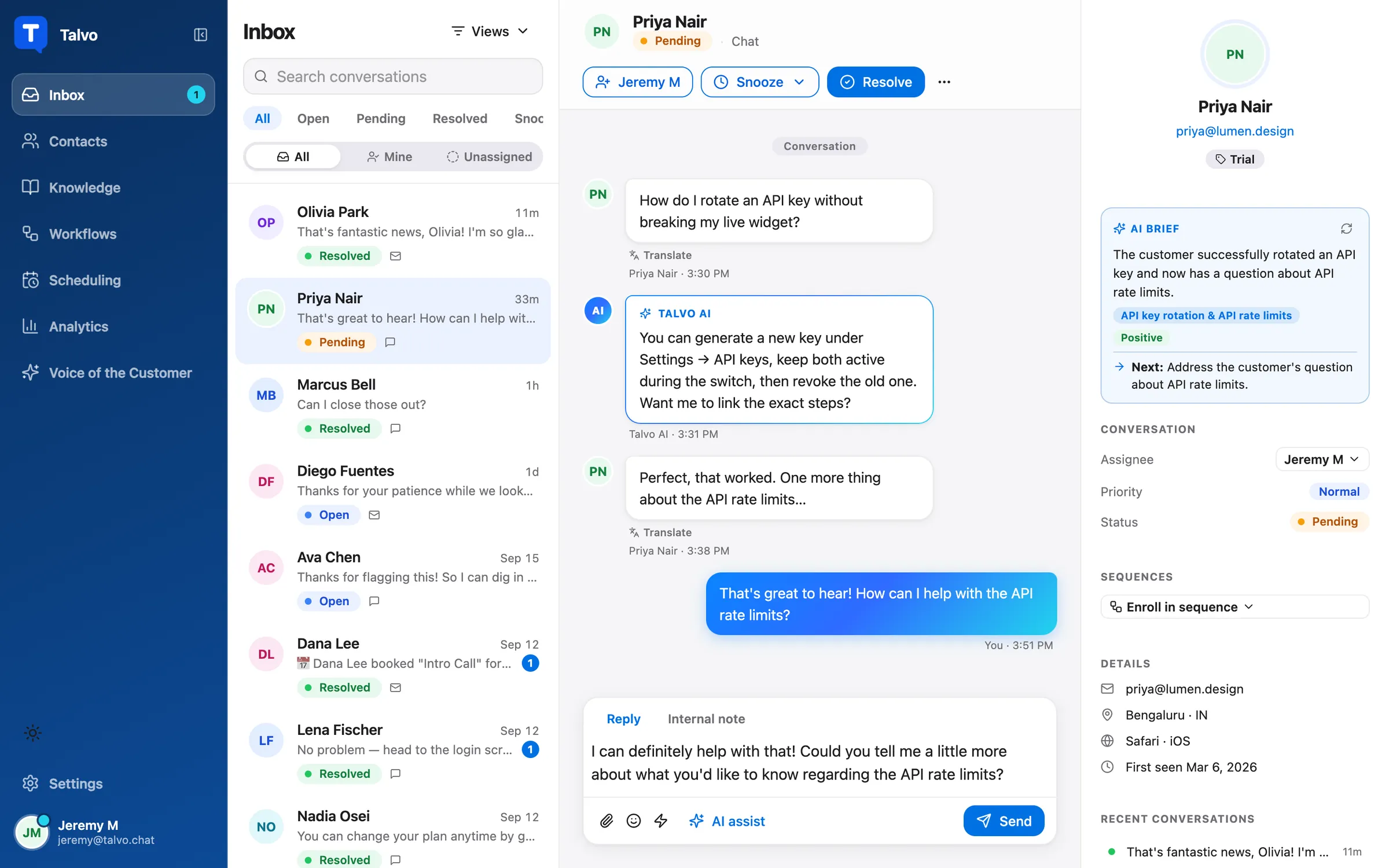
What Talvo does: you forward your support address into Talvo and customers' replies thread back into the same conversation. Every conversation has statuses (open, pending, resolved and snoozed), and snooze offers 1 hour, 3 hours, tomorrow at 9:00, next week, "until I reopen" or a custom date and time. Teammates can assign a conversation, leave internal notes, and @mention each other in a note, which sends a push notification and an email. Collision detection shows "Sam is replying…" and "Sam is also viewing this conversation" above the composer, so two people don't answer the same email. Canned responses are shared across the workspace and accept six variables, such as {{contact.first_name | there}}; if a value is missing and there's no fallback, Talvo blocks the send so the customer never reads "Hi ,". Conversations carry tags and a priority from Low to Urgent. On the Growth plan and up, routing rules can assign new conversations by channel, priority, contact tag or keyword, including round-robin.
What Talvo doesn't do, and where a Front team will feel it:
Email reaches Talvo by forwarding, not by connecting each person's mailbox, and replies go out from Talvo's sending address under your workspace's name. They do not appear in your Gmail Sent folder, and there is no custom sending domain. Attachments work both ways: a customer's files show on the message (up to 10 per email, 25 MB each), and files you attach reach them as real attachments, with anything past 30 MB in total sent as a download link. Past email history can't be imported, only contacts, up to 2,000 rows from a CSV. Front's shared drafts, calendar and individual inboxes don't have a counterpart in our feature list. Round-robin rotates strictly by who was assigned least recently, skips viewers and anyone marked Away, and doesn't check who is online or how many open chats they have, which is simpler than Front's load balancing. There is no SMS, WhatsApp, Instagram, Messenger or voice.
If it matters that customers see mail from your own domain, or that each person's Sent folder is the record of what went out, that alone may be reason enough to stay where you are.
Where Front is still the better pick
Front wins on email collaboration, and not narrowly. Comments inside a thread, shared drafts, assignments, individual and shared inboxes and a calendar are the product's reason to exist, and nothing else in this post matches them. It also wins on integrations: Front syncs with Salesforce, HubSpot and Dynamics on Professional and up and lists integration categories across ecommerce, project management, payments and CRM, while Talvo's integrations today are a REST API, webhooks and Slack, with no Zapier connection yet.
It is ahead on channels, with SMS, social and WhatsApp (as an add-on) and a customer portal with ticket forms on Professional, plus ticket SLAs, load balancing and up to five workspaces. It is ahead on security, with SOC 2 Type II and ISO 27001, SAML SSO on Professional and Enterprise, and SCIM. Talvo has no SOC 2 report, no SAML single sign-on, and no HIPAA or data-region choice. Talvo, by contrast, is in beta and has no reviews yet.
And there is a case where Front's pricing logic works in your favor: Autopilot only bills when it does something, so a team that uses AI lightly pays little for it.
Moving off Front without losing your footing
If you decide to move email and chat to Talvo, the work is small, and most of it is in rebuilding rules rather than moving data.
- Add the widgetPaste one script tag before the closing body tag of your site. It works anywhere you can add a script (guide).
- Import your help contentCrawl your public knowledge base, or bring in articles from Help Scout, Zendesk, Intercom, HubSpot and most public help centers. Imported articles arrive as drafts, because the AI answers only from published ones (how it works).
- Import contactsExport your people as a CSV with name, email, company and phone, then upload it on the Contacts page. Matching is by email.
- Forward your support addressPoint it at the forwarding address in Settings, Inbox. Replies thread back into the same conversation (two-way email).
- Rebuild the rulesFront rules and macros don't convert. Recreate the ones you rely on as canned responses, routing rules or workflows.
Past conversations stay in Front. Talvo doesn't import them, so keep the Front account until you no longer need the history. Run both in parallel on a slice of traffic first, and watch which questions the AI hands off, because those are the articles to write next.
- Your team uses comments and shared drafts in threads every day
- Customers must see replies from your own domain
- You need SMS, social or WhatsApp in the same inbox
- Your CRM is Salesforce, HubSpot or Dynamics and you want it synced
- A security review requires SOC 2 Type II, ISO 27001 or SAML SSO
So which one?
Keep Front if the five boxes above describe your week. The price is real, but so is the product, and a tool that is cheaper and doesn't do those things will cost you in a different way.
Move to a help desk like Help Scout if you like working in mailboxes and want a similar feel at lower cost. Move to Talvo or Crisp if what you actually run is website chat plus a support address, you want AI answers without paying per seat, and you can live without the email depth, your own sending domain and the security paperwork Front provides. For the wider field of chat tools, best live chat software for small business compares more of them, and shared inbox for small teams covers what to look for when the inbox is the point.
Which should you choose?
- most of your volume is website chat plus a support address, and you want AI answers without a per-seat bill
- you want one workspace price, with teammates up to the plan limit costing nothing extra and hand-offs never billed
- your AI volume is high enough that $0.89 per Autopilot resolution would dominate the bill
- you can accept forwarded email sent from Talvo's address, and a beta product with no reviews yet
- your team uses comments, shared drafts and assignments inside email threads every day
- replies must come from your own domain, or you need SMS, social or WhatsApp in the same inbox
- you want your CRM (Salesforce, HubSpot or Dynamics) synced
- a security review requires SOC 2 Type II, ISO 27001 or SAML single sign-on
- you would rather not bet on a beta product with no reviews yet
Frequently asked questions
What is a cheaper alternative to Front for a small team?
It depends on what you use Front for. For an email-first feel at lower seat cost, Help Scout Standard is $25 per user on annual billing. For website chat plus email with AI, per-workspace tools such as Crisp (from $45 a month) and Talvo (from $39 a month on annual billing for 5 teammates) avoid per-seat pricing. Neither matches Front's email collaboration.
How much does Front cost per user?
Front Starter is $25 per seat a month on annual billing or $35 monthly, Professional is $65 or $85, and Enterprise is $105 on annual contracts only. Copilot is $20 more per seat on Starter and Professional, and the Autopilot AI agent is billed per conversation at $0.05, $0.39 or $0.89 depending on how far it gets.
Does Front have a free plan?
No. Front offers a 14-day trial with all Professional features and no credit card. If you want a free plan, Help Scout (5 users, 1 inbox, 100 contacts a month), HubSpot Service Hub (2 users) and Talvo (2 teammates, 25 AI resolutions a month during the beta) all have one.
Does Front have live chat?
Yes. Front Chat, with chatbots, offline hours, a pre-chat form and proactive messages, is included. On the Starter plan you can run only one channel type, so Starter can do email or chat but not both; running them together needs Professional.
Front vs Help Scout: which is better?
Front is deeper on collaboration inside email threads, CRM sync and channels. Help Scout is cheaper per seat at $25 on Standard, feels similar to a mailbox, and bills AI at $0.75 per resolution. Help Scout Standard is capped at 25 users and its 26th user forces an upgrade to Plus.
What is Front Autopilot?
Autopilot is Front's AI agent, billed per conversation by the highest level reached: $0.05 for triage (tagging and routing), $0.39 for handoff (gathering context or drafting before a person takes over) and $0.89 for a full resolution. Our Front pricing post works through the totals.
Is Front worth it for a team of 5?
If the team lives in shared email and uses comments and shared drafts, yes. Five seats on Professional are $325 a month on annual billing before AI. If your support is mostly a website chat widget and a support address, you may be paying for depth you don't use, and the AI resolutions at $0.89 add up quickly.
Can Talvo replace Front for email?
For a support address, partly. Talvo takes email by forwarding, threads replies back, and offers assignment, internal notes, @mentions, snooze and collision detection. Attachments work in both directions, but replies come from Talvo's sending address rather than your domain, don't appear in your Gmail Sent folder, and past email can't be imported. Teams that need their own sending domain or Front's shared drafts should stay.
Sources
Other products' prices and features change. We checked these pages; if something is out of date, tell us and we'll fix it.
- Front pricing page (checked Oct 21, 2026)
- Front help center: Autopilot billing
- Help Scout pricing page (checked Oct 21, 2026)
- Zendesk pricing page (checked Oct 21, 2026)
- Crisp pricing page (checked Oct 21, 2026)
- HubSpot Service Hub pricing (checked Oct 21, 2026)
- Talvo pricing (checked Oct 21, 2026)
- Talvo help: Two-way email