
On this page
- The scorecard: eight questions, three automatic failures
- Why yes/no beats a 1-to-5 scale for a small team
- Choosing what to review: some targeted, some random
- What small samples can and can't tell you
- Calibration: thirty minutes, once a month
- From scores to coaching
- QA is not CSAT
- Doing it in Talvo
- A monthly routine that fits in a few hours
- Frequently asked questions
A QA scorecard is a short list of yes-or-no questions you ask about a support conversation after it ends. Did the customer get the right answer? Did the agent follow the process? Did anything happen that should never happen? That's the whole idea, and a small team can run it from a spreadsheet.
The part most templates skip is the part that decides whether the scores mean anything: which conversations you review, how many, and what you're allowed to conclude from them. This guide gives you the scorecard to copy first, then the sampling method, then the math on why a handful of reviews can coach an agent but can't rank one.
The scorecard: eight questions, three automatic failures
Copy this into a spreadsheet, one row per reviewed conversation. Each item is yes, no or n/a. A "yes" needs the evidence in the right-hand column, so two reviewers reach the same answer.
| # | Item | It's a yes when... |
|---|---|---|
| 1 | Understood the question | The reply answers what the customer asked, not a neighboring question |
| 2 | Right and complete | Everything stated is correct, and nothing the customer needed is missing |
| 3 | Followed the process | Identity checked where required, policy applied as written, internal note left |
| 4 | Clear writing | Short, scannable, no jargon the customer didn't use first |
| 5 | Tone fit | The customer's situation is acknowledged once, in your brand's voice, without a script feel |
| 6 | Next step is explicit | The customer knows what happens next and roughly when |
| 7 | No wasted round trips | Nobody was asked for something they'd already given |
| 8 | Closed properly | Confirmed solved, or a follow-up was set and owned |
Then the automatic failures. If any of these happened, the review fails no matter how the other eight went, and it gets flagged for a conversation the same day instead of being averaged into a number.
- Wrong information about money, refunds, security or legal terms
- Personal or account data shared with someone who wasn't verified
- A promise made that policy doesn't allow (a refund, a deadline, a feature)
A review passes when no auto-fail happened and at least 7 of the applicable items are yes. That threshold is our convention, not an industry standard; pick yours before you start and don't move it mid-quarter.
The extra block for AI conversations
If an AI agent touches your inbox, add four questions for any conversation where it handed off to a person. They're the questions nobody asks, and the answers feed straight back into your help content.
- The human picked up the thread without asking the customer to repeat anything
- The customer was told honestly that a person would follow up, and roughly when
- The AI's last answer before the hand-off was accurate (if not, log which article needs fixing)
- The hand-off was necessary (if not, log the missing article)
Items 3 and 4 are not scored against the agent. They're scored against your knowledge base. Our guides on AI-to-human hand-off and AI resolution rate cover what a clean hand-off looks like and how to read the numbers.
Why yes/no beats a 1-to-5 scale for a small team
Binary items force a decision. "Tone: 4 out of 5" invites an argument about the difference between a 3 and a 4, and with two or three reviewers that argument is the whole meeting. "Was the customer's situation acknowledged: yes or no" can be settled by pointing at a sentence.
Scales earn their place later, when you have a dozen reviewers, hundreds of reviews and the volume to absorb the extra noise. Some published scorecards, including the examples in Zendesk's QA scorecard guide, use a weighted 1-to-3 scale. Under about ten agents, binary is easier to train, faster to score and easier to defend.
Keep it to the eight items. A scorecard with thirty lines produces thirty-line reviews that nobody finishes, and reviewers start ticking boxes to get through.
Choosing what to review: some targeted, some random
You can't review everything, and you shouldn't try to review only what looks bad. Use both.
- Pull the targeted setEvery conversation from the month with a CSAT of 3 or lower, every one that was reopened or escalated, and every AI hand-off that got a low rating. These are where the problems live.
- Add the random setFive resolved conversations per person, chosen without looking at them first. Random is what tells you whether the targeted set is the whole story.
- Score them blind to the agent if you canHide the name on the sheet until after scoring. It's the cheapest way to take bias out.
- Review everything if volume is tinyUnder roughly 100 conversations a month, the sample is the whole population. Just read them.
The five-a-person figure is a working number, not a law. Quotas of two to five reviews per agent per week are common advice, and there's no standard that says which is right. What matters is that the random set is random and the same size for everyone.
Why both sets? Targeted reviews are biased on purpose: they find your worst moments. Random reviews are your read on the typical moment. If the random set looks fine and the targeted set looks terrible, you have a few bad situations. If both look bad, you have a habit.
What small samples can and can't tell you
Say one agent passes 16 of 20 reviews (80%) and another passes 12 of 20 (60%). The temptation is to say the first is better. Look at the range of pass rates each result is consistent with.
The standard tool for a pass rate is the Wilson score interval, a 95% range that behaves sensibly at small counts (the plain "plus or minus" formula can run past 100%). NIST's engineering handbook describes the method in its section on confidence intervals for proportions. Here is what it gives for an 80% pass rate at different numbers of reviews:
| Reviews | Passed | Pass rate | 95% Wilson interval |
|---|---|---|---|
| 10 | 8 | 80% | 49% to 94% |
| 20 | 16 | 80% | 58% to 92% |
| 50 | 40 | 80% | 67% to 89% |
| 100 | 80 | 80% | 71% to 87% |
At ten reviews, a true pass rate anywhere from about half to nearly everything fits the data. And the two agents above? The 80% agent's range is 58% to 92%. The 60% agent's range is 39% to 78%. They overlap by twenty points. Three reviews going the other way for each agent would swap them.
Even 8 of 10 against 7 of 10, the sort of gap a monthly leaderboard turns into a ranking, sits on 49% to 94% against 40% to 89%. That's noise with a number attached.
That doesn't make small samples useless. A single review can show you that an agent skipped identity checks, and one is enough to start a conversation. A pattern across the team, say item 7 failing in a third of all reviews, is visible with far fewer reviews than a ranking needs. Report team-level pass rates by item every month. Share individual results one-to-one, as notes to coach from, not as scores to compete over.
If you'd rather not do the arithmetic by hand, our NPS and CSAT calculator computes the same kind of interval for your own counts, and the CSAT vs NPS guide explains why survey scores carry the same caveat.
Calibration: thirty minutes, once a month
Two people scoring the same conversation will disagree. Calibration is how you find out where, and it's what makes the scores comparable across reviewers.
Pick five conversations. Everyone who reviews scores them separately, without talking. Then compare. For every item where the scores split, read the sentence in dispute out loud and agree on the rule: "acknowledged the situation means a specific sentence, not 'sorry for the trouble'". Write the rule in the right-hand column of the scorecard.
Expect to disagree most on tone and on "complete". Those columns will get more precise every month. If you're a team of one, calibrate against yourself: re-score five old reviews cold, a month later, and see how many flip.
From scores to coaching
A review that ends in a number changes nothing. A review that ends in one specific behavior change does.
Pick one item per person per month. Show the person one example where it went well and one where it didn't, pulled from their own threads. Agree what "yes" looks like. Re-check next month. Six things at once is a performance review; one thing is coaching. Auto-fails are the exception, and they get handled the day they're found.
Keep the scoring conversation separate from pay and standing. People who think a review is a trial will argue about the score instead of reading the thread.
QA is not CSAT
CSAT tells you how the customer felt. QA tells you whether the work met your standard. They disagree often and both are right: a customer can be delighted by a refund your policy didn't allow, and annoyed by a correct answer to a hard question.
That's why low CSAT is a good way to choose what to review and a bad way to score it. For the metrics side, including how to read first response, resolution time and CSAT together, see customer support metrics.
Doing it in Talvo
Talvo has no scorecard builder and no sampling tool, so the template above lives in your spreadsheet. The app helps with the inputs.
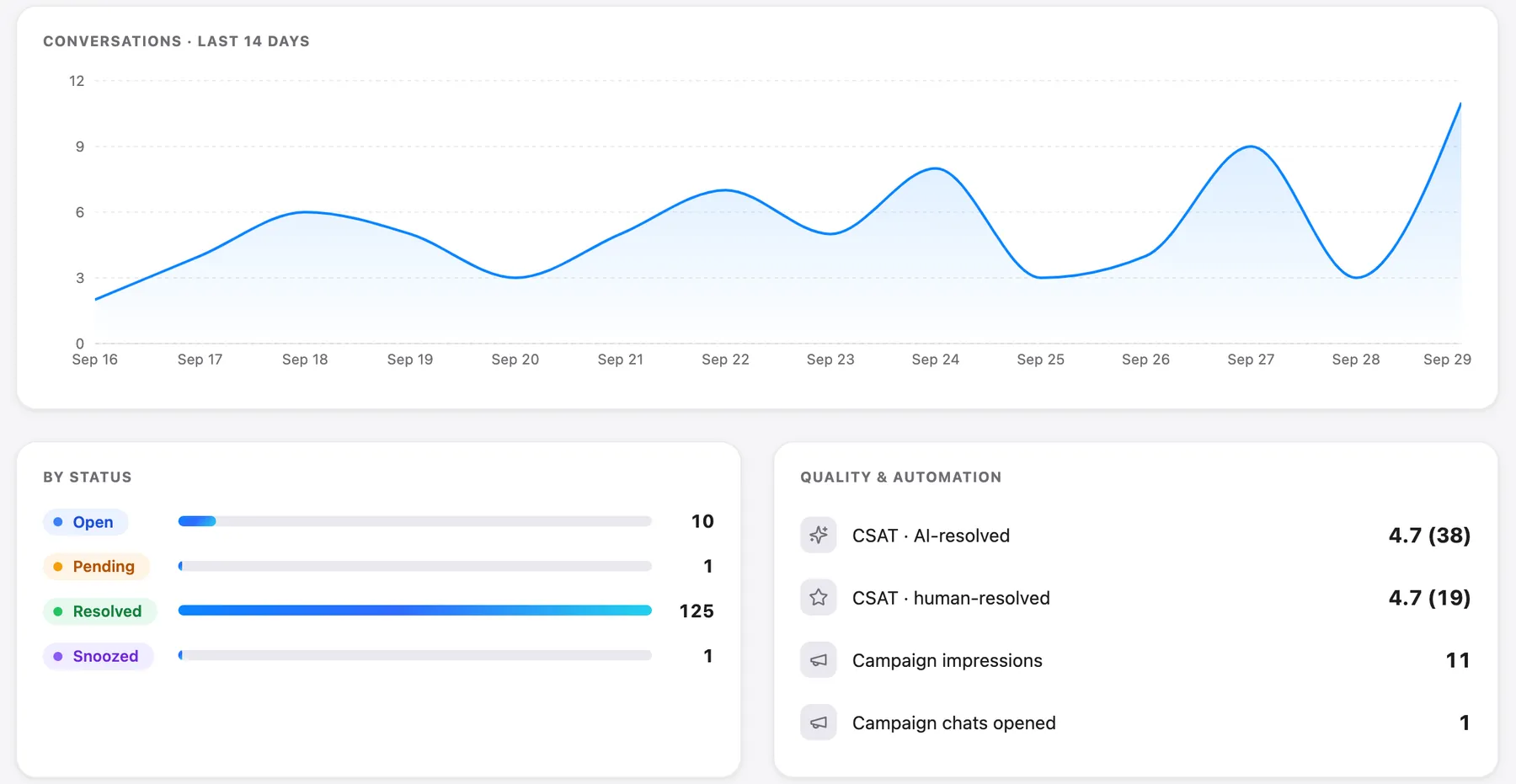
Every conversation can carry a CSAT rating, and the analytics page splits average CSAT between AI-resolved and human-resolved conversations, which makes the "low rating after an AI hand-off" pull quick. Conversation tags work in the inbox on every plan: tag a thread qa-reviewed and filter by it. Scorer comments go in an internal note on the conversation. The Team performance table shows assigned, resolved, replies, median first reply and CSAT per teammate. Use it to choose who to review more, not to decide who is good.

Two limits are worth knowing. Saved views can't filter by tag, so a tag is searched in the inbox rather than pinned. And analytics can't report by tag, so "reviewed this month" is a count you keep in the sheet.
Automatic agent QA, on the Scale plan
On Talvo's Scale plan ($299 a month, or $249 billed annually), an AI reviews recently resolved conversations that a person handled. It scores each one on tone, resolution and accuracy, each from 1 to 5, and writes a short coaching note. You view the results under Agent coaching on the Voice of the Customer page.
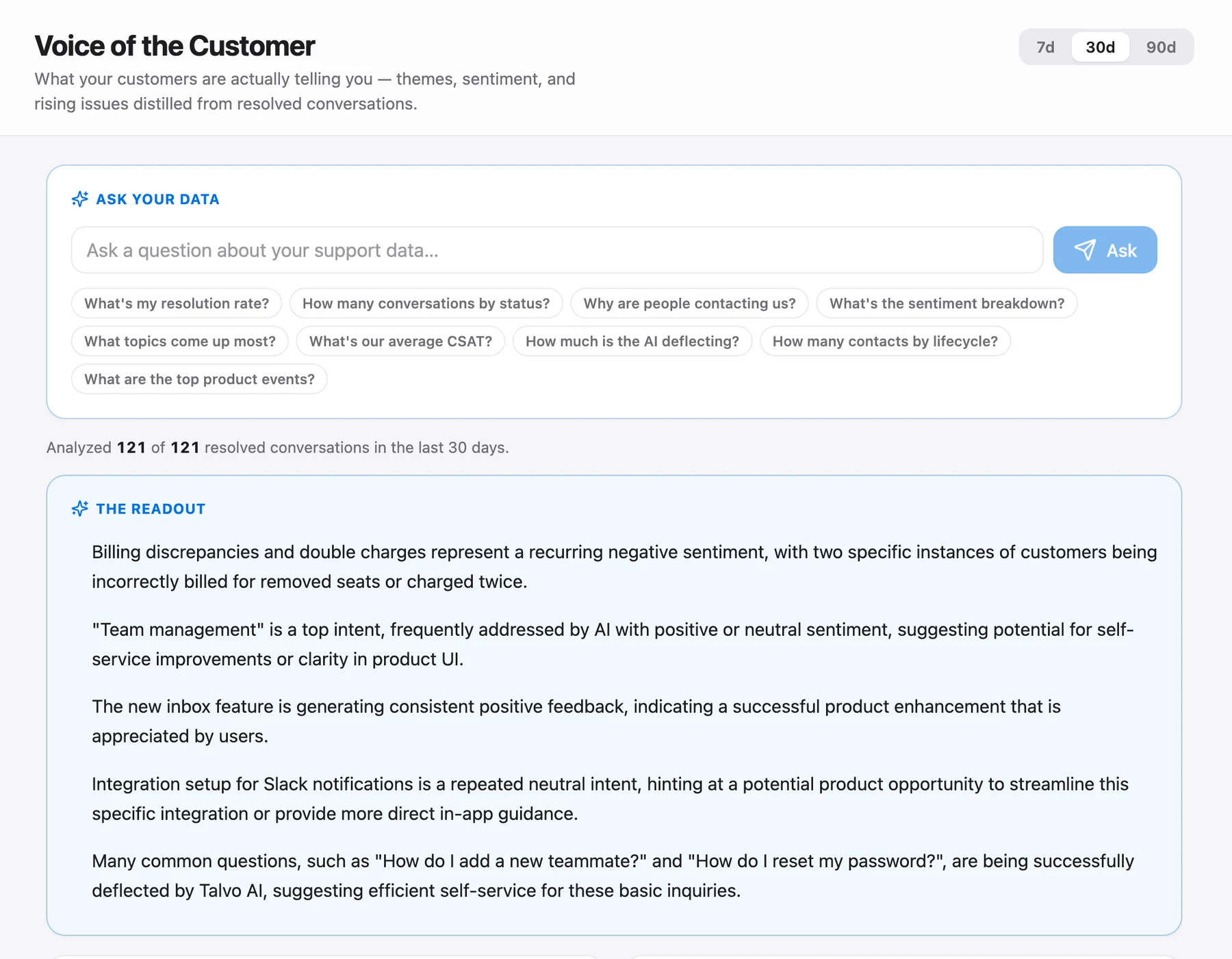
Treat it as a second reviewer, not the first. It scores the conversation text the way a model reads it. It doesn't know your refund policy's exceptions, it can't see that a promise was off-limits, and it has no calibration with your team. It also covers a different set than a deliberate sample: it works on recently resolved conversations, not on the ones you'd have picked. That's a useful complement to your monthly pull, especially for catching the quiet tone problems nobody flags. It doesn't replace the auto-fail items, which depend on your rules, or the monthly calibration, which depends on your people.
A monthly routine that fits in a few hours
For a team of five: pull the targeted set (maybe fifteen conversations), add twenty-five random ones, score them in an afternoon, spend thirty minutes on calibration, then hold five short one-to-ones. Report the team pass rate by item. That is roughly a half-day per month for the person doing the reviewing, and it's the point where support quality stops being a feeling.
If you're building the wider system around this, the shared inbox guide covers the workflow that keeps conversations reviewable in the first place, and canned responses are where the wording rules you agree in calibration get saved.
Frequently asked questions
What should be on a customer service QA scorecard?
Keep it to about eight yes/no items: understood the question, right and complete answer, followed the process, clear writing, tone fit, explicit next step, no wasted round trips and closed properly. Add a short list of auto-fail items for things like wrong information about money or security. If an AI agent is in your inbox, add questions about the hand-off.
How many tickets should you QA per agent?
There is no standard. A working plan for a small team is to review every low-rated, reopened or escalated conversation, then add about five random resolved conversations per person each month. If you handle fewer than roughly 100 conversations a month, review all of them.
What is a good QA score in customer service?
No sourced benchmark exists, and claims that a particular percentage is good usually come from vendor copy. Set a pass threshold before you start, such as no auto-fail and at least 7 of the applicable items, and track whether your own team-level pass rate rises over time.
What is QA calibration?
Calibration is a short, regular session where everyone who scores conversations scores the same few, separately, then compares. Wherever scores differ, the group agrees on a written rule for that item. Thirty minutes a month with five conversations is enough for a small team.
What are auto-fail items in QA?
They are mistakes serious enough that a conversation fails no matter how well the rest went, such as wrong information about money or security, sharing account data with an unverified person, or promising something your policy does not allow. They are flagged and handled right away rather than averaged into a score.
What's the difference between QA and CSAT?
CSAT measures how the customer felt; QA measures whether the work met your standard. They often disagree, so use low CSAT to decide which conversations to review, and use the scorecard to judge them.
Can AI do customer service QA?
It can act as a second reviewer. On Talvo's Scale plan, an AI scores recently resolved, human-handled conversations on tone, resolution and accuracy from 1 to 5 and writes a coaching note. It does not know your policy exceptions or your auto-fail rules, so it complements a human sample rather than replacing it.
Why can't you rank agents from a few reviews?
With a small number of reviews, the range of true pass rates that could have produced the result is wide. A 16-of-20 agent (58% to 92%) and a 12-of-20 agent (39% to 78%) overlap by about twenty points. Use small samples for coaching, and avoid individual leaderboards until someone has roughly 50 reviews.
Sources
Other products' prices and features change. We checked these pages; if something is out of date, tell us and we'll fix it.


