On this page
- Why small teams pick Zoho Desk in the first place
- Four reasons people leave
- What the same three teams pay
- Zoho Desk alternatives, matched to the reason you're leaving
- Talvo: chat and AI in one workspace price, with a long gap list
- Free options, and where each one stops
- Where Zoho Desk is still the better pick
- Switching from Zoho Desk
- Which alternative fits which team
- Frequently asked questions
Zoho Desk is cheap, and that is the first problem for anyone writing a list of alternatives. Three agents on its Standard plan cost $42 a month with annual billing, $60 monthly. Almost nothing below beats that on seat price, so if price per agent is your only complaint, you may not have a Zoho Desk problem at all.
The teams that go looking for Zoho Desk alternatives usually have a different complaint. They want website chat and an AI agent, and they discover that Zoho's chat powered by SalesIQ sits on its most expensive plan, and that its AI is billed in tokens and your own provider's keys rather than any number you can budget. This guide prices six alternatives for the same 3-, 5- and 10-person teams, says where Zoho Desk is the better pick (it often is), and walks through a switch. The full Zoho price grid is in Zoho Desk pricing explained, so this post keeps to one cost table.
Disclosure: Talvo makes one of the tools below, and it has its own headed section with its gaps. Every Zoho number is a US price from Zoho's pricing and comparison pages as shown on October 21, 2026. Other vendors' numbers come from their own pricing pages, checked the same day.
Why small teams pick Zoho Desk in the first place
The reasons are good ones, and a fair list of alternatives starts there.
There is a free plan for three users, and it is a real help desk: email ticketing, one email channel, macros. The paid plans start at $7 a user on Express and $14 on Standard (annual), which is a fraction of what the big names charge for a plan with chat. The channel list is wide, with WhatsApp, Telegram, WeChat, LINE, Messenger and Instagram from Standard and telephony from Professional. And if you already run Zoho CRM or other Zoho apps, keeping support with the same vendor is a real advantage.
If that describes you, the honest advice is to stay, and to read the end of this post for when that holds.
Four reasons people leave
Live chat lives on the top plan. Zoho's comparison table lists "Live chat (powered by SalesIQ)" on Enterprise only, $40 a user annual or $50 monthly. Standard and Professional get Business Messaging, a chat widget Zoho describes for logged-in customers. Whether that covers anonymous visitors on your marketing site is a question to put to Zoho before you buy.
The AI is billed in tokens or by your own key. On Express and Standard, generative AI is bring-your-own-key. Zoho's agent platform charges by token, with 30 million free a month on its standard tier and $1.00 per million after. None of that converts into a cost per resolved conversation, so there is no number to compare with a competitor's rate. The mechanics are in the pricing post.
Features sit one rung higher than you'd expect. Round-robin assignment is Professional, telephony is Professional, and Standard allows four SLAs. A team that starts on Standard and wants two of those lands on a plan 64% higher per user ($23 against $14 annually).
The suite stops mattering. The biggest reason to buy Zoho is the rest of Zoho. If your CRM is HubSpot or Salesforce, or you don't have one, that advantage disappears.
What the same three teams pay
Team A is 3 agents with 300 AI-resolved conversations a month. Team B is 5 agents with 1,000. Team C is 10 agents with 3,000. All figures are monthly billing, list prices in US dollars, before tax, on the cheapest plan that has live chat and an AI agent.
| Tool | Team A (3 / 300) | Team B (5 / 1,000) | Team C (10 / 3,000) |
|---|---|---|---|
| Zoho Desk Standard (seats only; AI is extra) | $60 | $100 | $200 |
| Zoho Desk Enterprise (seats only; SalesIQ chat; AI is extra) | $150 | $250 | $500 |
| Talvo | $147 | $299 | $789 |
| Crisp (usage-billed AI, estimated) | $55 to $70 | $120 to $170 | $220 to $370 |
| Freshdesk Omni Growth | $252 | $665 | $1,820 |
| Help Scout Standard | $315 | $900 | $2,550 |
| HubSpot Service Hub Professional (plus $1,500 onboarding) | $420 | $970 | $2,470 |
| Zendesk Suite Team | $777 | $2,295 | $6,590 |
With annual billing, Zoho Standard is $42, $70 and $140, Zoho Enterprise is $120, $200 and $400, and Talvo is $119, $249 and $739. The annual figures for the others are in Zendesk alternatives for small teams, which prices the same teams.
Three notes on reading it:
- The Zoho rows are seats only. The AI cost isn't in them because Zoho doesn't publish one that can be turned into a per-conversation price. WhatsApp usage charges, light agents and add-ons are also outside.
- The other rows include AI at each vendor's own meter, such as Help Scout's $0.75 per resolution and Freshdesk's $0.49 per session (ignoring Freshdesk's one-time 500 free sessions), so they aren't like for like with Zoho's seat-only lines.
- Crisp's AI is billed on usage, not outcomes, so a chat the AI hands off still costs credits. The Team A range is for Mini; Essentials, which adds the knowledge base and AI knowledge training, would be $95 to $100.
Zoho Desk alternatives, matched to the reason you're leaving
If you left because of chat and AI together, the shortlist is Talvo, Crisp and Freshdesk Omni. If you left because of per-seat growth, look at flat-priced Crisp and Talvo. If you left because you want an email-first desk with fewer moving parts, look at Help Scout. If you're already on HubSpot, look at its Service Hub.
Freshdesk and Freshdesk Omni
Freshworks is the nearest sibling to Zoho Desk: a ticketing system with an AI add-on. Freshdesk Omni, the version with chat, is $29, $79 and $119 per agent a month on annual billing, and $35, $95 and $143 monthly. Its AI, Freddy, bills per session: 500 are free once per account, then $49 per 100, about $0.49 each. A session is counted per interaction window, not per resolution. Freshdesk's old forever-free plan is gone; what's left is a free program for up to 2 agents for 6 months, on Freshdesk only. Read Freshdesk alternatives and Freshdesk pricing for the details.
Help Scout
Help Scout is the pick for an email-first team that wants a calm inbox. Standard is $25 per user annual or $30 monthly, up to 25 users, and its AI agent is $0.75 per resolution, with escalations and "I still need help" presses not billed. Its free plan covers 5 users and 1 inbox, but with 100 contacts a month. It has no native phone, and seats scale with headcount. See Help Scout pricing.
HubSpot Service Hub
If your contacts already live in HubSpot, its Service Hub shares the record. The free tier covers 2 users with branded live chat and ticketing. Professional is $90 per seat a month on annual payment, or $100 paying monthly (still on an annual commitment), with a required $1,500 one-time onboarding fee, and its Customer Agent costs $0.50 per resolved conversation once the 3,000 included credits are spent. See HubSpot Service Hub alternatives.
Zendesk Suite Team
Zendesk is where Zoho users go when they need more depth, not less cost. Suite Team is $55 per agent annual or $69 monthly, with live chat and AI agents, and AI resolutions beyond five per agent a month are $1.50 committed or $2.00 pay-as-you-go. The row in the table above shows what that does to a bill. See Zendesk pricing.
Crisp
Crisp charges per workspace instead of per user. Mini is $45 a month for 4 seats and Essentials is $95 for 10, then Plus at $295, with WhatsApp, Instagram, SMS and phone on Essentials. Its AI, Hugo, runs on usage credits that Crisp estimates at $0.05 to $0.10 per conversation. It hasn't been through a SOC 2 audit. Free covers 2 seats. See Crisp pricing.
- Familiar ticketing at a lower per-agent price than Zendesk
- SAML SSO on Freshdesk's plans, plus SOC 2 Type 2 and ISO 27001 on Freshworks' trust center
- Freddy bills sessions, not outcomes
- A free program for 2 agents lasts 6 months
Talvo: chat and AI in one workspace price, with a long gap list
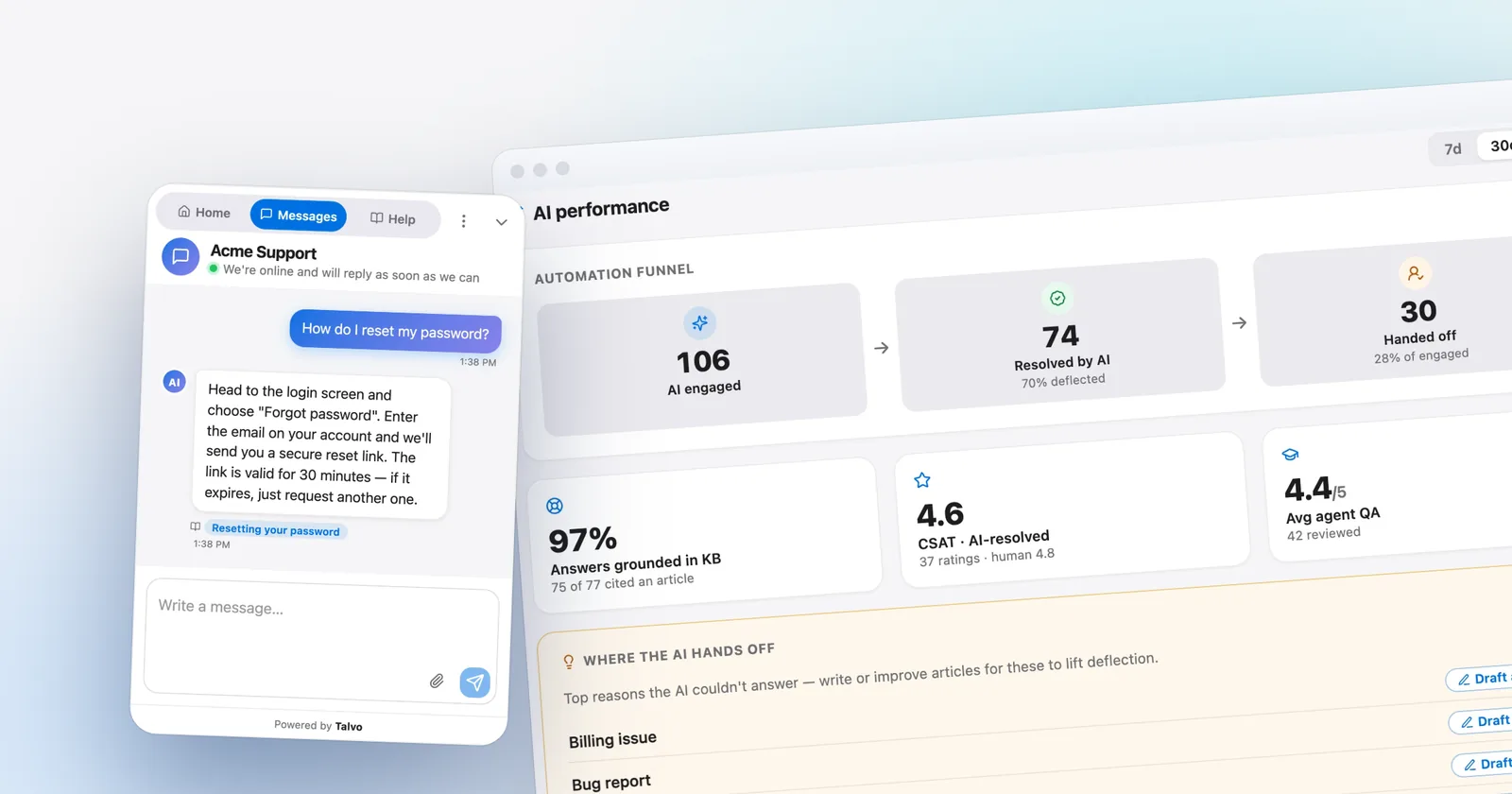
Talvo is our product, so apply the right discount. It is a live chat widget, an AI agent that answers only from your published help articles and cites the article it used, a shared inbox with two-way email, a hosted help center and no-code workflows, priced per workspace instead of per user. It launched in 2026, is in beta, and has no reviews on G2 or Capterra.
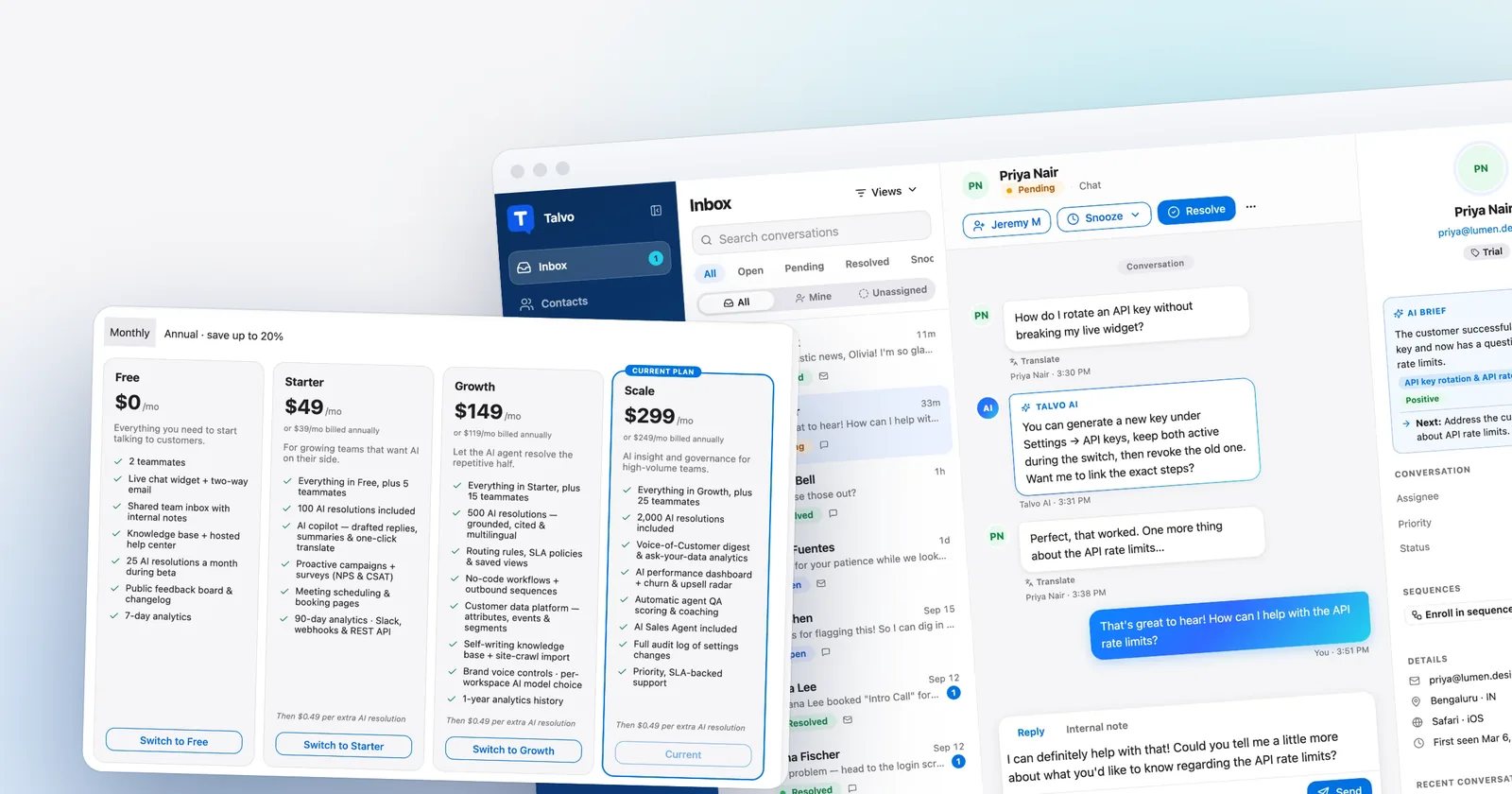
The plans: Starter is $49 a month ($39 on annual billing) for 5 teammates and 100 AI resolutions. Growth is $149 ($119 annual) for 15 teammates and 500. Scale is $299 ($249 annual) for 25 and 2,000. Extra AI resolutions are $0.49 on every paid plan, hand-offs to a human are never billed, and teammates up to the limit never change the bill. Free is 2 teammates and 25 AI resolutions a month during the beta.

The same teams, with the cheapest plan that has enough seats:
| Team A (3 / 300) | Team B (5 / 1,000) | Team C (10 / 3,000) | |
|---|---|---|---|
| Monthly billing | Starter: $49 + 200 × $0.49 = $147 | Scale: $299 (2,000 included) | Scale: $299 + 1,000 × $0.49 = $789 |
| Annual billing | Growth: $119 (500 included) | Scale: $249 | Scale: $249 + $490 = $739 |
For Team A on annual billing, Starter would be $39 + $98 = $137, so Growth at $119 is lower. For Team C, Growth would be $149 + 2,500 × $0.49 = $1,374 monthly, well above Scale.
Against Zoho Desk, here is the honest read. At light AI volume, Talvo is competitive on list price: three agents with 100 AI resolutions are $49 monthly ($39 annual) on Starter, against $60 ($42) for Zoho Standard. As AI volume grows, Talvo's per-resolution meter climbs and Zoho's seat-only rows stay flat, and Zoho's AI cost is then whatever your token usage and provider turn out to be. What you get for the premium is one meter you can read before you buy, and chat that works for anonymous visitors on any page you can put a script tag on.
What Talvo doesn't have: telephony, WhatsApp, SMS, Instagram or Messenger (all four are on the roadmap), other social channels, a Zoho integration of any kind, a customer ticket portal, SOC 2, SAML single sign-on, HIPAA or a choice of data region. Its help center has no custom domain, and "Powered by Talvo" can't be removed. Round robin is on Talvo's Growth plan ($149 a month) and up, and strictly rotates without checking who's online. Zoho lists telephony, WhatsApp, social channels and custom help center domains on its plans.
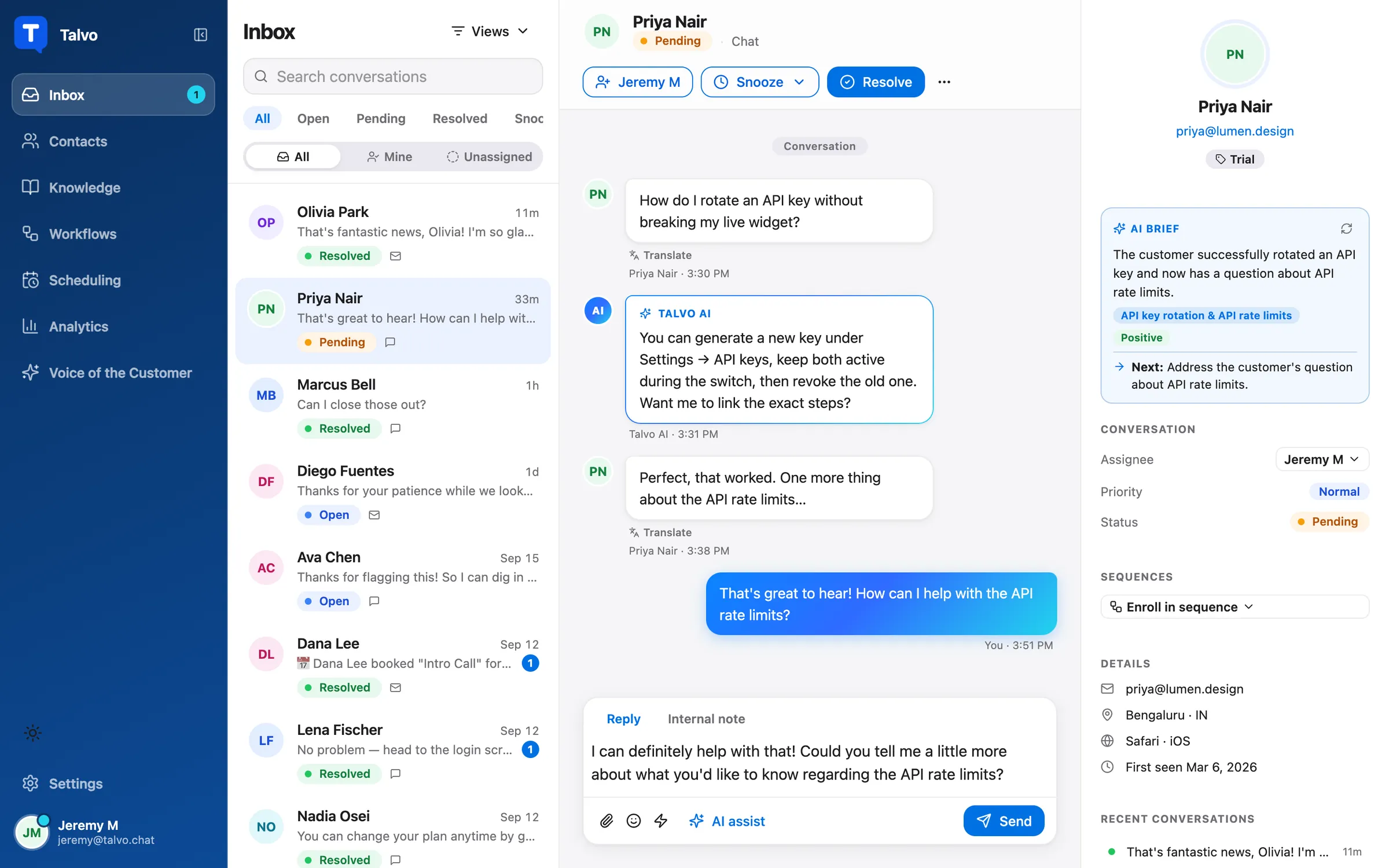
- One workspace price; teammates up to the plan limit are free
- $0.49 per AI resolution, and hand-offs are never billed
- Free plan for 2 teammates with chat, email and a help center
- AI replies only from published articles and shows its source
- Chat and email only: no phone, WhatsApp, SMS or social
- No Zoho integration, SOC 2, SSO or HIPAA
- Beta product with no reviews yet
Free options, and where each one stops
Zoho's free plan is generous on seats, so a free alternative has to offer something else. Talvo Free has 2 teammates, chat, email, a shared inbox, a help center and 25 AI resolutions a month during the beta; there's no copilot and surveys start on Starter. HubSpot Free covers 2 users with branded live chat, limited bots and email. Help Scout Free covers 5 users and 1 inbox, with 100 contacts a month and replies stopping at the cap. Crisp Free is 2 seats with a chat widget and no email channel or AI. Freshdesk's program is 2 agents for 6 months. For a longer free tier on email alone, Zoho's three-user plan is hard to beat.
Where Zoho Desk is still the better pick
Be straightforward about this one, because it will be the right answer for many readers.
You should stay on Zoho if you use Zoho CRM or other Zoho apps and want tickets to sit next to the customer record. You should stay if your seat count is high and your AI use is heavy, because seat price is where Zoho wins: ten agents on Standard are $140 a month annual before any AI cost, while Talvo is $739 at 3,000 AI conversations. (At 500 conversations Talvo's Growth plan is $119 annual, so volume is what decides it.) You should stay if customers reach you by WhatsApp, Telegram, WeChat, LINE or phone, because Zoho has those channels and Talvo doesn't. And you should stay if you need Blueprints (from Professional), multi-brand help centers (Enterprise), custom domain mapping from the Express plan, or phone support from Zoho itself.
- Seat prices among the lowest in the category, plus a free plan for three users
- Same vendor and suite as Zoho CRM
- Wide channel list: WhatsApp, Telegram, WeChat, LINE, Messenger, Instagram, telephony
- Custom help center domain from Express, Blueprints and multi-department on higher plans
- SalesIQ live chat is Enterprise only
- AI is metered in tokens or your own key, not a per-conversation price
- Round robin and telephony need Professional
Switching from Zoho Desk
Plan on moving the knowledge base and contacts, rebuilding automations by hand, and leaving old tickets behind. The steps below use Talvo, since we can vouch for them.
- Run the new tool beside ZohoInstall the widget on a slice of traffic or a staging page and keep Zoho live.
- Move your help centerTalvo's importer reads a public help center from its address and brings articles in as drafts (how it works). Zoho Desk isn't one of its listed sources, and the generic crawl reads server HTML only, so check what the scan finds before you rely on it.
- Move your contactsExport people to a CSV with name, email, company and phone, then import it. Talvo matches by email, so re-runs are safe.
- Forward your support emailPoint your support address at the forwarding address in Settings, Inbox so replies thread back into one conversation.
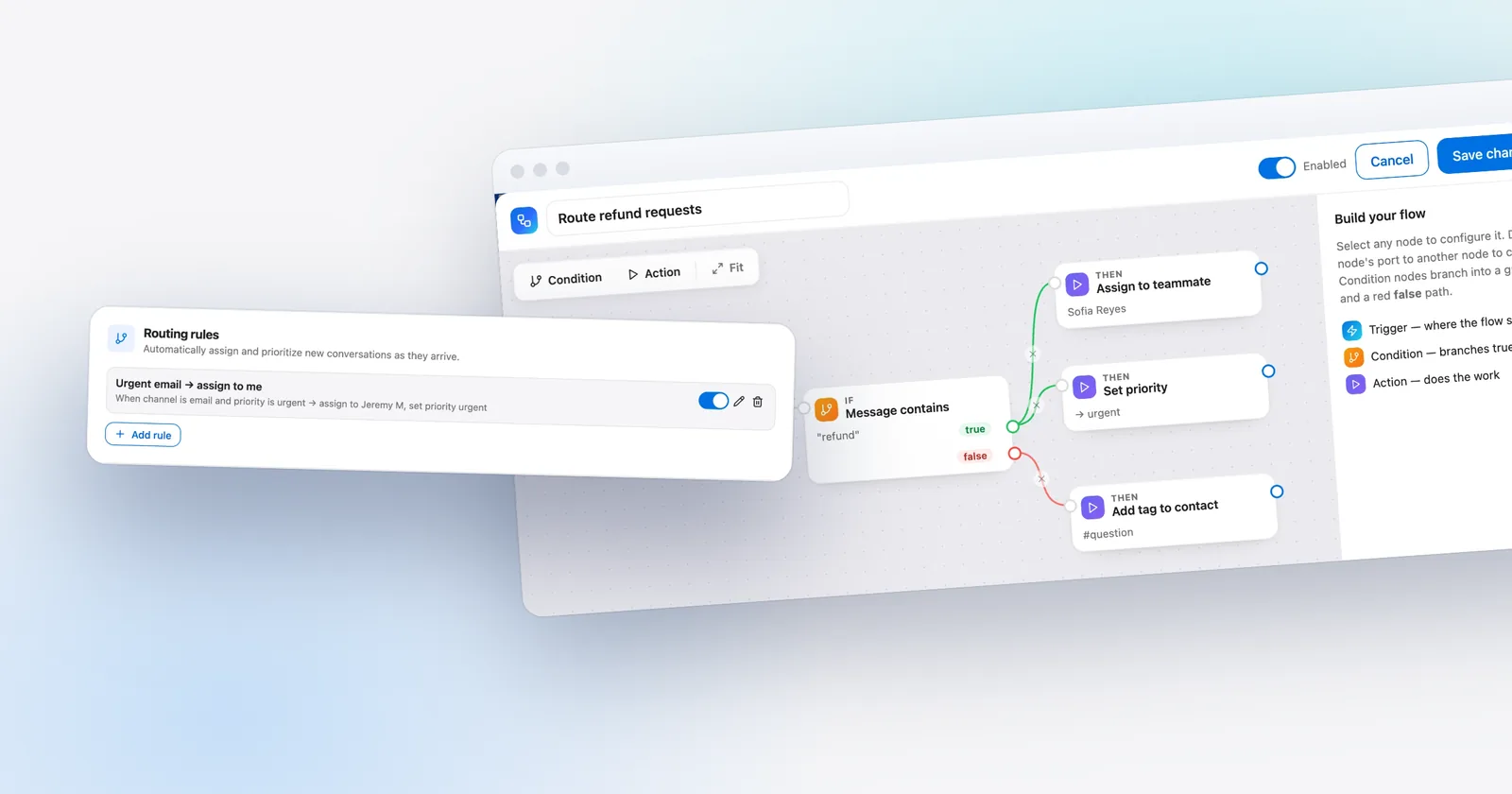
- Rebuild automationsMacros become canned responses; workflow and assignment rules become routing rules or workflows, both on Talvo's Growth plan and up. Nothing converts automatically.
- Cancel at the end of your termCheck your Zoho billing period first, and don't cancel before the new tool is answering real customers.
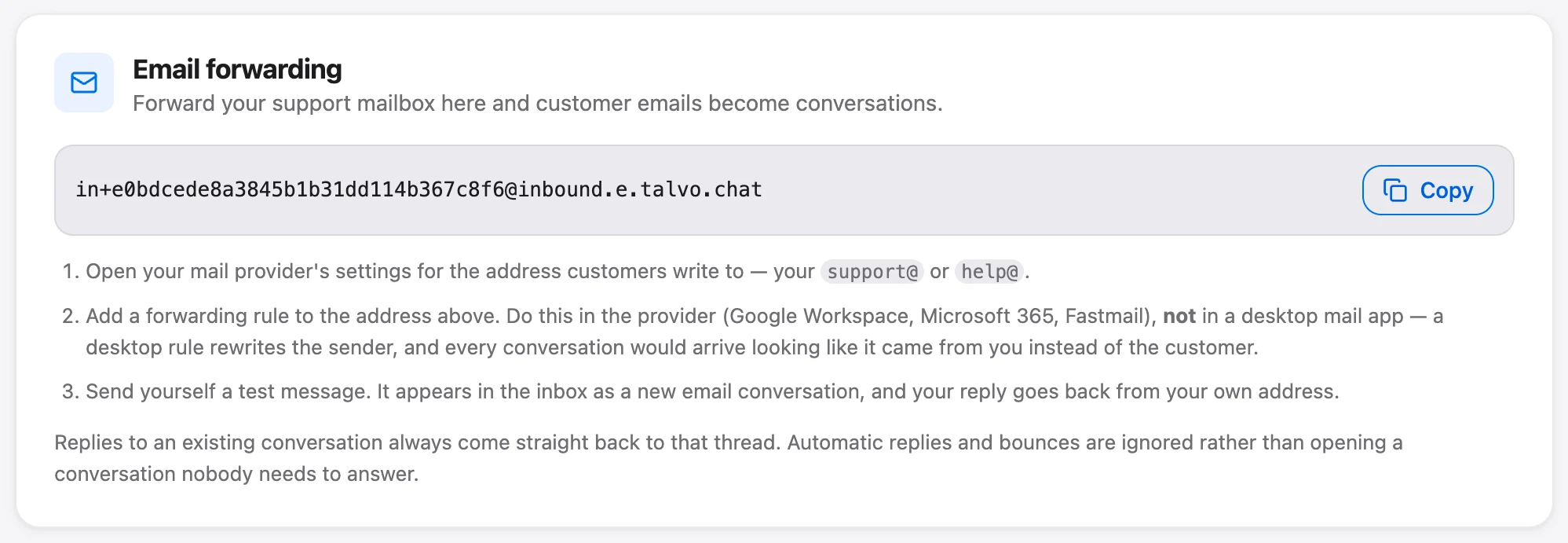
Talvo doesn't import past tickets, so export what you need to keep. And if the importer can't read your Zoho help center, which is possible because the generic crawl can't run JavaScript, the fallback is pasting your articles in; the AI only answers from published articles either way.
- Export the ticket history and contacts you need to keep
- List the Zoho integrations you actually use, including CRM
- Check whether any customers reach you by WhatsApp, Telegram or phone
- Confirm which plan your chat is on today and what it costs per seat
- Run both tools for a few weeks and watch which questions the AI hands off
- Write articles for the hand-offs before you cancel
Which alternative fits which team
If your team is small, email-first and happy with Zoho's price, stay, and use the free plan or Express until you outgrow it. If you want chat and AI answers without paying the top Zoho plan, Talvo and Crisp are the lowest-cost ways to get both, with Talvo's AI priced per resolution and Crisp's by usage. If you want deeper ticketing at a lower price than Zendesk, Freshdesk Omni is the closest. If your inbox is email and you want a calm tool, Help Scout. If you live in HubSpot, its Service Hub. For more on chat-only options, see best live chat software for small business, and for why the billing model matters, per-seat vs flat pricing.
Which should you choose?
- you want website chat and an AI agent without paying for Zoho's Enterprise plan
- you want AI priced per resolution ($0.49) so you can budget it before you buy
- your team is small to mid-size and you don't want the bill to rise with each hire, up to the plan limit
- you don't depend on Zoho CRM, telephony or WhatsApp and can accept a beta product
- you already run Zoho CRM or other Zoho apps and want tickets next to the customer record
- customers reach you by WhatsApp, Telegram, WeChat, LINE, social channels or phone
- you have many seats and heavy AI use, where Zoho's low per-user price and token-based AI can come out cheaper
- you need Blueprints, multi-brand help centers, a custom help center domain or a longer track record
Frequently asked questions
What is the best alternative to Zoho Desk?
It depends on why you are leaving. Freshdesk Omni is the closest in style, Help Scout suits email-first teams, HubSpot Service Hub suits teams already in HubSpot, and Crisp and Talvo are flat-priced options that bundle website chat and AI. Zoho's low seat price is hard to beat, so staying is a reasonable answer.
Is Zoho Desk free?
Zoho Desk has a free plan for three users with email ticketing. It has no live chat and no public knowledge base, which start at Standard. The 15-day trial needs no credit card and downgrades to the free plan afterward.
Does Zoho Desk have live chat?
Yes, in two forms. Business Messaging, a widget described for logged-in customers, starts at Standard with one channel. Live chat powered by Zoho SalesIQ is listed only on Enterprise, at $40 per user per month annually or $50 monthly.
Is Zoho Desk cheaper than Zendesk or Freshdesk?
On seat price, yes. Zoho Standard is $14 per user annually, against $55 for Zendesk Suite Team and $29 for Freshdesk Omni Growth. The AI is the complication: Zoho bills by token or your own key, while Zendesk charges $1.50 to $2.00 per resolution and Freshdesk about $0.49 per session.
What is Zia in Zoho Desk and does it cost extra?
Zia is Zoho's AI. Content analysis is on every plan, the answer bot starts at Standard, and generative AI is bring-your-own-key on Express and Standard. Zoho's agent platform bills by token, with 30 million free a month on its standard tier and $1.00 per million after. Our Zoho Desk pricing post covers the layers.
Is Zoho Desk good for small business?
Often, yes. It has a free plan for three users, low per-seat prices and a wide channel list. It is a weaker fit when you want website chat with AI answers, because the full chat product sits on the Enterprise plan.
Can I move my Zoho Desk knowledge base to another tool?
Usually you can move published articles, but check each tool's importer. Talvo imports public help centers from their address as drafts and reads server-delivered HTML only, and Zoho Desk is not one of its listed sources, so check what its scan finds first. Past tickets do not move.
Which Zoho Desk alternative works with Zoho CRM?
Crisp's pricing page lists a Zoho integration on its Essentials plan and up, so check that it covers Zoho CRM the way you need. Talvo has no Zoho integration. If the Zoho CRM link is the reason you use Zoho Desk, staying is probably the right call.
Sources
Other products' prices and features change. We checked these pages; if something is out of date, tell us and we'll fix it.
- Zoho Desk pricing page (US prices, checked Oct 21, 2026)
- Zoho Desk plan comparison (checked Oct 21, 2026)
- Zoho SalesIQ pricing (checked Oct 21, 2026)
- Zoho Agents pricing (checked Oct 21, 2026)
- Freshdesk Omni pricing page (checked Oct 21, 2026)
- Help Scout pricing page (checked Oct 21, 2026)
- HubSpot Service Hub pricing page (checked Oct 21, 2026)
- Zendesk pricing page (checked Oct 21, 2026)
- Crisp pricing page (checked Oct 21, 2026)
- Talvo pricing (checked Oct 21, 2026)
- Talvo help: Switching from another help desk