On this page
- Zoho Desk pricing: the five plans in one table
- The free plan, and what happens when the trial ends
- Annual versus monthly: how big the gap is
- Live chat on Zoho Desk is two different products
- Zia and the AI: several layers, and tokens instead of resolutions
- Where Zoho's own pages disagree
- The extras that change the total
- What 3, 5 and 10 agents pay
- When Zoho Desk is the cheapest option, and when it isn't
- Where Talvo fits
- Frequently asked questions
Zoho Desk pricing starts at $0 for three users, then runs $7 to $40 per user per month on annual billing, or $9 to $50 on monthly billing. Those are US prices as Zoho showed them on October 21, 2026. The list is short, the seat prices are low, and the headline number hides one thing that changes the bill: the plan that gets you Zoho's own live chat is the most expensive one.
A five-person team on Standard, the plan with the first live chat option, pays $70 a month with annual billing. Put the same five people on Enterprise, the only plan with live chat powered by Zoho SalesIQ, and it is $200. This guide lays out all five plans, the annual-versus-monthly gap, the two kinds of live chat, how Zoho's AI is metered, a place where Zoho's own pages disagree, and what teams of 3, 5 and 10 actually pay.
Talvo makes a competing product, so we've kept the Zoho half of this post to Zoho's own pricing pages, the plan grid and the feature comparison, and shown every sum. Zoho shows prices in local currency depending on where you load the page, so check yours before you budget.
Zoho Desk pricing: the five plans in one table
Prices are per user, per month. The annual column is what you pay per month if you commit for a year.
| Plan | Annual billing | Monthly billing | User limit | Email channels |
|---|---|---|---|---|
| Free | $0 | $0 | 3 users | 1 |
| Express | $7 | $9 | 5 users | 2 |
| Standard | $14 | $20 | Unlimited | 5 |
| Professional | $23 | $35 | Unlimited | 10 |
| Enterprise | $40 | $50 | Unlimited | 100 |
Light agents are a $6-a-month add-on on Standard and Professional. Enterprise includes 50 and charges the same $6 after that. Express and Free don't offer them.
The prices are only half of it. What matters is which features each rung adds, because most small teams buy the plan that has one specific thing, and that thing is rarely on the cheap plans.
| Feature | Free | Express | Standard | Professional | Enterprise |
|---|---|---|---|---|---|
| Public knowledge base | No | No | Yes | Yes | Yes |
| Live chat (Business Messaging) | No | No | 1 channel | 10 channels | 50 channels |
| Live chat (powered by SalesIQ) | No | No | No | No | Yes |
| Answer bot | No | No | Yes | Yes | Yes |
| Telephony | No | No | No | Yes | Yes |
| Round-robin assignment | No | No | No | 10 per department | 15 per department |
| SLAs | Default | Default | 4 | 10 per department | 20 per department |
| Custom domain mapping | No | Yes | Yes | Yes | Yes |
| Instant messaging channels (WhatsApp and others) | No | No | 1 each | 10 each | 50 each |
Source for both tables: Zoho's pricing pages, checked October 21, 2026.
The free plan, and what happens when the trial ends
Zoho's free plan is described as email ticketing "out of the box" with three user licenses. It has one email channel and two macros. It has no live chat, no public knowledge base and no AI beyond content analysis. For a one-to-three-person team that only handles email, that is a genuine free help desk. Talvo's own Free plan covers 2 teammates, chat, two-way email, a shared inbox and a hosted help center, plus 25 AI resolutions a month during the beta; the difference is that Zoho gives you three seats and no chat, and Talvo gives you two seats and chat.
The trial is 15 days and asks for no credit card. When it ends the account "will automatically be downgraded to our free plan", which means nothing is billed by surprise. It also means the free plan's three-user limit applies the day the trial ends, so decide who keeps access before day 15.
Annual versus monthly: how big the gap is
Zoho's toggle says you can "save up to 34%". The 34% is the Professional plan. The others are smaller, and the math is easy to redo.
| Plan | Annual | Monthly | Annual saves |
|---|---|---|---|
| Express | $7 | $9 | 22% ($2 of $9) |
| Standard | $14 | $20 | 30% ($6 of $20) |
| Professional | $23 | $35 | 34% ($12 of $35) |
| Enterprise | $40 | $50 | 20% ($10 of $50) |
For a five-person Standard team, the difference is $30 a month, $360 over a year. For five Professional seats it is $60 a month, $720 over a year. If your team is stable, annual billing is worth taking. If you might shrink or switch tools within the year, the monthly premium is the price of the exit.
Live chat on Zoho Desk is two different products
It is easy to read Zoho's plan grid as live chat from Standard. That is half right, and the half that's wrong is expensive.
Business Messaging, from Standard. Zoho's description is a live chat widget on your website or app for real-time conversations with logged-in customers, which can be converted into tickets. Standard gets one channel, Professional ten, Enterprise fifty. The wording points at customers who are signed in, and Zoho's pricing pages don't say how it treats an anonymous visitor on your marketing site. If your chat is mostly strangers on your pricing page, ask Zoho before you buy.
Live chat powered by SalesIQ, Enterprise only. This is the full website-visitor chat: classify conversations, turn them into tickets, show help articles and automate with bots. In Zoho's comparison table it appears under Enterprise and nowhere else. That is the $40-a-user-annual, $50-monthly plan.
There is a third route, and it comes from our reading of two rows rather than from anything Zoho states in words. The comparison table lists a Zoho SalesIQ integration on Standard, Professional and Enterprise. That suggests a team on Standard or Professional can connect a separately bought SalesIQ subscription instead of paying Enterprise seat prices. SalesIQ has its own pricing, per operator, per month:
| SalesIQ plan | Annual billing | Monthly billing | Notes |
|---|---|---|---|
| Free | $0 | $0 | 3 operator licenses, 100 operator chat sessions, no chatbots |
| Basic | $7 | $10 | 1,000 operator chat sessions, 1 chatbot |
| Professional | $12.75 | $17 | Unlimited operator chat sessions, 5 chatbots |
| Enterprise | $20 | $25 | Answer Bot and hybrid chatbot are Enterprise only |
Source: Zoho SalesIQ pricing, checked October 21, 2026. Visitors tracked a month run from 10,000 on Free to 200,000 on Enterprise, with paid add-on packs above that.
If that route works for your case, five users on Desk Standard with annual billing ($70) plus five SalesIQ Basic operators at $7 ($35) is $105 a month, against $200 for Desk Enterprise. On monthly billing it is $100 plus $50, which is $150 against $250. Treat those as questions for a Zoho sales rep, not as a quote. You are buying two products and two admin consoles, and SalesIQ's Answer Bot is on its Enterprise plan only.
Zia and the AI: several layers, and tokens instead of resolutions
Zoho sells its AI under the name Zia, and the pricing pages spread it across several layers. Reading them in order of what they cost:
| Layer | What it does | Plans | What it costs |
|---|---|---|---|
| Content analysis | Basic analysis of ticket content | All plans, including Free | Included |
| Generative AI, bring your own key (BYOK) | Summaries, reply assistance, writing help, article generation, using your own key from a provider such as OpenAI or DeepSeek | Express and up | Your provider bills you directly |
| Answer bot | Suggests answers to customers from your knowledge base articles | Standard and up | Included in the plan; no separate price listed |
| Native generative AI | The same features run by Zoho rather than your own key | Professional and Enterprise ("BYOK & Native") | No separate price listed |
| Pre-built Zoho Desk AI agents | Ready-made agents, plus Chatbots in instant messaging | Enterprise, per the comparison table | Tokens, see below |
The pricing page's Express card also says the plan gives access to "pre-built agents", which is one of two places Zoho's pages contradict each other.
The agent platform underneath is Zia Agents, and its pricing is by language-model tokens, not by agent and not by resolution. According to Zoho's agents pricing page, Zoho-hosted models on the Standard tier get 30 million free tokens a month, then $1.00 per million tokens. A Pro tier of larger models gets 20 million free tokens, then $3.00 per million, and is available on request in the US and India data centers only. The allowance resets on the 1st of each month and doesn't roll over. Models from OpenAI, Google and Anthropic are bring-your-own-key, with the provider billing you directly.
Per-token pricing is cheap on paper. Ten million tokens past the free allowance is $10 on the Standard tier, $30 on the Pro tier. But it can't be turned into a cost per customer conversation, because how many tokens a conversation uses depends on the model, the length of the thread and the articles retrieved, and Zoho doesn't publish an average. So where Intercom or Zendesk quote a price per resolved conversation, Zoho quotes a price per token and leaves you to find the conversion in your own test traffic. For a team that wants a number to put in a budget, that is a real cost, even if the bill ends up small. We cover how the per-resolution vendors compare in AI resolution pricing compared.
Where Zoho's own pages disagree
Two contradictions are worth knowing about before you spend money, because each one affects which plan you buy.
This post uses the table throughout, because it is the more specific of the two and lists each plan by name. The stakes are practical for a team of six or more planning on Standard: get the user limit confirmed in writing, or by testing it in a trial account, before you commit to annual billing.
The second contradiction is the pre-built AI agents. The comparison table lists "Pre-built Zoho Desk AI Agents" on Enterprise only, while the pricing page's Express card mentions access to pre-built agents and up to 30 million free tokens a month. The pages don't say whether Express gets a smaller set. Again, ask.
The extras that change the total
Light agents are $6 a month each on Standard and Professional. A five-person Standard team that adds four light agents pays $70 + $24 = $94 a month on annual billing. It's a good deal if those four would otherwise need full seats at $14 each.
WhatsApp and the other instant messaging channels start at Standard, with one channel of each. Zoho's comparison table notes that WhatsApp applies "usage-based charges", which are WhatsApp's own conversation fees, not Zoho's. Telephony starts at Professional, and multi-level IVR is Enterprise only. A department add-on on Enterprise is $7 a month ($6 annual) per department, up to 450.
On the help-desk side, round-robin assignment is Professional and up, and Standard gets four SLAs while Professional gets ten per department. Custom domain mapping for the help center comes in at Express. Cheap plans have fewer of these than you'd assume from the headline price.
What 3, 5 and 10 agents pay
Here are the seat costs, per month, for the same teams on each paid plan. Express appears only where the user limit allows it. These are seat prices only: they do not include any AI provider bill, WhatsApp fees, light agents or add-ons.
| Team | Express | Standard | Professional | Enterprise |
|---|---|---|---|---|
| 3 agents, annual | $21 | $42 | $69 | $120 |
| 3 agents, monthly | $27 | $60 | $105 | $150 |
| 5 agents, annual | $35 | $70 | $115 | $200 |
| 5 agents, monthly | $45 | $100 | $175 | $250 |
| 10 agents, annual | Over the limit | $140 | $230 | $400 |
| 10 agents, monthly | Over the limit | $200 | $350 | $500 |
Each cell is the user count times the per-user price, for example 10 agents on Standard monthly is 10 × $20 = $200, and 5 agents on Professional annual is 5 × $23 = $115.
How to read it by team:
A team of three that only handles email can run on Zoho's free plan, and one that wants the first website chat widget with logged-in customers is $42 a month annual on Standard. If it wants SalesIQ-powered chat, that's $120. The jump from the cheapest chat-capable plan to the full one is nearly three times.
A team of five has the same shape: $70 on Standard, $200 on Enterprise. If you don't need chat at all, Express at $35 a month annual is the cheapest paid plan, with two email channels and custom domain mapping on the help center.
A team of ten is where the plan limits stop mattering and the per-seat math dominates: $140 on Standard annual, $400 on Enterprise. Round-robin assignment or telephony would push the baseline to Professional at $230.
- Decide whether your chat visitors are logged-in customers (Business Messaging) or anonymous site visitors (SalesIQ)
- Confirm the user limit on Express and Standard with Zoho, given the FAQ and the table disagree
- Ask whether Express includes pre-built AI agents, as its pricing card says, or only Enterprise does
- Run a week of real conversations through the AI to see how many tokens a conversation actually uses
- Count the light agents and department add-ons you will need
- Check whether WhatsApp conversation fees apply to your volume
- Choose annual billing only if the team size is stable for the year
When Zoho Desk is the cheapest option, and when it isn't
It is the cheapest option more often than you might expect. At three users with no AI, a Zoho Desk free plan costs nothing, and the Standard plan is $42 a month. Compare that with Zendesk's Suite Team, the cheapest Zendesk plan with chat, at $55 per agent on annual billing against Zoho Standard's $14. If you already run Zoho CRM or other Zoho apps, staying with one vendor is a real advantage.
- A free plan for three users, with no card needed
- Seat prices from $7 to $40 a month on annual billing, among the lowest of the full help desks
- Lower tiers include things pricier tools gate: custom domain mapping from Express, a public knowledge base from Standard
- A wide channel list: WhatsApp, Telegram, WeChat, LINE, Messenger and Instagram from Standard, telephony from Professional
- Fits the rest of the Zoho suite
- Full website chat powered by SalesIQ is Enterprise only, at $40 a user annual
- AI is priced in tokens and bring-your-own-key bills, which you can't convert to a per-conversation cost
- Pages that disagree on user limits and pre-built agents make the plan you need harder to pin down
- Annual billing carries the best prices, and paying monthly costs 25% to 52% more per seat
It stops being the cheapest when chat and AI are the main reason you're shopping. The seat price multiplies with every hire, the live chat that most people mean by the term lives on the top plan, and the AI cost is invisible until it arrives.
Where Talvo fits
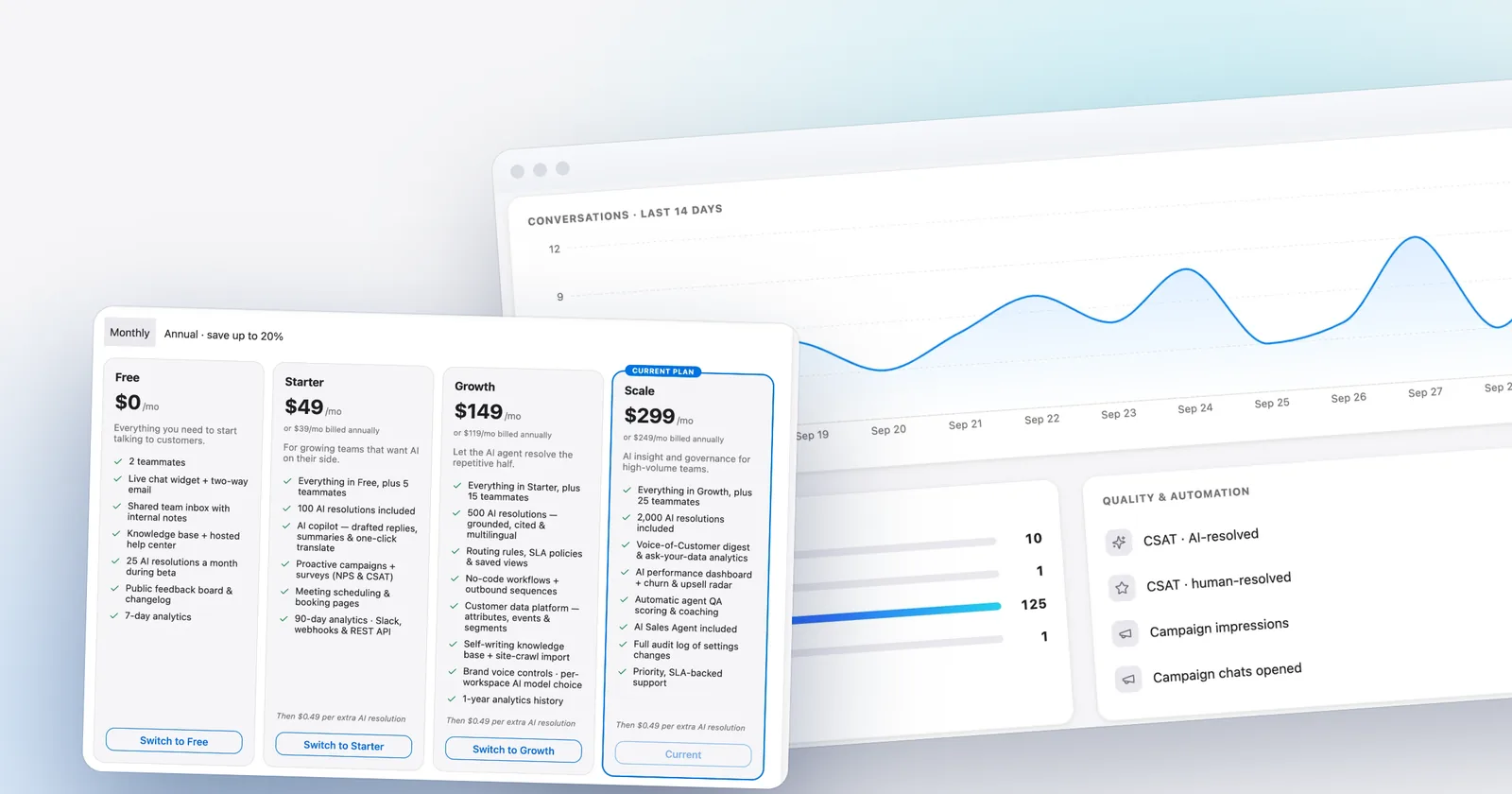
Talvo prices the workspace, not the person. Its Starter plan is $49 a month ($39 on annual billing) for up to 5 teammates and 100 AI resolutions, the Growth plan is $149 ($119 annual) for 15 teammates and 500, and the Scale plan is $299 ($249 annual) for 25 teammates and 2,000. Each AI resolution beyond the included amount is $0.49 on every paid plan, and adding teammates up to the limit never changes the bill. Chat widget, AI agent, two-way email and the shared inbox are in one product. There's more on the model in per-seat vs flat pricing for support software.

Zoho is cheaper than Talvo when you don't need chat or AI: three agents on Zoho Express are $21 a month annual, and the free plan is $0. Once you want website chat and AI answers, the two are close at small sizes. Three agents on Zoho Standard are $42 a month annual, against $39 for Talvo's Starter plan, which already includes 100 AI resolutions. At five agents with 1,000 AI resolutions a month, Talvo is $249 annual or $299 monthly (the Scale plan includes 2,000 resolutions, so no overage), while Zoho Enterprise seats alone are $200 or $250 before any AI bill. And Talvo has no telephony, no WhatsApp, no social channels, no Zoho integration and no custom help center domain, and it is a beta product with no reviews. The detailed comparison with the same teams in both billing modes is in Talvo vs Zoho Desk.
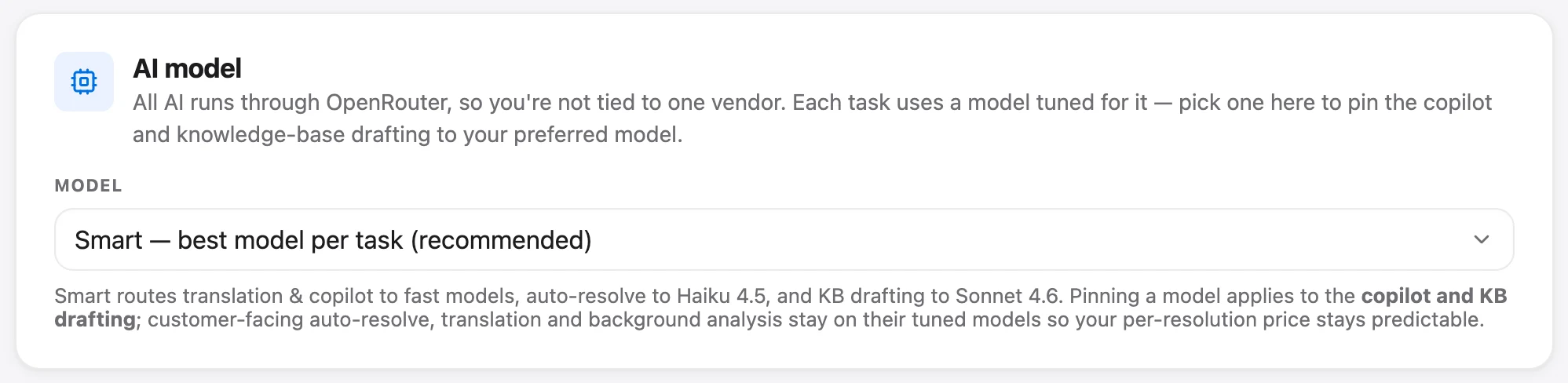
One difference to price in: Talvo's AI is one meter you can read, resolutions at $0.49 each, and on the Growth plan and up you can pick the model per workspace from OpenAI, Anthropic, Google and DeepSeek options without a separate provider bill.
For the same five agents and 1,000 AI conversations, list prices look like this.
| Product (5 agents, 1,000 AI conversations) | Annual billing, per month | Monthly billing |
|---|---|---|
| Zoho Desk Standard (seats only, AI not included) | $70 | $100 |
| Zoho Desk Enterprise (seats only, AI not included) | $200 | $250 |
| Talvo, Scale plan | $249 | $299 |
| Help Scout Standard (seats plus $0.75 per AI resolution) | $875 | $900 |
| Zendesk Suite Team (seats plus AI resolutions: $1.50 committed on annual, $2.00 pay-as-you-go on monthly) | $1,737.50 | $2,295 |
For other Zoho options in more depth, Zoho Desk alternatives for small teams is organized by why people leave. The sister price breakdowns are Zendesk pricing, Freshdesk pricing and Help Scout pricing.
Frequently asked questions
How much does Zoho Desk cost per agent?
On annual billing, Express is $7, Standard is $14, Professional is $23 and Enterprise is $40 per user per month. On monthly billing they are $9, $20, $35 and $50. These are US prices shown on October 21, 2026; Zoho shows local currency depending on your location.
Is Zoho Desk free?
Yes, there is a free plan for three users with email ticketing, one email channel and two macros. It has no live chat and no public knowledge base. The 15-day trial needs no credit card, and when it ends the account is automatically downgraded to the free plan.
Which Zoho Desk plan has live chat?
Two kinds exist. Business Messaging live chat, described as a widget for logged-in customers, starts at Standard with one channel. Live chat powered by Zoho SalesIQ appears only on Enterprise, at $40 per user per month annually or $50 monthly.
Does Zoho Desk charge for AI?
Not per resolution. Generative AI on Express and Standard uses your own key, so your model provider bills you. Professional and Enterprise add Zoho's native option, which has no separate price on Zoho's pricing pages. Zia Agents bill by tokens: 30 million free a month on the standard tier, then $1.00 per million.
What does BYOK mean in Zoho Desk?
BYOK means bring your own key. You connect an API key from an AI model provider such as OpenAI or DeepSeek, and the AI features run on that provider's models. In that setup the provider bills you directly for usage, on top of your Zoho Desk plan.
Is Zoho Desk cheaper billed annually?
Yes. Annual billing saves 22% on Express, 30% on Standard, 34% on Professional and 20% on Enterprise. For five Standard users that is $70 a month annually against $100 monthly, a $360 difference over a year.
What happens when the Zoho Desk trial ends?
The trial lasts 15 days and requires no credit card. Afterward the account is automatically downgraded to Zoho's free plan, so nothing is charged unless you choose a paid plan. The free plan allows three users.
How many users can each Zoho Desk plan have?
Zoho's comparison table shows 3 users on Free, 5 on Express and unlimited on Standard, Professional and Enterprise. Zoho's pricing FAQ instead says the limit rises to 5 users in Standard, so confirm the limit with Zoho before buying.
Sources
Other products' prices and features change. We checked these pages; if something is out of date, tell us and we'll fix it.
- Zoho Desk pricing page (US prices, checked Oct 21, 2026)
- Zoho Desk plan comparison (checked Oct 21, 2026)
- Zoho SalesIQ pricing (checked Oct 21, 2026)
- Zoho Agents pricing (checked Oct 21, 2026)
- Zoho Agents platform details (checked Oct 21, 2026)
- Zendesk pricing page (checked Oct 21, 2026)
- Help Scout pricing page (checked Oct 21, 2026)
- Talvo pricing (checked Oct 21, 2026)