On this page
- What Tawk.to gives you for $0
- Where the free tier ends
- Three reasons people leave free chat
- What the same team pays to leave free
- When Tawk.to's AI gets more expensive than a flat per-answer price
- The alternatives, by what you are leaving for
- Talvo: AI and a real inbox, with a price jump
- Where Tawk.to is still the better pick
- Moving off Tawk.to
- Which one fits
- Frequently asked questions
Tawk.to is free, and for a lot of small sites that is the end of the story. Unlimited agents, unlimited chats, a hosted help center and ticketing, all at $0. If that describes you, the best of the Tawk.to alternatives is probably Tawk.to.
This post is for the reader who has outgrown that. You want an AI agent that answers customers while you sleep, a branded widget, or an inbox that does more than receive messages. The first two are paid add-ons on Tawk.to, and the third is where a free inbox tends to run short, so the real question is what the same team pays when it leaves "free" behind, on Tawk.to and elsewhere. We make Talvo, one of the options below, so it gets its own headed section with its gaps. Every vendor number comes from pages checked on October 21, 2026, in US dollars before tax.
What Tawk.to gives you for $0
The free tier is not a teaser. Tawk.to's own FAQ promises "no limits at all on the number of Agents, chat volumes or sites" you can add widgets to, and its pricing page lists live chat, chat pages, a hosted knowledge base, ticketing and a contacts CRM as free. Its Omnichannel Inbox page lists live chat, Messenger, WhatsApp, email, SMS and Telegram. Chats and tickets stay on its servers until you delete them.
Two caveats. The same inbox page says more channels are "being added soon", so check the ones you need in your own dashboard. And it is hosted only: the FAQ says there is no on-premise option.
That is a lot of product for nothing, and no other tool in this post matches it on seats. The business model explains why it can: Tawk.to says it makes its money on optional services, and its FAQ names the Hired Agent service as how it generates revenue.
Where the free tier ends
Every paid thing on Tawk.to is an add-on, priced per property (usually one website), not per seat.
| Add-on | Price | Notes |
|---|---|---|
| AI Assist | From $29 a month | Credit-based; a free tier with 100 message credits |
| Branding removal ("Whitelabel") | $29 a month on the pricing page, $39 in the help center | Also custom domains for the chat page and knowledge base, and branded ticketing emails |
| Hired chat agents | From $1 an hour | $728 a month for 24x7 coverage, per the help center |
| Video, voice and screensharing | $49 a month or $348 a year | Documented in the help center, not on the current add-ons page |
| Voice Agents | From $49 a month plus usage | Waitlist |
| Data Enrichment | From $59 a month | Waitlist |
The branding price deserves a straight answer, because Tawk.to's pages disagree. The pricing page and the add-ons page say $29 a month. The help article on add-on pricing says "$39 per month, $348 annually (equals $29 per month)", which suggests $29 is the annual-billed rate and $39 is month to month. Neither page says so outright, so plan for $39 if you pay monthly and confirm at checkout.
How the AI meter works
Tawk.to AI Assist bills in message credits, and the price of a reply depends on the AI model. New AI agents default to the "Auto" model, which the help center says costs 3 credits per reply.
| AI Assist plan | Monthly | Annual | Credits a month | Auto-model replies (credits ÷ 3) |
|---|---|---|---|---|
| Hobby | Free tier | n/a | 100 | about 33 |
| Growth | $29 | $290 | 1,000 | about 333 |
| Business | $99 | $990 | 5,000 | about 1,667 |
| Enterprise | $399 | $3,990 | 20,000 | about 6,667 |
The last column is our arithmetic, not Tawk.to's. Extra credits cost $30 per 1,000, they don't expire, and they carry over. Tawk.to shows no price for Hobby, and its add-ons page describes a "forever-free tier", so the table treats it as free with 100 credits. Credits are also spent on Smart Reply and AI Commands, and a voice message costs credits to transcribe, so a busy inbox draws on the same pool.
The thing to notice is the unit. Credits are spent per reply, not per solved conversation. A customer who asks three follow-ups costs more than one who asks one, and a switch to a different model changes the rate.
Three reasons people leave free chat
They tend to come in one of three flavors, and each one points to a different place.
The AI bill is hard to forecast. Credits per reply, times a model multiplier, times however chatty your customers are. Some teams like the control. Others want a price per answer.
The widget carries someone else's name. The "Powered by tawk.to" badge stays unless you pay, and the fix costs $29 a month per site on Tawk.to's pricing page, or $39 in its help center.
The inbox is thin for a team. Free chat, tickets and a CRM are plenty for one person. Once three people share the load, you want assignment rules, internal notes, response-time targets and reports. Tawk.to's pricing and product pages don't spell out which of those the free inbox covers, so test the ones you rely on before you commit to staying.
What the same team pays to leave free
We priced two teams on every option. Team A has 3 people and 300 conversations a month that the AI handles. Team B has 5 people and 1,000. For tools that bill per resolution we assumed 60% of AI conversations count as billable resolutions (180 and 600). That 60% is our assumption, not any vendor's number.
For Tawk.to we also had to assume how many AI replies one conversation takes. We used 2, on the Auto model at 3 credits a reply. So Team A uses 300 × 2 × 3 = 1,800 credits and Team B uses 6,000. Change that assumption and the Tawk.to rows move a lot; the next section shows how much.
| Option | Team A: 3 people, 300 AI conversations | Team B: 5 people, 1,000 |
|---|---|---|
| Tawk.to chat, no AI | $0 | $0 |
| Tawk.to plus AI Assist | $59 monthly / $54.17 annual | $129 monthly / $112.50 annual |
| Same, with branding removed | $88 to $98 monthly | $158 to $168 monthly |
| Talvo | $88.20 monthly / $78.20 annual | $198 monthly / $168 annual |
| Crisp (Mini, then Essentials) | $55 to $70 | $120 to $170 |
| Tidio (Growth plus Lyro) | $339 monthly / $282.50 annual | $879 monthly / $732.50 annual |
| Chatwoot Startups | $57 plus AI credits | $95 plus AI credits |
| Zoho Desk Standard | $60 monthly / $42 annual, AI not priced | $100 monthly / $70 annual, AI not priced |
The arithmetic, line by line.
- Tawk.to, Team A. 1,800 credits. Growth gives 1,000, so 800 extra credits, which we priced as one 1,000-credit pack at $30 (we assumed whole packs). Total $29 + $30 = $59. On annual billing the Growth plan is $290 ÷ 12 = $24.17, so $54.17.
- Tawk.to, Team B. 6,000 credits. Business gives 5,000 and one extra pack covers the rest: $99 + $30 = $129, or $82.50 + $30 = $112.50 annual. Growth with five packs would be $29 + $150 = $179, so Business wins.
- Branding removal adds $29 (pricing page) or $39 (help center) to each monthly figure.
- Talvo, Team A. Starter has 5 teammates and 100 resolutions: $49 + 80 × $0.49 = $88.20 monthly, or $39 + $39.20 = $78.20 annual. Team B. Growth has 15 teammates and 500 resolutions: $149 + 100 × $0.49 = $198, or $119 + $49 = $168. Starter would cost $294 for Team B, and Scale $299.
- Crisp. Mini is $45 and Essentials is $95, and we use Crisp's own estimate of $0.05 to $0.10 per AI conversation, less each plan's included AI credit ($5 and $25). Team A: $45 + $10 to $25 = $55 to $70. Team B: $95 + $25 to $75 = $120 to $170. See Crisp pricing.
- Tidio. The totals use the same assumptions as our Olark alternatives post, including 600 and 1,000 human-replied conversations. Tidio meters human conversations and AI conversations separately, which is why it climbs fastest. See Tidio pricing.
- Chatwoot. Startups is $19 per agent; the page doesn't say whether that is monthly or annual. It includes 300 Captain AI credits and extra credits cost $20 per 1,000. Chatwoot doesn't say how many credits one AI reply uses, so the AI part is left out.
- Zoho Desk. Standard is $14 per agent a month annual and $20 monthly, so 3 agents are $42 or $60 and 5 are $70 or $100. It includes an answer bot, and Zoho prices its AI agents by LLM tokens (30 million free a month) rather than per answer, so no AI cost is shown.
The honest reading: at these assumptions Tawk.to plus AI is the cheapest way to get AI answers, with or without the branding fee. Talvo costs more. What you get for the difference is covered below.
When Tawk.to's AI gets more expensive than a flat per-answer price
Tawk.to's AI cost depends on how many replies each conversation takes. Talvo's does not. A resolution is a conversation the AI answered end to end from your published help articles, counted once, and a hand-off to a person is never billed.
At Tawk.to's extra-credit rate, one Auto-model reply costs 3 × $0.03 = $0.09.
| AI replies per conversation | Tawk.to extra-credit cost per conversation | Talvo per extra resolution |
|---|---|---|
| 2 | $0.18 | $0.49 |
| 4 | $0.36 | $0.49 |
| 6 | $0.54 | $0.49 |
The lines cross at about 5.4 replies per conversation. Below that, Tawk.to's marginal cost is lower. Above it, Talvo's is. This ignores the plan fees on both sides (Tawk.to's $29 to $399, Talvo's $39 to $299, which include allowances), and it ignores that a different Tawk.to model would change the credit cost. If your customers ask short questions and the AI answers fast, the meter is kind to you. If conversations wander, it isn't.

The alternatives, by what you are leaving for
If you want AI answers on top of free chat
Stay on Tawk.to and turn on AI Assist, or look at Crisp. Crisp's Hugo AI agent starts on its Mini plan at $45 a month for four seats, with $5 of AI credit (about 90 automated conversations, by its own estimate). Essentials is $95 for ten seats and $25 of credit. Crisp's Free plan has 2 seats and no AI.
If you want the branding gone
Everyone charges for this, at different prices.
| Tool | What removing branding costs |
|---|---|
| Tawk.to | $29 a month (pricing page) or $39 (help center), per property |
| Tidio | $20 a month, or $16.67 annual; an add-on on Starter and Growth |
| Crisp | Plus plan only, $295 a month |
| Chatwoot, self-hosted | Premium Support at $19 per agent adds custom branding |
| Talvo | Not possible at any price |
If the badge is a deal-breaker, Talvo is out. That is a real gap, and we list it again in the Talvo section.
If you need a real help desk
Zoho Desk's Free plan covers 3 users with email ticketing, and Standard at $14 or $20 per agent adds a public knowledge base and an answer bot. The catch is live chat. Standard includes "Business Messaging" live chat for one channel, described as chat with logged-in customers; the plan that bundles Zoho SalesIQ live chat is Enterprise, at $40 or $50 per agent. HubSpot's Free plan covers 2 users with live chat and ticketing. Freshchat has a free plan for up to 10 agents, without the AI agent.
- Open source, with a self-hosted Community Edition at $0
- Cloud Hacker plan: 2 agents and 500 conversations a month, free
- A SOC 2 Type II badge on its security page
- Hacker is live chat only, with 30-day retention
- Self-hosting needs your own server and maintenance
- AI credits are a separate meter, $20 per 1,000
Crisp and Tidio
Crisp is the closest in spirit to Tawk.to's small-team feel: workspace pricing, a free tier, and channels such as WhatsApp, Instagram and SMS from Essentials up. Our posts on Crisp alternatives and Tidio alternatives go deeper. Tidio includes Messenger, Instagram and WhatsApp on every plan, Free too, and prices by conversation instead of by seat, which is where its AI bill grows.
Talvo: AI and a real inbox, with a price jump
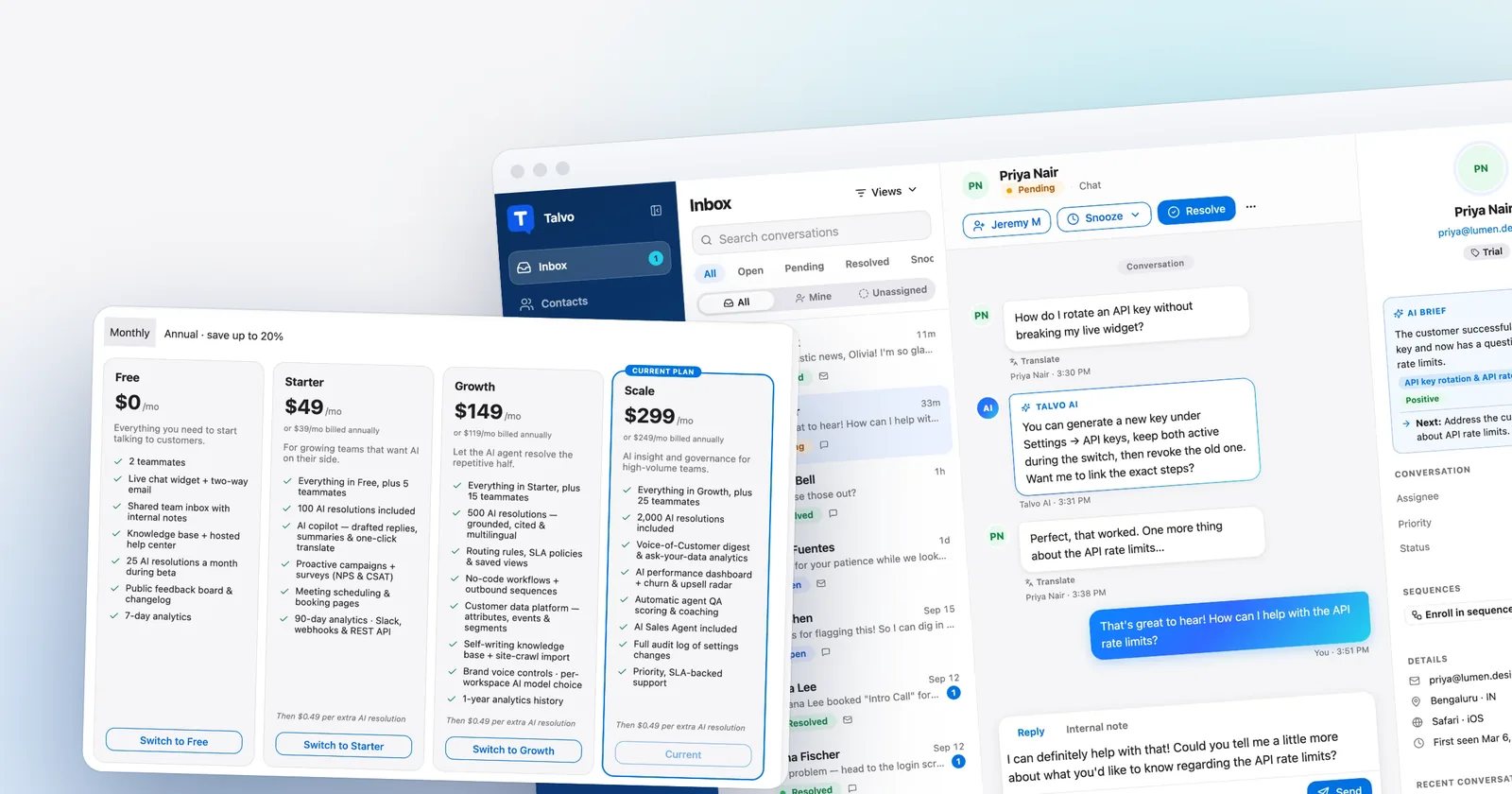
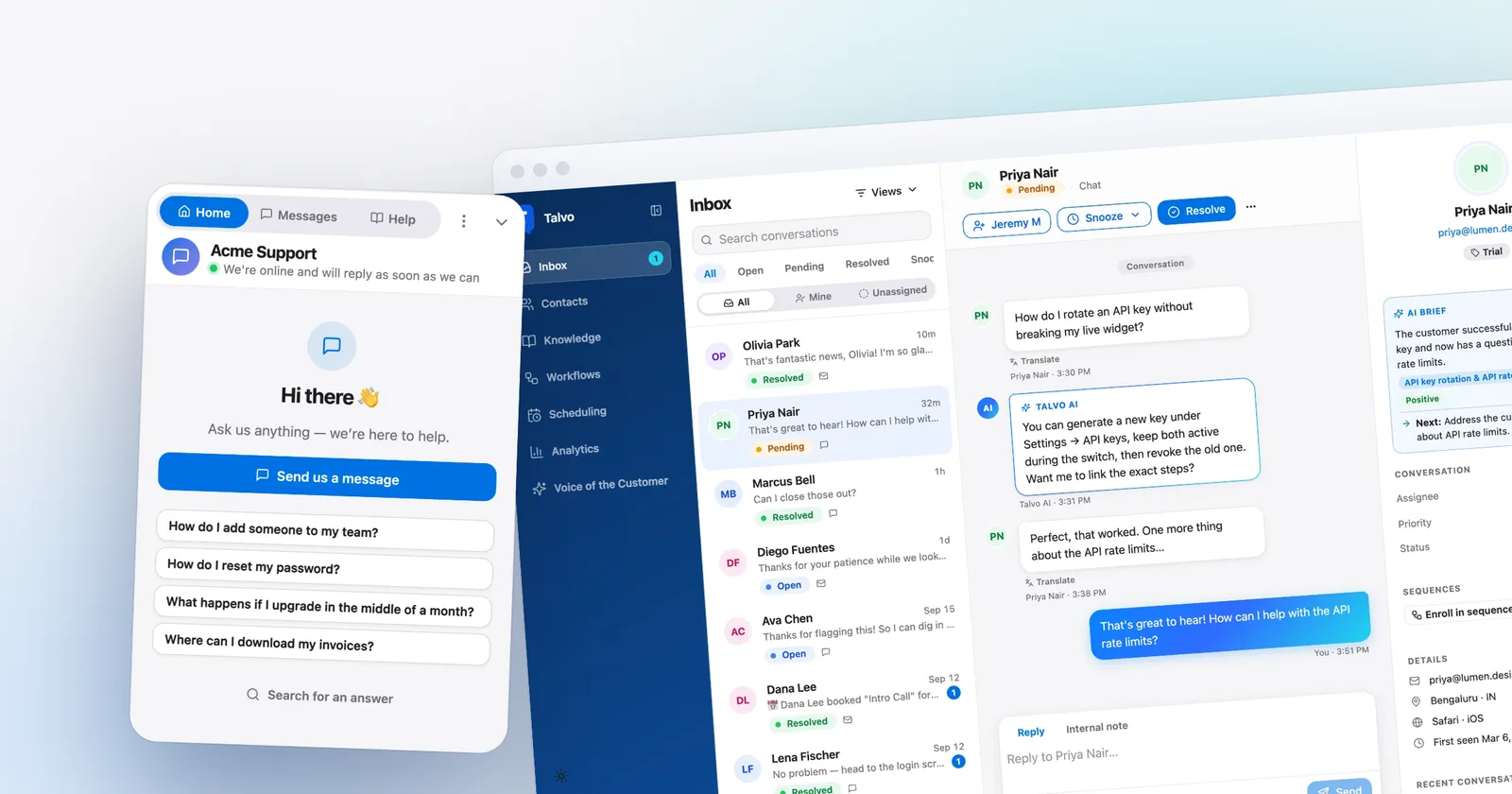
Talvo is live chat, an AI agent, a shared inbox with two-way email, and a hosted help center in one workspace. Pricing is per workspace, not per seat: Free is $0 for 2 teammates, Starter is $49 a month ($39 annual) for 5 teammates and 100 AI resolutions, Growth is $149 ($119) for 15 and 500, and Scale is $299 ($249) for 25 and 2,000. Extra resolutions are $0.49 each. The Free plan includes 25 resolutions a month during the beta.
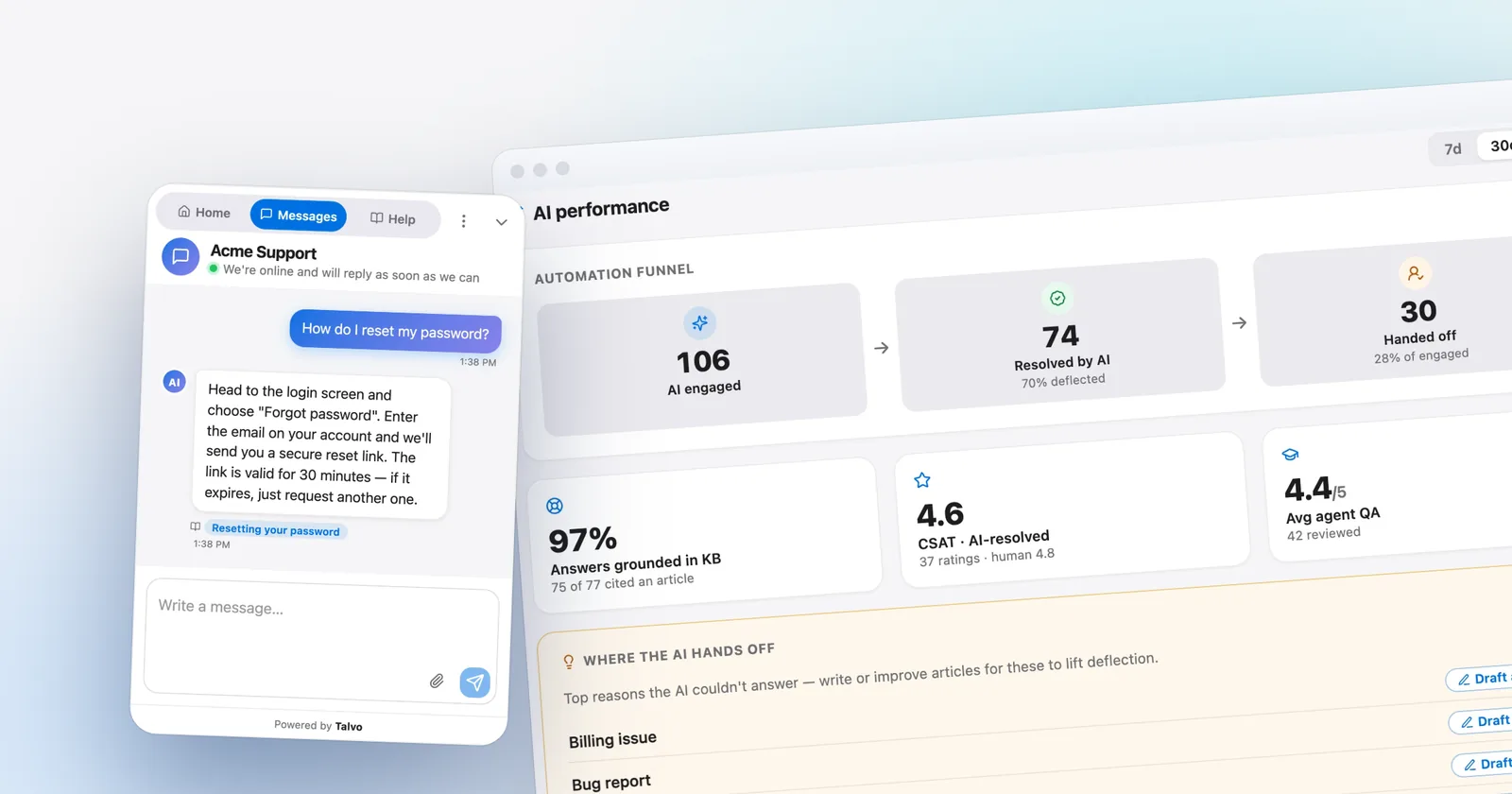
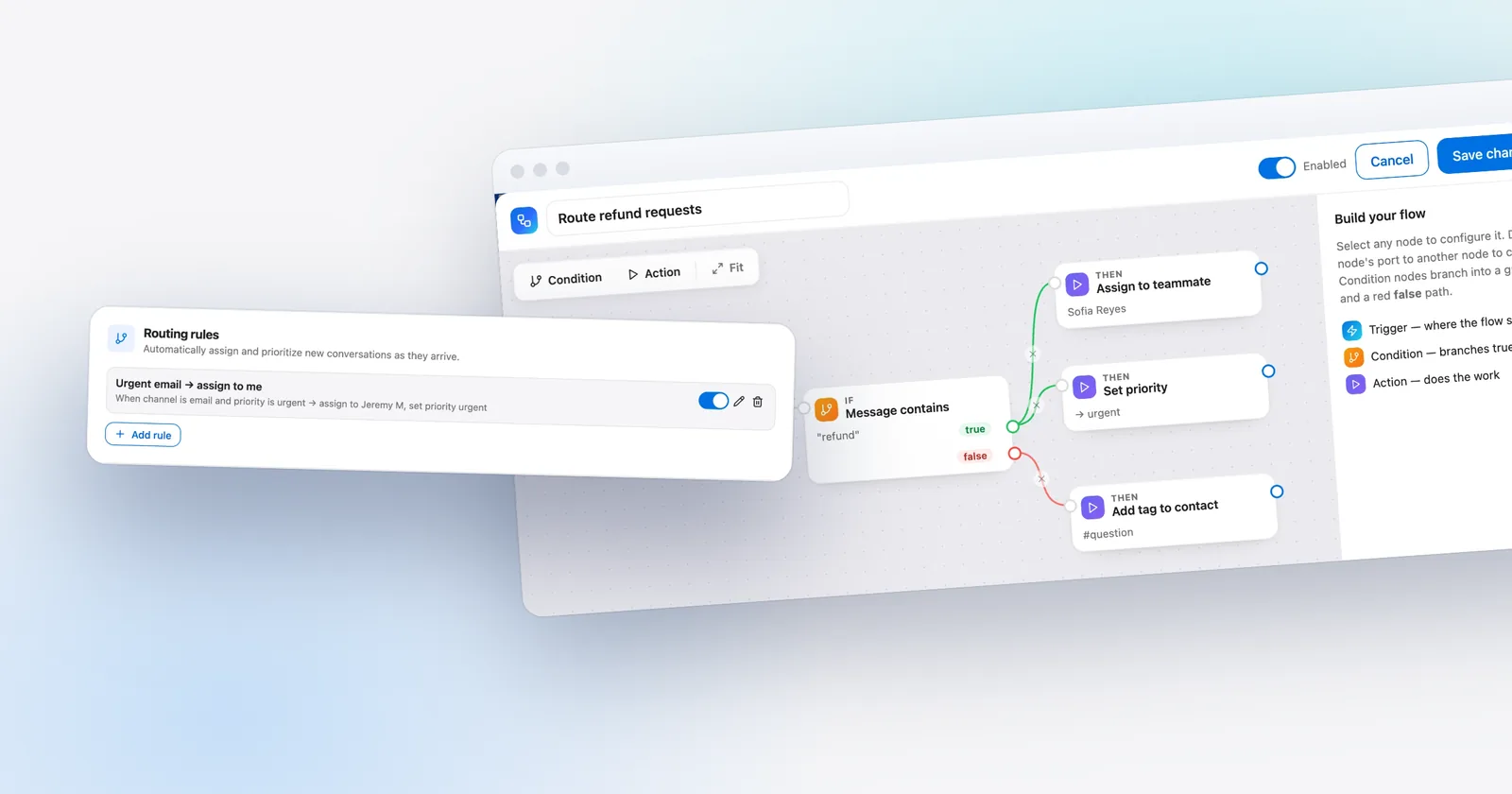
For a Tawk.to user, the pitch is narrow. The AI answers only from your published articles, shows which one it used, and hands the conversation to a teammate when it isn't confident. The inbox adds shared canned responses with variables, internal notes with @mentions, conversation tags, priority, snooze, and "X is replying" so two people don't answer the same chat. On Growth, you get routing rules, SLA policies and saved views. Talvo's what counts as an AI resolution article has the full definition.

Here is what you give up, and it is more than the $49 jump.
- Cost. Talvo is more expensive than Tawk.to on both teams above. There is no unlimited-seat free plan: Free is 2 teammates, and Scale tops out at 25 before pricing goes custom.
- Branding. "Powered by Talvo" shows on the widget and on public pages, and can't be removed. No custom domain for the help center either.
- Channels. Talvo does chat and email. No WhatsApp, SMS, Instagram, Messenger or phone. WhatsApp, SMS and Instagram or Messenger are on the roadmap.
- Weight. Talvo's widget downloads more than Tawk.to's before a click and uses more phone CPU, in our own tests (below).
- Maturity. Talvo launched in 2026 and is in beta. It has no reviews yet, no SOC 2 report and no native Shopify or WordPress integration, and no hired-agent service.
For a head-to-head on those two products alone, see Talvo vs Tawk.to.
Where Tawk.to is still the better pick
Quite often. If you are one to three people, you answer chats yourself, and the AI is a nice-to-have, the free tier is hard to beat. If you have more teammates than any paid plan here seats, Tawk.to's unlimited agents save real money. If you want a human to cover your chat at night, Tawk.to will sell you hired agents at $1 an hour. And it has the lighter widget.
We measured both for our page-speed post, on the vendors' own sites and a plain test page. In the original side-by-side run, Tawk.to's widget downloaded 258.4 KB before any click and Talvo's downloaded 280.1 KB. After opening the chat, the totals were 381.9 KB and 443.3 KB. On a throttled phone profile, Tawk.to's scripts used 115 ms of main-thread time and Talvo's used 187 ms. Tawk.to won all three. Talvo has since updated its widget so the full help-article list loads only when a visitor opens the Help tab (99.7 KB). Re-measured, Talvo's current widget downloads 277.7 KB before a click and 64.6 KB on open, 342.4 KB in total, which is now lighter than Tawk.to's 381.9 KB once the chat is open. Before a click, Tawk.to is still lighter, and on phone CPU it still wins: the re-run's 357 ms for Talvo came from a slower session, so it can't be read as a change either way. The gap is modest next to the heaviest widgets we tested, which approach or pass a megabyte, but it is there.
- Free chat, ticketing, knowledge base and CRM with no stated limit on agents
- Lighter widget than Talvo before a click, and less phone CPU, in our measurements
- Hired agents from $1 an hour and add-ons you can toggle per site
- Custom domains and branding removal available for a fee
- AI bills in credits per reply, and the price changes with the model
- Branding removal is listed at $29 and $39 on different pages
- The security page lists no SOC 2, ISO 27001 or HIPAA claim
Moving off Tawk.to
Your chat history stays behind. Talvo imports contacts and help content, not conversations.
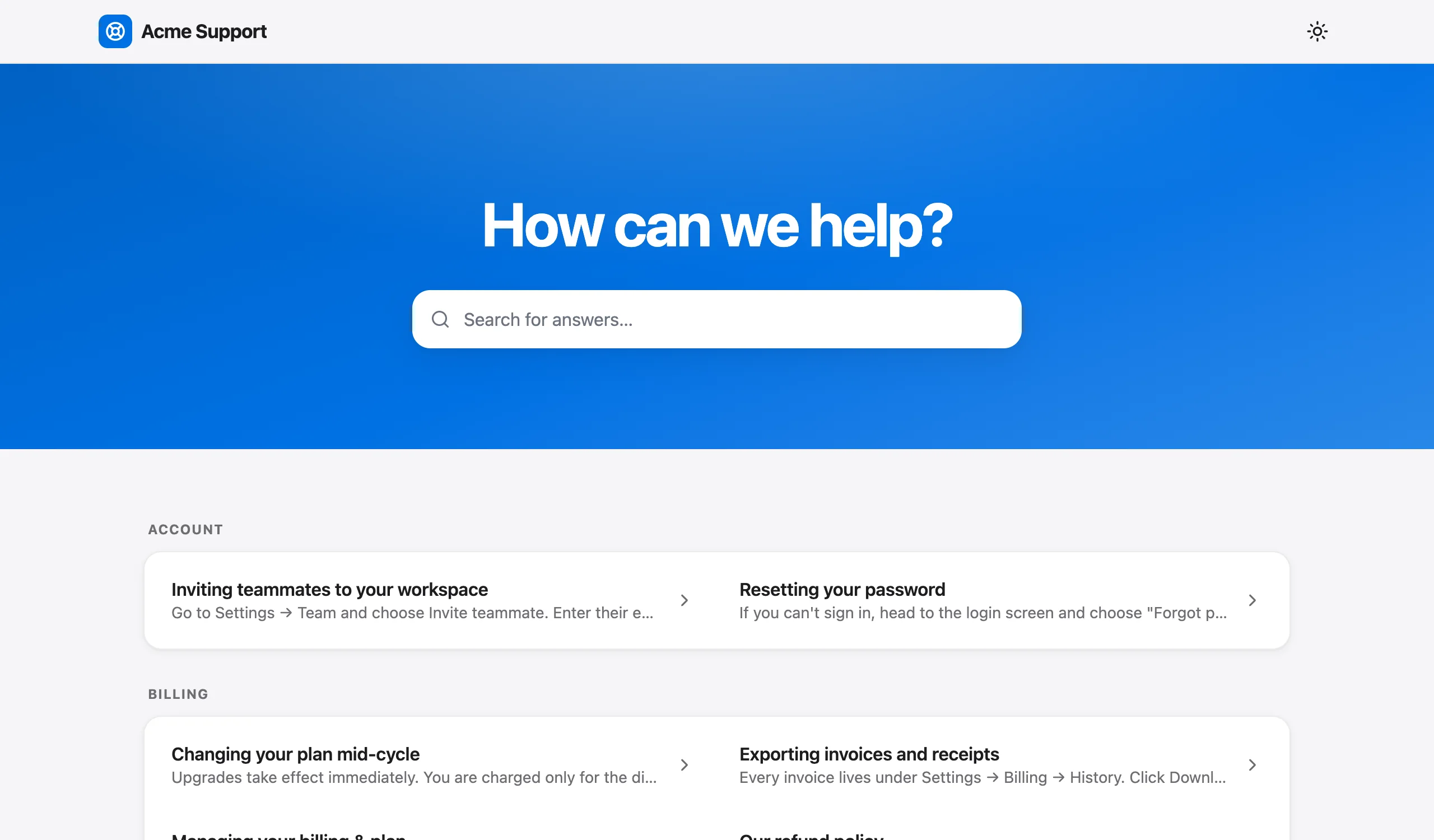
- Install the Talvo widgetPaste one script tag before
</body>and leave Tawk.to in place for now (guide). - Bring your help articlesTalvo's importer lists specific sources, and Tawk.to isn't one of them. Try the generic site crawl on your public knowledge base and check what arrives; articles come in as drafts to review (how it works).
- Import contactsUpload a CSV with name, email, company and phone, up to 2,000 rows. People are matched by email.
- Forward your support emailPoint your address at Talvo's forwarding address. Replies thread back into the same conversation.
- Test the AIAsk it your ten most common questions before you publish.
- Decide whether you can live with the badge, and price the removal on each tool
- Export what you need from Tawk.to, since chat history won't move
- Count how many people answer chats, and compare it with each plan's seat cap
- Estimate AI replies per conversation from real transcripts, not a guess
- Run both widgets side by side for a week before canceling anything
Which one fits
Stay on Tawk.to if you are small, the AI is optional and the badge doesn't bother you. Add AI Assist when you want it, and watch the credits for a month.
Move to Talvo if you want a price per answer instead of per reply, an inbox with routing and response-time targets, and chat plus email plus a help center in one place, and you can live with the badge and two channels. Move to Crisp if you want WhatsApp and Instagram inside a flat workspace price. Pick Zoho Desk or Chatwoot if the help desk matters more than the chat. For the wider field, see best live chat software for small business, AI chatbot pricing and customer support for startups.
Which should you choose?
- you want AI that bills a flat $0.49 per answered conversation instead of credits per reply
- you want routing rules, SLA targets, canned responses with variables and a help center in one workspace price
- your support is website chat plus email and you can do without WhatsApp, SMS and Messenger for now
- you can live with a Powered by Talvo badge and a beta product with no reviews
- you are one to three people and free chat, tickets and a knowledge base cover you
- you have more teammates than a Talvo plan seats, since Tawk.to states no agent limit
- you want your own branding and custom domains for a fee, or hired agents at $1 an hour
- you care most about up-front widget weight: 258.4 KB before a click in our test, against 277.7 KB for Talvo's current widget
Frequently asked questions
Is Tawk.to really free?
The core software is. Tawk.to's FAQ says there are no limits on the number of agents, chat volumes or sites, and its pricing page lists live chat, ticketing, a hosted knowledge base and a contacts CRM as free. The company earns its money from optional add-ons such as AI Assist, branding removal and hired agents.
What does Tawk.to charge for?
Add-ons, priced per property rather than per seat. AI Assist starts at $29 a month, branding removal is $29 on the pricing page and $39 in the help center, hired chat agents start at $1 an hour, and video, voice and screensharing is $49 a month or $348 a year. Voice Agents and Data Enrichment are on waitlists from $49 and $59 a month.
How much is Tawk.to AI Assist?
AI Assist has a free tier with 100 message credits, then Growth at $29 a month ($290 a year) with 1,000 credits, Business at $99 ($990) with 5,000, and Enterprise at $399 ($3,990) with 20,000. The default Auto model costs 3 credits per reply, and extra credits are $30 per 1,000.
Can I remove the Tawk.to branding?
Yes, as a paid add-on per property. Tawk.to's pricing page and add-ons page say $29 a month; its help article says $39 a month or $348 a year, which equals $29 a month. The add-on also covers custom domains for the chat page and knowledge base, and branded ticketing emails.
What is the best free alternative to Tawk.to?
It depends on the limit you can accept. Crisp's Free plan has 2 seats and no AI, Tidio's Free plan has 50 conversations a month, Chatwoot's cloud Hacker plan has 2 agents and 500 conversations, Zoho Desk's Free plan has 3 users, and Talvo's Free plan has 2 teammates with 25 AI resolutions a month during the beta. None matches Tawk.to's stated lack of an agent limit.
Is there an open-source Tawk.to alternative?
Chatwoot is open source. Its self-hosted Community Edition is $0 but leaves out Captain AI, voice, SLA policies and SSO, and you run the server yourself. Its hosted cloud plans start with a free Hacker plan for 2 agents, live chat only.
Does Tawk.to have a ticketing system?
Yes. Tawk.to describes ticketing as free, alongside a hosted knowledge base and a contacts CRM. Its pricing pages don't spell out routing rules, response-time targets or reporting, so test the ones you depend on.
How do I move my Tawk.to knowledge base?
Talvo's help-center importer lists specific sources and Tawk.to isn't one of them, so try the generic site crawl on your public knowledge base and check what arrives as drafts. Chat history can't be imported into Talvo, so keep your Tawk.to account until you no longer need the transcripts.
Sources
Other products' prices and features change. We checked these pages; if something is out of date, tell us and we'll fix it.
- Tawk.to pricing page (checked Oct 21, 2026)
- Tawk.to add-ons (checked Oct 21, 2026)
- Tawk.to FAQs (checked Oct 21, 2026)
- Tawk.to help: add-on pricing and key features (checked Oct 21, 2026)
- Tawk.to help: billing for AI Assist (checked Oct 21, 2026)
- Tawk.to omnichannel inbox (checked Oct 21, 2026)
- Crisp pricing page (checked Oct 21, 2026)
- Tidio pricing page (checked Oct 21, 2026)
- Chatwoot pricing (checked Oct 21, 2026)
- Zoho Desk pricing (checked Oct 21, 2026)
- Talvo pricing (checked Oct 21, 2026)
- Talvo help: What counts as an AI resolution