On this page
- What "free" costs once you add AI and your own brand
- Tawk.to's AI Assist alternative: cited answers, billed per answer
- The inbox: what a free one covers and what a paid one adds
- Talvo vs Tawk.to on data handling and security
- Branding, domains and widget weight
- Where each one wins
- Moving from Tawk.to to Talvo
- The verdict
- Frequently asked questions
Talvo vs Tawk.to is not a fair fight on price, and we would rather say that up front. Tawk.to's chat, ticketing and knowledge base are free. Talvo's cheapest paid plan is $49 a month. If you are happy with Tawk.to's chat and just wondering whether to pay for something else, the question is what the extra money buys.
For some teams it buys very little. For a team that has started to need AI answers on a predictable meter, a shared inbox with routing and response-time targets, and a clear data story, it buys something real. We make Talvo, so we checked every Tawk.to number on its own pages on October 21, 2026, and we state where Tawk.to wins. Prices are in US dollars before tax. If you are still choosing between several tools, Tawk.to alternatives covers the wider field.
What "free" costs once you add AI and your own brand
Tawk.to is free until you want three things: AI answers, your own branding, or someone else to cover the chat. Each is a separate add-on, priced per property.
We priced one team on both products. It has 5 people and 300 AI-handled conversations a month. On Talvo we assume 60% become billable resolutions (180), which is our assumption, not a vendor figure. On Tawk.to we assume 2 AI replies per conversation on the default Auto model at 3 credits a reply, so 300 × 2 × 3 = 1,800 credits.
| Layer | Tawk.to | Talvo |
|---|---|---|
| Chat, shared inbox, help center | $0, no stated limit on agents | $0 on Free for 2 teammates; Starter $49 monthly ($39 annual) for 5 |
| AI answers | AI Assist: $29 Growth plan plus one $30 credit pack = $59 | 100 resolutions included on Starter; 80 more at $0.49 = $39.20 |
| AI subtotal | $59 monthly, $54.17 annual | $88.20 monthly, $78.20 annual |
| Branding removed | +$29 (pricing page) or +$39 (help center) | Not available at any price |
| Total for this team | $59 to $98 monthly | $88.20 monthly, $78.20 annual |
At 1,000 AI conversations (600 resolutions on Talvo) the gap widens: Tawk.to is $129 monthly or $112.50 annual (Business plan $99 plus a $30 pack, for 6,000 credits), and Talvo's Growth plan is $198 monthly or $168 annual (500 resolutions included plus 100 at $0.49).
So on these assumptions, Tawk.to is cheaper with AI, and cheaper still if you don't need AI. The rest of this post is about what Talvo's extra $30 to $70 or so a month is for, and whether your team needs it.
Tawk.to's AI Assist alternative: cited answers, billed per answer
Tawk.to AI Assist is sold in tiers. A free tier has 100 message credits; Growth is $29 a month ($290 a year) for 1,000 credits, Business is $99 ($990) for 5,000, and Enterprise is $399 ($3,990) for 20,000. The default Auto model costs 3 credits per reply, so Growth covers about 333 replies (our arithmetic). Extra credits are $30 per 1,000 and carry over. The meter counts replies, not outcomes, and the rate depends on the model.
Talvo's AI agent bills a different thing. A resolution is a conversation the AI answered end to end from your published help articles, counted once. If it hands the conversation to a person, you aren't charged. Every paid plan includes some (100, 500 or 2,000) and extras are $0.49 each, whichever model you pick for the workspace. Details are in what counts as an AI resolution.
Worked through, Tawk.to's extra-credit cost for one conversation is 3 credits × $0.03 × the number of replies: $0.18 at 2 replies, $0.36 at 4, $0.54 at 6. Talvo's is $0.49 for any resolved conversation. They cross at about 5.4 replies. Short, quick exchanges favor Tawk.to. Chatty ones favor Talvo's flat rate. Plan fees on each side are extra.
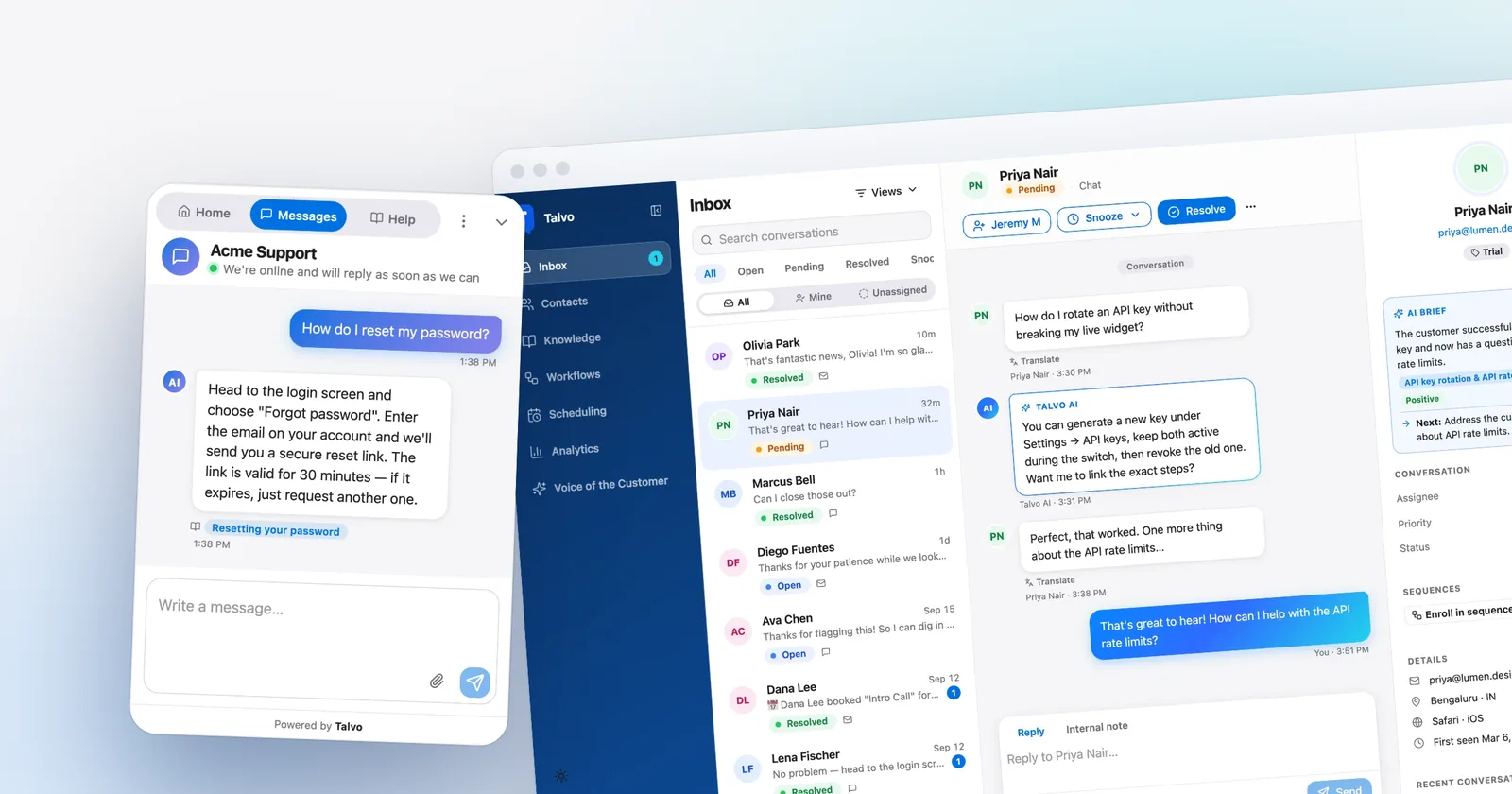
The other difference is behavior. Talvo's agent answers only from published articles and shows which one it used. When it isn't confident, has no matching article or the AI call fails, it tells the customer the team will follow up, asks for an email if it lacks one, leaves an internal note and alerts the team by push and email. It has no "talk to a person" button, and no keyword rule that forces a hand-off, but you can list topics ("refund", "cancel my account") that always go to a person, and set whether the AI answers any time, only outside business hours or only during them. Our post on AI-to-human handoff covers it in depth.

Tawk.to's billing pages don't describe whether its AI agent cites sources or how it hands off to a person, so test both in a trial.
The inbox: what a free one covers and what a paid one adds
Tawk.to's free inbox is broad. Its pages list live chat, Messenger, WhatsApp, email, SMS and Telegram in one inbox, free ticketing, a contacts CRM with a pipeline, and form and calendar integrations. Unlimited seats is the part that saves money. For a solo operator it is plenty.
Talvo is narrower on channels (chat and email only) and deeper on how a team works one queue. Every plan, Free included, gets shared canned responses with variables and safe fallbacks, internal notes with @mentions that notify by push and email, conversation tags, priority, snooze, "X is replying" collision warnings, business hours with an away message, and a Team performance table. Starter adds the AI agent and the copilot, which drafts replies, summarizes threads and translates in one click. Growth adds the pieces a team of five or more tends to want:
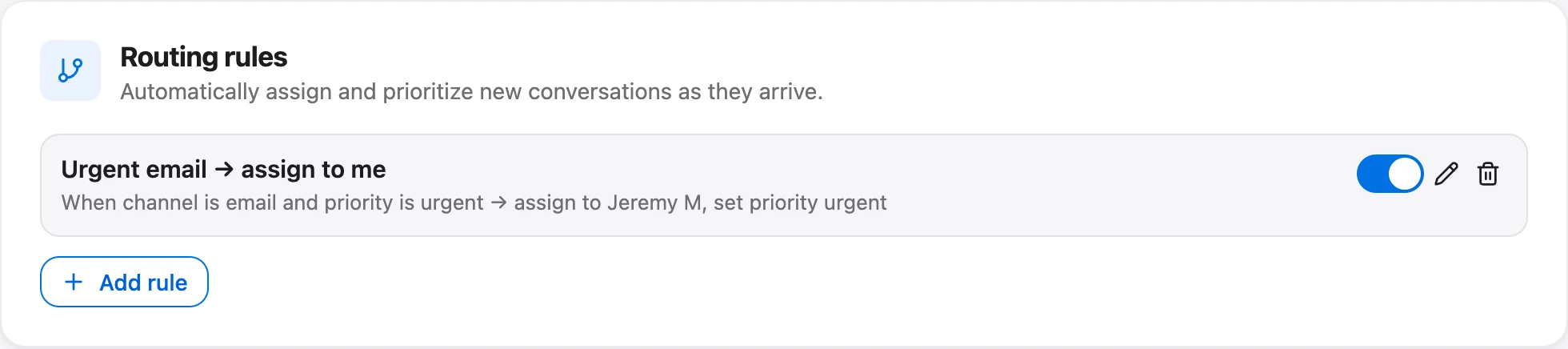
- routing rules that assign by channel, priority, contact tag or first-message keyword, including round-robin that rotates by least recently assigned (it skips Viewers and anyone marked Away, and it doesn't check who is online);
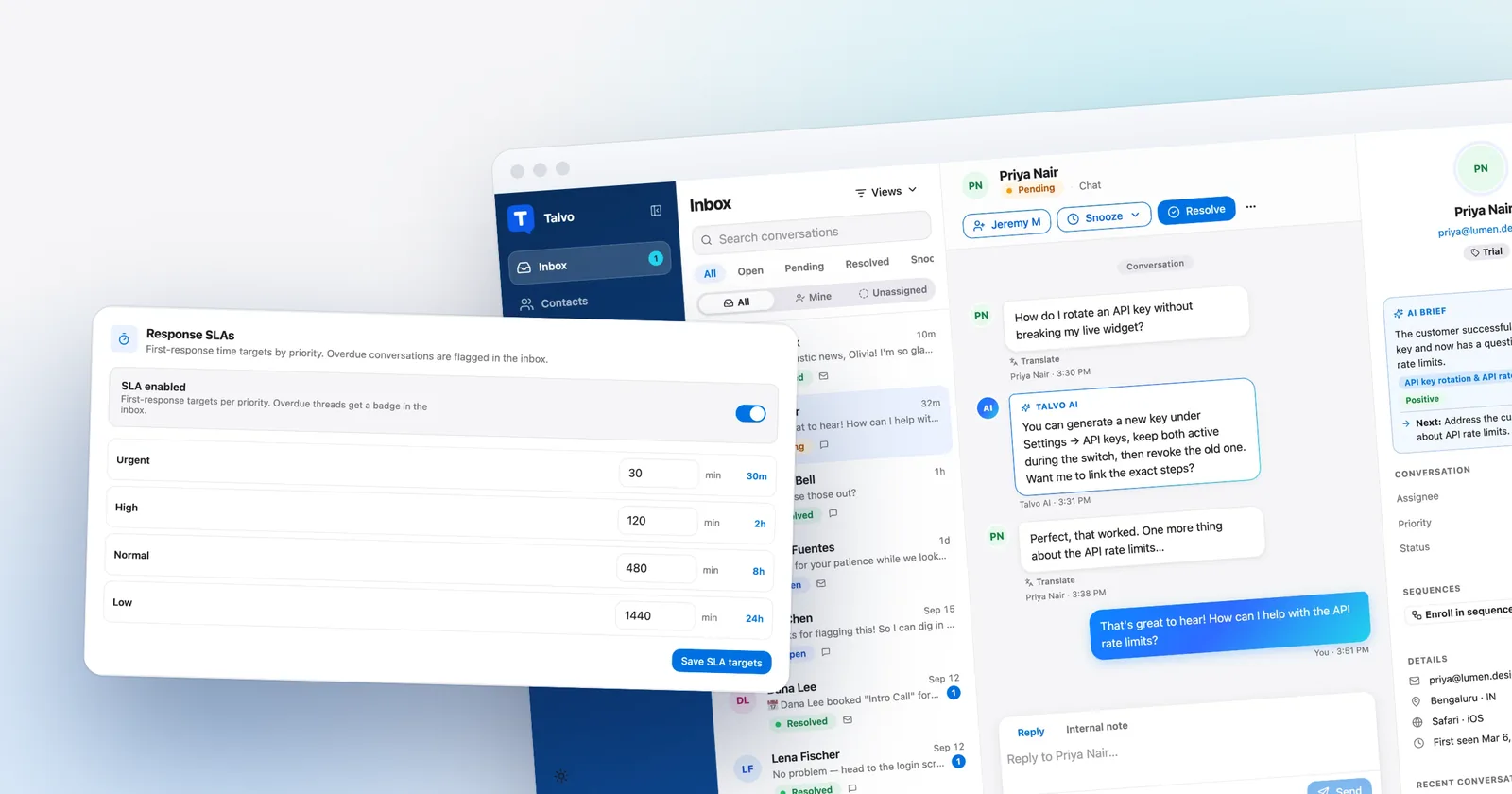
- SLA policies for first response, with "Due in 2h" and "Overdue 15m" badges on inbox rows;
- saved views, no-code workflows and message sequences.

Tawk.to's pricing and product pages don't describe assignment rules, response-time targets or team reporting, which isn't the same as saying they don't exist. If you rely on any, test them before you decide, because that is where the paid inbox earns its money or doesn't.
Two honest holes on Talvo's side. It has no customer-facing ticket portal, and its Free plan stops at 2 teammates. Scale reaches 25 teammates, and beyond that you are in custom Enterprise pricing.
Talvo vs Tawk.to on data handling and security
This is a short section because neither vendor sells on certifications.
Tawk.to's security page says data is encrypted in transit and at rest, hosted on Google Cloud (with AWS and Digital Ocean named as partners), and lists EU-U.S. Data Privacy Framework self-certification, UK and Swiss extensions, UK ICO registration and GDPR compliance. Chats and tickets are kept indefinitely until you delete them, and region-specific retention is described as a future update. The page makes no SOC 2, ISO 27001 or HIPAA claim, and the FAQ says there is no on-premise option. Ask how AI Assist handles conversation data before you connect it to sensitive conversations.
Talvo processes data in the United States and has no data-region choice. It has no SOC 2 report, SAML single sign-on or HIPAA support. What it does list: HTTPS everywhere, tenant isolation, hashed API keys, HMAC-signed webhooks, no tracking cookies, a public subprocessor list at /security, and self-serve deletion. Conversations, contacts and messages are never deleted automatically on any plan, and owners and admins can permanently delete a contact and their conversations for a GDPR request. The AI runs on models you choose per workspace through OpenRouter, your content isn't used to train models, and you can turn AI off.
Neither company gives a procurement team much of a compliance story, going by what they publish. If a SOC 2 report is mandatory, this pair doesn't meet it. See Talvo's security page for exactly what is claimed.
Branding, domains and widget weight
Tawk.to wins on branding, and it isn't close.
Branding removal on Tawk.to is a paid add-on at $29 a month on the pricing page and $39 in the help center, per property. The help article puts "$39 per month, $348 annually (equals $29 per month)" in one line, which reads as $29 being the annual rate. The same add-on includes custom domains for the chat page, knowledge base, chat link and pop-out widget, and branded ticketing emails. Talvo's widget and public pages show "Powered by Talvo", the help center has no custom domain, and email replies come from Talvo's sending address with your workspace name as the display name. None of that can be bought away.
Tawk.to's widget is also lighter up front. From our page-speed measurements, which explain the method:
| Measure | Tawk.to (original side-by-side run) | Talvo (original side-by-side run) | Talvo's current widget (re-measured) |
|---|---|---|---|
| Downloaded before any click | 258.4 KB | 280.1 KB | 277.7 KB |
| Total once the chat is opened | 381.9 KB | 443.3 KB | 342.4 KB |
| Script time on a throttled phone | 115 ms | 187 ms | Not comparable (see below) |
Tawk.to was measured on its own homepage and Talvo on a plain test page, so treat the gaps as indicative. After the original run, Talvo updated its widget so the full help-article list (99.7 KB) loads only when a visitor opens the Help tab; opening the chat now adds 64.6 KB. That makes Talvo's current total through open, 342.4 KB, lighter than Tawk.to's 381.9 KB. Before a click Tawk.to is still lighter, and it used less phone CPU. The re-run measured 357 ms for Talvo, but in a slower session where the control page also rose 27%, so that number doesn't show a change either way. Both are far lighter than the biggest widgets we tested, which come to about a megabyte.
Where each one wins
- Free chat, ticketing, knowledge base and contacts with no stated limit on agents
- Messenger, WhatsApp, SMS and Telegram listed in the same free inbox
- Branding removal and custom domains available for a fee
- Hired chat agents from $1 an hour, and a lighter widget before a click
- AI bills credits per reply and the rate changes with the model
- Branding removal is $29 on one page and $39 on another
- No SOC 2, ISO 27001 or HIPAA claim on its security page
- AI billed at $0.49 per answered conversation, with cited answers and hand-off
- Routing, round-robin, SLA badges, canned responses and a team table in one workspace price
- Help center, feedback board, roadmap and changelog included
- Costs more than Tawk.to on every team we priced
- Chat and email only, with a badge that can't be removed
- New and in beta, with no reviews, no SOC 2 and a heavier widget before a click
Moving from Tawk.to to Talvo
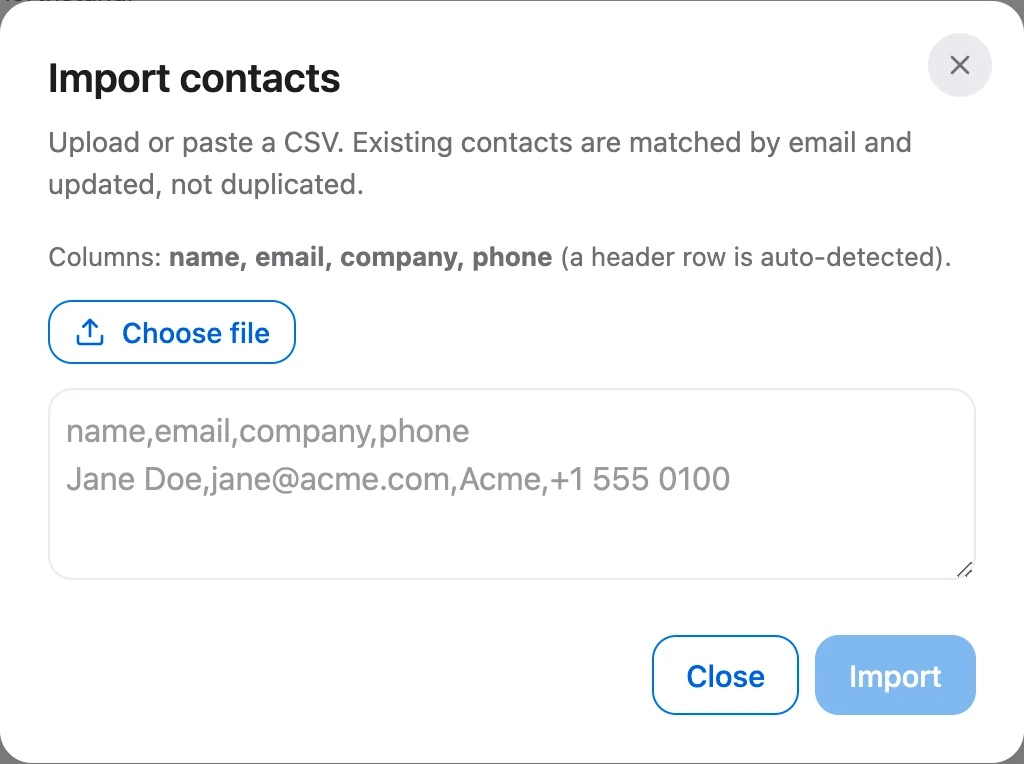
Your chat history doesn't move. Talvo imports contacts (up to 2,000 rows from a CSV) and help content, not conversations. Past email history can't be imported either.
- Install the widgetPaste Talvo's script tag before
</body>and leave Tawk.to running for now (guide). - Bring your articlesTawk.to isn't one of Talvo's listed import sources, so try the generic site crawl on your public knowledge base and review the drafts (how it works).
- Import contactsUpload a CSV with name, email, company and phone. People are matched by email.
- Forward your support emailPoint your address at Talvo's forwarding address in Settings.
- Test the AIAsk it your ten most common questions before you turn it on for customers.
For the full switching checklist, see switching to Talvo from another help desk.
The verdict
Keep Tawk.to if you are a small team, free chat covers your needs, and AI is optional. Add AI Assist when you want it and watch the credit meter for a month. It is the cheaper path on both teams we priced.
Pay for Talvo if you want a price per answered question that doesn't move with the model, an inbox with routing and response-time targets, and a help center bundled in, and you can live with chat and email only, a Powered by Talvo badge and a beta product. The Free plan lets you run ten real questions through it with 25 AI resolutions a month during the beta before you spend anything. For the AI meters side by side, see AI resolution pricing compared, and for the wider shortlist, best live chat software for small business. The full plan grid is on Talvo's pricing page.
Which should you choose?
- you want AI billed at a flat $0.49 per answered conversation instead of credits per reply that move with the model
- you want routing rules, round-robin, SLA targets and canned responses with variables in the inbox
- your support is website chat plus email, with a help center bundled in one workspace price
- you can accept a Powered by Talvo badge, no WhatsApp or SMS yet and a beta product
- you are a small team and free chat, ticketing and a knowledge base are enough
- you need your own branding or custom domains and can pay $29 to $39 a month for them
- you want Messenger, WhatsApp or SMS in the same inbox, or hired agents at $1 an hour
- you want the lightest widget before a click and no stated limit on agents
Frequently asked questions
Is Talvo cheaper than Tawk.to?
No. On the 5-person teams we priced, Tawk.to with AI Assist cost about $59 a month at 300 AI conversations and $129 at 1,000, against $88.20 and $198 on Talvo with monthly billing. Tawk.to's chat, ticketing and knowledge base are free, so a team that skips AI pays nothing there.
What is a good Tawk.to AI Assist alternative?
Talvo's AI agent is one: it answers only from your published help articles, shows which article it used, and hands off to a person when unsure. It bills $0.49 per resolved conversation past the plan allowance, whichever model you choose. Tawk.to bills credits per reply, so costs vary with the model and the length of each conversation.
How does Tawk.to bill for AI?
In message credits. AI Assist has a free tier with 100 credits, then $29 a month for 1,000, $99 for 5,000 and $399 for 20,000. The default Auto model costs 3 credits per reply, and extra credits are $30 per 1,000. Credits are also used by Smart Reply and AI Commands.
How much does it cost to remove Tawk.to branding?
Tawk.to's pricing page and add-ons page say $29 a month per property. Its help article says $39 a month or $348 a year, which equals $29 a month. The add-on also includes custom domains for the chat page and knowledge base, and branded ticketing emails.
Can I remove the Powered by Talvo badge?
No. The badge shows on Talvo's widget and public pages at every plan, and the help center has no custom domain. If white-labeling matters, that is a real reason to choose Tawk.to or another tool.
Which has the better shared inbox, Talvo or Tawk.to?
Tawk.to's free inbox is broad on channels and includes free ticketing and a contacts CRM. Talvo is deeper on teamwork, with shared canned responses, @mentions, tags, priority, collision warnings, and on Growth routing rules, round-robin and SLA badges. Tawk.to's pricing pages don't describe routing or response-time targets, so test those before deciding.
How do Talvo and Tawk.to handle data and security?
Tawk.to says data is encrypted in transit and at rest on Google Cloud, lists EU-U.S. Data Privacy Framework self-certification and GDPR compliance, and keeps chats until you delete them. Talvo processes data in the United States, keeps conversations until you delete them, lets owners and admins delete a contact permanently, and publishes a subprocessor list. Neither claims a SOC 2 report on its security page.
Is Tawk.to's widget lighter than Talvo's?
Before a click, yes. In our original side-by-side run Tawk.to downloaded 258.4 KB before a click and 381.9 KB once opened, against 280.1 KB and 443.3 KB for Talvo, and its scripts used 115 ms of phone CPU against Talvo's 187 ms. Re-measured after an update, Talvo's current widget downloads 277.7 KB before a click and 342.4 KB once opened, so it is now lighter than Tawk.to once the chat is open, though not before a click or on phone CPU.
Sources
Other products' prices and features change. We checked these pages on October 21, 2026; if something is out of date, tell us and we'll fix it.
- Tawk.to pricing page (checked Oct 21, 2026)
- Tawk.to add-ons (checked Oct 21, 2026)
- Tawk.to FAQs (checked Oct 21, 2026)
- Tawk.to security (checked Oct 21, 2026)
- Tawk.to help: add-on pricing and key features (checked Oct 21, 2026)
- Tawk.to help: billing for AI Assist (checked Oct 21, 2026)
- Tawk.to omnichannel inbox (checked Oct 21, 2026)
- Talvo pricing (checked Oct 21, 2026)
- Talvo security
- Talvo help: What counts as an AI resolution