On this page
- Zendesk is a ticketing system, Talvo is a chat-first inbox
- How each one charges
- What counts as an AI resolution
- Talvo vs Zendesk pricing: the same team at three sizes
- Ticketing depth: where Zendesk is simply the bigger product
- Voice, channels and integrations: Zendesk wins clearly
- Security and compliance: not close
- The AI agent: how Talvo's behaves
- A day in each inbox
- Maturity and reviews
- Switching from Zendesk without losing your help center
- Talvo vs Zendesk: a fair verdict
- Frequently asked questions
Take five support agents and 1,000 AI-resolved conversations a month. On Zendesk Suite Team, the cheapest plan with live chat, that comes to about $1,737.50 a month if you pay for seats annually and commit to AI resolutions in advance, and $2,295 on monthly billing with pay-as-you-go resolutions. The same team on Talvo is $249 a month billed annually, or $299 monthly. That gap is why people search "Talvo vs Zendesk", and it's real. It also isn't the whole story, because Zendesk is a far bigger product than ours in the places where bigger matters.
Talvo makes a competing product, so here is how we kept this fair. Every Zendesk number comes from Zendesk's pricing page and help center, checked October 21, 2026, and every sum is shown so you can redo it with your own volumes. Every Talvo claim comes from our own product and pricing. Where Zendesk wins, which is often, we say so, and there's a section near the end for who should stay.
Zendesk is a ticketing system, Talvo is a chat-first inbox
Zendesk started as email ticketing and grew outward. Today it sells a Customer Service Suite: tickets and routing at the core, then messaging and live chat, social and business messaging (WhatsApp, Facebook, Instagram and more), voice, a help center, community forums, and an AI agent that answers customers. It targets everything from five-person teams to enterprises, and it lists more than 1,000 prebuilt app integrations.
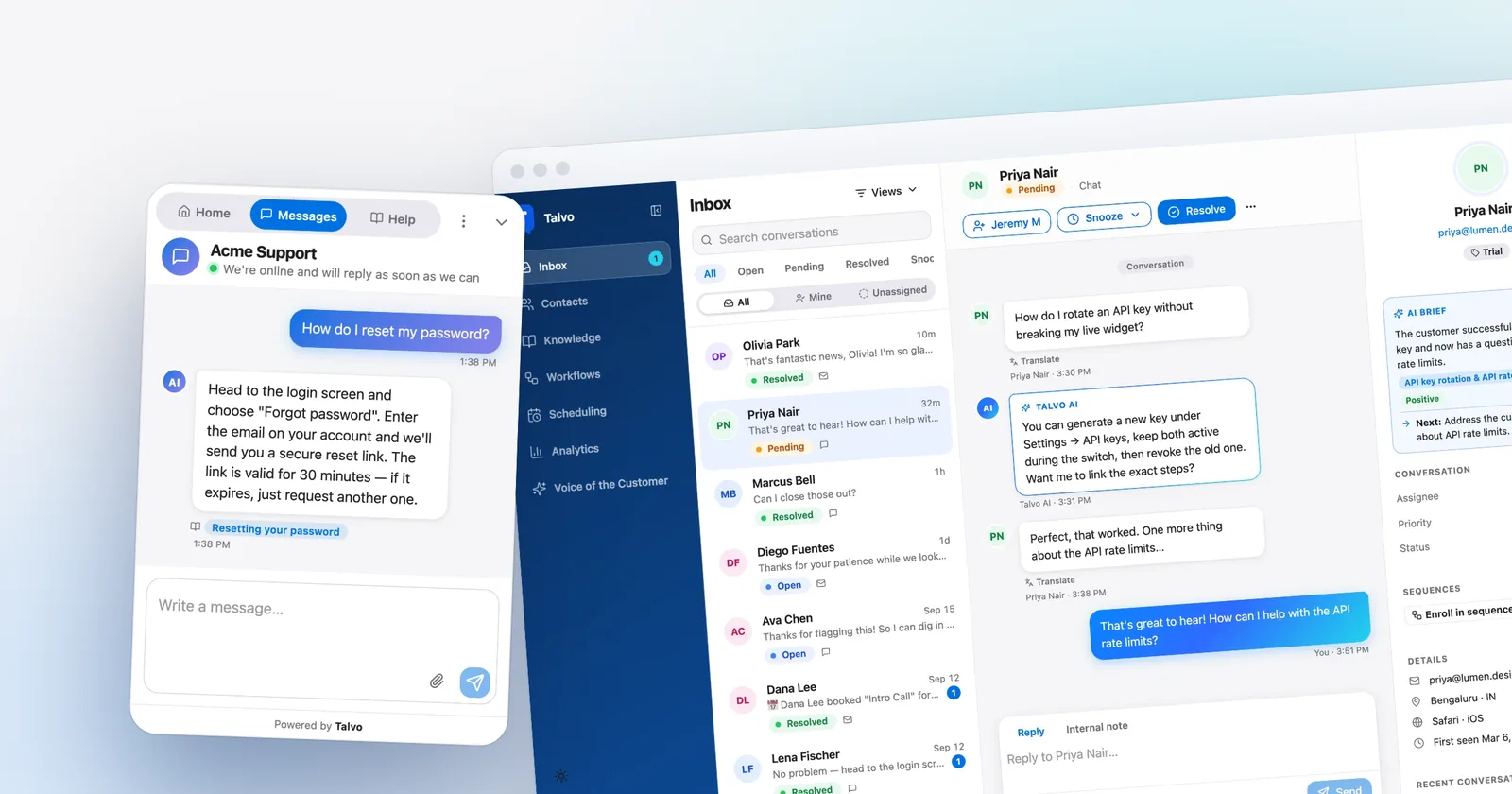
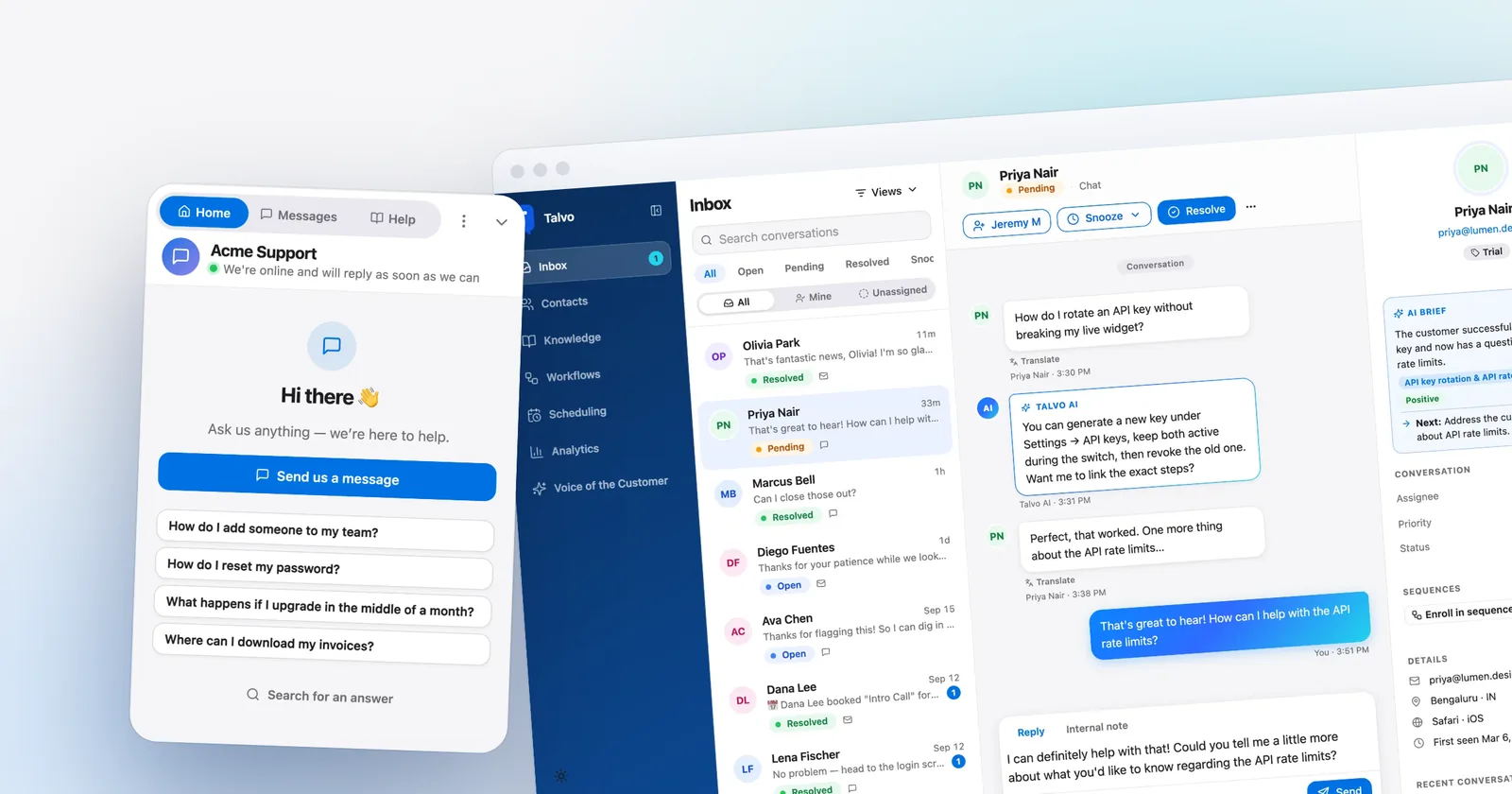
Talvo is smaller and newer, and aimed at a narrower job. It's a live chat widget, an AI agent that answers from your help articles, a shared inbox with two-way email, a hosted help center, and no-code workflows, priced per workspace instead of per agent. It launched in 2026 and is in beta. There are no customer case studies to show you, no ratings on review sites yet, and a list of gaps below that you should read before anything else if you're a heavy Zendesk user.
If your support runs on phone calls, regulated data or a customer ticket portal, you can stop here: Talvo isn't for you yet. If it runs on chat and email, keep going, because that's where the price difference gets large.
How each one charges
Zendesk charges per agent per month, and which plan you need depends mostly on one question: do you want live chat? The cheapest plan, Support Team, is email and ticketing only. Messaging and live chat start one rung up.
| Zendesk plan | Annual billing (per agent, per month) | Monthly billing (per agent, per month) | What it adds |
|---|---|---|---|
| Support Team | $19 | $25 | Email ticketing, macros, triggers and automations. No live chat. |
| Suite Team | $55 | $69 | Messaging and live chat, social channels, AI agents, AI knowledge base, Action Builder, telephony |
| Suite Professional | $115 | $149 | Skills-based routing, SLAs, customer portal and community forums, IVR, HIPAA enablement, data center location, custom reporting |
Suite Enterprise is quoted by sales. Zendesk has no free plan, only a 14-day trial of Suite Professional. Our Zendesk pricing breakdown has the full grid, every add-on and the billing rules. The point for now is that "from $19" is an email-only price. A team that wants chat and an AI agent is shopping at $55 or $69 per agent.
Talvo prices the whole workspace, not the people in it:
| Talvo plan | Monthly billing | Annual billing (per month) | Teammates | AI resolutions included |
|---|---|---|---|---|
| Free | $0 | $0 | 2 | 25 a month during the beta |
| Starter | $49 | $39 | 5 | 100 |
| Growth | $149 | $119 | 15 | 500 |
| Scale | $299 | $249 | 25 | 2,000 |
Each extra AI resolution is $0.49 on every paid plan. Adding a teammate up to the plan's limit never changes the bill, and self-serve plans have no contract. Past 25 teammates you're in Enterprise territory, which is custom pricing. The argument for this model is laid out in per-seat vs flat pricing.
What counts as an AI resolution
Both products bill their AI agent by result rather than by message. The definitions differ in a way that changes your invoice.
Zendesk bills a "verified" resolution (see its resolution tiers article). Since May 2026, an LLM reviews each AI-handled conversation's transcript and confirms the AI actually resolved it. Two other outcomes are not counted against your allowance: a "contained" resolution (the AI finished, but the conversation failed verification) and an "assisted escalation" (a human finished the job). A conversation window decides when the clock stops: an email conversation ends 72 hours after the first email, a messaging one two hours after the first message by default (configurable up to 72), a voice call at hangup.
Talvo bills a conversation the AI answered end to end from your published knowledge base, with no teammate stepping in, counted once per conversation. A hand-off to a human is never billed. Read the details in what counts as an AI resolution.
| Zendesk | Talvo | |
|---|---|---|
| Billable unit | A verified resolution, checked by an LLM | A conversation answered from a published article with no human reply |
| Not billed | Contained (unverified) and assisted escalations | Hand-offs, follow-ups in the same conversation, anything a teammate touches |
| Included | 5 per agent per month on Suite Team, pooled yearly, capped at 10,000 a year per account | 100, 500 or 2,000 a month by plan, reset on your billing-month anniversary |
| Beyond that | $1.50 each committed (100 or more bought ahead), $2.00 pay-as-you-go | $0.49 each |
| At the limit | You choose: allow overage or pause the AI agent | Paid plans bill $0.49 each; Free has no overage, so new chats wait for your team |
Two things worth pausing on. First, Zendesk's verification step appears to only reduce what you're billed (Zendesk's article implies it but never says so outright), so for the same traffic Zendesk may count fewer resolutions than Talvo does. Zendesk doesn't say by how much or publish a typical rate, which is why the sums below show a version of each. Second, the included allowance is a yearly pool, not a monthly one: a Suite Team plan with 5 agents gets 5 × 5 × 12 = 300 a year, which averages to 25 a month. The help article says allocations expire annually. That suggests a busy month can draw on the pool early, but the article doesn't say how Zendesk applies it, so we treat the allowance as a monthly average.
Talvo vs Zendesk pricing: the same team at three sizes
Here is the same team on both. The assumptions: every figure is a list price in US dollars before tax; every agent is on a paid Zendesk Suite Team seat, because that's the cheapest plan with live chat; and the AI resolves the number of conversations shown, all of which Zendesk also counts as verified. Talvo is priced on the cheapest plan that fits the team and the AI volume, which changes with billing mode.
Annual seats on Zendesk paired with committed resolutions at $1.50 gives Zendesk its best price. Talvo is on annual billing too.
| Team | Zendesk Suite Team, annual seats and committed AI | Talvo, annual |
|---|---|---|
| 3 agents, 300 AI resolutions | 3 × $55 = $165, plus 285 beyond the 15 included × $1.50 = $427.50, equals $592.50 | Growth at $119, with 500 resolutions included |
| 5 agents, 1,000 AI resolutions | 5 × $55 = $275, plus 975 beyond the 25 included × $1.50 = $1,462.50, equals $1,737.50 | Scale at $249, with 2,000 included |
| 10 agents, 3,000 AI resolutions | 10 × $55 = $550, plus 2,950 beyond the 50 included × $1.50 = $4,425, equals $4,975 | Scale $249, plus 1,000 beyond the 2,000 included × $0.49 = $490, equals $739 |
Monthly seats paired with pay-as-you-go resolutions at $2.00 is what you get if you don't want to commit to anything.
| Team | Zendesk Suite Team, monthly seats and pay-as-you-go AI | Talvo, monthly |
|---|---|---|
| 3 agents, 300 AI resolutions | 3 × $69 = $207, plus 285 × $2.00 = $570, equals $777 | Starter $49, plus 200 beyond the 100 included × $0.49 = $98, equals $147 |
| 5 agents, 1,000 AI resolutions | 5 × $69 = $345, plus 975 × $2.00 = $1,950, equals $2,295 | Scale at $299, with 2,000 included |
| 10 agents, 3,000 AI resolutions | 10 × $69 = $690, plus 2,950 × $2.00 = $5,900, equals $6,590 | Scale $299, plus 1,000 × $0.49 = $490, equals $789 |
The small-team plan on Talvo shifts with billing mode. For the 3-agent team it's Starter on monthly billing ($147) but Growth on annual billing ($119, because 500 included resolutions beat Starter's $39 plus $98 of overage). The 5-agent team fits Scale in both modes. At 1,000 resolutions Scale beats Growth ($149 plus 500 extra × $0.49 = $394), so pick a Talvo plan by AI volume, not only by headcount.
Zendesk doesn't spell out whether committed resolutions can be bought alongside monthly seats. If they can, the 5-agent team's monthly bill would be $345 plus $1,462.50, or $1,807.50, instead of $2,295.
If Zendesk counts fewer resolutions than you expect
The tables above assume every AI-resolved conversation is also verified by Zendesk. That is the generous reading for us. Suppose instead that only 60% of them are. That 60% is our assumption, not a Zendesk figure; Help Scout's own pricing calculator cites 73% as a typical rate for its AI, but Zendesk publishes none. With Talvo still counting the full numbers:
| Team | Zendesk, annual and committed | Zendesk, monthly and pay-as-you-go | Talvo, annual / monthly |
|---|---|---|---|
| 3 agents, 300 | $412.50 | $537 | $119 / $147 |
| 5 agents, 1,000 | $1,137.50 | $1,495 | $249 / $299 |
| 10 agents, 3,000 | $3,175 | $4,190 | $739 / $789 |
The gap shrinks. It doesn't close: the 5-agent team still pays four to five times as much on Zendesk. And the per-seat part of the difference doesn't depend on any AI assumption. Ten agents on Suite Team are $550 to $690 a month for seats alone, against $119 to $149 for Talvo's Growth plan, which covers 15 teammates.
Want your own numbers? Set your team size and monthly AI volume below.
- Crisp Essentials~$120–$170/mo$95 per workspace + AI at Crisp's estimate of $0.05–$0.10 per conversation, less $25 of included credits · Estimate: top-up rate and annual prices aren't published
- Talvo Scale$299/mo$299 per workspace, 2,000 AI resolutions included
- Help Scout Standard$900/mo5 users × $30 + 1,000 AI resolutions × $0.75
- Intercom (Fin) Essential$1,185/mo5 seats × $39 + 1,000 Fin outcomes × $0.99 · Workflow automation needs Advanced ($85–$99 per seat)
- Zendesk Suite Team$2,295/mo5 agents × $69 + 975 AI resolutions × $2.00 (25 included) · $1.50 each with a committed 100+ purchase
Estimates from each vendor's published list prices, checked October 21, 2026. Assumes the cheapest plan that includes live chat and an AI agent, and that every AI-resolved conversation is billable. Excludes taxes, promotions, add-ons (such as agent copilots) and per-use channels like SMS or WhatsApp. Talvo's annual price includes extra resolutions at the same $0.49, billed once a year.
Ticketing depth: where Zendesk is simply the bigger product
Talvo has a shared inbox that handles chat and email on one customer record, with internal notes, assignment, priority, snoozing, canned responses and bulk actions. For a small team answering the same questions repeatedly, that covers the day.
Zendesk goes much deeper, and it gets deeper as you climb the plans. Skills-based routing, SLAs and multiple ticket forms start on Suite Professional ($115 annual, $149 monthly). So do the customer portal, community forums, up to five help centers in 40-plus languages, up to 30 custom objects (Suite Team allows three), and custom data exploration with live dashboards. Suite Team's Action Builder lets you build custom automations up to 40,000 actions a month. If you run a support desk where tickets are escalated across tiers, tagged by product line and measured against several targets, this is the toolbox you want.
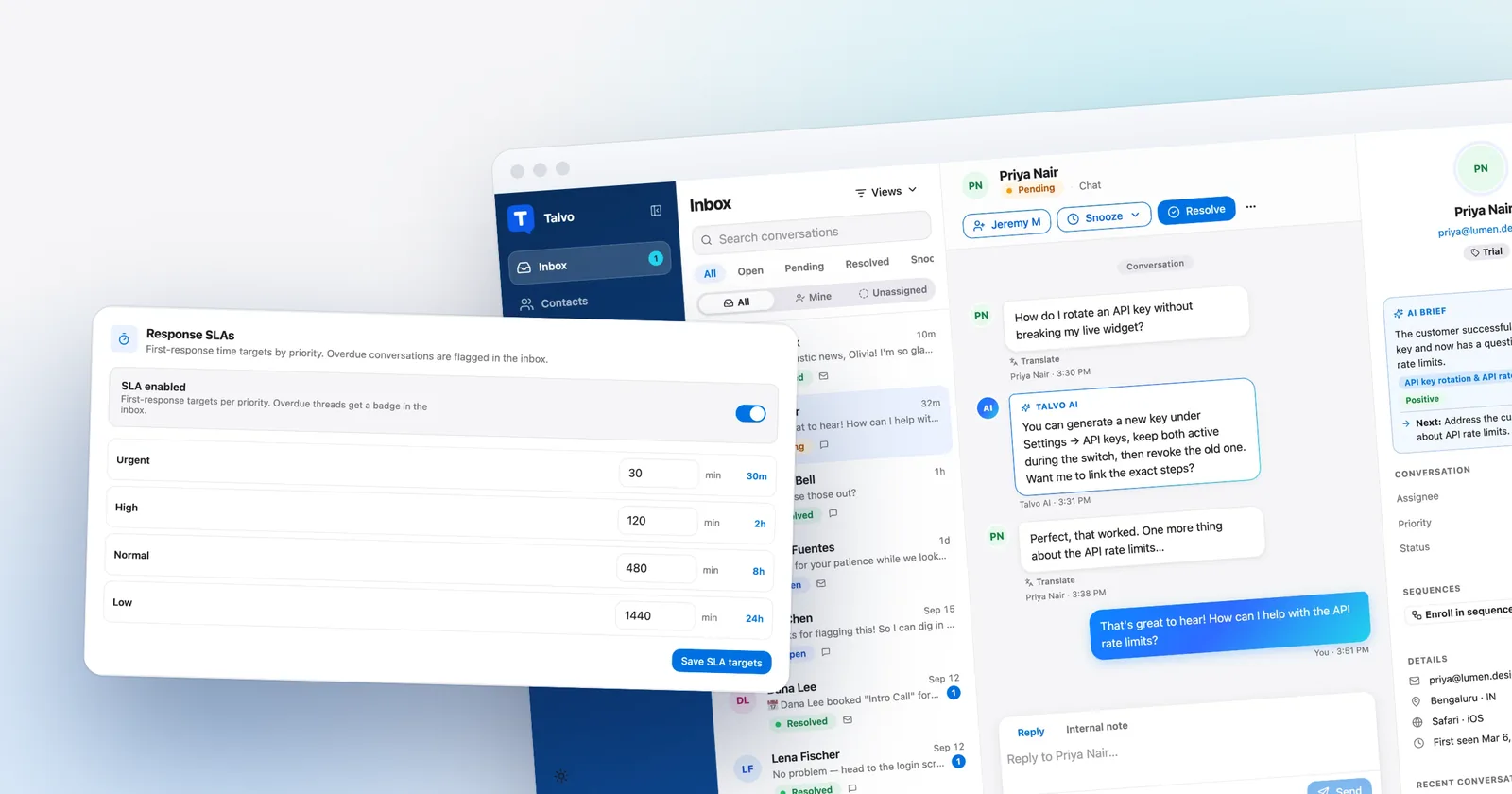
Talvo's equivalent features are thinner and arrive on its Growth plan ($149 a month, or $119 annually, for the whole workspace). Routing rules test channel, priority, contact tag and keyword, run in order, and the first match wins. SLA policies measure first-response time against a target you set per priority, and count business hours only when you've set a schedule. No-code workflows handle contact tagging, auto-replies and follow-ups. We don't have a customer-facing ticket portal, skills-based routing or custom objects.
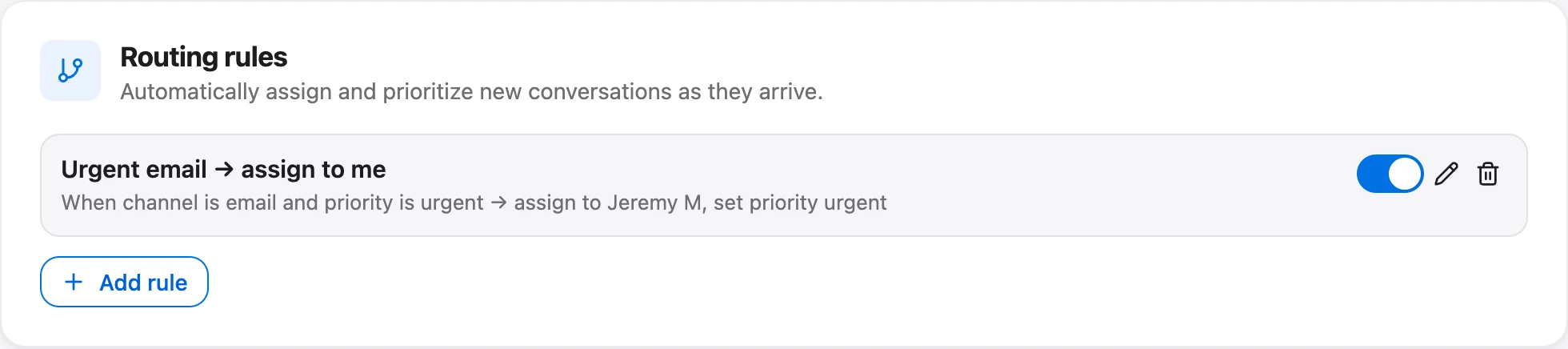
One comparison worth making plainly: if you need SLAs and a few routing rules, those start at $149 a month for your whole workspace on Talvo. On Zendesk they start at Suite Professional, $575 a month annually for five agents before any AI.
Voice, channels and integrations: Zendesk wins clearly
Zendesk covers email, web forms, live chat and in-app messaging, social and business messaging including WhatsApp, Facebook and Instagram, SMS as an add-on, and voice with numbers, recording and voicemail (IVR on Professional). Phone numbers and voice minutes are usage-based add-ons, and Zendesk's AI agent can handle voice if you're on Zendesk voice.
Talvo supports the live chat widget and email. That's all. WhatsApp, SMS, Instagram and Messenger are on our public roadmap as planned, not shipped, and there is no phone or voice calling. If customers reach you on WhatsApp or the phone, this is a hard stop, and no pricing argument should talk you out of it.
On integrations, Zendesk lists more than 1,000 prebuilt apps. Talvo's integrations today are a REST API with signed webhooks and Slack notifications. There's no Zapier connection yet (it's planned), and no native Shopify, HubSpot or Salesforce integration. A developer can connect nearly anything through the API and webhooks. Someone who wants to click "install" on a marketplace app can't.
Security and compliance: not close
If a security questionnaire sits between you and the purchase, this section decides it.
Zendesk reports SOC 2 Type II (under NDA), ISO 27001, 27017, 27018 and 27701 certifications, FedRAMP LI-SaaS authorization, and a HIPAA BAA that requires the Advanced Compliance add-on. It offers data residency in the US, EEA, UK and APAC (a data center location setting that comes with Suite Professional), SAML or JWT single sign-on, and two-factor authentication.
Talvo has none of those. No SOC 2 report, no SAML single sign-on, no choice of data region and no HIPAA support. Data is processed in the United States. What exists is the plain basics done properly: HTTPS everywhere, tenant isolation on every query, hashed API keys, signed webhooks, sign-in lockout, no tracking cookies, self-serve deletion, and a public subprocessor list on our security page. That's a sound baseline for many small businesses. It is not an audit, and for healthcare, finance or enterprise buyers it won't clear the bar.
The AI agent: how Talvo's behaves
Zendesk's AI agents are available on every plan (messaging AI needs a Suite plan), with resolutions metered as above, and work across email, messaging and voice, and come with an AI knowledge base and an Action Builder for custom workflows. A more advanced tier built on its Forethought acquisition is sold through sales with no public price. This post doesn't rank Zendesk's AI against ours on accuracy; the only fair test is running both on your own questions.
What we can describe is how Talvo's agent behaves. It answers only from your published help articles, and it shows which article it used. When it isn't confident, it hands the conversation to a human with the whole thread intact, and your team is notified. It replies in the customer's language, and agents can translate any message in one click. You can pick the model per workspace from OpenAI, Anthropic, Google or DeepSeek, your content isn't used to train models, and you can turn the AI off entirely.

The trade is real. An agent that answers only from published articles will pass more conversations to your team than one that improvises, and the quality of your help center sets the ceiling. Our guide to knowledge base chatbots explains how to test that before you commit.
A day in each inbox
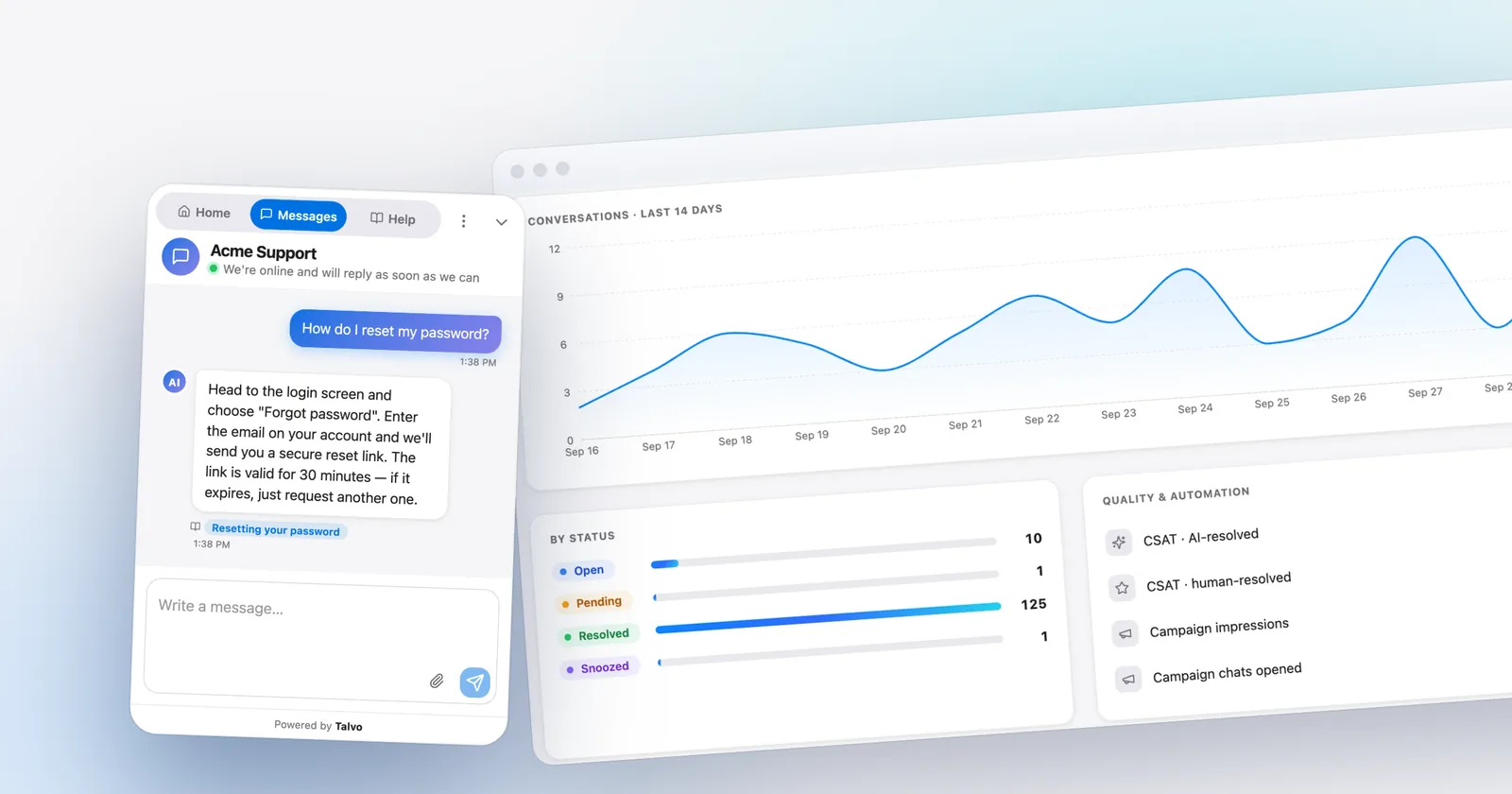
On Talvo, a conversation from the chat widget or a forwarded email lands in one inbox with the customer's earlier chats, emails, bookings and CSAT scores on the same profile. The AI can write a short brief of a long thread, and the copilot (Starter and up) drafts replies from your articles. Every plan gets a star-rating CSAT prompt after a conversation is resolved; NPS and custom surveys start on Starter. Talvo's CSAT reports an average star rating, split AI-resolved versus human-resolved (for example 4.69), not the "percent satisfied" figure many tools use, so you can't compare the two directly.

On Zendesk, the same work happens in a ticket view built for queues, with macros and triggers on every plan, and much richer reporting at the top end: prebuilt dashboards refreshed every 24 hours on Support and Suite Team, custom dashboards refreshed hourly on Professional. Talvo's analytics keep 7 days of history on Free, 90 days on Starter, a year on Growth and unlimited on Scale.
Maturity and reviews
Zendesk has a long public record. Third-party roundups put it around 4.3 on G2 from roughly 6,700 reviews and 4.4 on Capterra from about 4,000, and 8.7 out of 10 on TrustRadius. Treat the figures as approximate. The same roundups report the recurring complaints: a pricing structure reviewers call high and complex, important capabilities sold as separate add-ons, and some billing and support grievances. Praise centers on mature omnichannel ticketing, scale and a large ecosystem.
Talvo has no reviews on G2 or Capterra, because it's new. We won't invent a rating, testimonials or a customer count. The cost of choosing us is being an early adopter. The mitigation is that nothing locks you in: plans are month to month and the Free plan needs no card.
Switching from Zendesk without losing your help center
The honest framing is what moves and what doesn't. A help center and a contact list move in an afternoon. Ticket history does not.
- Import your help centerOn the Knowledge page, click Import and paste the public address of your Zendesk help center. Talvo reads the same pages your customers see, so no Zendesk login or API key is needed (how it works).
- Review and publishEvery imported article arrives as a draft, because the AI only answers from published ones. Publish what's still accurate and fix what isn't.
- Import contactsExport your people from Zendesk as a CSV with name, email, company and phone, then import it on the Contacts page. Matching is by email, so re-running is safe.
- Add the widgetPaste one script tag before the closing body tag. It works anywhere you can add a script, including WordPress, Shopify themes, Webflow, Squarespace and Wix.
- Forward your support emailPoint your support address at the forwarding address in Settings, Inbox. Replies thread back into the same conversation.
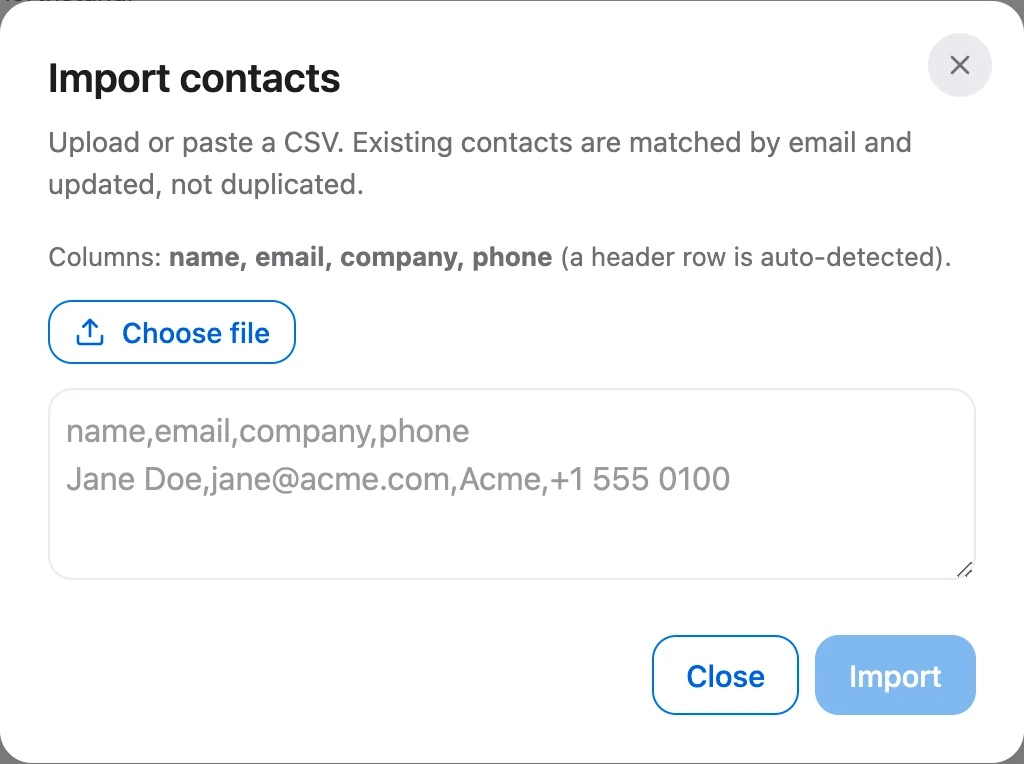
What you rebuild by hand: macros become canned responses, and triggers and automations become routing rules or workflows. We don't offer an automation converter, so budget time for it. Public articles only come across, so private or internal articles stay behind. Pages that need JavaScript to display can't be read, and an import maxes out at 2,000 articles.
What doesn't come along: past tickets and conversations. Talvo doesn't import them, and new conversations start in Talvo from the day you switch.
- Export or archive the ticket history you need to keep
- Check your subscription term; Zendesk applies downgrades and seat reductions at the next billing cycle, with no prorated refund
- Rebuild the macros and triggers you actually use
- Run both side by side for a couple of weeks on a slice of traffic
- Watch which questions the AI hands off, and write articles for them
- Remove the Zendesk widget once email and chat are live on Talvo
The second item matters for your wallet. Zendesk's own help center says plan downgrades and seat reductions take effect at the next billing cycle, and that there's no prorated refund for time left at the higher plan. If you're mid-term, the cheapest move is usually to run in parallel until renewal and then cancel.
Talvo vs Zendesk: a fair verdict
Pick Zendesk when the things it does best are the things you need: phone and IVR, WhatsApp and other messaging channels, a customer ticket portal, SLAs and skills routing across a larger team, compliance paperwork like SOC 2 Type II, a HIPAA BAA or data residency, and a thousand integrations. It's a mature product with a long record, and for a team with that profile the bill is the price of the capability.
Pick Talvo when your team is small or growing, customers reach you by chat and email, and your priority is an AI agent that cites your help articles without per-agent charges and $1.50 to $2.00 per resolution stacking up. The savings are biggest where AI volume is high or headcount is rising. You have to be comfortable with a beta product and the gaps above.
- Deepest ticketing and routing of any tool in this comparison
- Voice, WhatsApp, social and email in one suite
- SOC 2 Type II, HIPAA BAA (add-on), data residency, SAML SSO
- 1,000+ prebuilt integrations and a long public track record
- Per-agent pricing plus $1.50 to $2.00 for each AI resolution beyond a small yearly allowance
- Live chat and the AI agent need Suite Team; SLAs and skills routing need Professional
- Copilot and QA are paid add-ons
- One workspace price; teammates up to the plan limit cost nothing extra
- AI resolutions at $0.49, with hand-offs never billed
- Free plan for 2 teammates, no card, and month-to-month paid plans
- Imports your Zendesk help center and contacts in an afternoon
- Chat and email only: no phone, WhatsApp, SMS or social
- No SOC 2, SAML SSO, HIPAA or data-region choice
- Beta product with no reviews yet, and past tickets don't migrate
If you're comparing more than two tools, our roundup of Zendesk alternatives for small teams prices Help Scout, Freshdesk, Crisp and others for the same teams, and best live chat software for small business is the right read if chat is all you need. The pricing grid at talvo.chat/pricing is the quickest way to price your own workspace.
Which should you choose?
- your team is small or growing and you don't want the bill to rise with every hire
- customers reach you by chat and email, and you want AI answers that cite your help articles
- you expect high AI volume and want $0.49 per resolution instead of $1.50 to $2.00
- you can accept being early on a beta product with no reviews yet
- customers contact you by phone, WhatsApp or social messaging
- you need SOC 2 Type II, a HIPAA BAA, data residency or SAML single sign-on
- you need a customer ticket portal, skills-based routing or deep SLAs across a larger team
- you depend on a large marketplace of integrations
- you want a long-established vendor with years of public reviews
Frequently asked questions
Is Talvo a good Zendesk alternative for small business?
For small teams that use chat and email, it can be: a 5-agent team with 1,000 AI resolutions a month comes to about $249 to $299 on Talvo against roughly $1,737.50 to $2,295 on Zendesk Suite Team at list prices. It is a new beta product without phone, WhatsApp, SOC 2 or SSO, so teams that need those should stay on Zendesk or choose a more established alternative.
Does Zendesk's cheapest plan include live chat?
No. Support Team ($19 per agent annually, $25 monthly) is email and ticketing. Messaging, live chat and the full AI agent start at Suite Team, which is $55 per agent annually or $69 monthly.
How much does Zendesk AI cost per resolution?
Zendesk includes 5 automated resolutions per agent per month on Suite Team as a yearly pool, capped at 10,000 a year per account. Beyond that it charges $1.50 each when you commit to 100 or more in advance, or $2.00 each pay-as-you-go. Zendesk's help article says contained and assisted-escalation outcomes do not count against the allowance, which implies only LLM-verified resolutions do.
How does Talvo's AI billing compare with Zendesk's?
Talvo bills a conversation the AI answered end to end from your published knowledge base with no teammate stepping in, and hand-offs are never billed. Plans include 100, 500 or 2,000 resolutions a month and extras are $0.49 each. Zendesk adds an LLM verification step, so it appears to count fewer resolutions than Talvo for the same traffic, but its per-resolution rate is three to four times higher.
Can I move my Zendesk help center to Talvo?
Yes. Talvo reads your public Zendesk help center from its address, with no Zendesk login needed, and imports up to 2,000 articles as drafts that you review and publish. Contacts come in by CSV. Private articles, past tickets and conversation history do not come across.
What does Talvo not have that Zendesk does?
Talvo has no phone or voice, WhatsApp, SMS, Instagram or Messenger channels, no customer ticket portal, skills-based routing or custom objects, no SOC 2 report, SAML SSO, HIPAA support or data-region choice, and no Zapier or native Shopify, HubSpot or Salesforce integrations. WhatsApp, SMS and social channels are on the public roadmap.
Will canceling Zendesk refund the rest of my term?
Zendesk's help center says plan downgrades and seat reductions take effect at the next billing cycle, with no prorated refund for unused time at the higher plan. Check your own subscription term, and consider running Talvo in parallel until your renewal date.
Sources
Other products' prices and features change. We checked these pages on October 21, 2026; if something is out of date, tell us and we'll fix it.
- Zendesk pricing page (checked Oct 21, 2026)
- Zendesk: About automated resolutions for AI agents
- Zendesk: About automated resolution tiers
- Zendesk: Why did my subscription change not go into effect immediately
- Zendesk trust center (checked Oct 21, 2026)
- Talvo pricing (checked Oct 21, 2026)
- Talvo help: What counts as an AI resolution
- Talvo help: Switching from another help desk