On this page
- The first 15 minutes: who says what, and where
- How often to update: every 20 to 60 minutes, always with a next time
- Outage communication templates, from first notice to follow-up
- Five things that make an outage message worse
- When a small team should get a real status page
- Using Talvo during an incident
- Frequently asked questions
Something broke. Logins are failing, or pages are timing out, and the inbox is filling with the same question in twenty different spellings. You don't have a status page. You don't have an incident team. You have whoever is awake.
Below: an outage communication template for every stage, an "is it down?" reply, an internal checklist, the update cadences Google, PagerDuty and Atlassian recommend, what not to say, when to get a status page, and what Talvo can and can't do.
The first 15 minutes: who says what, and where
Google's SRE book gives a simple test for when something is an incident rather than a bug: declare one if a second team is needed, if the problem is visible to customers, or if it's still unsolved after an hour of focused work. It also says to declare early rather than late. For a small business, "visible to customers" settles it. If customers can see it, you're in incident mode.
The biggest risk in a small team is three people saying slightly different things in three places, or nobody saying anything. Google's SRE book separates incident roles, including a Communications lead who acts as the "public face" of the response, and its workbook notes that on a small incident the person in charge of the response can also be the one communicating. On a team of three, that may be your only option. But someone has to own it by name.
- Minute 0–2: name one person on commsSay it out loud in your team chat: "I'm fixing, Sam is on customer comms." One voice, one set of facts. Anyone else who gets asked points to Sam's message.
- Minute 2–5: send the first noticePagerDuty's guidelines put the initial notice within 5 minutes of starting the response. It says you know about the problem and are investigating, and that details will follow. Add when the next update comes; you don't need the cause.
- Minute 5–10: send the scopePagerDuty's next step, within another 5 minutes, is scope: what customers are seeing, which features, which regions. Say what you know and label what you don't.
- Minute 10–15: point every channel at one placePost the same wording in your banner, chat greeting and social post, each pointing to one source of truth. Load the "is it down?" reply into whatever your team answers chats and email with.
- Then: keep the clockEvery update names the time of the next one. Set a timer for it.
In one of Google's workbook case studies, the external notice went out before anyone knew the root cause, which set expectations early. Silence, it says, leads people to assume "nothing is being done".
Pick one place that holds the truth
Atlassian's incident communication guide recommends choosing one channel as the primary source of truth and pointing every other channel at it. Atlassian sells a status page product, so its suggestion that a status page should be that channel is self-interested, but the principle holds without one. Without a status page, your source of truth might be a page on your website, a pinned post, or a public help article.
One catch: if your website is the thing that's down, a page on your website is down too. Pick something that doesn't run on the infrastructure that's broken.
| Channel | Who it reaches | Put this there | Watch out for |
|---|---|---|---|
| Site or in-app banner | Everyone who can still load your site | One line, plus a link to the source of truth | If the app itself is down, the banner may never render |
| Chat widget greeting | People about to ask "is it down?" | Same line, and the time of the next update | Only seen by people who open the chat |
| Email to affected customers | People who aren't looking at your site | First notice and all-clear for serious or long incidents | Send it to the affected group only, not your whole list |
| Social media | The public, fast | Same wording, linking to the source of truth | Atlassian's guide says it should never be the only channel |
| Direct replies in your inbox | Everyone who wrote in | The "is it down?" reply below | Those customers still need the all-clear later |
Not every blip needs email. PagerDuty's guidelines suggest deciding in advance when you communicate, based on which products are affected, how severe the impact is, how many customers are hit, how visible it is, and whether customers may need a contingency plan. PagerDuty also says customers on premium contracts get individual contact, so if you have a handful of big accounts, write to them directly.
How often to update: every 20 to 60 minutes, always with a next time
| Source | First notice | Updates | Longer incidents |
|---|---|---|---|
| PagerDuty | Within 5 minutes, then scope within 5 more | At least every 20 minutes for the first two hours, sooner if impact changes | Past 2 hours, update less often, but always give the next update time |
| Atlassian | Acknowledge quickly, even before details are known | Never more than one hour without an update while customers are affected | Same rule; say when the next update is coming |
| Google SRE book | Declare early | "Periodic", no interval set | Hand off explicitly so everyone knows who is in command |
For a small team, anywhere between 20 and 60 minutes is defensible. What matters most is the promise at the end of every message, "Next update by 2:40 p.m. ET.", and keeping it even if nothing changed. Atlassian prefers "nothing new" to silence and PagerDuty warns against empty updates, so say what you ruled out: "Still investigating, no change for customers, we've ruled out X" has content even when the outcome hasn't moved.
Outage communication templates, from first notice to follow-up
Everything in [CAPITALS AND BRACKETS] is a placeholder. Fill it or delete the sentence. Google's workbook recommends preparing two or three templates in advance, so adapt these before you need them and save them somewhere your team can reach even if your own app is down.
1. First notice (service outage message to customers)
Works for a banner, chat greeting, email or social post.
We're aware that [WHAT CUSTOMERS ARE SEEING, e.g. "some customers can't log in"] and we're investigating now. We'll post an update by [TIME + TIME ZONE] at [SOURCE OF TRUTH LINK]. Sorry for the disruption.
Short version for a banner or social post:
We're investigating a problem with [FEATURE]. Next update by [TIME + TIME ZONE]: [LINK]
2. Update: still investigating
Update [TIME + TIME ZONE]: We're still investigating the problem with [FEATURE]. Customers may see [SYMPTOM]. [OPTIONAL: what you've ruled out, in customer terms, e.g. "Payments are not affected."] Next update by [TIME + TIME ZONE].
3. Update: cause identified
Update [TIME + TIME ZONE]: We've found what's causing [SYMPTOM] and are working on a fix. [WHO IS AFFECTED, e.g. "This affects customers in [REGION]" or "This affects [FEATURE] only."] [WORKAROUND IF ONE EXISTS, e.g. "In the meantime you can [STEP]."] Next update by [TIME + TIME ZONE].
It says you've identified the cause without naming it. Name it in the follow-up once confirmed.
4. Update: fix in progress or monitoring
Update [TIME + TIME ZONE]: We've applied a fix and [FEATURE] is recovering. Some customers may still see [SYMPTOM] for a short time. We're watching it closely and will confirm here once everything is back to normal, or update you by [TIME + TIME ZONE] either way.
5. All-clear
PagerDuty's guidelines say the final notice should go out once recovery is confirmed and should state any data loss, or say explicitly that there was none. Only write "no data was lost" if someone has checked.
Resolved [TIME + TIME ZONE]: [FEATURE] is working normally again. The problem started at [START TIME] and affected [WHO]. [CHOOSE ONE: "No data was lost." / "[WHAT WAS LOST OR DELAYED] and here's what we're doing about it: [ACTION]."] If you're still seeing [SYMPTOM], reply to this message and we'll look at your account directly. We'll share a short summary of what happened by [DAY].
6. Follow-up with a short incident summary
PagerDuty's postmortem template puts an apology that is "genuine, not rote" first, then a summary, what happened, and what's being done about it. Atlassian's outline is similar: acknowledge and apologize, explain what went wrong, explain the fix and how you'll stop it recurring, apologize again. Plain words throughout.
Subject: What happened with [FEATURE] on [DATE]

On [DATE], from [START TIME] to [END TIME + TIME ZONE], [WHAT CUSTOMERS EXPERIENCED, in their words]. We're sorry. [ONE SENTENCE ON THE REAL COST TO THEM, e.g. "If you were trying to send invoices that morning, you couldn't, and that's on us."]

What happened: [CONFIRMED CAUSE IN PLAIN LANGUAGE, two or three sentences, no internal names].

What we've done: [THE FIX].

What we're changing so it doesn't happen again: [ONE TO THREE CONCRETE CHANGES].

[DATA: "No customer data was lost or exposed." ONLY IF CONFIRMED. Otherwise state exactly what was affected.]

If this caused you a problem we haven't heard about, reply to this email. [YOUR NAME], [ROLE]
PagerDuty also advises avoiding the word "outage" unless the service was fully down. If only exports were slow, call it what it was: a delay, a disruption, degraded performance.
7. The "is it down?" reply, for chat and email
You'll send this one fifty times, so make it friendly enough to survive repetition.
Chat: Hi [FIRST NAME], yes, we're seeing it too. [FEATURE] isn't working properly for some customers right now and we're working on it. Next update by [TIME + TIME ZONE] at [LINK]. I'll leave this chat open and message you here when it's fixed.
Email: Hi [FIRST NAME], thanks for letting us know. You're right: [FEATURE] has a problem right now that affects [WHO], and our team is working on it. We're posting updates at [LINK], with the next one by [TIME + TIME ZONE]. Once it's fixed we'll reply to this thread so you don't have to keep checking. [YOUR NAME]
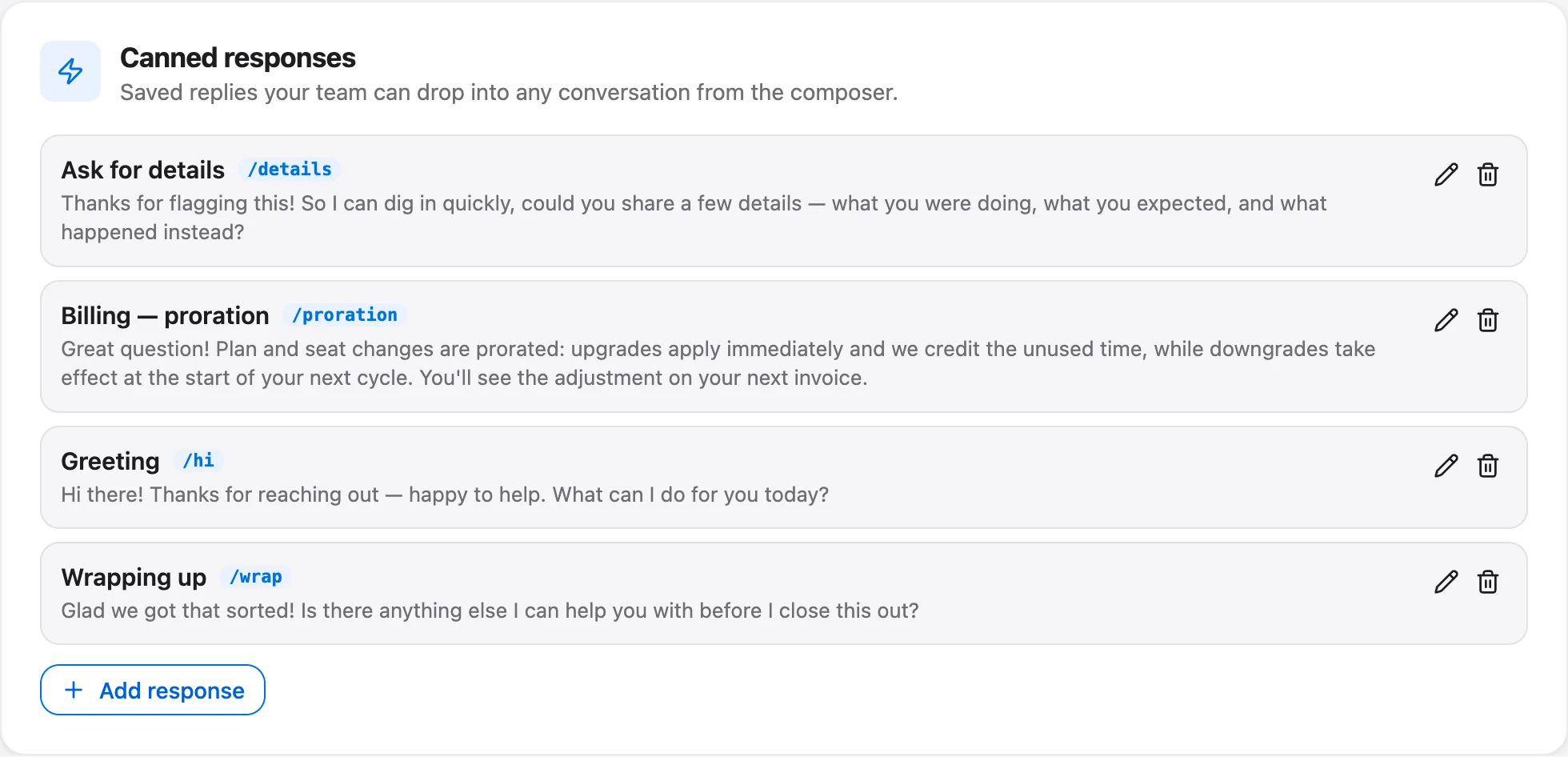
Only promise "we'll message you when it's fixed" if you'll actually do it. Tag or label these conversations as they come in, so the all-clear reaches every one of them. If you're also covering nights, the same reply belongs in your after-hours setup, and for the rest of a reply library see these live chat canned responses.
8. Internal checklist
Google's SRE book recommends a living incident document with the most important information at the top, kept afterward for the review, and its workbook adds a prepared list of people to notify. On a small team, a shared doc with this at the top is enough.
- Who is fixing, who is on comms, written down with the time
- What customers see, in one sentence (not the cause)
- Source of truth link, and where it is hosted
- First notice sent: banner, chat greeting, social, email if warranted
- Time of the next update, with a timer set
- Big accounts contacted directly
- "Is it down?" reply loaded and conversations labeled
- Theories listed as theories, including ruled-out ones (unverified theories misled responders in Google's case studies)
- All-clear sent everywhere the first notice went, including every waiting conversation
- Data loss checked before anyone says "no data lost"
- Banner, greeting and AI settings changed back
- Follow-up summary date set
Five things that make an outage message worse
Don't guess the cause. PagerDuty's customer liaison training is blunt: "Never lie, and never guess." A guess that turns out wrong means a correction, and a correction during an incident costs more trust than saying "we're still investigating". Google's workbook adds that customers care about impact more than about whether you understand the cause yet.
Don't promise a fix time. PagerDuty's training gives "resolved in 10 minutes" as the example of what not to say. Promise the time of your next update instead. You control that one.
Don't blame a vendor. Even when a cloud provider or payment processor really did fail, your customer chose you, not them. "Our hosting provider is having issues" reads as a shrug. You can name a third party in the follow-up if it helps explain the fix, but the message should still own the impact.
Don't include internal detail. PagerDuty says to leave out things like host names. Customers care about the symptom: "can't log in", not "auth-db-2 replica lag".
Don't say "no data was lost" until someone has checked. PagerDuty wants data loss stated or ruled out in the final notice, and Atlassian treats security and data-loss questions as needing a "zero-tolerance" communication plan. Both mean getting it right, which means confirming first.
The apology deserves a line of its own. PagerDuty's template asks for an apology that is "genuine, not rote", and "We apologize for any inconvenience" is about as rote as it gets. Say what the disruption actually stopped people from doing. There's more on wording apologies that land in how to respond to angry customers, and you'll need it, because a few of the "is it down?" messages will not be polite.
When a small team should get a real status page
You can run on templates and a pinned post for a long time. Consider a dedicated status page when:
- customers depend on your product during their own working hours, so even short incidents cost them money;
- contracts or sales conversations start mentioning uptime;
- you answer the same "is it down?" question dozens of times per incident;
- you have several parts that fail independently (app, API, integrations, regions) and customers need to know which one;
- customers ask to be notified rather than having to check.
Look for separate hosting, email subscriptions, per-component status, incident history and saved templates, and compare prices on the vendors' own pages.
Using Talvo during an incident
What Talvo doesn't have:
- No widget-wide banner or announcement. There's no setting that shows a message to every visitor on your site.
- No bulk or broadcast email. You can't email a list of affected customers from Talvo. Sequences (Growth plan, $149 a month) run per conversation, not to a list, and segments can't trigger a send. Use your own email tool for the first notice and the all-clear.
- No changelog subscribers or RSS. Talvo's public changelog is on every plan, but posting to it notifies nobody. It's a fine place for the follow-up summary, not for live updates (more in how to write release notes).
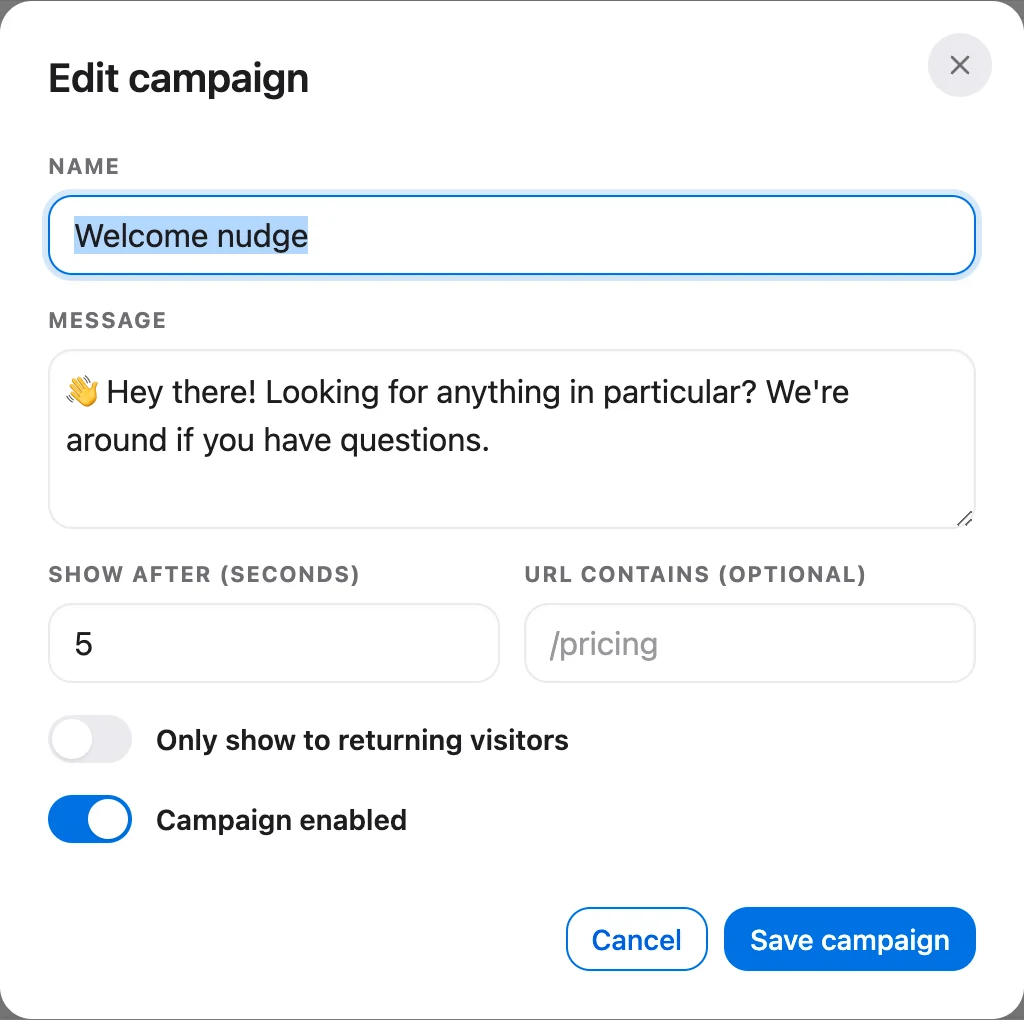
Proactive campaigns are a poor outage channel. Campaigns (Starter plan and up, $49 a month) show a plain-text bubble beside the launcher, but a browser sees at most one campaign ever, across all your campaigns. They only appear while the widget is closed and only in a browser with no conversation. If several match, the oldest enabled campaign wins. So the customers most likely to need the message, regulars who've chatted before or already saw your pricing-page nudge, are exactly the ones who won't get it. The proactive campaigns help article covers how targeting works.
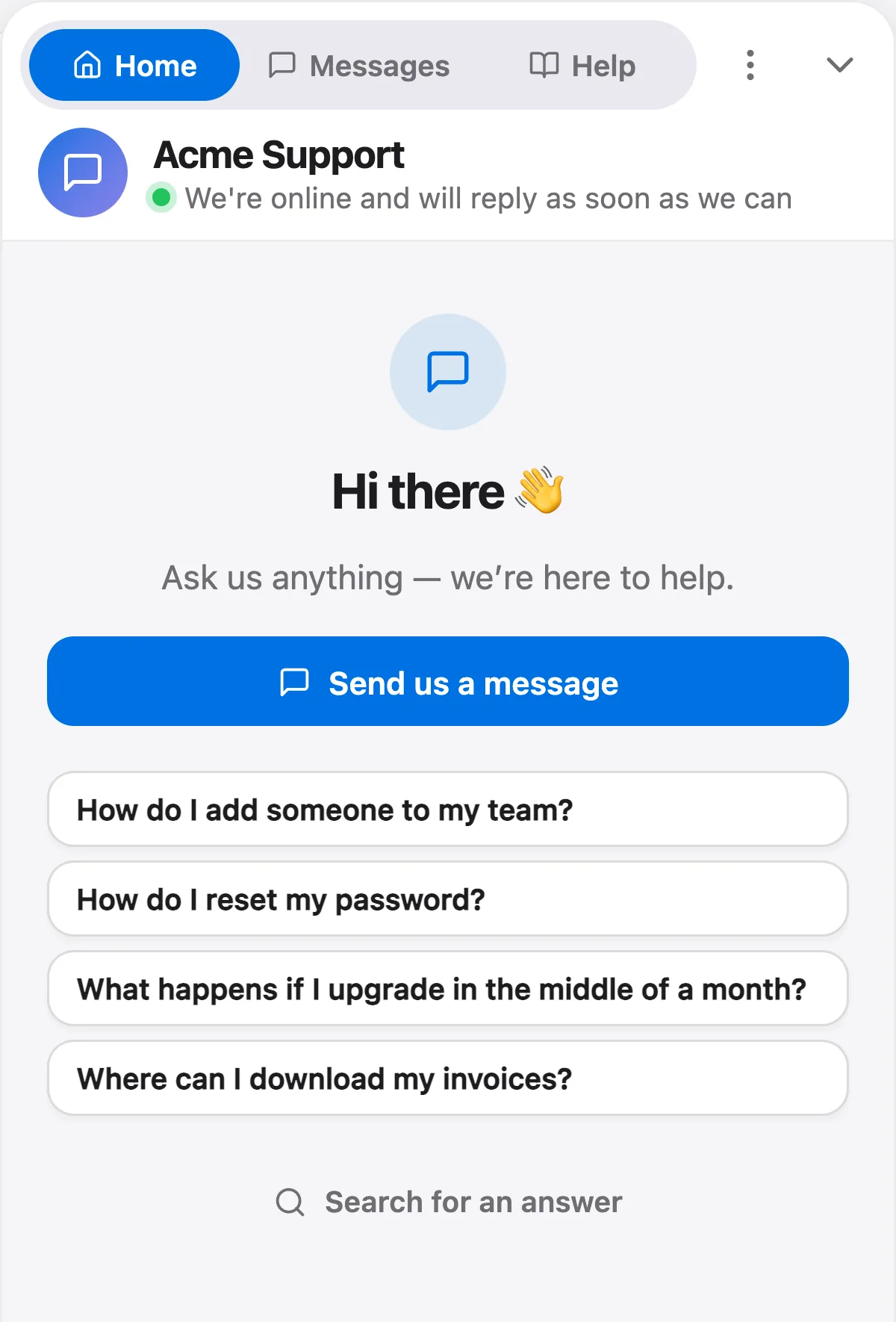
Three things do help. The first is the widget's welcome text. In Settings → General → Chat widget, the welcome title (up to 60 characters) and welcome message (up to 240) are shown to every visitor who opens the widget, on every plan. During an incident, swap them for a short version of the first notice, with the next update time and a link. Visitors who never open the chat won't see it, and it has to be changed back afterward. The same section has an expected reply time setting you can move to "Typically replies in a few hours" while your team is busy fixing (it shows during business hours; outside them your away message shows instead).
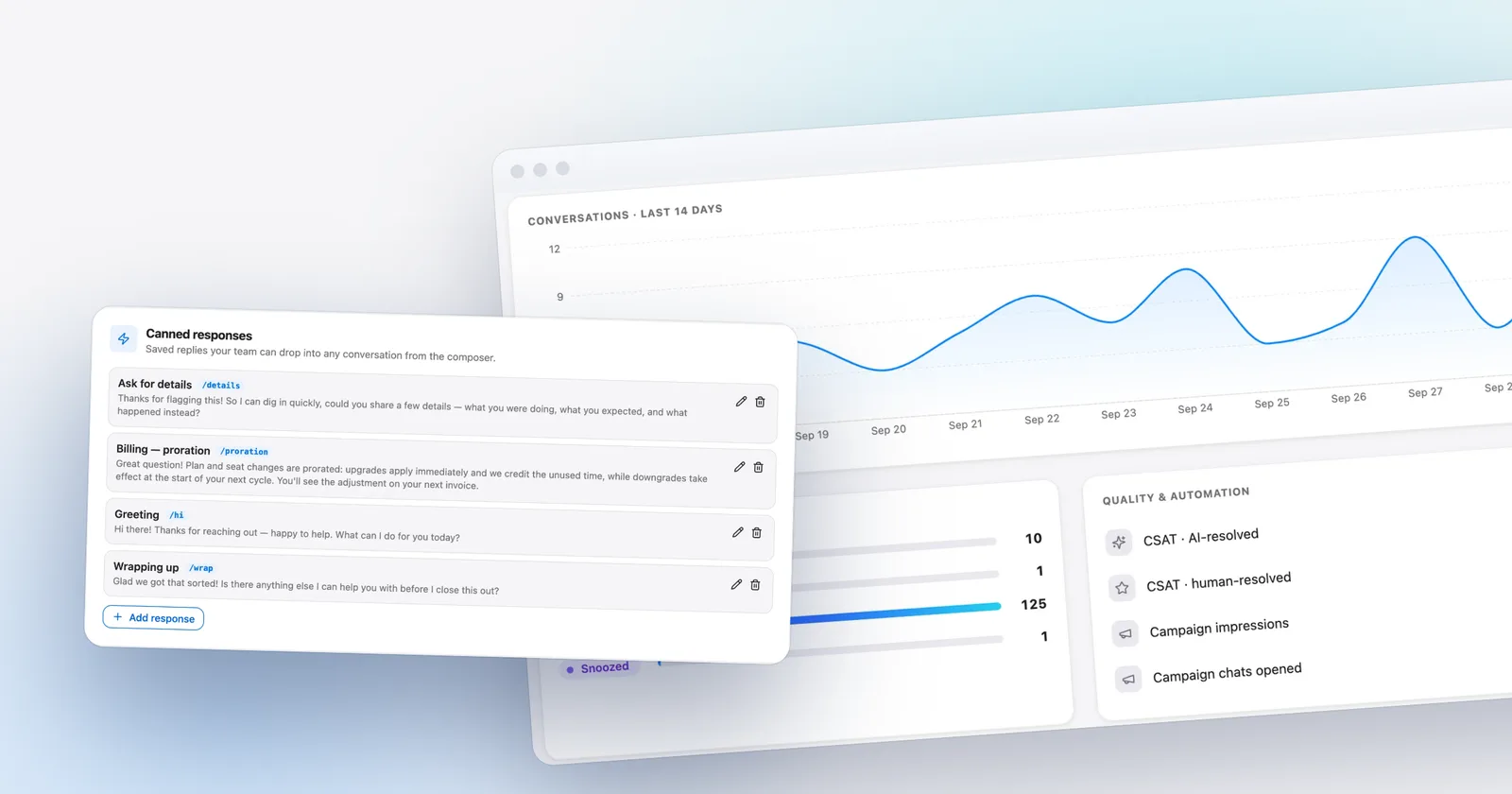
The second is a canned response for the "is it down?" reply, under Settings → Inbox → Canned responses, on every plan and shared with the whole team. Variables work, so the chat version can start Hi {{contact.first_name | there}} and sign off with {{agent.first_name}}. If a variable has no value and no fallback, Talvo won't send until it's fixed, so nobody gets "Hi ,". The timed parts (next update, link) you still edit by hand each round, or update the saved reply each time you post an update.
The third is deciding what the AI does with outage questions. Talvo's AI agent answers from the help articles you've published plus any knowledge files and snippets you add, and hands off when it can't answer from that content, so on its own it has no idea there's an incident. You have two reasonable options.
One option is to send those questions straight to a person. Settings → General → AI controls has a list called "Always hand these topics to a person" (owners and admins can edit it). Talvo checks each customer's latest message against it before the AI runs, and on a match the customer gets the standard hand-off message and your team gets a "needs a reply" alert, so a flood of outage chats means a flood of alerts. Matching ignores case and has to start at the beginning of a word, but the end isn't anchored. That matters here: "down" would also catch "download" and "downgrade". Use phrases instead, like "is it down", "outage" and "not loading", and add the symptom your customers will actually type, in the spellings they'll use ("can't log in", "can’t log in" with a phone's curly apostrophe, and "cant log in" are three different phrases). How hand-offs reach your team is covered in AI-to-human handoff.
The other is to publish a short known-issue article in your help center, so the AI can answer from it and cite it. Talvo's hosted help center lives on talvo.chat rather than on your servers, so it stays reachable by its direct link if your site is what broke, which also makes it a workable source of truth. The catch is upkeep: the AI answers from whatever the article says, so edit it at every update and unpublish it after the all-clear. The hosted page can take up to five minutes to show an edit, so put the update time in the article itself. See how AI auto-resolve works for the rules it follows.
Pick one. With an outage phrase on the hand-off list, the AI won't answer those messages even if the article exists.
Talvo is new and in beta, and none of this replaces a status page with subscribers; for the rest of your routine, see the customer support playbook.
Frequently asked questions
What should the first message to customers during an outage say?
Say what customers are seeing, that you're investigating, and when the next update will come. You don't need the cause yet. PagerDuty's guidelines put this first notice within 5 minutes of starting the response, and Google's SRE workbook notes that silence makes people assume nothing is being done.
How often should you update customers during an outage?
PagerDuty's guidelines say at least every 20 minutes for the first two hours, and Atlassian's guide says never more than an hour without an update while customers are affected. Google's SRE book asks only for periodic updates. Whatever interval you choose, every message should state the time of the next update, and you should keep that promise even if nothing has changed.
How do you tell customers about an outage without a status page?
Pick one place as the source of truth, such as a pinned post or a public help article hosted somewhere your outage doesn't affect, and point every other channel at it. Use a site banner, your chat greeting, email to affected customers and social media, all with the same wording. Answer the incoming questions with one saved reply so everyone hears the same facts.
Should you tell customers the cause of an outage?
Not until it's confirmed. PagerDuty's customer liaison training says never lie and never guess, and Google's SRE workbook notes that customers care more about impact than cause. Explain the confirmed cause in plain language in the follow-up summary, without internal names like servers or hosts.
Should you give customers an estimated fix time?
No. PagerDuty's training specifically warns against promises like resolved in 10 minutes, because a missed estimate costs more trust than no estimate. Promise the time of your next update instead, which is something you control.
What should an outage follow-up email include?
A genuine apology that names what the disruption stopped people from doing, a short summary of what happened and when, the confirmed cause in plain words, the fix, and what you're changing to stop it recurring. State whether any data was lost, but only after someone has checked. PagerDuty also suggests avoiding the word outage unless the service was fully down.
When does a small business need a status page?
When customers depend on your product during their working hours, contracts mention uptime, the same is-it-down question arrives dozens of times per incident, or several parts of your product can fail separately. Look for one hosted separately from your own infrastructure, with subscriber notifications, per-component status, incident history and saved templates.
Can Talvo show an outage banner or email all customers?
No. Talvo has no widget-wide banner or announcement, no bulk or broadcast email, and no changelog subscribers or RSS. You can change the widget's welcome title and message, which every visitor who opens the widget sees, save an is-it-down canned response for the team, and add outage phrases to the AI's always-hand-to-a-person topics.
Sources
Other products' prices and features change. We checked these pages; if something is out of date, tell us and we'll fix it.
- Google SRE book, ch. 14 "Managing Incidents" (checked Oct 23, 2026)
- Google SRE Workbook, "Incident Response" (checked Oct 23, 2026)
- PagerDuty Incident Response: External Communication Guidelines (checked Oct 23, 2026)
- PagerDuty Incident Response: Customer Liaison training (checked Oct 23, 2026)
- PagerDuty Incident Response: Postmortem Process (checked Oct 23, 2026)
- PagerDuty Incident Response: Postmortem Template (checked Oct 23, 2026)
- Atlassian, "Incident communication best practices" (checked Oct 23, 2026)