On this page
- Why help articles can rank when your blog posts don't
- Start where customers already search
- Help center SEO starts with the title and the first paragraph
- If Google can't render it, nothing else counts
- Rich results after the FAQ retirement: the structured data that still counts
- help.example.com or example.com/help?
- AI Overviews read the same pages Google already indexes
- The help center SEO checklist
- One Search Console filter is enough to measure it
- Talvo's hosted help center and search: the trade-off
- Frequently asked questions
Open Search Console, filter to your help center, and for many small teams the number is small. That's odd, because a help center is full of pages that answer the exact questions people type into Google: "how do I export my invoices from [your product]", "does [your product] work with Shopify". Help center SEO is mostly the work of letting those pages be found and read by a search engine.
This guide is about search visibility only. If you're still building the help center, start with how to build a help center in a week. Writing rules for AI-readable articles are in how to write help articles for AI. Everything about Google below comes from its Search Central docs, checked in October 2026.
Why help articles can rank when your blog posts don't
Most blog posts compete with hundreds of near-identical pages. A help article competes with almost nothing, because nobody else can document your refund setting.
That matches what Google says it wants. Its guidance on helpful, people-first content asks whether a page offers original information, covers the topic completely, shows first-hand expertise and would be useful to your audience if they came to you directly rather than through search. A good help article can do all four without trying.
The catch is that most help articles were written for someone already inside the product. "Settings > Billing > Export" means nothing to a stranger arriving from Google. So the work is partly technical and partly about rewriting the top of each article for that stranger.
Start where customers already search
You don't need to optimize every article. Start with the ones people are already looking for, in the words they already use.
| Source | What it tells you |
|---|---|
| Your support conversations from the last 30 to 60 days | The questions customers ask most, in their own wording |
| Searches in your help center or widget that found nothing | Questions you haven't answered at all |
| Pre-sales emails and chats | What prospects search before they buy: integrations, limits, "can it do X" |
| Search Console queries, once you have any | The wording that already brings people to your pages |
The prospect row is the one teams skip. "Can I connect [your product] to Gmail" is typed by people deciding whether to buy, and the answer is usually a help article titled something like "Email channel setup" that won't rank for it.
For SEO you only need the top twenty questions and the exact phrases customers used; reducing support tickets has a fuller counting method.
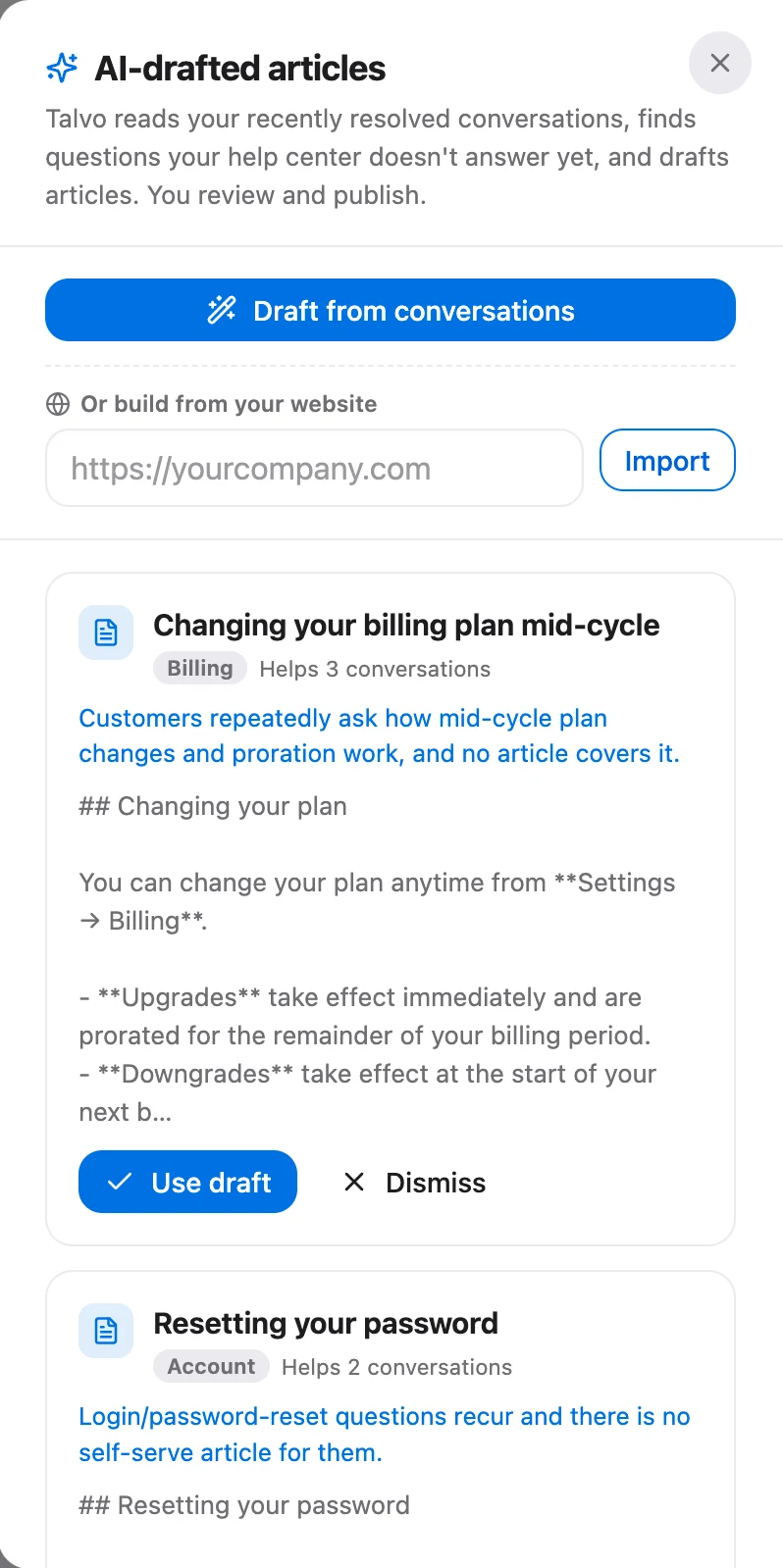
In Talvo, the Knowledge page has a "Missed" report listing searches that found no article in the last 90 days, top 30 first. One limit matters here: it only records searches typed into the chat widget's Help tab. Searches in the hosted help center are filtered in the browser and never logged. On Talvo's Growth plan ($149 a month) and up, the AI also drafts articles from questions it couldn't answer, which is another list of gaps worth checking.
Help center SEO starts with the title and the first paragraph
Title links
Google's title link documentation asks for a unique, descriptive, concise <title> on every page, with the site name at the start or end after a delimiter. It lists what makes Google rewrite a title: half-empty titles, inaccurate ones, boilerplate repeated across pages, no clear main title and a duplicated site name, among others.
Help centers break this constantly, because article titles are written as menu labels.
| Label-style title | Title a searcher would click |
|---|---|
| Settings | How to change your notification settings |
| Integrations | Connect Gmail to your shared inbox |
| Billing | How to download past invoices |
| Error 403 | Why you see "Access denied" when you sign in |
Put the task in the title, keep one clear main heading on the page, and expect changes to take days to weeks to show up in results, as Google's page says.
Meta descriptions and snippets
Google says snippets "are primarily created from the page content itself", and it uses the meta description when that describes the page better. Descriptions should be unique per page and readable. Generated descriptions are fine if they read well, and there's no length limit, though results get truncated.
For a help article, the practical rule is to make the first paragraph the answer. If someone reads only those two sentences in a search result, they should know whether this page solves their problem. Google often builds the snippet from page text, so that paragraph is a likely source either way.
One question per article, with headings that say something
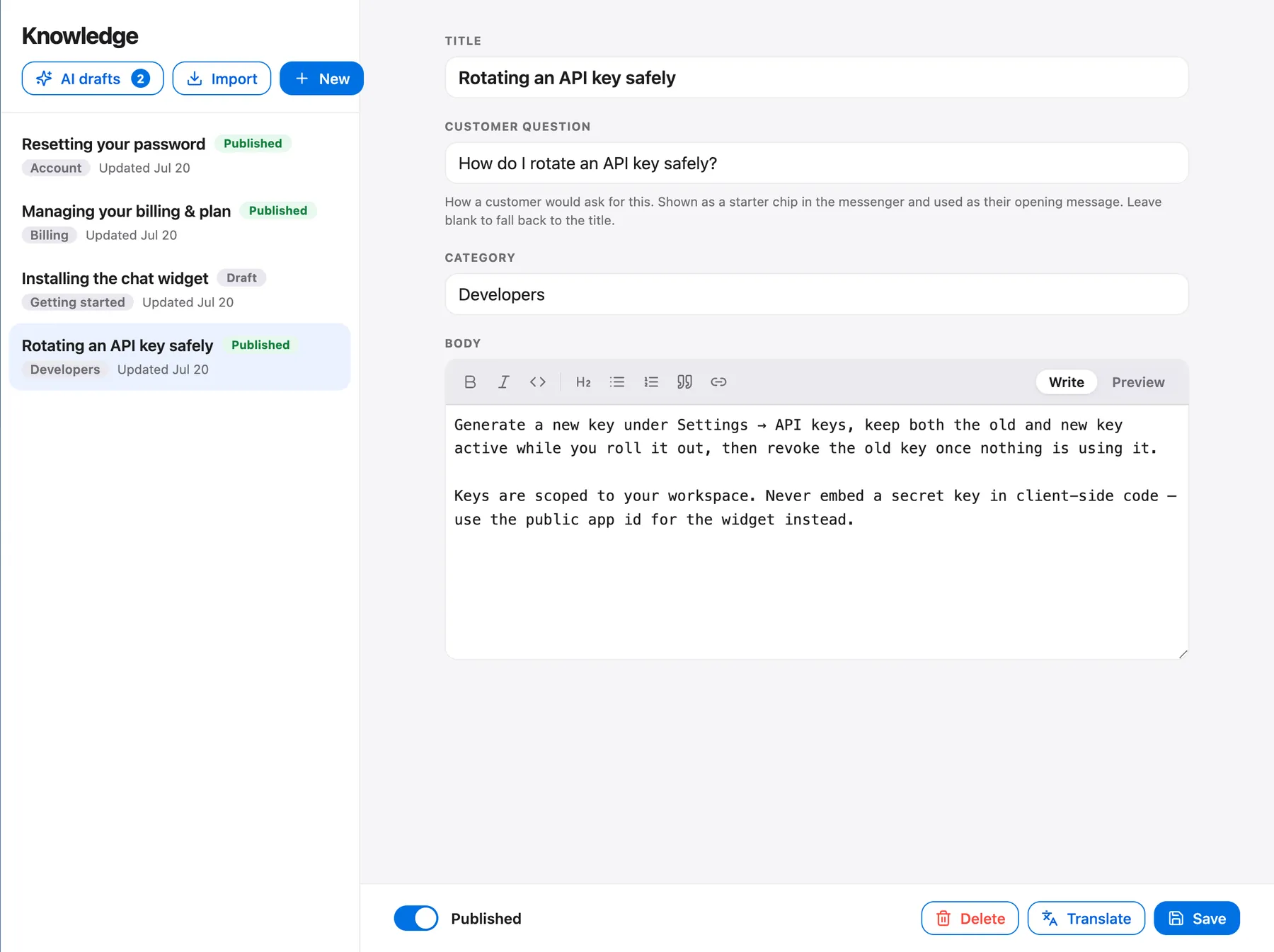
One question per article helps search for the same reason it helps customers. A page titled "Billing and subscriptions" that answers six questions matches every billing query a little and none of them well. Split it. The FAQ page guide covers when a list of questions should become separate articles.
Inside the article, headings should name what they cover ("What happens to your data when you cancel") rather than lean on the title ("Next steps").
Internal links and URL slugs
Google's link guidance is short: link every important page from at least one other page, use descriptive anchor text that makes sense alone, and avoid "click here" and stuffed anchors. There's no ideal number of links.
In a help center, that means linking related articles in context ("if the import fails, see why some articles won't import"), keeping breadcrumbs, and linking from your product and marketing pages into the key articles. The links from your main site matter most, because without a sitemap they're how Google finds the help center at all.
Google's URL structure guidance asks for readable words separated by hyphens, which also helps people judge a link before they click it. Don't change slugs once articles are live without redirecting the old URL.
If Google can't render it, nothing else counts
Content can't rank if Google can't fetch it, render it and decide which URL is the real one.
Server-rendered HTML. Google's JavaScript SEO basics still recommend server-side rendering or pre-rendering because "not all bots can run JavaScript", and links need to be real <a href> links. Help centers that draw articles entirely in the browser are the risk, one of the problems covered in using Notion as a help center.
Canonical tags. Google's canonicalization guide rates redirects and rel="canonical" as strong signals and sitemap inclusion as weak. Use one method, point each page at itself with an absolute URL, and link internally to the canonical version. Don't use robots.txt or noindex to choose a canonical. If an article shows up under two category paths or a ?lang= variant, it needs one canonical.
Sitemaps. Google's sitemap overview says a site of 500 pages or fewer that's well linked internally may not need one, and that a sitemap doesn't guarantee crawling. If you do have one, Google ignores priority and changefreq and only trusts lastmod when it's consistently accurate.
Thin pages. A three-line stub that says "Contact support" helps no one arriving from Google. Finish it, merge it, or keep it out of the index; unpublishing is usually cleaner than noindex.
Then check that it worked, one article at a time:
- Open URL InspectionIn Search Console, paste the full article URL into the inspection bar at the top.
- Read the verdictIt tells you whether the URL is on Google, and shows the canonical Google selected.
- Test the live URLClick Test live URL, then View tested page to see the screenshot and rendered HTML. If the article text is missing, Google is seeing an empty shell.
- Request indexingFor a new or rewritten article, request indexing once. There's a daily limit, and a request doesn't guarantee indexing.
Rich results after the FAQ retirement: the structured data that still counts
Here's what Google's search gallery and changelog showed in late October 2026.
| Markup | Status for help articles |
|---|---|
| FAQ (FAQPage) | Gone. Google said FAQ rich results would "no longer appear in Google Search starting May 7, 2026", and removed the documentation in June 2026 |
| HowTo | Gone. The documentation was removed in September 2023 because the result was no longer shown |
| Article | Still listed in the gallery |
| Breadcrumb | Still supported, but breadcrumb rich results now appear on desktop only |
| Organization (home page) | Still listed. WebSite markup on the home page is separately the main signal for site names |
| Q&A and Discussion forum | Only for genuine community Q&A, not your own articles |
So don't add FAQPage markup to win expandable answers; Google says nothing about whether existing markup does harm. Use Article and Breadcrumb if your platform supports them, and don't promise anyone a rich result.
help.example.com or example.com/help?
Google's SEO Starter Guide puts the choice among things not to worry about: "From a business point of view, do whatever makes sense for your business". We found no Google statement that either option ranks better. Claims that a subdirectory "passes more authority" are opinion, not documentation.
Two things do differ, and they're visible in results:
- Site name. Google supports site names at the domain and subdomain level, and says it "does not support site names at the subdirectory level".
help.example.comcan show as "Example Help Center".example.com/helpshows the main site's name. - Favicon. Favicons are one per hostname, so a subdirectory inherits the parent site's icon.
So the name and icon beside your article in results come from its hostname, which matters if it lives on someone else's domain.
AI Overviews read the same pages Google already indexes
Google's page on AI features and your website says: "There are no additional requirements to appear in AI Overviews or AI Mode." There's no special structured data. A page has to be indexed and eligible to show a snippet, which is everything above.
Its AI optimization guide, first published in May 2026, goes further. It says optimizing for generative AI search "is optimizing for the search experience", and its mythbusting section is useful for anyone being sold an "AI SEO" package:
- llms.txt isn't used by Google Search and neither helps nor hurts.
- There's no need to chunk content into small pieces, and no ideal page length.
- There's no need to rewrite pages for synonyms or long-tail variants.
- Mass-producing pages to catch every variation of a query can count as scaled content abuse.
What it does ask for is "non-commodity" content: original, first-hand, beyond common knowledge. Help articles about your own product are about as non-commodity as content gets.
The help center SEO checklist
- Each article answers one question, and its title names the task in the customer's words
- The site name appears once in the title, at the start or end, after a delimiter (some platforms add it for you)
- The first paragraph is the answer and would work as the search snippet
- Headings say what each section covers, without leaning on the title
- Related articles link to each other with descriptive anchor text
- Your website links to the help center and to the top articles
- Articles are server-rendered: the tested page in URL Inspection or the Rich Results Test shows the article text
- Each article has one self-referencing canonical with an absolute URL
- Thin stubs are finished, merged or unpublished
- No FAQPage or HowTo markup added for rich results; Article and Breadcrumb only if supported
- No llms.txt project, and no rewriting pages for synonyms or long-tail variants
- A Search Console filter for the help center path, checked monthly
One Search Console filter is enough to measure it
In Search Console's Performance report, add a Page filter for your help center's path, such as URLs containing /help/, or add the help subdomain as its own property. Then look at two things once a month.
Queries show the words people used to find you, which is free research for titles. Pages show which articles get impressions but few clicks; those usually have a weak title or a first paragraph that doesn't answer the question. Change a few titles at a time and give them a few weeks before judging.
Talvo's hosted help center and search: the trade-off
Talvo includes a hosted help center on every plan, Free included.
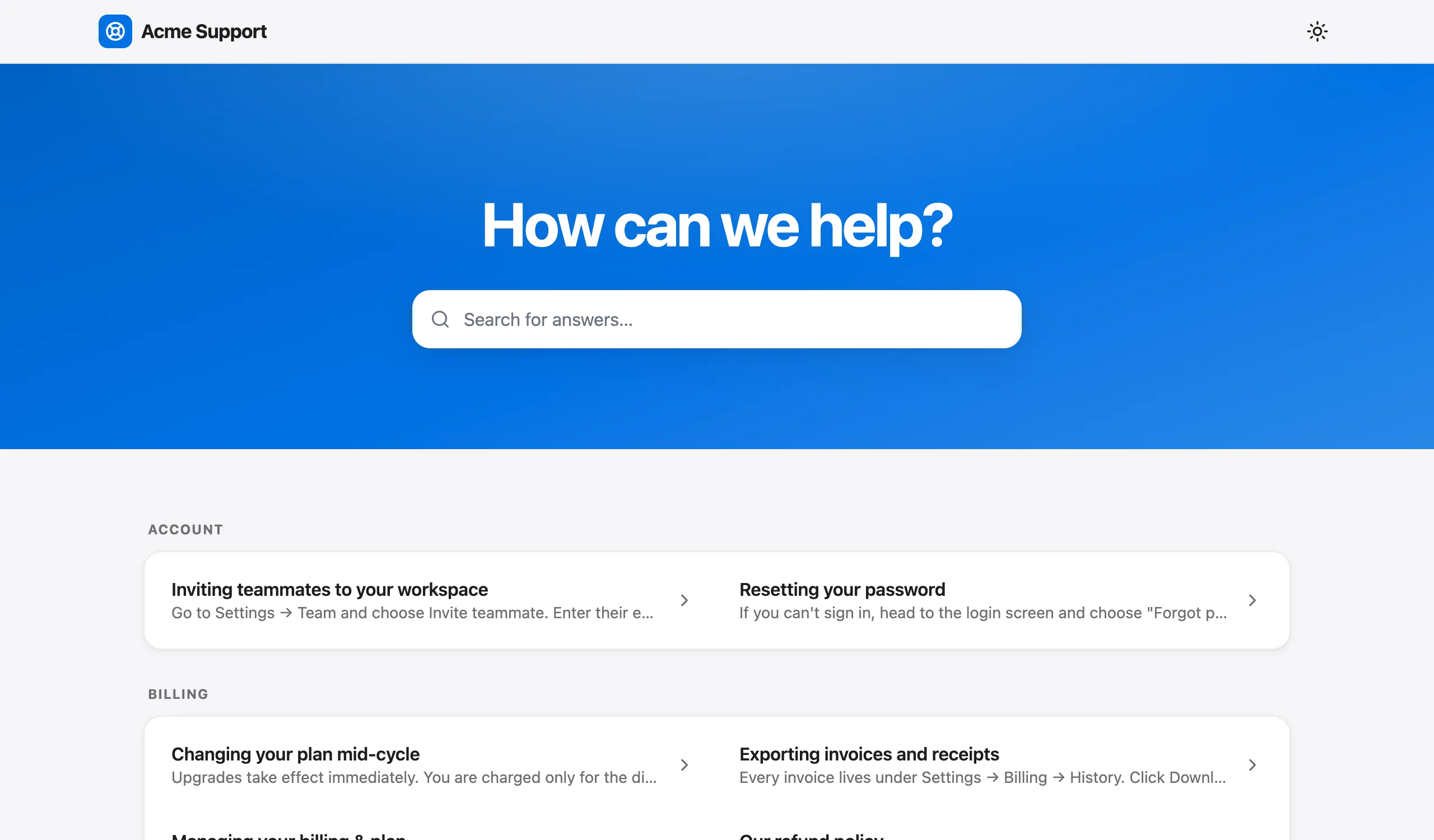
The basics are handled. Articles are pre-rendered with their text in the HTML, and a missing article returns a real 404. Each article carries a canonical tag pointing to its full URL, plus Open Graph and Twitter tags, and TechArticle and BreadcrumbList JSON-LD. There's no FAQ markup on help articles, which is fine given the table above. Each article page also shows a breadcrumb and a list of other articles in the same category, so related articles are linked for you.
What's generated and not editable: the page title is always "Article title · Workspace Help Center", and the meta description is the article's first paragraph, cut to about 155 characters. Because the workspace name is added to every title, leave your brand out of the article title itself. The URL slug is generated once, from the article's first title plus a 6-character suffix, and doesn't change when you retitle the article. Retitling never breaks a link, but the slug keeps the old wording. So your levers are the article title and the first paragraph, which is where the effort above should go anyway.
The limits bite hardest on SEO:
- No custom domain. Articles live at addresses like
talvo.chat/help?app=…&article=…, and the pages show "Powered by Talvo". That ID-filled query string is the URL pattern Google's URL structure guidance suggests avoiding. Under Google's site-name and favicon rules, search results will show talvo.chat's name and icon, not yours. - No sitemap. Tenant help centers are deliberately left out of Talvo's sitemap, and Talvo offers no sitemap for your articles.
- No noindex controls. You can't exclude an article or the whole help center from search. Drafts aren't public, so unpublishing is the way to hide a stub.
- No Search Console data. Search Console reports on sites you verify, and you can't verify talvo.chat. URL Inspection and the Performance report aren't available for these pages, though Google's Rich Results Test works on any public URL and shows the rendered HTML. The Knowledge page shows each published article's views and "% helpful" votes, but views aren't split by where the visitor came from.
What that means in practice: Google finds a Talvo-hosted help center only through links. Link it from your site's header or footer, link your most important articles from relevant product and marketing pages, and use the exact article URLs, since those are the canonical ones. See the hosted help center article and the widget install guide.
If search traffic under your own name, or Search Console data, is a priority, you may need a help center tool with a custom domain, or to publish key articles on your own site. Talvo's help center is built to answer customers already on your site or in your widget, and to feed the AI agent the same published articles.
Whatever the tool: one real question per page, titled the way customers search, rendered and linked so Google can reach it.
Frequently asked questions
What is help center SEO?
Help center SEO is the work of getting your support articles found in search engines: titling each article as the question people search, putting the answer first, making sure the pages are crawlable and indexed, and linking to them from your main site. It needs no special tricks, because Google ranks help articles by the same rules as any other page.
Should my help center be on a subdomain or a subdirectory?
Google's SEO Starter Guide says to do whatever makes sense for your business and lists the choice among things not to worry about. Google doesn't say that either ranks better. The visible differences are that site names are supported for subdomains but not subdirectories, and favicons are set per hostname.
Does FAQ schema still help help-center articles?
No, not for rich results. Google said FAQ rich results would no longer appear in Google Search starting May 7, 2026, and removed the FAQ documentation in June 2026. Article and Breadcrumb markup are still supported, and breadcrumb rich results now appear on desktop only.
Do I need llms.txt or special formatting for AI Overviews?
Google says there are no additional requirements to appear in AI Overviews or AI Mode beyond being indexed and eligible for a snippet. Its AI optimization guide says llms.txt is not used by Google Search and that there's no need to chunk content or hit an ideal length. It asks for original, first-hand content instead.
Why isn't Google indexing my help center articles?
Common causes are articles rendered only by JavaScript, no links pointing to the help center from your main site, conflicting canonical tags, or thin pages. Inspect one article with URL Inspection in Search Console, run the live test and view the tested page: if the article text is missing, Google is seeing an empty shell.
How do I measure help center search traffic?
In Search Console's Performance report, filter pages to your help center's path, or add the help subdomain as its own property. Check queries for customer wording, pages with impressions but few clicks for weak titles, and clicks against the previous 28 days for the trend.
Is Talvo's hosted help center good for SEO?
It covers the basics: server-rendered articles, canonical tags, and TechArticle plus BreadcrumbList structured data. But it has no custom domain, no sitemap for your articles, no noindex controls, and generated titles and descriptions you can't edit, and you can't see its pages in your own Search Console, though Google's Rich Results Test can still show the rendered HTML. Teams for whom help-center search traffic is a priority may need a tool with a custom domain.
Sources
Other products' prices and features change. We checked these pages; if something is out of date, tell us and we'll fix it.
- Google Search Central: Creating helpful, people-first content (updated Oct 5, 2026)
- Google Search Central: Influencing title links (updated Dec 10, 2025)
- Google Search Central: Snippets and meta descriptions (updated Apr 20, 2026)
- Google Search Central: Crawlable links (updated Dec 10, 2025)
- Google Search Central: JavaScript SEO basics (updated Mar 4, 2026)
- Google Search Central: URL structure best practices (updated Oct 21, 2026)
- Google Search Console Help: URL Inspection tool
- Google Search Central: Consolidate duplicate URLs (updated Jul 10, 2026)
- Google Search Central: Sitemaps overview (updated Dec 10, 2025)
- Google Search Central: Build a sitemap (updated Jul 8, 2026)
- Google Search Central: Structured data search gallery (updated Oct 16, 2026)
- Google Search Central: Breadcrumb structured data (updated Sep 8, 2026)
- Google Search Central: documentation updates changelog (checked Oct 23, 2026)
- Google Search Central: SEO Starter Guide (updated Dec 10, 2025)
- Google Search Central: Site names (updated Dec 10, 2025)
- Google Search Central: Favicons in search results
- Google Search Central: AI features and your website (updated Dec 10, 2025)
- Google Search Central: AI optimization guide (updated Jul 10, 2026)
- Talvo: hosted help center