
On this page
- Decide whether you need an FAQ page at all
- Take the questions from your inbox, not your imagination
- How to write an FAQ page, one entry at a time
- Order and length
- Write it so an AI agent can answer from it
- The FAQ schema question
- Keep it true
- A template to copy
- When to graduate to a help center
- What Talvo can and can't do here
- Frequently asked questions
An FAQ page is a promise: ask a common question and you'll get a short, correct answer in under ten seconds. Most FAQ pages break that promise. They're a wall of questions someone invented in a meeting, answered in marketing language, with "see above" and "as mentioned" scattered through them.
This guide covers how to write an FAQ page that customers can scan, how to write each answer so an AI agent can also use it, what to say about FAQ schema (the news is less exciting than most articles claim), and the point where an FAQ page stops being enough and you need a help center. Examples are invented and marked as such.
Decide whether you need an FAQ page at all
An FAQ page suits a small business with a short list of questions that never changes much: shipping, returns, hours, pricing basics, how to book. A visitor can read all of it in a minute.
It's the wrong tool when you have several products, answers that run to paragraphs, or customers who need to search. If you can't scan your list of questions in one screen, you don't have an FAQ, you have a help center in disguise. The last section covers when to move.
Take the questions from your inbox, not your imagination
The most common mistake is writing questions you wish customers asked. Pull the real ones.
Read your last 30 days of chats and emails and tally what people actually asked, in their words. If you have a shared inbox, filter or search it for the words you suspect ("refund", "shipping", "cancel"). Talvo's inbox lets you search conversations and filter by conversation tag, which makes counting easy once you've tagged for a week or two. No inbox history yet? Use the questions customers ask on sales calls and the ones you'd ask if you were buying.
Keep the customer's phrasing. "Where's my order?" beats "Order status inquiries". The words people type into a search box and into a chat window are the same words, and they're the ones a retrieval system will match.
How to write an FAQ page, one entry at a time
Every entry has four parts, and they come in a fixed order.
- The questionIn the customer's words, and specific enough to stand alone.
- A one-sentence answerThe reader who stops here should have what they came for.
- The detailConditions, exceptions and steps, in two or three short sentences.
- A linkTo the full article or policy, for the reader who wants more.
Here is the same entry before and after. The policy is invented for the example, so swap in your own facts.
BEFORE
Refunds
Please see our refund policy above. Refunds are processed as described.
Contact us for details.

AFTER
Can I get a refund if I cancel my annual plan?
Yes, within 14 days of purchase. After that, you can cancel any time but the
current year isn't refunded.
Refunds go back to the original payment method and usually appear within 5 to
10 business days. To ask for one, reply to your receipt email or write to
support@example.com with your account email.
Full policy: [link to the refund article]
The "before" fails two readers at once. A person can't tell what the policy is. An AI agent has even less to work with, because "above" points at something it may not have retrieved, and "as described" describes nothing. The "after" names the subject (the annual plan), gives the rule in the first sentence and keeps every sentence meaningful if read alone.
Order and length
Group questions by what the customer is trying to do, not by who owns the answer internally. "Before you buy", "Using your account", "Billing and refunds" read better than "Sales", "Product", "Finance".
How many questions? There's no rule. Eight to twelve is a judgment call we'd use as a ceiling for a single page, because by then a reader is scrolling to hunt, and a long list is a signal you've outgrown the format. Put the most-asked question first; your tally tells you which that is. Lead each group with its most common question. Don't hide your most-asked answer behind an accordion that needs a click to open when a page-find would have found it.
Write it so an AI agent can answer from it
A chatbot doesn't read your page like a visitor. It retrieves a passage, often just one paragraph, and writes an answer from it with no idea what's on the rest of the page. Three habits make an FAQ entry usable that way:
- Name the subject in every answer. Say "the annual plan" and "your refund", not "it" or "this". A pronoun that pointed to the previous question is meaningless once the paragraph is read alone.
- Never write "see above" or "as mentioned". If the answer needs another answer, link it or repeat the one fact it needs.
- State conditions in the same paragraph as the rule. "Refunds within 14 days" and "except for custom orders" must sit together, or the agent will quote one and miss the other.
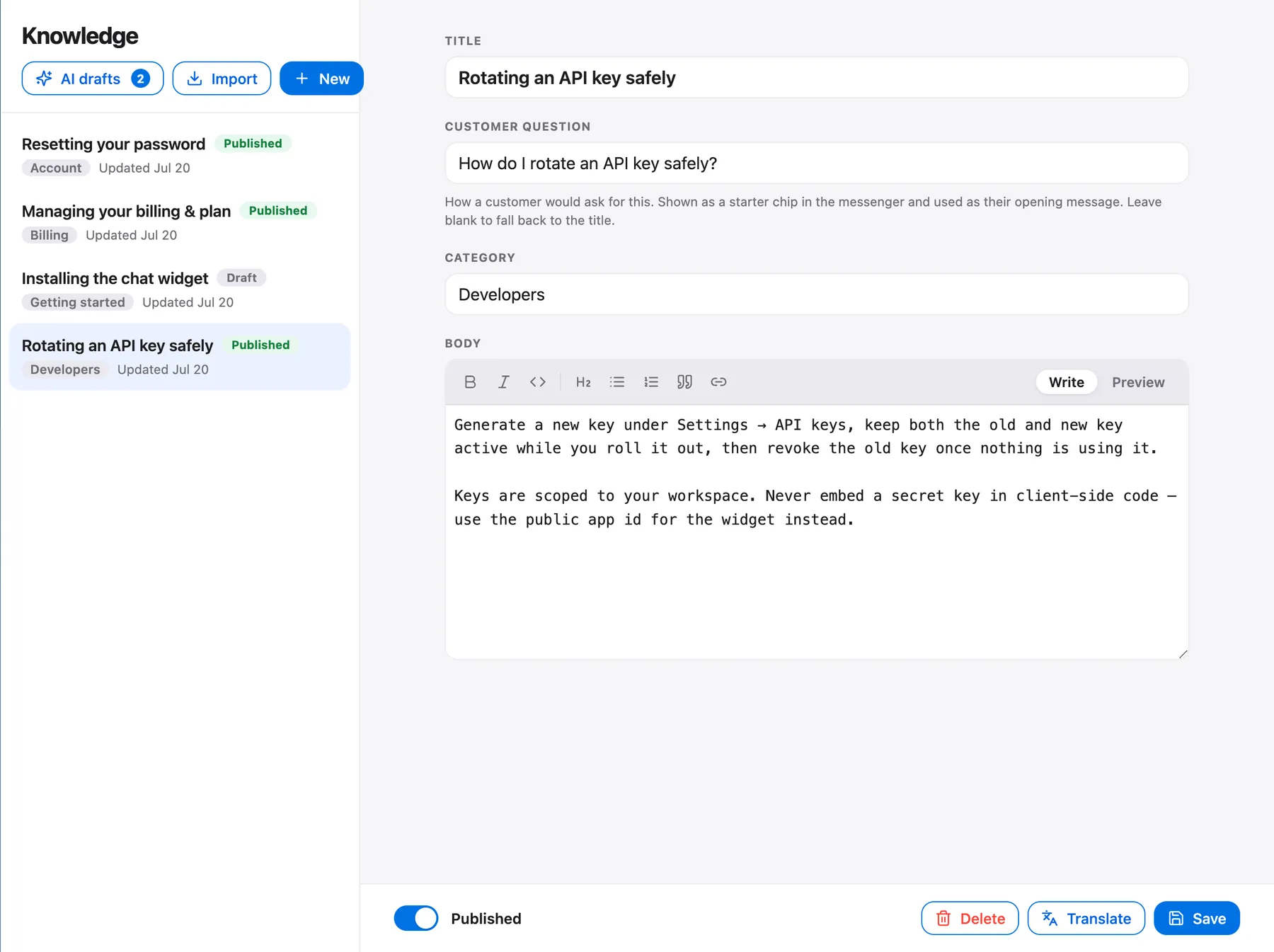
These are the same rules as in writing help articles for AI, which goes deeper on titles, tables and templates. In Talvo, the AI answers only from published knowledge base articles, shows which article it used and hands off to a person when it isn't confident or has no article to answer from. A single page of questions and answers fits that model awkwardly, so the cleanest setup is one article per question. Our knowledge base chatbot guide covers testing a bot against what it knows.
If you already have an FAQ page on your site, Talvo's site crawl import can bring it in. Imported content arrives as drafts you review before publishing. A page is one URL, so an FAQ will likely arrive as one long draft rather than one article per question. If it does, split it up before you publish.

The FAQ schema question
You'll see advice to add FAQ structured data to win expandable answers in Google results. The advice is out of date. In August 2023, Google announced that FAQ rich results "will only be shown for well-known, authoritative government and health websites" (Google Search Central). Google also said you can leave existing markup in place and there is "no need to proactively remove it."
So for most sites, FAQ markup will not produce a rich result. Don't build a plan around one, and don't promise anyone a click-through lift from it. It's still worth having a clear, well-organized FAQ page, because that helps readers and can rank like any other useful page. But the benefit comes from the writing, not the markup.
Is an FAQ page good for SEO? It can be, the same way any page that answers real searches can be. How much depends on the page and the competition for those searches, so be wary of anyone quoting a general figure. Two practical points: use each question as a heading so it's findable, and give each page a title that says what it is.
Keep it true
An FAQ goes stale the day a price or a policy changes, and a stale answer is worse than a missing one because both readers and AI agents will repeat it confidently. Put a review date in your calendar, and re-read the page whenever you change pricing, shipping or terms. If you use Talvo's help center, the Knowledge page shows each published article's views and "% helpful" from the "Was this article helpful?" prompt, which tells you where to look first. Treat a low score as a prompt to reread the article, not as proof it is wrong.
A template to copy
Start from this plain-text block and fill in your own facts. Delete groups you don't need.
[Group name: the job the customer is doing]

Q: [The question, in the words customers use]
A: [One sentence that answers it, naming the subject.]
[Two or three sentences: conditions, exceptions, steps.]
More: [link to the full article]

Q: [Next question]
A: [One sentence.]
...
Where does it live? Link it from your site footer, from pricing and checkout pages (where doubts cluster) and from your chat widget. In Talvo, published articles also show on the widget's Help tab, so visitors can browse or search them without starting a chat.
When to graduate to a help center
An FAQ page has done its job when it stops being scannable. Look for these signs. They're our judgment, not a standard.
- Answers regularly run past about 150 words, and readers need steps or screenshots
- You now have more than one product, plan or audience
- A visitor can't find the right question without searching
- You're writing "see our other article" in more than a couple of answers
- Your chatbot hands off questions your FAQ nearly answers, because the answer is buried in a long page
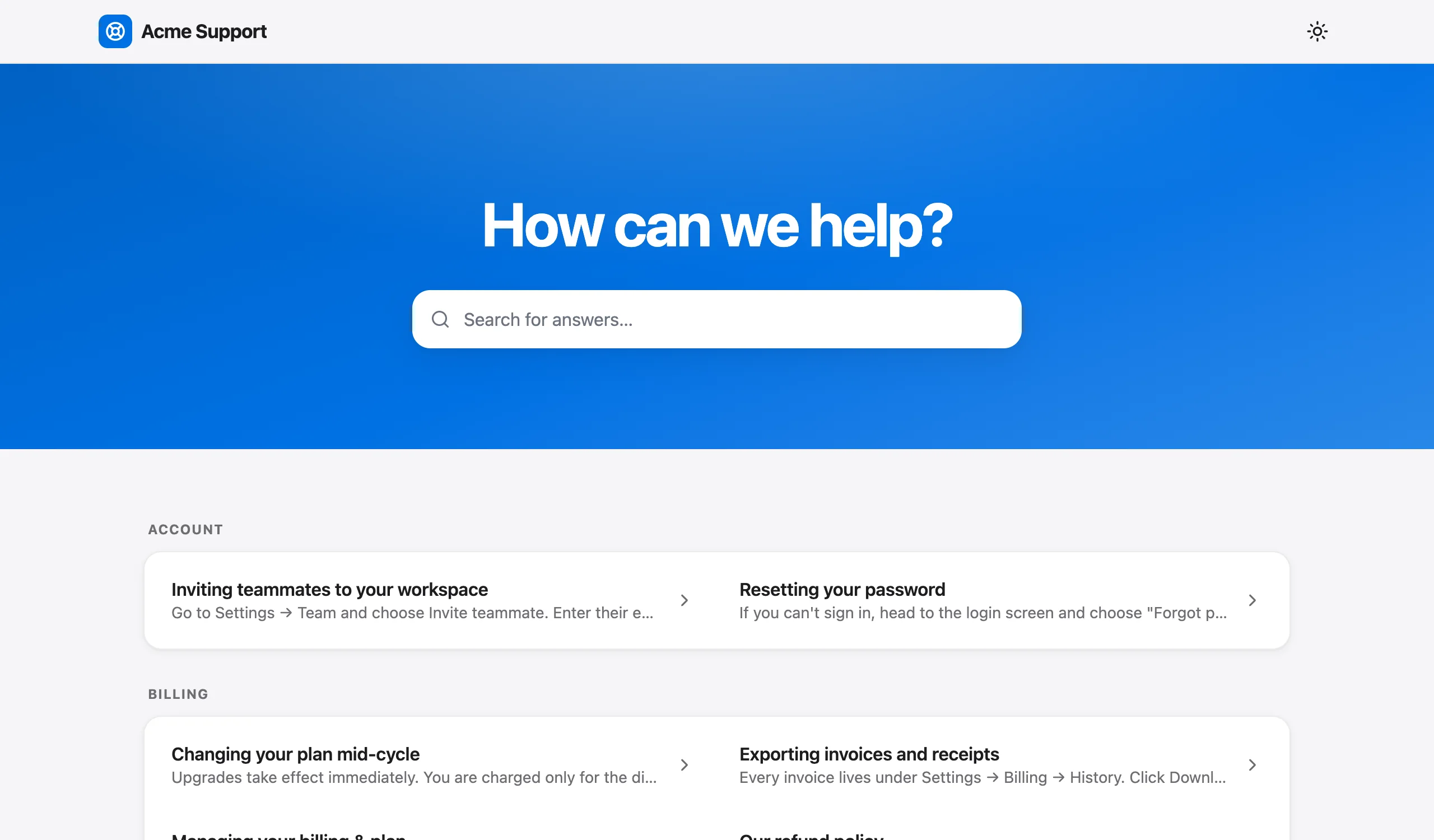
At that point, move to one article per question, grouped into categories, with search. How to build a help center in a week walks through it. Talvo's hosted help center is included on the Free plan: one level of categories, search that filters as you type, and a page per article. Each help article page carries HelpArticle structured data, which is not FAQ markup and is not a promise of a rich result.
Teams also write FAQ-style content in tools they already have; if yours is Notion, see Notion as a help center for what works and what doesn't.
What Talvo can and can't do here
The help center works as a knowledge base and as the source for the AI agent. Staff see views and a "% helpful" figure for each published article on the Knowledge page, from the "Was this article helpful?" prompt readers see under each article. Be aware of the limits. There's no custom domain for the help center, so articles live at talvo.chat/help rather than on yours. The SEO title and description are generated, not editable. You can't host a standalone FAQ page on your own domain with Talvo, so if you want one on your site, write it there and link to the articles. The widget and help center show "Powered by Talvo", which can't be removed. And Talvo is new and in beta.
Frequently asked questions
What should an FAQ page include?
Real questions from your inbox, written in your customers' words, grouped by what they are trying to do. Each entry needs a one-sentence answer first, then the detail, then a link to the full article. Add contact details at the bottom for questions the page does not cover.
How many questions should an FAQ page have?
There is no rule. We treat eight to twelve as a judgment-call ceiling for a single page. If you have more, or readers must search to find anything, the content probably belongs in a help center with one article per question.
Is an FAQ page good for SEO?
It can be, in the same way any page that answers real searches can be. It will not earn a special display in Google results for most sites. The size of the effect varies by page, so treat clear writing and well-organized headings as the benefit.
Does FAQ schema still work?
Markup is still valid, but Google said in August 2023 that FAQ rich results are shown only for well-known, authoritative government and health websites. Other sites should not expect the expandable results. Google also said there is no need to proactively remove existing markup.
What's the difference between an FAQ page and a knowledge base?
An FAQ page is one short page of the most common questions. A knowledge base or help center is a searchable set of articles, usually one question or task per article, grouped into categories. The FAQ is a good start; the help center is where you go when the list stops being scannable.
How do I write FAQ answers?
Lead with a one-sentence answer that names the subject, then add the conditions and steps in two or three short sentences, then link the full article. Avoid pronouns that point to earlier answers and phrases like 'see above', since the reader or the AI may see only that one paragraph.
Can a chatbot answer from my FAQ page?
Yes, if the content is in its knowledge source. Talvo's AI answers only from published knowledge base articles, so you would import or paste the FAQ in and publish it, ideally as one article per question. It cites the article it used and hands off to a person when it cannot answer confidently.
Where should the FAQ page go on my site?
Link it from the footer, from pricing and checkout pages where doubts cluster, and from your chat widget. If you use Talvo, published articles also appear on the widget's Help tab and in the hosted help center, which lives at talvo.chat/help rather than on your own domain.
Sources
Other products' prices and features change. We checked these pages; if something is out of date, tell us and we'll fix it.


