
On this page
A Notion help center is a sensible way to start. You already write there, publishing a page takes a toggle, and the free plan covers it. For a team of two with twenty articles it can be all you need.
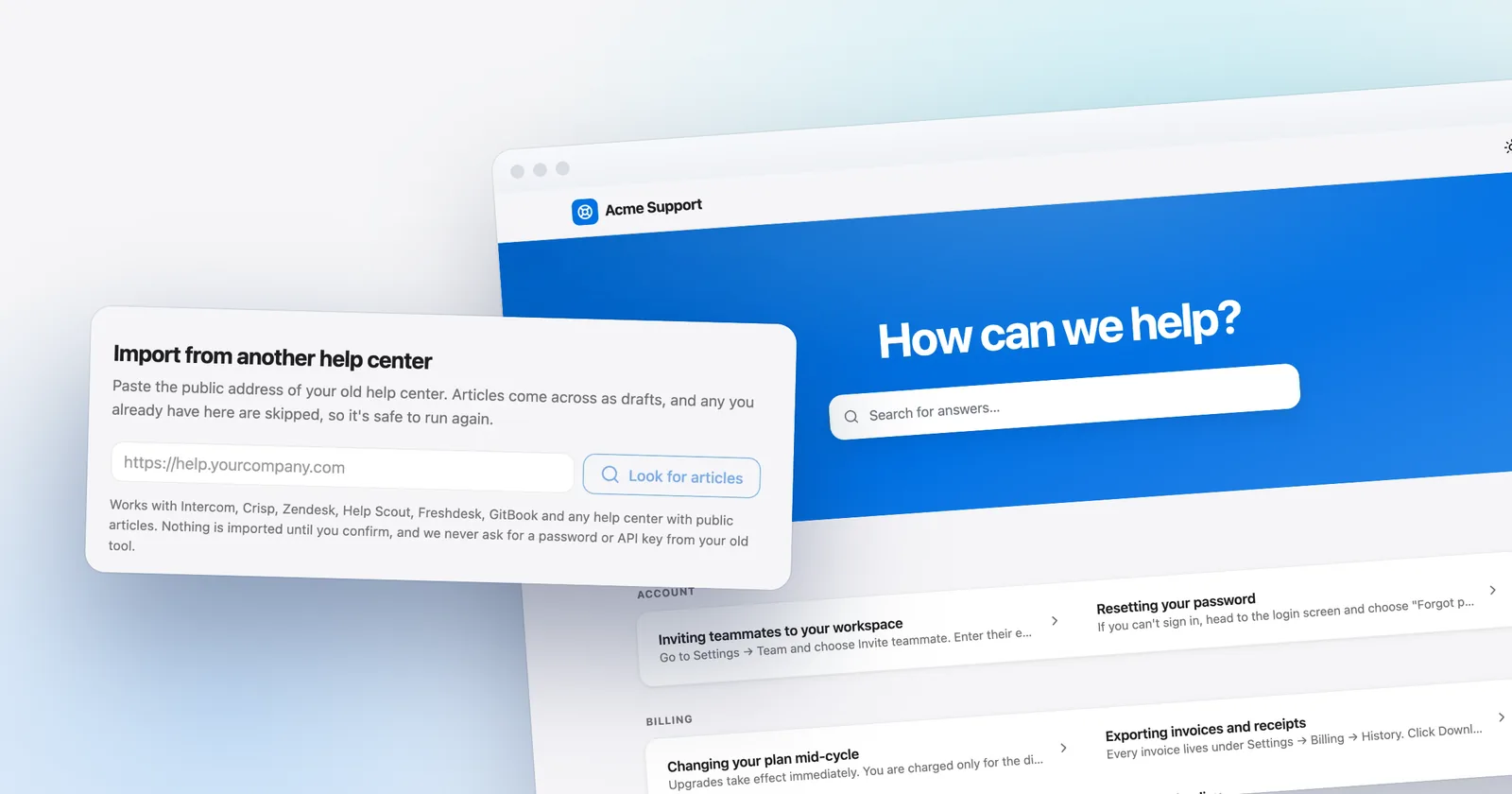
This guide is for the moment it stops being enough. It covers what a Notion help center does well, what Notion Sites includes on each plan, where it breaks as support volume grows, and how to move to a help desk without rewriting everything. One thing to know up front, because it changes your plan: Talvo's importer does not support a public Notion site, so moving means copy-paste, not a crawl. More on that below.
Notion details below come from Notion's own help and pricing pages as of October 21, 2026. Plans change, and Notion notes that plans "may not be available for every workspace", so check the pages linked below before you decide.
Why a Notion help center is a reasonable start
Writing is the hard part of a help center, and Notion is a comfortable place to write. Pages nest, so a getting-started page can hold its own subpages. Anyone on your team can edit without learning a new tool. And there is nothing to host: on the Free plan you can publish an unlimited number of Notion Sites, claim one notion.site domain and turn on search engine indexing for them (Notion: availability and pricing).
For a product with a handful of articles and few customers, that's a real answer, not a compromise. If your support load is a few messages a week, a Notion page you link from your footer is enough, and anything more is overhead. The trouble starts when the help site has to do a support tool's job.
What Notion Sites includes, plan by plan
| Capability | Free | Paid plans |
|---|---|---|
| Publish Notion Sites | Unlimited | Unlimited |
| notion.site domains | 1 | Up to 5 |
| Search engine indexing | Basic | Advanced; you can edit the link title and description |
| Visitor search toggle on the site | Not listed | Yes |
| Google Analytics (measurement ID) | No | Yes |
| Custom slugs, share image, favicon, theme | No | Yes |
| Your own domain | No | Add-on, see below |
| Remove the "Built with Notion" watermark | No | Only with a custom domain |
| Password protection | Not available | Not available |
Sources: Notion pricing, Notion Sites availability, editing and customizing Notion Sites and publishing and web pages.
Three things in that table deserve a sentence each.
The custom domain is an add-on. On a paid plan, workspace owners can buy it for an additional $10 a month, or $8 a month on annual billing, per domain, for up to 25 domains. Notion doesn't sell domains, so you bring your own. You have to use a subdomain such as help.yourcompany.com, set a CNAME to external.notion.site. and add a TXT verification record. For a root domain, Notion recommends www plus a redirect at your DNS provider (connect a custom domain).
The branding is tied to the domain. The "Built with Notion" watermark can only be turned off when the site uses a custom domain.
Nothing is private. Notion's own help says that password protecting a published page isn't possible "at the moment". If some answers are for paying customers only, a Notion Site can't gate them.
What it costs depends on the plan. Notion's list prices are Plus at $10 per seat per month on annual billing ($12 monthly) and Business at $20 ($24 monthly). Suppose three people edit, which is an assumption about your team, and you want a custom domain. On Plus that's 3 × $10 + $8 = $38 a month annual, or 3 × $12 + $10 = $46 monthly. For the same three teammates, Talvo's Starter plan costs $39 a month annual or $49 monthly, because the cheapest Talvo plan with three seats is Starter (Free allows two). That isn't a like-for-like comparison. Notion's price also covers whatever else your team does in Notion, while Talvo's covers chat, the inbox and AI. Compare the problems each solves, not the totals.
What breaks as you grow
Most of what follows isn't a flaw in Notion. Notion Sites is a publishing feature, and a help desk does a different job.
Search engines and AI tools may see less than you do. In a check of three sample notion.site pages, the raw HTML held a title, a meta description and only a short text fragment, because the page body loads through JavaScript. That is our observation on October 21, 2026, not a Notion statement. A tool that doesn't run JavaScript sees almost nothing. Notion's robots.txt for notion.site allows crawling and points to a shared sitemap, so the issue isn't permission, it's what a simple crawler can read.
Indexing is slow and thinly documented. Notion says sites can take up to four weeks to be indexed and appear in search results. Its help pages don't mention sitemap control, canonical tags, structured data or redirects, so you're relying on defaults.
Publishing is broader than it looks. Publishing a page publishes all of its subpages by default. The page's metadata also includes the names, profile photos and email addresses of the Notion users who contributed to it. Neither is a bug, but together they are how an internal page or a teammate's email address ends up public. Read the share settings before every publish.
You don't fully own the address. Notion reserves the right to reclaim a notion.site domain at any time, and Enterprise owners can disable publishing, which takes down sites that are already live. A custom domain reduces the first risk.
It doesn't know about your customers. Notion's Sites documentation doesn't describe a link between a question in chat and the article that should answer it, a list of questions that have no article, or a per-article "was this helpful" signal. Those are support-tool features. They're also what keeps a help center true over time: if you can't see which questions go unanswered, you write articles from guesses.
An AI agent needs clean, separate pages. To answer from your content, an agent wants one question per page, with the subject named in each answer. A Notion workspace built for humans often has long pages and cross-references. Writing help articles for AI covers the style.
Some third-party tools wrap a Notion workspace into a branded help site. They're outside the scope of this guide. If you try one, check each against the gaps above, especially JavaScript rendering, article feedback and whether it can connect chat to the articles.
Five signs you've outgrown it
- Customers still ask questions your pages answer, and you can't tell why they didn't find them
- You want an AI agent to answer from your articles and cite them
- You need to see which questions have no article, not just which pages exist
- Some answers should be visible only to customers, and Notion can't password-protect a site
- A chat conversation should hand a customer straight to the right article, and back
Two yeses are our rule of thumb, not a standard. Treat it as a prompt to look at your own inbox.
Moving off Notion without rewriting
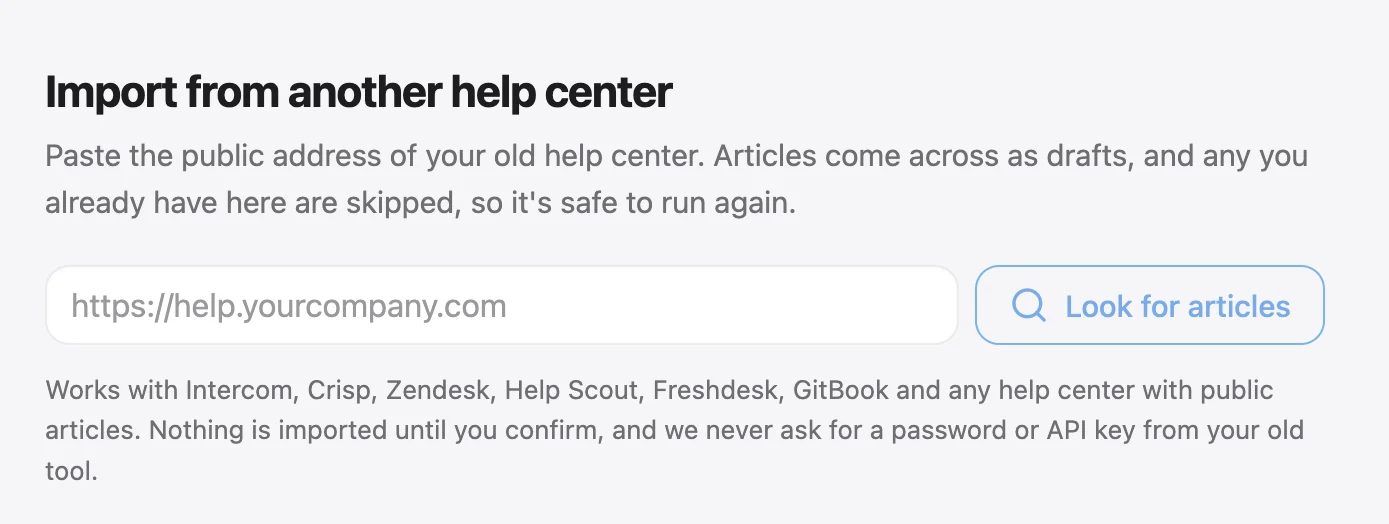
Here's the honest part. Talvo's help-center importer takes articles from listed help-center platforms and from a generic sitemap or HTML crawl. It reads only the HTML a server sends, and it doesn't run JavaScript. Because Notion pages need JavaScript to show their content, a public Notion site isn't supported. Don't point the importer at your notion.site address and expect articles. The onboarding crawl, which writes starter articles from your website, has the same limit.
What works is manual, and for a few dozen articles it's an afternoon.
- List what you haveOpen your Notion pages and make a list: title, category, last edited. Decide which are still true.
- Move the textCopy each page's text out of Notion, then check tables and images after you paste.
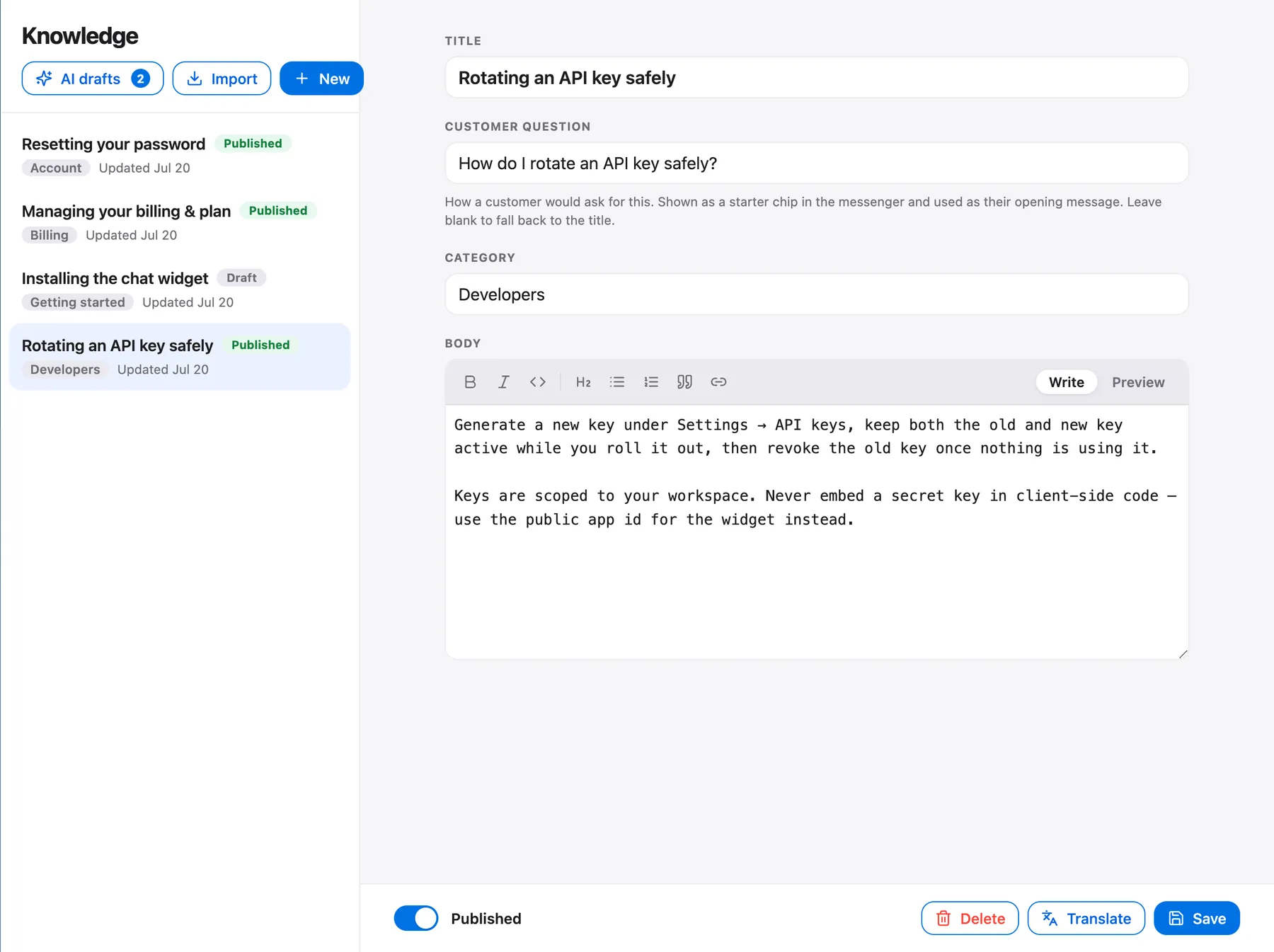
- Make one article per questionPaste into a new article in Talvo's knowledge base, split long pages by question and use the customer's wording for the title.
- Set the categoryTalvo has one level of categories, so flatten any nested pages into a short list.
- Publish after readingDrafts are invisible to customers and the AI. Publish only what is current.
- Replace the linksUpdate your site, emails and in-app links to the new addresses. Keep the Notion site up until you have.
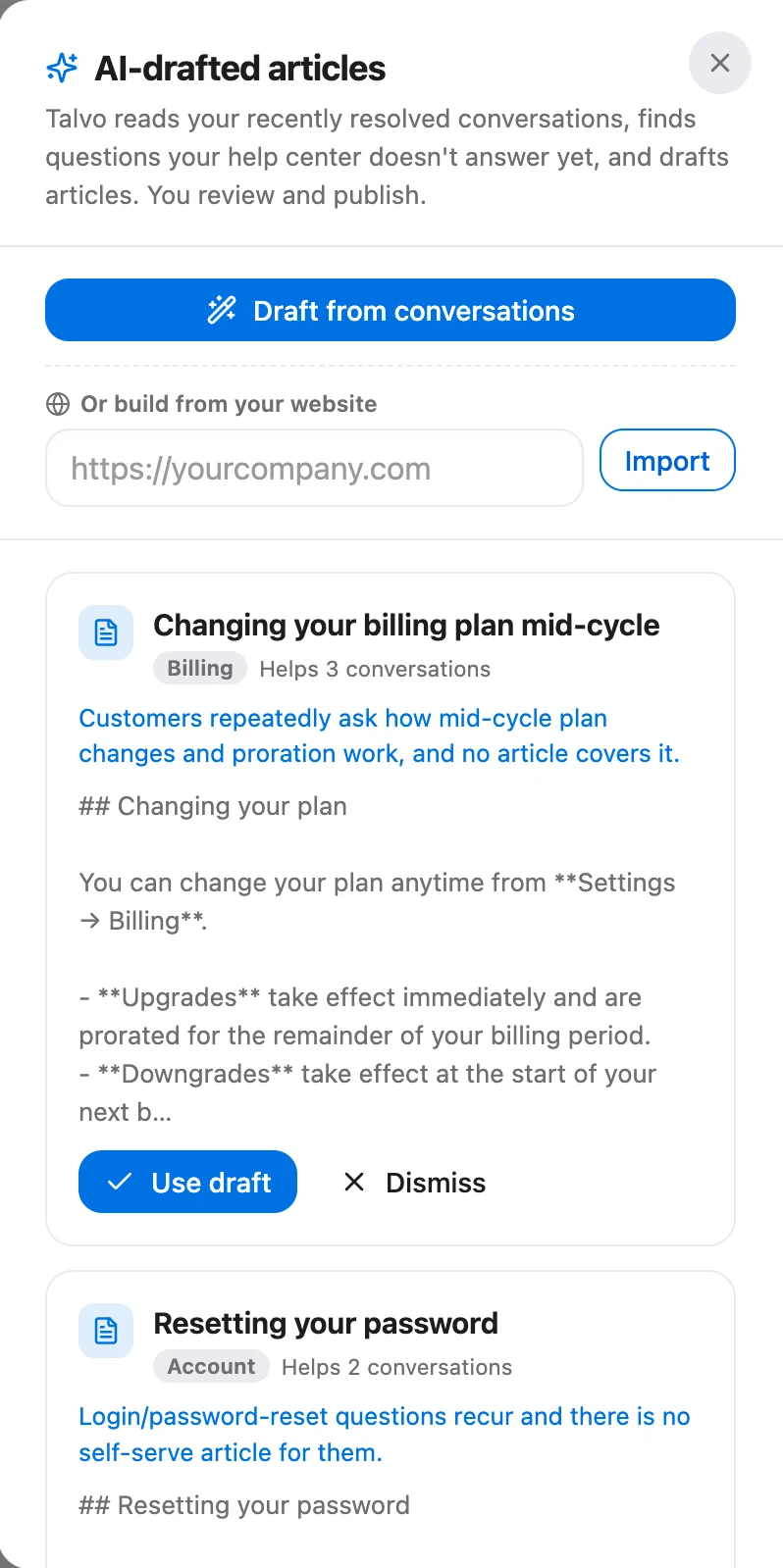
Imported or pasted, articles are only as good as their upkeep. On the Growth plan ($149 a month, or $119 billed annually), Talvo can draft articles from the questions the AI couldn't answer, which you review before publishing. That feature is the other half of the loop Notion lacks: it points at the gaps.
The importer has its own screen for the sources it does support. If your content also lives on Intercom, Zendesk or a similar platform, that's the screen to use.
What you give up by leaving Notion
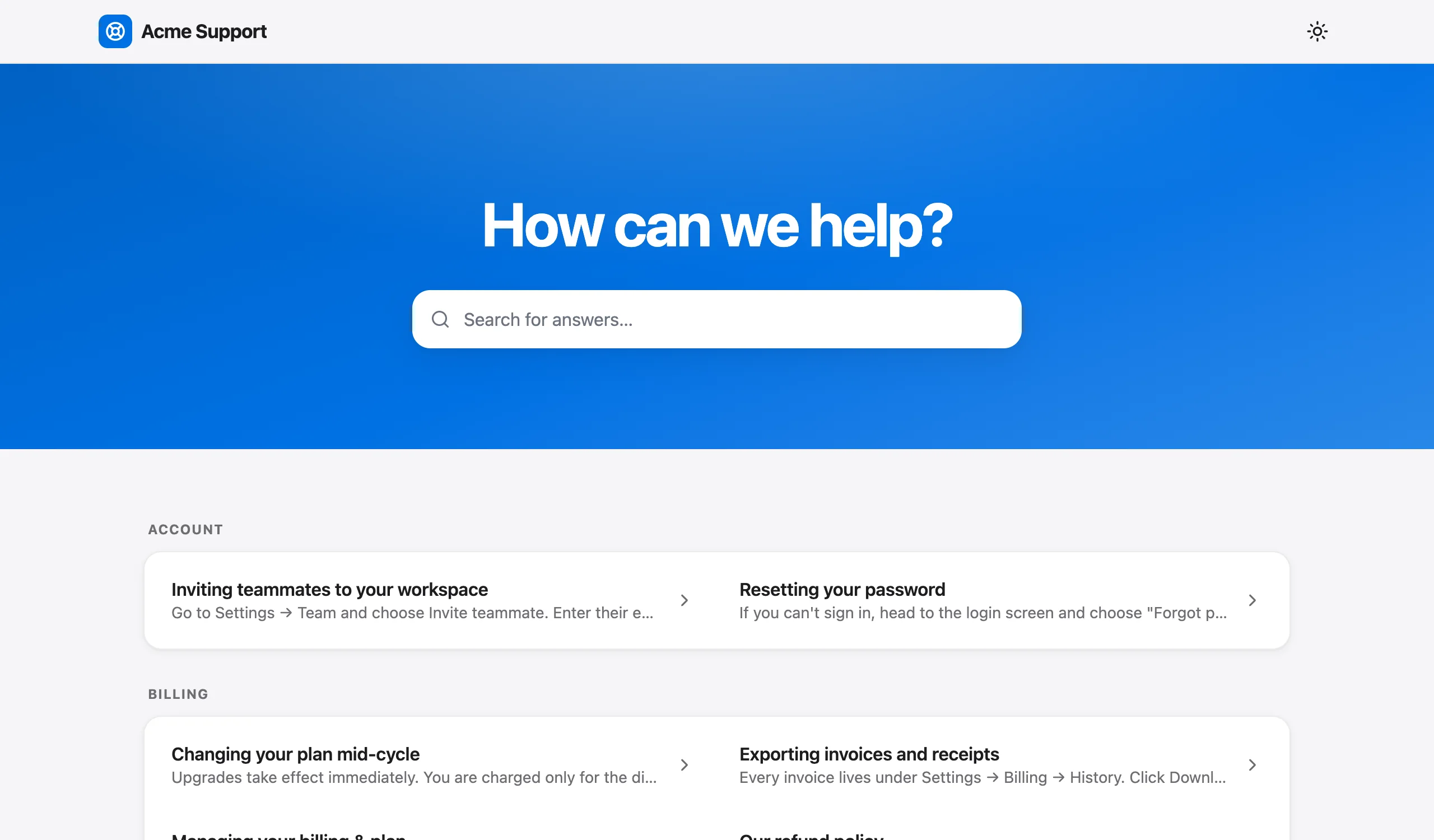
Be clear-eyed about the trade. Notion is the better editor, and it's one tool for notes, docs and the public site. Its pages nest; Talvo's help center has one level of categories. Notion lets paid plans edit the SEO title and description, set slugs and add Google Analytics, while Talvo's help article titles and meta descriptions are generated automatically, and you can't edit them. And Notion offers a custom domain at $8 or $10 a month. Talvo has none, so your help center lives at talvo.chat/help with "Powered by Talvo" on it, and that can't be removed.
What you get in return is a help center tied to the rest of support. The AI agent answers only from published articles, names the article it used and hands the conversation to a person when it isn't confident. Articles can be inserted into a reply from the composer. Readers see "Was this article helpful?" under each article, and your team sees views and a "% helpful" figure per article. Each article page carries HelpArticle structured data. On the Free plan you get all of this for up to two teammates, with 25 AI resolutions a month during the beta.
- A comfortable editor your team already uses
- Free to publish, with indexing on the Free plan
- Custom domain, editable SEO fields and Google Analytics on paid plans
- No password protection, so nothing can be customer-only
- Pages need JavaScript to render, which limits simple crawlers and importers
- No built-in link between chat questions and the articles that answer them
So which one
Stay in Notion if your volume is small, your answers are public and you're happy with the pages as they are. Move when the help site needs to work with your inbox: when you want an AI agent that cites articles, a view of the gaps, or answers shown inside the chat widget. How to build a help center lays out a week-long plan for the move, and the knowledge base chatbot guide covers connecting it to AI. If your content is currently an FAQ page, start with how to write an FAQ page.
Talvo is new and in beta. It has no WhatsApp, SMS or phone, and no native app (it runs in a phone browser). The details of the hosted help center are in Talvo's help article.
Frequently asked questions
Can I use Notion as a public help center?
Yes. Notion Sites lets you publish pages publicly, and the Free plan allows unlimited sites, one notion.site domain and search engine indexing. It works well for a small, public set of articles. It has no password protection, so it cannot hold customer-only content.
Is a Notion site good for SEO?
The Free plan has basic indexing, and paid plans add advanced indexing with editable link title and description. Notion says sites can take up to four weeks to be indexed. Its help pages do not mention sitemap control, canonical tags, structured data or redirects, and in a check of three sample pages the body text loaded through JavaScript.
Can I use a custom domain with Notion Sites?
Yes, on a paid plan. Workspace owners buy a custom domain add-on at $10 a month, or $8 a month on annual billing, for up to 25 domains. You bring your own domain, use a subdomain with a CNAME to external.notion.site. and add a TXT record. The Built with Notion watermark can only be turned off with a custom domain.
Does Notion have analytics for public pages?
Notion offers a Google Analytics integration on paid plans, where you enter a measurement ID. Notion's help pages do not describe per-article helpfulness ratings or reports on questions with no article.
Can a chatbot answer from my Notion docs?
Only if the chatbot can read the content. Published Notion pages load their body through JavaScript, so tools that do not run JavaScript may see little. With Talvo, the AI answers from published knowledge base articles, so you would copy your Notion articles in and publish them.
How do I move a Notion help center to a help desk?
Talvo's importer does not support a public Notion site, because the pages need JavaScript. Copy each page's text out of Notion and paste it into new knowledge base articles, one question per article. Review and publish them, then update your links.
Is Notion free for a public knowledge base?
Publishing is free: the Free plan allows unlimited Notion Sites on one notion.site domain. Paid plans start at $10 per seat per month on annual billing for Plus ($12 monthly), and a custom domain adds $8 or $10 a month. Plans may not be available for every workspace.
What's the best Notion help center template?
A good template has one question per page, the answer in the first sentence and the subject named in each answer, so it works for readers and for AI. Judge any template by that structure rather than its styling.
Sources
Other products' prices and features change. We checked these pages; if something is out of date, tell us and we'll fix it.
- Notion Sites availability and pricing (checked Oct 21, 2026)
- Notion pricing (checked Oct 21, 2026)
- Notion: edit and customize your Notion Sites
- Notion: publishing and web pages
- Notion: connect a custom domain with Notion Sites
- Talvo help: import help content with a site crawl
- Talvo pricing (checked Oct 21, 2026)


