
On this page
You can use ChatGPT for customer service today, and your team probably already does. The question is which of three very different things you mean: staff pasting questions into ChatGPT and copying answers back, a custom GPT that answers customers, or an agent that reads your help center and sits inside your inbox. The first is useful and low-risk if you set it up carefully. The second is on its way out. The third is what most people actually want when they search for ChatGPT for customer service.
This guide compares the three side by side, quotes what OpenAI says it does with the text you paste (it differs by plan, and many guides still quote old terms), and says where ChatGPT is genuinely the right tool. We make Talvo, which is one version of the third path, so we say what it doesn't do too. The OpenAI terms quoted here are as published on October 21, 2026. They change, so recheck before you rely on them.
The three paths in one table
| A. Staff paste into ChatGPT | B. A custom GPT | C. An agent grounded in your help center | |
|---|---|---|---|
| Who talks to the customer | Your team, after editing | Customers, who must be signed in to ChatGPT | The agent, in your widget or email |
| Answers from your documents | Only what you paste each time | Files you upload to the GPT | Your published articles, retrieved per question |
| Inside your inbox | No, copy and paste | No | Yes, if you buy it inside a help desk; you build it if you use the API |
| Hand-off to a person | Not applicable, a person is already there | None | Whatever you build or buy |
| Record of what was said | Lives in someone's ChatGPT history | Builders can't see individual conversations | Your inbox, if the product keeps the thread |
| Status | Works today | Retirement announced | Works today |
Path A is a writing tool. Paths B and C are attempts to put an answer-giver in front of customers, and only one of them has the pieces that job needs.
Where ChatGPT is genuinely good at support
Start with what's true: ChatGPT is very good at language. Most of a support day is language.
It drafts a first reply from your notes, fixes a tone that came out sharper than you meant, and shortens a four-paragraph answer to two. It translates an incoming message and your reply. It turns a messy internal thread into a clean summary, and it will write ten differently worded versions of the apology line you keep rewriting. It also helps behind the scenes: outlining a help article from a call transcript, spotting what a long customer email is really asking, or working out how to explain a billing rule to a non-technical reader.
What it doesn't have is your facts. It doesn't know your refund window, which plan includes what, or that you changed the cancellation rule last month. So the safe pattern is that the person supplies the facts and ChatGPT supplies the wording.
- Paste only what the draft needsThe customer's question and the policy text you're relying on. Leave out names, emails, order numbers and card details. You can add them back by hand.
- Say what the answer must contain"Mention the 30-day window and the link to the returns page. Do not promise a refund." Facts you give beat facts it supplies.
- Read the draft against your policyCheck every date, number and promise. This is the step that catches the confident wrong answer.
- Send it as yourselfA person edited it and a person sent it, so the accountability is unchanged. See the Air Canada ruling for what happens when nobody does.
If your team does this all day, the copy-paste step is the cost. An assistant built into the inbox removes it. Talvo's copilot drafts a reply inside the composer in the customer's language, and AI Rewrite is there too, both on Starter and up.
What OpenAI does with the text you paste
This is the part most guides skip or quote from 2023. OpenAI's terms depend on which product you use, so "is ChatGPT private?" has no single answer.
| Product | Used to train models by default? | What to know | OpenAI page |
|---|---|---|---|
| ChatGPT Free, Plus, Pro (consumer) | Yes. OpenAI says "we may use your content to train our models" | You can opt out under Settings > Data controls ("Improve the model for everyone"). Thumbs-up or thumbs-down feedback can still send the whole conversation into training after an opt-out. Temporary chats aren't used while they stay temporary | How your data is used |
| ChatGPT Business (formerly Team), Enterprise, Edu | No. "We do not train our models on your data by default" | Business admins control retention; deleted or unsaved chats are removed "within 30 days" unless longer retention is required by law or needed to protect against harm. A Data Processing Addendum is available for Business, Enterprise and the API | Enterprise privacy |
| Custom GPTs | Follow the plan you use them on | "GPT builders cannot view individual conversations." Data sent to a GPT's Actions goes to that third party, which OpenAI "does not audit or control" | GPTs in ChatGPT |
| OpenAI API | No. API data "is not used to train or improve OpenAI models" unless you opt in | Abuse-monitoring logs are kept up to 30 days by default. Zero Data Retention needs OpenAI's approval. Some stored objects, such as files and threads, stay "until deleted" | Your data (API) |
Three practical readings of that table.
First, the free and Plus accounts people already use at work are the ones that may train on what's pasted. If anyone on your team uses a personal account to draft replies, check Settings > Data controls on that account today, and tell them not to paste customer details until you've decided. Opting out is a setting, not a guarantee about every feedback click.
Second, a business plan or the API changes the default, not the risk of a wrong answer. Not being trained on is a privacy property; it says nothing about whether the reply is correct.
Third, customer data is its own question. Whether it's lawful to send a customer's personal details to a third-party AI service depends on your privacy policy and where your customers live. That's a question for a lawyer, and the safest habit is the one in the steps above: don't paste what the draft doesn't need.
Custom GPTs: skip them for customers
A custom GPT sounds like the answer: upload your FAQ, give it instructions, and share a link. Several things stop it.
Customers have to be signed in to ChatGPT to use it. OpenAI's own help page says a GPT is "not a way to embed ChatGPT in an external website", so it never sits in your widget. New GPTs can't be created or published on personal accounts (Free, Go, Plus and Pro) at all; in Business, Enterprise and Edu workspaces it depends on admin settings. There is no inbox and no hand-off, because nothing connects it to your team. And as of this writing OpenAI has said it is "planning to retire custom GPTs". For affected Enterprise workspaces the date is December 11, 2026, and the page says other plans are expected to follow the same timeline. OpenAI recommends moving GPT workflows to its Plugins instead.
Even as an internal helper for your team, a custom GPT is something you'd rebuild within weeks. If you've already made one for staff, keep your instructions and files somewhere portable.
What breaks on every path
None of the three paths fixes these on its own.
Confident wrong answers. A language model produces fluent text whether or not it has the facts. Asked about your refund window with nothing to read, it will give a plausible one. The cure is grounding: the answer comes only from text you published, and it says which text. Our guide to how a knowledge base chatbot works explains the mechanics.
Stale sources. A grounded bot repeats whatever your article says, including the version from last year. Someone owns the articles, or the bot is wrong at scale.
No record. If staff draft in ChatGPT and customers get the result, nobody can later show what was said. If a bot answers customers, you want the whole thread in your inbox.
No way to a person. A bot that can't hand off turns every miss into an argument. Our hand-off guide covers the rules.
The best-known case is the Air Canada chatbot ruling. We cover it separately in what the tribunal decided and a checklist; the short version is that "the bot said it" did not protect the company.
- Fast first drafts, tone fixes and translation, available to everyone on the team
- Business and API terms mean your text isn't used for training by default
- No setup beyond a good habit of what to paste
- It doesn't know your policies, so every fact has to come from a person
- Copy and paste between tabs, with customer details at risk in the paste
- Nothing in your inbox records what was drafted or why
Path C: an agent grounded in your help center
Path C is where the customer talks to an agent that has read your published articles. You can build it on the OpenAI API or another model API, or buy it inside a help desk.
Building it means you own a list that is longer than the model call:
- Retrieval: split and index your articles, and fetch the right ones for each question
- Citations: show the customer which article the answer came from
- A rule for "I don't know": hand off when nothing in the articles supports an answer
- A widget and an email channel to put it in front of customers
- A shared inbox where the hand-off lands, with the conversation intact
- Logging, so you can read what the bot said and fix the article behind a bad answer
- A way to turn it off, and a bill you can predict
For a team with an engineer who enjoys this, the API route is real, and the data terms in the table are decent. For most small teams, the work is a distraction from the support itself. Building one versus buying one goes through that trade, and the pricing guide for AI website chatbots puts numbers on the bought options.
Which path for which team
If one person answers a few dozen messages a week, Path A is plenty. Use ChatGPT to draft and edit, keep customer details out of the paste, and spend your effort on the articles that make questions disappear. Our guide to reducing support tickets is the next stop.
If you answer the same questions all day, or customers write at night, Path C starts to pay. Chat and email are still the work of a team, though, so the agent needs a place to hand off to. That is the case for buying it inside a help desk. Chatbot vs live chat covers when you need which.
Path B is the one to skip, for customers and mostly for staff.
How Talvo does Path C
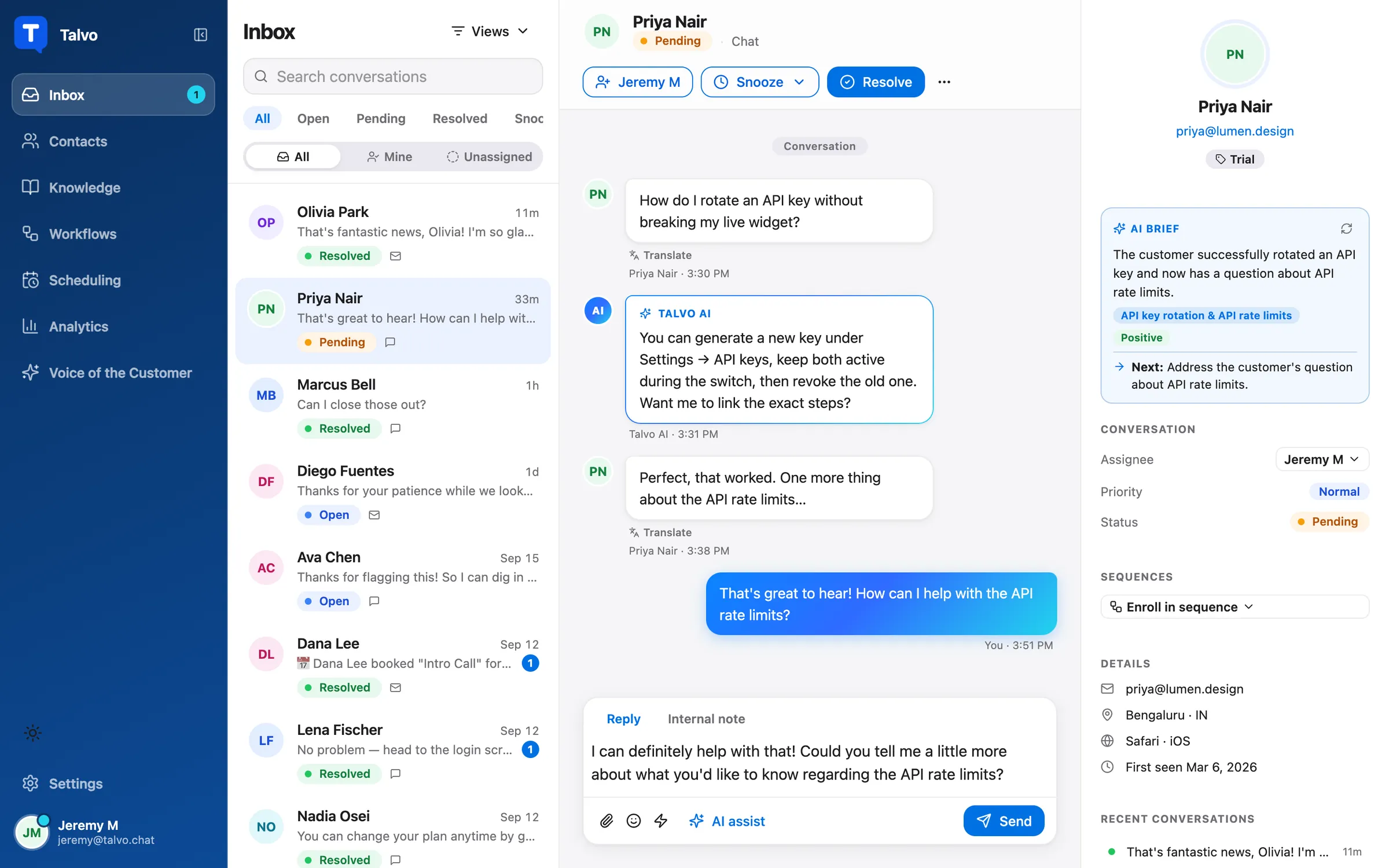
Talvo is a help desk with the agent built in. The AI agent answers only from your published knowledge base articles and shows the article it used. When it isn't confident, when there's no article to answer from, or when the AI call fails, it hands the conversation to your team with the thread intact. You can also list topics, such as refunds or legal questions, that always go to a person. A conversation the AI answered end to end is a billable resolution, at $0.49 past the plan's included amount (100 on Starter at $49 a month, 500 on Growth at $149, 2,000 on Scale at $299). Hand-offs are not billed.

When a hand-off happens, the shared inbox is where it lands.

On models: Talvo runs through OpenRouter, and on the Growth plan and up you can choose the model per workspace, including OpenAI's. Your content is not used to train models, and you can turn the AI off for a workspace. What we can't tell you is a zero-retention promise. Because the model provider is a separate company, its terms apply to your text too, and the subprocessor list on our security page is where to look.
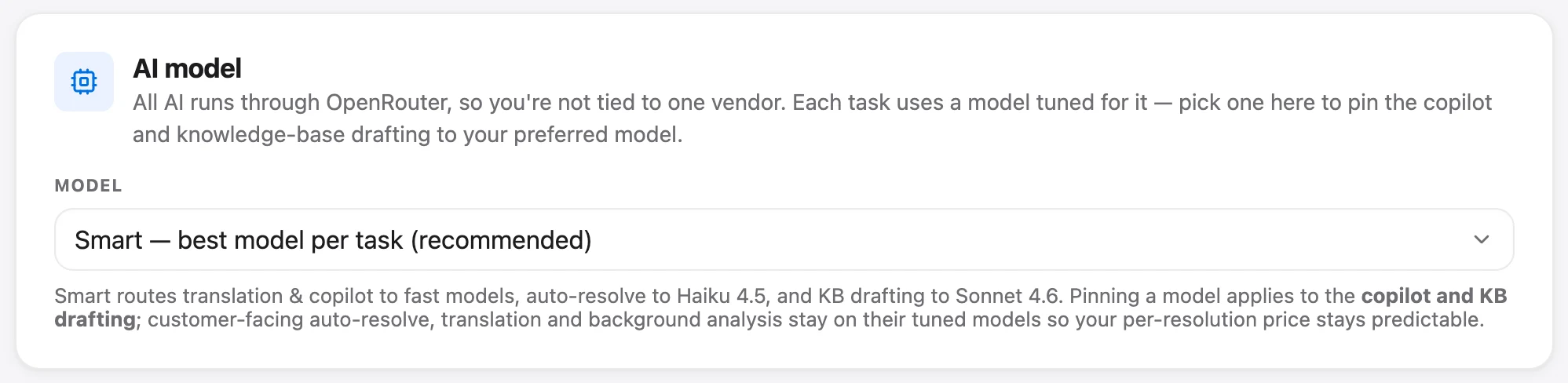
Read how to choose your AI models and how AI auto-resolve works before you decide.
Talvo is new and in beta, with no reviews yet. It has no SOC 2 report, no HIPAA support and no choice of data region, and no AI spending cap on paid plans, so the bill follows your volume. The Free plan has 25 AI resolutions a month during the beta, enough to test on your own articles.
The simplest test of any of these paths is the same. Ask it ten questions you know the answers to, and three you know your articles don't cover. See which one makes something up.
Frequently asked questions
Can I use ChatGPT for customer service?
Yes, for drafting, rewriting, translating and summarizing, with a person reading and sending every reply. It doesn't know your policies, so you supply the facts. Putting ChatGPT directly in front of customers is a different job that needs your articles, citations, a hand-off path and an inbox.
Does ChatGPT use my customers' data for training?
On consumer plans (Free, Plus, Pro) OpenAI says it may use your content to train its models unless you opt out in Settings > Data controls. ChatGPT Business, Enterprise and Edu are not trained on by default, and neither is data sent to the OpenAI API unless you opt in. Whichever plan you use, avoid pasting personal details the draft doesn't need.
Is ChatGPT Business private?
OpenAI says it does not train its models on Business data by default, admins control retention, and deleted or unsaved chats are removed within 30 days unless longer retention is required by law or needed to protect against harm. That is a statement about training and retention, not about accuracy. Check OpenAI's Enterprise privacy page for the current wording.
Can I put a custom GPT on my website?
No. OpenAI's help page says a GPT is not a way to embed ChatGPT in an external website, and customers have to be signed in to ChatGPT to use one. New GPTs also can't be created on personal ChatGPT accounts. A custom GPT also has no shared inbox and no hand-off to your team.
Are custom GPTs being discontinued?
OpenAI's help page says it is planning to retire custom GPTs. For affected Enterprise workspaces the date is December 11, 2026, and the page says other plans are expected to follow the same timeline. Check the page for updates before you build anything on them.
What's the difference between ChatGPT and the OpenAI API for support?
ChatGPT is a finished chat product with its own data terms per plan. The API is a building block: data sent to it is not used for training by default, but you build retrieval, citations, hand-off, the widget and the inbox yourself. A help desk with an AI agent built in gives you those pieces already assembled.
How do I stop ChatGPT from making up answers to customers?
You can't fully stop it by prompting. The reliable approach is grounding: the answer is built only from articles you published, shows which article it used, and hands off to a person when nothing supports an answer. Then read a sample of the answers regularly and fix the articles behind bad ones.
How much does a ChatGPT-based support bot cost?
It depends on the path: staff drafting costs the price of their ChatGPT seats, an API build costs engineering time plus usage, and a help desk with a built-in agent bills per resolution. Talvo, for example, charges $0.49 per AI resolution past the plan's included amount. Our pricing guide for AI website chatbots has worked totals.
Sources
Other products' prices and features change. We checked these pages; if something is out of date, tell us and we'll fix it.


