On this page
- The short answer, by situation
- Four questions that sort every tool
- Billing units, in one table
- What the same team pays
- Grounding and hand-off, tool by tool
- Seven small-team options, one weakness each
- Talvo for AI customer service
- Free AI options, and where they stop
- A week-long trial on your own articles
- The risk side, in one paragraph
- Which to pick
- Frequently asked questions
Most lists of AI customer service software rank features. The thing that actually separates these tools for a small business is what the AI bills on, because that decides whether your invoice tracks the good answers or every attempt, and whether it can run up while you sleep. After that come two questions that decide how much you can trust it: where does it get its answers, and what happens when it doesn't have one?
This guide sorts AI customer service tools by those four things, then prices the same two teams on each: three people with 300 AI-handled conversations a month, and five people with 1,000. It names who each tool is for and where each one falls short. We make Talvo, so it gets its own section below with its gaps stated, and every competitor figure is the vendor's own published price or policy as of October 21, 2026. Recheck before you buy.
If you want the full rate card for ten vendors, read AI resolution pricing compared. If you're leaving Fin, start with Fin AI alternatives. If you're choosing live chat first and AI second, the best live chat software for small business is the better door. This post is for people who start from the AI.
The short answer, by situation
| If you are... | Look first at | Why |
|---|---|---|
| Already on Zendesk | Zendesk's own AI agents | No new vendor or inbox, but resolutions beyond a small allowance cost $1.50 to $2.00 each |
| Email-first, with a few people | Help Scout's AI agent | $0.75 per resolution, not charged if the customer asks for more help, with a monthly cap you set |
| On Intercom (now Fin) and happy with the product | Fin | The most mature option here; $0.99 per outcome plus seats |
| Chat-first, price-sensitive, fine with usage billing | Crisp (Hugo) or Tidio (Lyro) | Low unit cost, but a conversation the AI took part in can count even when a person finishes it |
| Wanting one flat bill and no meter | Olark | $400 a month on annual billing, no usage fees |
| Starting from nothing and wanting inbox, help center and AI together | Talvo, or a help desk with AI built in | Per-workspace price, $0.49 per resolution past the plan's allowance |
| Needing phone and voice | Zendesk, Freshworks (voice is sold separately) or Fin Voice ($1.99 per voice outcome, via sales) | Talvo has no voice or phone channel |
Four questions that sort every tool
Ask these before you read a feature list.
What does it bill on? A resolution, an outcome, a conversation, a session, a credit, or nothing at all. The same word means different things, which is why we compared the definitions separately.
Where do its answers come from? The best case is that it reads articles you published and says which one it used. The worst case is that it fills gaps from general knowledge. Ask the vendor to show a live answer with its source, on your content, in a trial.
What happens when it's unsure? A good agent hands off with the whole conversation. A bad one apologizes and tries again. Our hand-off guide lists the rules and a ten-message test.
Can you cap the spend? Some tools stop the AI at a limit you set. Others keep metering.
Billing units, in one table
This is the compact version. The full rate card, with every vendor's wording, lives in AI resolution pricing compared.
| Tool | Unit | Rate | Cap or control |
|---|---|---|---|
| Fin (Intercom) | Outcome | $0.99 | Spending limits and alerts |
| Zendesk | Verified automated resolution | $1.50 committed, $2.00 pay as you go | You can pause the AI at the allowance instead of paying overage |
| Help Scout | Resolution | $0.75 | A monthly cap switches the AI off |
| Talvo | Resolution | $0.49 past the included amount | None; you can turn the AI off |
| Freshworks (Freddy) | Session | $49 per 100, about $0.49 | Optional auto-recharge threshold |
| Tidio (Lyro) | Conversation, once Lyro replies | $39 for 50 up to $700 for 1,000 | Monthly quota; auto-upgrade at 95% is on by default on monthly plans |
| Crisp (Hugo) | Usage credits | Crisp estimates $0.05 to $0.10 a conversation | Pay-as-you-go is off by default; you set a cap when it's on |
| Tawk.to (AI Assist) | Message credits | $29 a month for 1,000 credits; extra $30 per 1,000 | Credits run down; excess usage can leave a negative balance |
| Olark | Flat | $400 a month on annual billing | "No token limits, no overages" |
The pattern in the unit column is the one to remember. Fin, Zendesk, Help Scout and Talvo charge for finished jobs. Tidio, Crisp, Freshworks and Tawk.to charge for activity: what counts is the AI taking part, not the outcome. Crisp says escalated conversations still use credits, and Freshworks counts sessions by time window rather than by resolution, so a conversation the AI hands to a human can still cost you. Olark charges for nothing by the answer. Cheap per-unit activity pricing can be the expensive choice if your AI hands off a lot.
What the same team pays
Two teams, same assumptions throughout. We count conversations the AI handled, and for the vendors that bill finished jobs (Talvo, Fin, Help Scout and Zendesk) we assume 60% become billable resolutions. That 60% is our assumption for easy arithmetic, not a benchmark, and not a vendor figure. For the activity-billed tools (Freshchat, Tidio, Crisp) we count every handled conversation. Prices are list prices for the cheapest plan that includes the AI and chat, with seats priced per person where the vendor does that.
| Tool | 3 people, 300 handled: monthly | annual | 5 people, 1,000 handled: monthly | annual |
|---|---|---|---|---|
| Crisp (Mini, then Essentials) | $55 to $70 | no yearly discount published | $120 to $170 | no yearly discount published |
| Talvo (Starter, then Growth) | $88.20 | $78.20 | $198 | $168 |
| Freshchat Growth + Freddy | $216 | $204 | $605 | $585 |
| Help Scout Standard | $225 | $210 | $600 | $575 |
| Fin on Intercom Essential | $295.20 | $265.20 | $789 | $739 |
| Tidio Growth + Lyro | $339 | $282.50 | $879 | $732.50 |
| Olark (annual only) | not offered | $458 | not offered | $516 |
| Zendesk Suite Team | $537 | $412.50 | $1,495 | $1,137.50 |
The arithmetic, for the ones that need it.
- Talvo, 3 people and 300 handled: 60% is 180 resolutions. Starter (up to 5 teammates, 100 resolutions included) is $49 + (180 − 100) × $0.49 = $49 + $39.20 = $88.20 monthly, or $39 + $39.20 = $78.20 annually. Growth would be $149 or $119, so Starter wins. 5 people and 1,000 handled: 600 resolutions. Starter would be $49 + 500 × $0.49 = $294. Growth ($149, 500 included) is $149 + 100 × $0.49 = $198 monthly, or $119 + $49 = $168 annually. Scale is $299 or $249, so Growth wins.
- Fin on Intercom Essential: seats are $39 monthly or $29 annual per person. 3 × $39 = $117 plus 180 × $0.99 = $178.20 gives $295.20; annually 3 × $29 = $87 plus $178.20 gives $265.20. For five people: $195 + $594 = $789, or $145 + $594 = $739.
- Help Scout Standard: $30 monthly or $25 annual per user. 3 × $30 + 180 × $0.75 = $90 + $135 = $225; annually $75 + $135 = $210. Five people: $150 + $450 = $600, or $125 + $450 = $575. New accounts get three months of unlimited AI resolutions.
- Zendesk Suite Team: $69 monthly or $55 annual per agent, with 5 resolutions included per agent a month. Monthly, pay-as-you-go at $2.00: 3 × $69 = $207, plus (180 − 15) × $2 = $330, is $537. Annual with committed resolutions at $1.50: $165 + 165 × $1.50 = $412.50. Five people: $345 + 575 × $2 = $1,495, or $275 + 575 × $1.50 = $1,137.50.
- Freshchat Growth: $23 monthly or $19 annual per agent, plus Freddy at $49 per 100 sessions. 300 sessions is $147, so 3 × $23 + $147 = $216, or 3 × $19 + $147 = $204. 1,000 sessions is $490, so 5 × $23 + $490 = $605, or 5 × $19 + $490 = $585. The first 500 sessions are free once per account, which we leave out.
- Tidio Growth plus Lyro: Lyro is $210 for 300 conversations and $700 for 1,000 monthly, or $175 and $583.33 on annual billing. We add the Growth plan for 600 and 1,000 human-handled conversations ($129 and $179 monthly), an extra assumption of ours that moves this row more than any other.
- Crisp: Mini is $45 for 4 seats with $5 of credits, and Essentials is $95 for 10 seats with $25. At Crisp's $0.05 to $0.10 per conversation, 300 conversations use $15 to $30, so the bill is $45 + ($15 to $30 − $5) = $55 to $70. For 1,000: $95 + ($50 to $100 − $25) = $120 to $170. Crisp doesn't publish its pay-as-you-go rate, so we assumed the same price per conversation. Its per-conversation figure is also Crisp's own estimate.
- Olark: $400 a month billed annually includes one human seat; additional agents are $29 each a month. Three people: $400 + 2 × $29 = $458. Five: $400 + 4 × $29 = $516. Unlimited conversations, no usage fees.
Read the table for shape, not for a winner. Crisp is the lowest line on paper, and it's also the one whose AI cost rests on an estimate and an unpublished rate, and whose Mini plan doesn't include Crisp's knowledge base. Zendesk's bill comes from a per-resolution rate three to four times Talvo's and a seat price that starts higher. If your resolution rate is nearer 100% than 60%, the per-resolution lines grow by about two-thirds of their AI portion.
- Crisp Essentials~$100–$130/mo$95 per workspace + AI at Crisp's estimate of $0.05–$0.10 per conversation, less $25 of included credits · Estimate: top-up rate and annual prices aren't published
- Talvo Growth$198/mo$149 per workspace, 500 AI resolutions included + 100 × $0.49
- Help Scout Standard$600/mo5 users × $30 + 600 AI resolutions × $0.75
- Intercom (Fin) Essential$789/mo5 seats × $39 + 600 Fin outcomes × $0.99 · Workflow automation needs Advanced ($85–$99 per seat)
- Zendesk Suite Team$1,495/mo5 agents × $69 + 575 AI resolutions × $2.00 (25 included) · $1.50 each with a committed 100+ purchase
Estimates from each vendor's published list prices, checked October 21, 2026. Assumes the cheapest plan that includes live chat and an AI agent, and that every AI-resolved conversation is billable. Excludes taxes, promotions, add-ons (such as agent copilots) and per-use channels like SMS or WhatsApp. Talvo's annual price includes extra resolutions at the same $0.49, billed once a year.
The calculator uses list prices for Talvo, Intercom Essential, Zendesk Suite Team, Help Scout Standard and Crisp, with AI resolutions as the second number, so it will differ a little from the table above, which adds estimates and footnotes.
Grounding and hand-off, tool by tool
Each summary below comes from the vendor's own pricing or help pages.
Fin resolves against your content and escalates when a customer clearly asks for a person, shows strong frustration or loops, according to its help page. It escalates once per conversation, and if no teammate is available the customer gets a refusal with no fallback, so staffing the hand-off matters. Its pricing page says you pay nothing if Fin can't answer or the customer asks to speak to a human, though a completed Procedure that ends in a hand-off does count as an outcome.
Help Scout voids its charge when the customer uses escalation, keeps searching the knowledge base or says they still need help. That bills closer to "the customer didn't object" than to "the answer was right", but a charge that goes away on escalation lines up your cost with hand-offs.
Zendesk sorts AI conversations into tiers, and its help article describes an LLM reviewing the transcript to mark a resolution as verified. The article implies, without saying it in one line, that only verified resolutions count against the allowance, which would make it one of the strictest definitions in this group. It also lets you pause the AI at the limit.
Crisp, Tidio and Freshworks bill the activity. Crisp says escalated conversations still use credits. Tidio doesn't count a conversation where Lyro hands off immediately, but one where Lyro replied first does count. Freshworks counts a session per 24-hour window on chat and doesn't tie it to a resolution. That's not wrong, but it means you can pay for the misses.
Chatbase and similar standalone bots answer from your content, but the hand-off varies. Chatbase has its own helpdesk inbox on Standard and up, and can escalate into Zendesk, Freshdesk, HubSpot and other tools, often by opening a ticket. SiteGPT's Starter has no live takeover. Our pricing guide for AI website chatbots prices them at the same volumes and lists what they don't include. At 1,000 conversations, assuming four bot replies each, Chatbase's Standard plan is $150 monthly ($120 annual) on a 1-credit model, SiteGPT's Starter is $59 ($39), and CustomGPT.ai is $499 ($449).
For citations, what a vendor shows in the widget is what counts, so ask to see it in a demo. Talvo's version is in the next section.
Seven small-team options, one weakness each
| Tool | Best for | AI meter | Cheapest plan with AI and chat | One weakness |
|---|---|---|---|---|
| Help Scout | Email-first support | $0.75 per resolution | Standard, $25 per user annual, $30 monthly | Seats grow with headcount |
| Fin on Intercom | Teams that want the most mature AI agent | $0.99 per outcome | Essential, $29 per seat annual, $39 monthly | Silent customers and Procedure hand-offs can be billed |
| Zendesk | Teams already inside Zendesk | $1.50 to $2.00 per resolution past a small allowance | Suite Team, $55 per agent annual, $69 monthly | Highest AI cost here for small volumes |
| Freshchat | Teams that want WhatsApp, SMS and Instagram | $49 per 100 sessions | Growth, $19 per agent annual, $23 monthly | A session is every interaction in 24 hours, not a resolved chat |
| Tidio | Small stores that want Shopify actions | Lyro tiers from $39 for 50 conversations | Growth, from $49.17 annual or $59 monthly, plus a Lyro tier | Three separate meters, and self-serve Lyro tops out at 1,000 a month |
| Crisp | Chat-first teams who value omnichannel and EU hosting | Usage credits | Mini, $45 for 4 seats | Unpublished pay-as-you-go rate |
| Olark | One predictable AI bill | Flat | $400 a month, annual only | Annual billing only, and the page shows no monthly option |
Tawk.to belongs near this list for a different reason: its core live chat is free with unlimited agents, and its AI Assist is a paid add-on in credits. On the Auto model one reply costs 3 credits, so the 1,000 credits in the $29 tier is about 333 replies (our arithmetic). That's workable for a low-volume site, and Tawk.to's Security page lists no SOC 2 or ISO 27001 certification.
Talvo for AI customer service
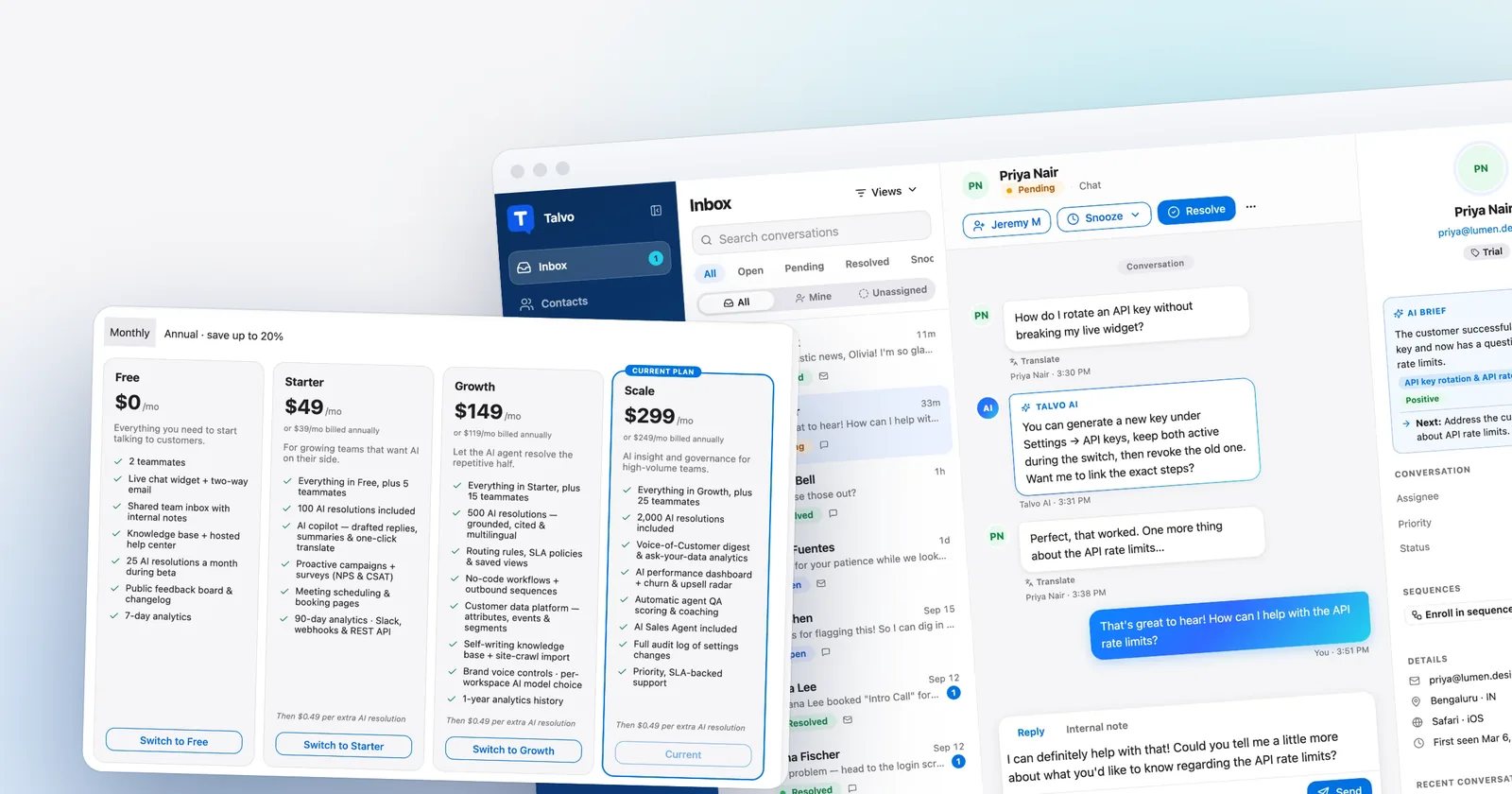
Talvo is a shared inbox, live chat widget, email, help center and AI agent in one workspace. The price is per workspace, not per seat. Plans are Starter at $49 a month ($39 on annual billing, up to 5 teammates, 100 AI resolutions included), Growth at $149 ($119, up to 15 teammates, 500 included) and Scale at $299 ($249, up to 25 teammates, 2,000 included). Resolutions past the included amount are $0.49 each.
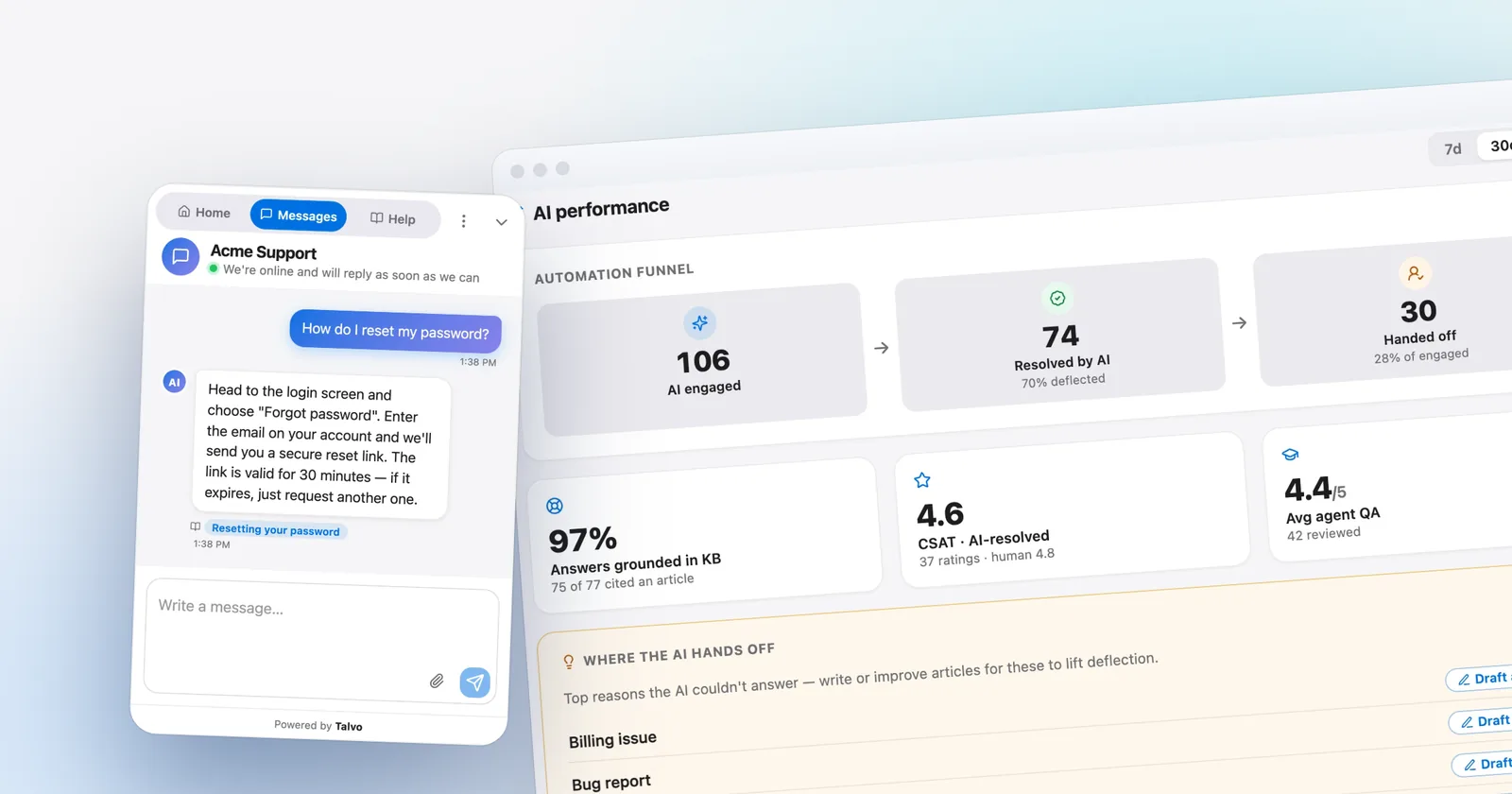
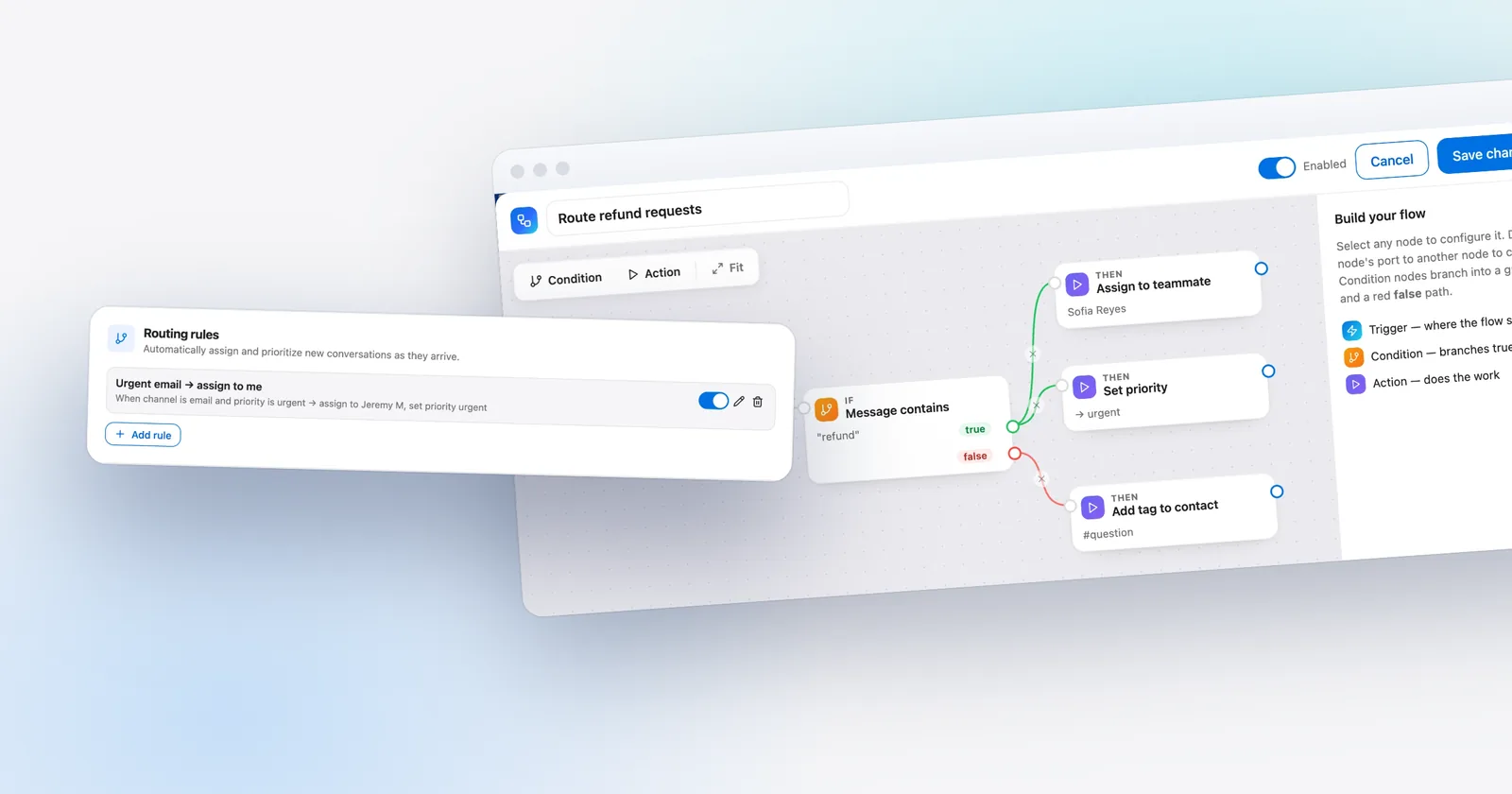
How it answers: only from your published articles, and it shows the article it used. If the articles don't cover the question, there are no published articles or the AI call fails, it hands the conversation to your team with the thread intact, and an internal note says why. A reply to a real question that cites no article becomes a hand-off. You can also list topics, such as refund or cancel, that always go to a person. A hand-off is never billed as a resolution.

At the volumes above, that comes to $88.20 for three people and $198 for five on monthly billing. It also gives you the inbox, help center and live chat, which the standalone bots lack. At 3,000 conversations (1,800 resolutions at 60%), Scale's 2,000 included resolutions cover it at $299 monthly or $249 annually.
Hand-offs land in the shared inbox, where the thread is intact for whoever picks it up.

- One workspace price per month for the whole team, with a $0.49 meter only past the included resolutions
- Answers come only from published articles, with the source shown, and a missed question becomes a hand-off
- Topics you list always go straight to a person, and hand-offs are never billed
- No AI spending cap on paid plans, so the bill follows your volume (turning the AI off is the control)
- No phone or voice agent, and no WhatsApp, SMS, Instagram or Messenger yet
- New and in beta, with no reviews, no SOC 2 report and no HIPAA support
- No "talk to a person" button in the widget, and the topics list is a word match, not intent detection
Where the others beat us: Help Scout has a cap, Zendesk has a pause at the allowance, and Fin has spending limits and alerts. Talvo has none of those. If a predictable maximum matters more than a lower rate, that is a real point against us. The Free plan is also a trial more than a plan: 2 teammates and 25 AI resolutions a month during the beta. How AI auto-resolve works and what counts as a resolution are in the help center.
Free AI options, and where they stop
| Option | What's free | Where it stops |
|---|---|---|
| Talvo Free | 25 AI resolutions a month during the beta, 2 teammates | The copilot (drafts, summaries) is Starter and up |
| Help Scout | Three months of unlimited AI resolutions on a new account | Existing customers get no trial |
| Freshchat | 500 sessions, once per account | Not on the Free plan; it needs Growth or above |
| Tidio | 50 Lyro conversations, one time | Lyro stops when they're used, and the quota doesn't reset |
| Tawk.to | A free Hobby tier with 100 credits a month | On the Auto model that's about 33 replies |
| Crisp | A free plan with 2 seats | No AI credits on Free |
A week-long trial on your own articles
The only test worth running uses your content and your real questions.
- Pull 30 real questionsTake the last month of conversations. Mark 20 your articles answer and 10 they don't.
- Point each tool at the same articlesSame content, same day, so the comparison means something.
- Run all 30 through each toolNote which answers cite a source, and which ones are right.
- Check the 10 you don't coverA good tool hands off. A weaker one improvises. This is the test that matters most.
- Read the billLook at what each tool counted as billable, including hand-offs and silent customers.
When the uncovered ten go wrong, the fix is an article, not a setting.
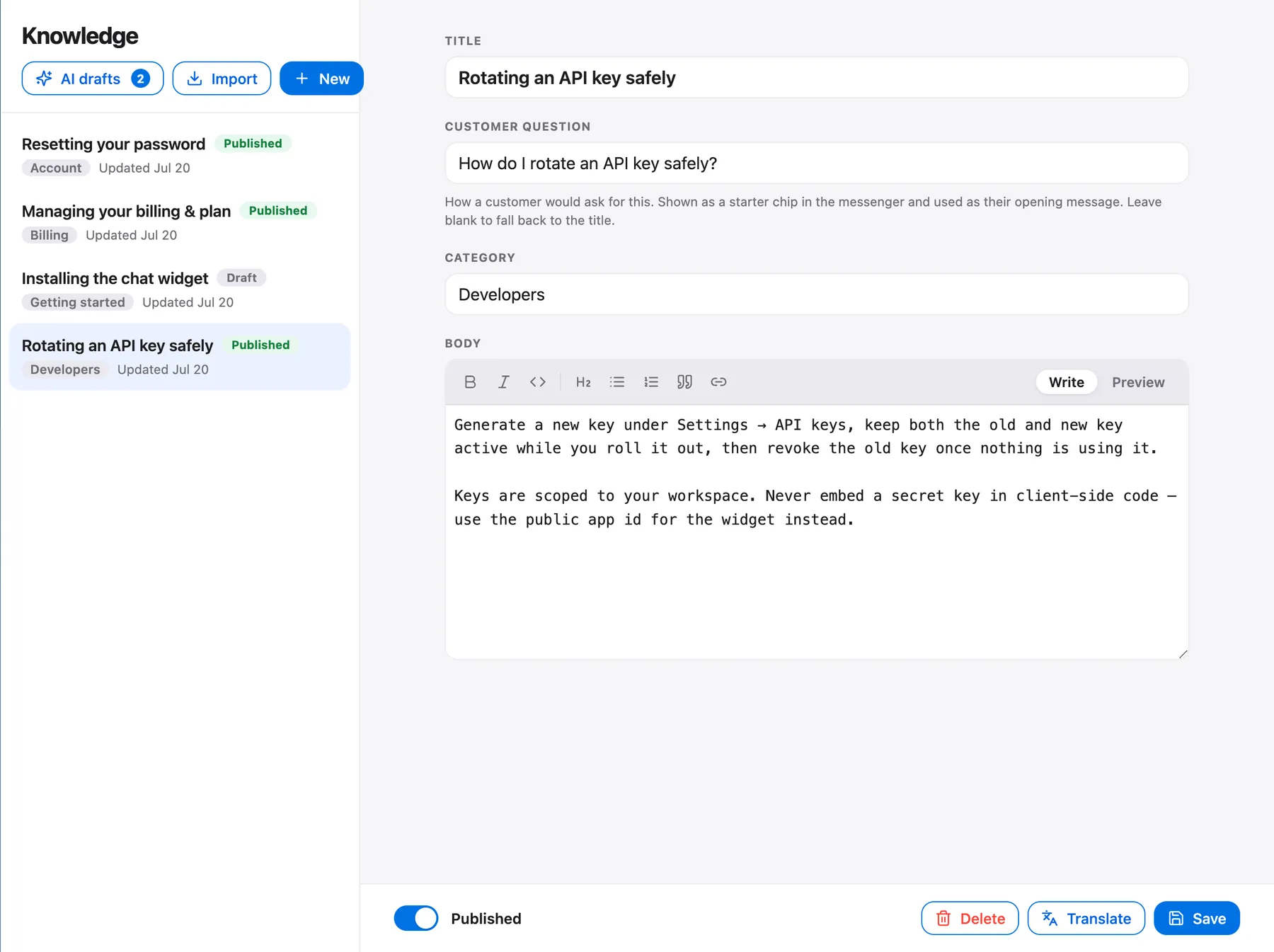
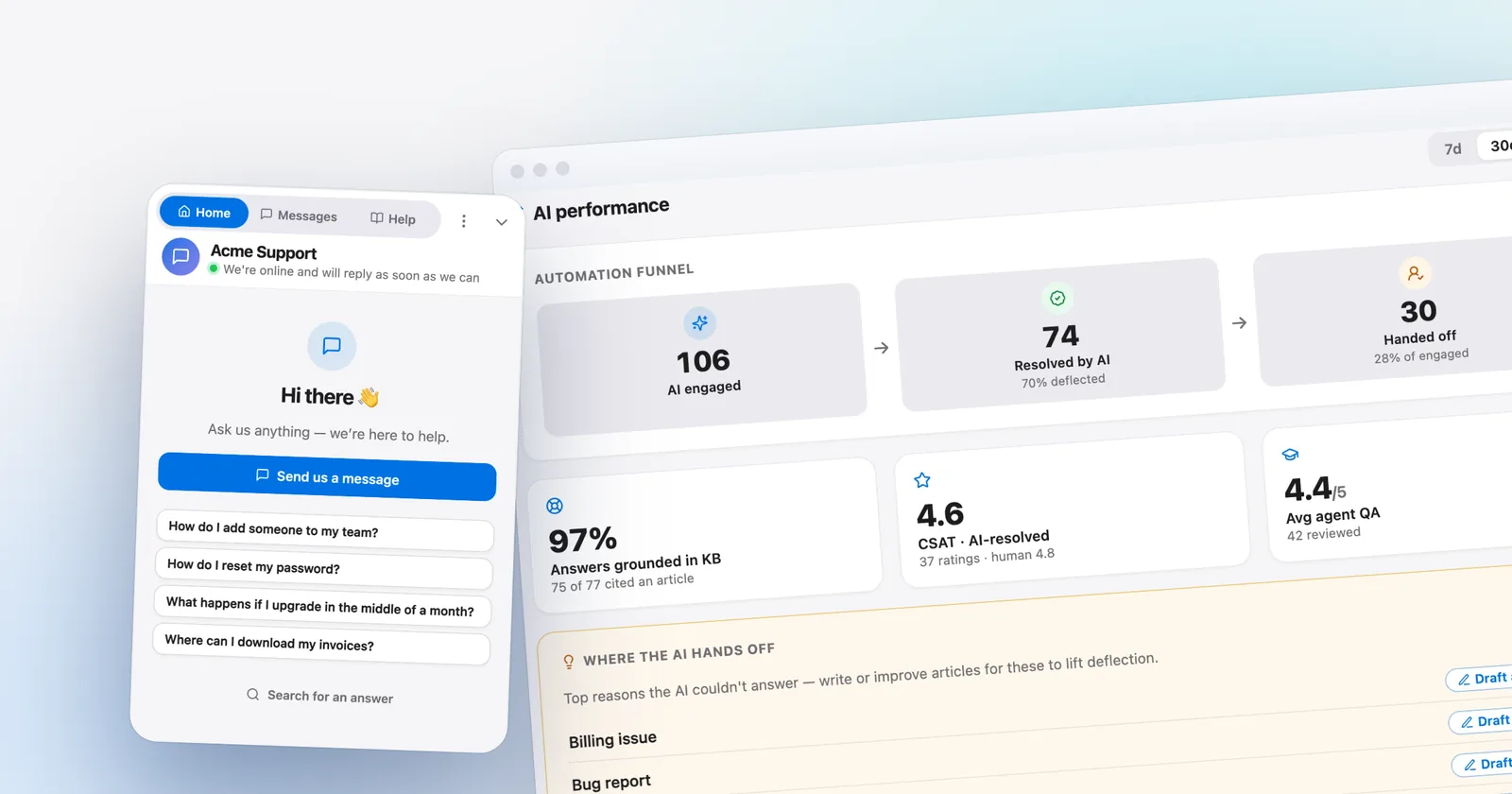
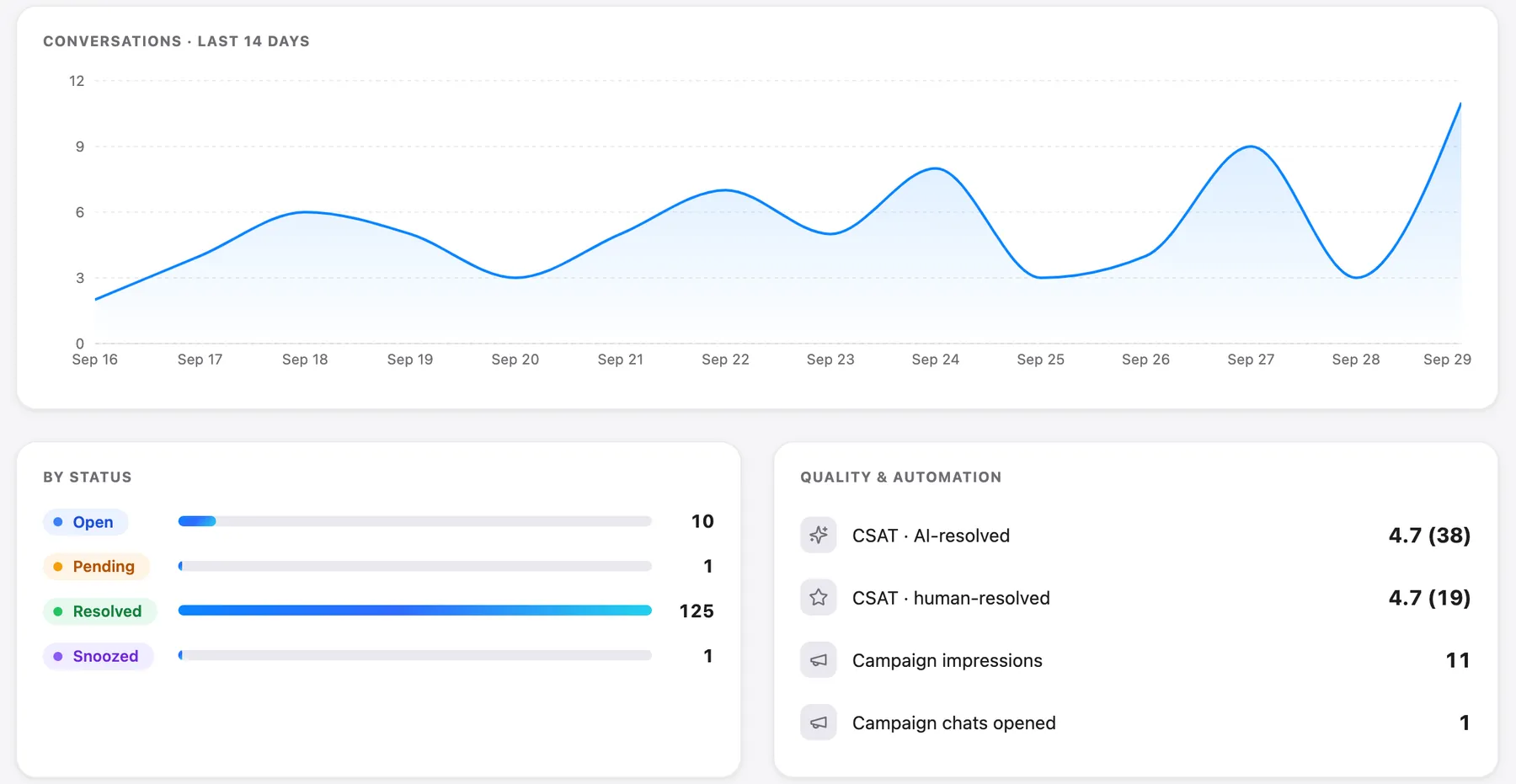
Then read what each tool counted as billable. In Talvo, the analytics overview shows AI resolutions next to CSAT split between AI-resolved and human-resolved conversations.
Fin AI alternatives has a longer version of this test, and knowledge base chatbot explains why the ten uncovered questions are the ones that matter.
The risk side, in one paragraph
A tribunal in British Columbia held Air Canada responsible for what its website chatbot said, rejecting the idea that the bot was a separate entity. The ruling doesn't say what kind of chatbot it was, and it isn't legal advice or a US precedent, but it is the clearest case of why your AI should answer from what you've published and hand off the rest. We summarize the decision and give a checklist.
Which to pick
Pick the tool whose meter you can live with and whose hand-off you've tested. If you're already on Zendesk or Intercom and the product works, the AI may not be the reason to move. If you want email-first with a cap, Help Scout is the careful choice. If you'd rather not run a meter at all, look at Olark. If you want the inbox, help center and AI in one workspace at a lower per-resolution rate than the big suites, with the gaps above, try Talvo's free plan against your own articles.
Which should you choose?
- you want the inbox, live chat, help center and AI agent in one workspace at a per-workspace price instead of per seat
- you want the AI to answer only from articles you published, cite the one it used and hand off with the thread intact
- your volume is a few hundred to a couple of thousand resolutions a month and $0.49 per resolution beats $0.75 to $2.00
- you can live without voice, WhatsApp, SMS and Instagram for now, and you accept that Talvo is new and in beta
- you already run on Zendesk or Intercom and the product works, so the AI is not a reason to move
- you need a spending cap or pause at the limit, which Help Scout, Zendesk and Fin offer and Talvo does not
- you need voice, WhatsApp, SMS or Instagram, or procurement requires SOC 2 or HIPAA support
- you value a mature product with a long review history over a lower per-resolution price
Frequently asked questions
What is the best AI customer service software for a small business?
It depends on the shape of your team. Help Scout suits email-first teams that want a cap on AI spend, Fin suits teams that want the most mature agent and accept $0.99 per outcome plus seats, and Talvo suits teams that want the inbox, help center and AI in one per-workspace price. Test two on your own articles before you decide.
How much does AI customer service cost?
On our assumptions, three people with 300 AI-handled conversations a month pay about $88 on Talvo, $225 on Help Scout, $295 on Fin with Intercom Essential and $537 on Zendesk Suite Team, all on monthly billing. Five people with 1,000 handled pay $198, $600, $789 and $1,495. Those figures assume 60% of handled conversations become billable resolutions.
Is there free AI customer service software?
Several tools have limited free AI. Talvo's Free plan includes 25 AI resolutions a month during the beta, Help Scout gives new accounts three months of unlimited AI resolutions, Freshchat gives 500 sessions once per account, and Tidio gives 50 Lyro conversations one time. Tawk.to has a free AI tier with 100 credits a month. All of them stop at a limit.
What's the difference between an AI chatbot and an AI agent?
A chatbot follows scripted flows or returns canned answers. An AI agent reads your content, writes an answer in its own words and can hand off or take actions. Vendors use the words loosely, so judge a tool by what it does with a question your content doesn't cover.
Can AI replace customer service for a small business?
It can take repetitive questions your articles already answer, around the clock. It cannot replace a person for refunds, disputes and anything your articles do not cover. Plan for a hand-off to a human and test it before launch.
What is an AI resolution?
It is the vendor's definition of a conversation the AI finished, and it differs. Fin bills an outcome when the customer confirms, doesn't ask for more help, or a Procedure completes. Zendesk's help article describes an LLM review of the transcript to verify a resolution. Talvo bills a conversation the AI answered end to end from a published article with no teammate involved.
How do I stop an AI agent from giving wrong answers?
Limit it to articles you have published, show the source with each answer, send money and policy topics to a person and review a sample of answers weekly. Grounding reduces the risk but does not remove it, because an article can be wrong or out of date.
Which AI support tools let me cap spending?
Help Scout lets you set a monthly cap that switches the AI off, Zendesk lets you pause the AI at the allowance, Fin offers spending limits and alerts, and Crisp lets you set a cap on pay-as-you-go use. Talvo has no spending cap on paid plans; turning the AI off is the control.
Sources
Other products' prices and features change. We checked these pages; if something is out of date, tell us and we'll fix it.
- Fin pricing (checked Oct 21, 2026)
- Intercom pricing (checked Oct 21, 2026)
- Zendesk pricing (checked Oct 21, 2026)
- Help Scout pricing (checked Oct 21, 2026)
- Help Scout: AI resolutions pricing
- Freshworks Freshchat pricing (checked Oct 21, 2026)
- Tidio pricing (checked Oct 21, 2026)
- Crisp pricing (checked Oct 21, 2026)
- Crisp: how Hugo AI pricing and billing works
- Olark pricing (checked Oct 21, 2026)
- Tawk.to: billing for AI Assist (checked Oct 21, 2026)
- Chatbase pricing (checked Oct 21, 2026)
- Talvo pricing