
On this page
Most lists of customer churn signals read like facts. Usage drops, the champion leaves, the invoice bounces. Some of them are probably right. But if you ask where the support-inbox version of that list comes from, the answer is awkward: no published peer-reviewed study links SaaS support conversations to churn. The lists are vendor experience, plus pattern-matching.
That doesn't make your inbox useless. It makes the signals hypotheses. This guide gives you ten candidates to look for in support conversations, then a test you can run on your own churned accounts in an afternoon to find out which ones actually separate leavers from stayers at your company. It ends with a weekly 20-minute check and what Talvo's churn and upsell radar can and can't do.
What the research says, and what it doesn't
The closest published evidence is not about software. Knox and van Oest studied about 20,000 new customers of a US internet and catalog retailer over two and a half years, using purchase records rather than survey answers ("Customer Complaints and Recovery Effectiveness: A Customer Base Approach," Journal of Marketing, 2014). About 805 of them, roughly 4%, complained, 922 complaints in all. Per the authors' own summary from BI Norwegian Business School, three findings matter here:
- A complaint is linked to a substantial rise in the chance that the customer stops buying.
- A history of earlier purchases softens that effect for a long time, while earlier complaints make it worse for a short time.
- Compensation cuts defection, but it does not make the customer more loyal than if nothing had gone wrong. The "fix it well and they'll love you more" idea did not show up in the behavioral data.
Two caveats are not small. This is retail, not SaaS, and it counts people who stopped buying, not accounts that canceled a subscription. Treat it as a reason to take a complaint seriously, not as a model of your churn. You can read the Tilburg repository record for the paper's details.
One more study gets cited near this topic: researchers predicted which of 2.5 million IBM support tickets would escalate (arXiv:1901.01092). That is escalation, not churn, so it tells you nothing about who leaves.
Ten customer churn signals worth testing
These are candidates. Some will separate your churned accounts from your retained ones and some won't. The right-hand column says how to spot each one without any special software.
| Candidate signal | How to spot it |
|---|---|
| Same problem, third contact | Search the person's thread history for the same topic more than twice |
| A conversation reopened after "resolved" | Look for threads that flip back to open after you closed them |
| A low rating | CSAT of 3 or under on a 5-point scale |
| A slow first reply to them | A long wait on the first message, especially a first-ever contact |
| Billing or cancellation questions | "Can I downgrade," "how do I cancel," "invoice for last year" |
| "How do I export my data?" | Any request to take their data with them |
| A competitor named | "Does it do what [other tool] does?" |
| The champion's email changes or bounces | A new contact at the company, or a delivery failure to the old one |
| A sharp tone change | Short, curt messages from someone who used to write friendly paragraphs |
| Silence after heavy early use | A busy first month, then no conversations and no logins |
Notice what the list mixes. Some signals are about what customers say. Others are about what you did (the slow first reply is on you). One, silence, is the absence of a conversation, which no support inbox will flag on its own. That last one is why a pure support-based view misses quiet churn.

Test them on your own churned customers
This is the part that replaces a benchmark. It takes one person a few hours for a list of a dozen accounts.
- Pick two groupsList every account that canceled in the last 6 to 12 months. Then draw a random sample of the same size from accounts that stayed.
- Set a windowFor each churned account, look at the 90 days before it canceled. For each retained account, pick a matching 90-day window, ending at a date comparable to when its churned twin left.
- Read and markOpen each account's conversations in that window and mark which of the ten signals appear. A spreadsheet with one row per account and one column per signal is enough.
- Compare the groupsFor each signal, count how many churned accounts showed it and how many retained accounts did. Keep raw counts, not percentages, when the groups are small.
- Keep the separatorsA signal earns a place on your weekly check only if it is clearly more common among churned accounts. Keep three to five.
Here is what a result might look like. The numbers below are made up to show the shape, not data from any real company.
| Signal | Churned (of 12) | Retained (of 12) | Verdict |
|---|---|---|---|
| Billing or cancellation question | 7 | 2 | Keep |
| Same problem, third contact | 6 | 3 | Keep, watch |
| Competitor named | 4 | 3 | Too close to call |
| Rating of 3 or under | 5 | 4 | Drop for now |
| "How do I export?" | 3 | 0 | Keep, but rare |
With twelve accounts per group, a one-account difference is noise. "4 versus 3" tells you nothing; "7 versus 2" is worth acting on, and "3 versus 0" is a good flag even though it only catches a quarter of leavers. If your numbers are small, say so out loud and keep collecting rather than inventing a threshold. The sample-size reasoning in CSAT vs NPS: how many responses before a number means anything applies here too, and the free NPS and CSAT calculator shows how wide the uncertainty is on small counts.
A few things will distort the test. Customers who churned for reasons you could never see in support (they got acquired, they ran out of budget, they shut down) will drag every signal toward "not predictive." Tag those separately and set them aside. And correlation is not cause. A billing question shows up before cancellation because the customer has already decided; answering it quickly won't undo that.
Re-run the whole thing every quarter. A signal that worked when your product was simple can stop working after a pricing change.
The weekly 20-minute check
Once you have your three to five separating signals, turn them into a standing habit. A realistic rhythm:
- Open the last seven days of conversations and read the ones that hit any of your signals.
- For each, ask two things: is this person on the list of accounts that matter most to revenue, and has anyone already reached out?
- Write a one-line decision next to each: reach out, watch, or ignore.
- Look at the one thing the inbox cannot show you: customers who were active a month ago and have gone quiet. That needs your product data, not your support data.
Twenty minutes is our rule of thumb, not a measured figure. If a team of five gets more than a dozen flags a week, your signals are too loose; go back and tighten them.
For tagging, borrow the approach in reduce support tickets: eight to twelve tags, agreed in advance, applied while you reply.
What to do when a signal fires
Send a person, not a campaign. A message from the founder or the support lead that says something specific works better than anything that reads like a retention template. Three shapes that tend to land:
- For a repeated problem: "You've written in about the CSV import three times. That's on us, not you. I'd like to fix it properly; can I get ten minutes this week, or should I send what I'd change first?"
- For a billing or cancellation question: answer the question first and honestly. "Yes, you can downgrade today. Before you do, can I ask what wasn't working? If it's a missing feature I'll tell you straight whether it's coming."
- For a quiet account after heavy use: "You were in the product daily in March and I haven't seen you since. Did something change, or did you find a better way? Either answer helps."
Ask a question you can learn from, and be ready to hear that the answer is a competitor. Log what you hear, because it feeds your next quarterly test.
Signals that mislead
Plenty of busy, happy customers write in constantly. A power user with twenty conversations a month is often your most committed account, not your most at-risk one, so volume alone is a poor signal. The Knox and van Oest result points the same way: a long purchase history softened the effect of a complaint.
One angry week is not a trend either. A customer who vents after an outage and then goes back to normal usage looks bad in the inbox and is fine. Look at what they did afterward.
And be wary of tools that give you a single risk score with no reasons. If you can't see why an account is flagged, you can't tell the good flags from the noise.
Doing this in Talvo
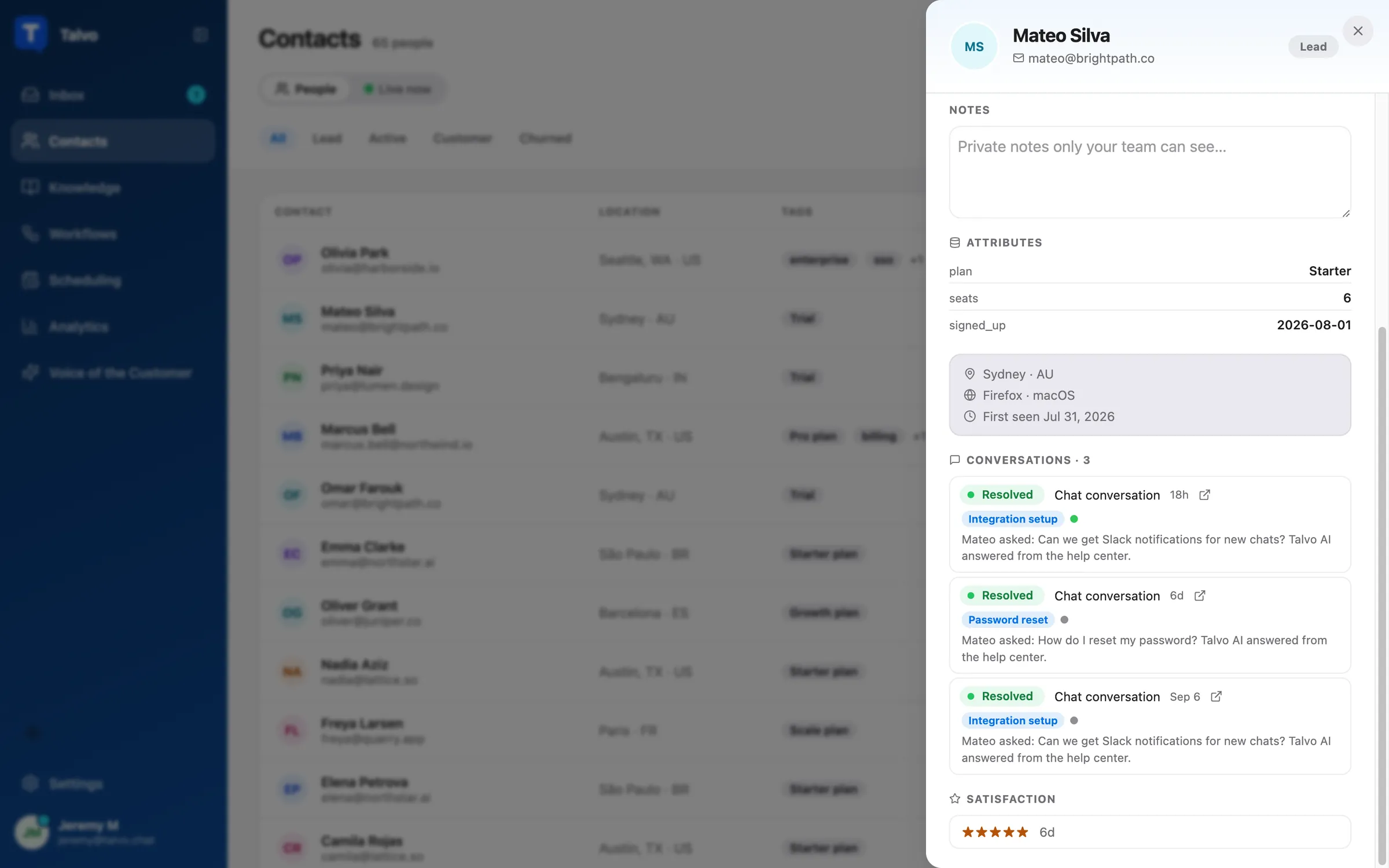
The by-hand version works on every plan. Conversation tags are available on every plan, and you can filter the inbox by them. Each contact's page lists their conversations and ratings, and priority and internal notes are there too. Talvo's analytics can't report by conversation tag, so the count in your spreadsheet is a manual tally.
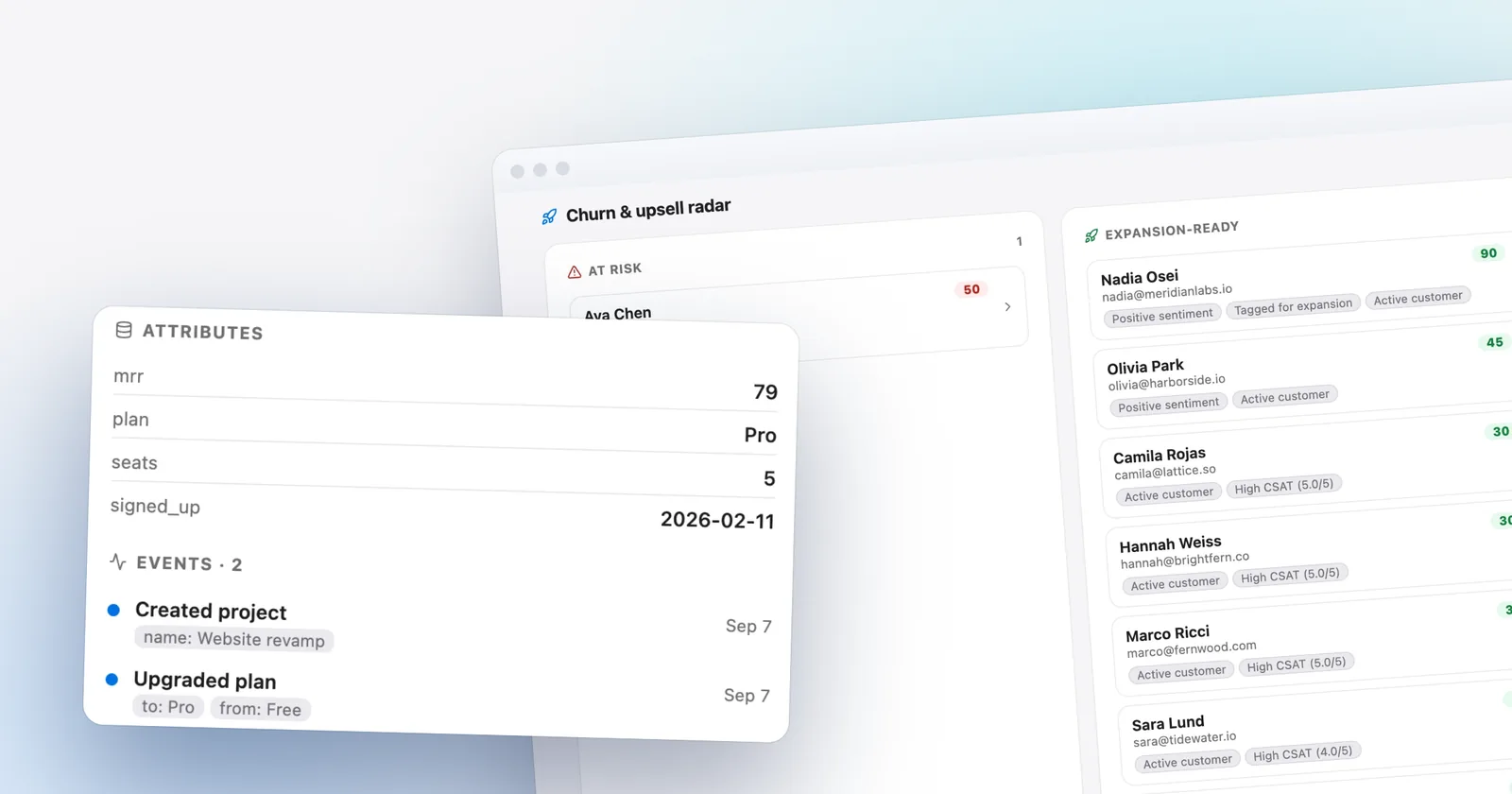
On the Scale plan ($299 a month, or $249 billed annually), the churn and upsell radar adds an automatic list. It is rule-based, not an AI judgment. It scores your contacts on a handful of inputs and shows the top 8 for each direction, "At risk" and "Expansion-ready," each with written reasons:
- the sentiment Talvo's AI has assigned to the contact's resolved conversations;
- tags on the contact (not on the conversation);
- the contact's lifecycle stage, which you set yourself;
- CSAT averaged across their conversations;
- when Talvo last saw them;
- a count of product events in the last 30 days, used on the expansion side; and
- an
mrrattribute, which you send through the REST API (customer data attributes need Growth or higher, and Scale includes it).
The reasons read like "Recent negative sentiment," "Low CSAT," or "No activity in 30+ days," and each card links to the contact.
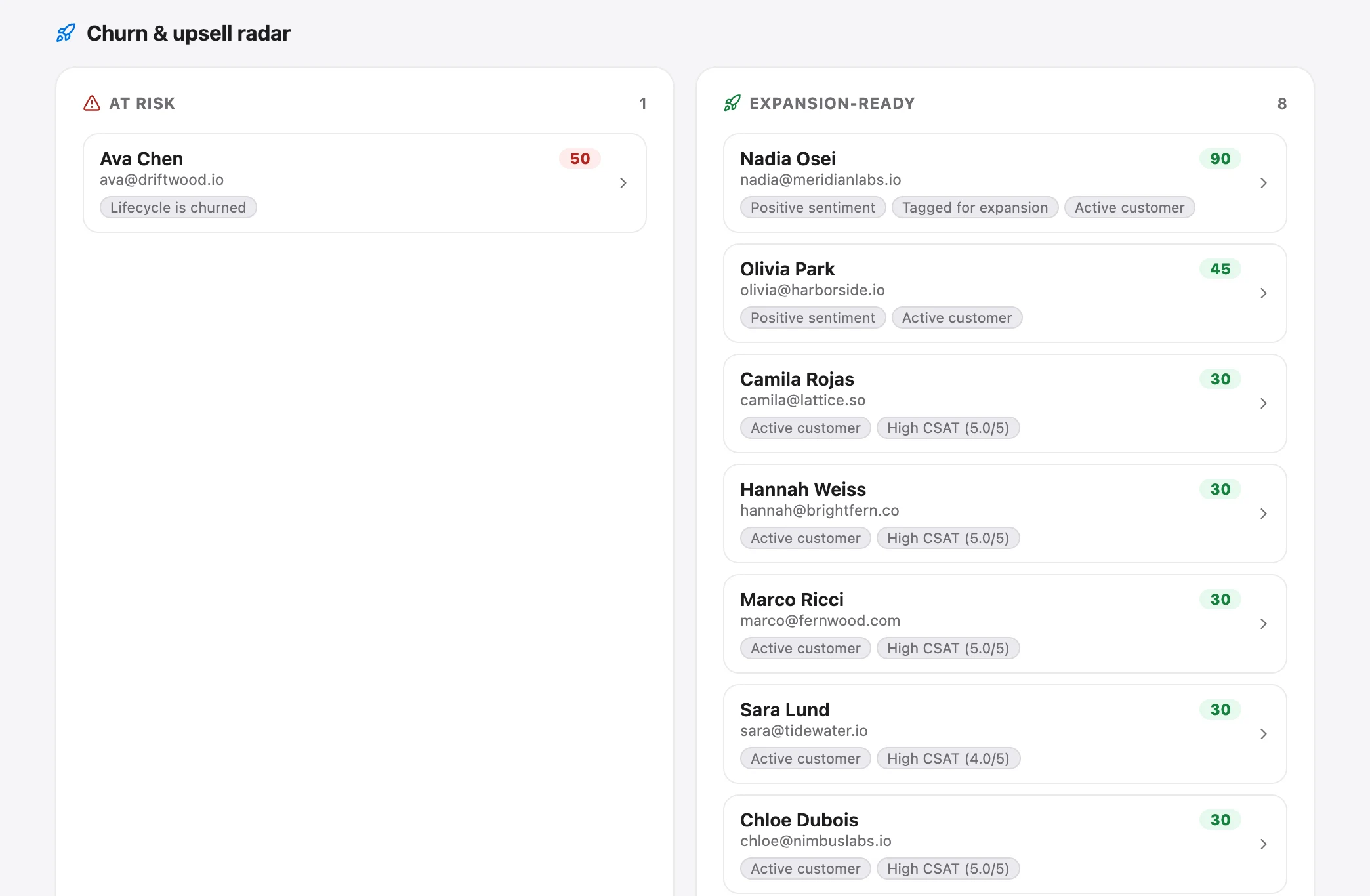
The radar has limits worth knowing before you pay for the plan. It scores individual contacts, not whole companies, so a B2B account with five users appears as five people. Its reasons come from that fixed set of inputs, so it can't see reopened conversations, repeat contacts or competitor mentions unless you tag the contact with something like "at-risk" or "cancel." It takes no action; nobody is emailed. And it is only as good as the data you send. With no attributes or events sent, it works from sentiment, ratings, tags, lifecycle and last-seen alone. The Voice of Customer feature page covers the radar, and the customer data page covers sending attributes and events.
If you're below Scale, the test earlier in this guide gives you most of the value. On Scale, use the radar as a starting list for your weekly check, then compare its flags against your own churned accounts: does the radar's reasoning separate your leavers? That test is the only evidence you will have that it works for your customers. Talvo is new and in beta, and we have no customer outcome data to point to.
For the theme-level view of what customers say, see a voice-of-customer program for a small team. For the SaaS setup that feeds customer data into the inbox, see live chat for SaaS.
Frequently asked questions
What are the early signs of customer churn?
Common candidates in a support inbox are the same problem raised three times, reopened conversations, low ratings, billing or cancellation questions, a request to export data, a competitor named, and silence after heavy early use. No published study proves which of these predict cancellation in SaaS, so test them against your own churned accounts.
Do support tickets predict churn?
No published peer-reviewed study shows that SaaS support conversations predict churn. The closest evidence, Knox and van Oest (2014), is from a US retailer and found that complaints were linked to a higher chance of a customer stopping purchases. Tickets may correlate with churn at your company, but you have to check with your own data.
Is a customer who contacts support more likely to churn?
Not necessarily. Active, committed customers often write in the most. In the retail study, a long purchase history softened the effect of a complaint. Volume alone is a weak signal, so look at what the contact was about, whether it was resolved, and how the customer behaved afterward.
How do you identify at-risk customers in SaaS?
Compare accounts that churned with accounts that stayed, over the same 90-day window before the churn date, and mark which signals each group showed. Keep the signals that are clearly more common among churned accounts, and build a weekly check around them. On Talvo's Scale plan the radar also lists the top 8 at-risk contacts with reasons.
What is a churn risk score?
It is a number that combines several signals about a customer into one ranking. Talvo's version is rule-based: it adds points for things like recent negative sentiment, a low average CSAT, a churn-related tag, a churned lifecycle stage, or no activity in 30 or more days. The reasons shown beside the score matter more than the number.
Do complaints increase churn?
In one behavioral study of retail customers, complaints were linked to a substantial rise in the chance that a customer stopped buying. Compensation reduced that effect but did not make customers more loyal than a trouble-free purchase would have. That is retail data, so it is a reason to take complaints seriously rather than a SaaS prediction.
How far in advance can you predict churn?
There is no reliable figure we can cite. Claims that signals appear 30, 60 or 90 days before cancellation come from vendor blogs without a named study. Your own churned accounts will tell you how early your signals show up, so record the date each one appeared when you run the test.
What should you do when a customer shows churn signals?
Have a person reach out with something specific, such as acknowledging a repeated problem or answering a cancellation question honestly. Ask a question you can learn from, and log what you hear so your next quarterly test improves. A generic retention email usually reads as one.
Sources
Other products' prices and features change. We checked these pages; if something is out of date, tell us and we'll fix it.
- Knox and van Oest summary, BI Norwegian Business School (2015)
- Knox and van Oest, Customer Complaints and Recovery Effectiveness, Journal of Marketing (2014), Tilburg repository
- Montgomery and Damian, support ticket escalations, arXiv:1901.01092
- Talvo: Voice of Customer and churn and upsell radar (checked Oct 21, 2026)
- Talvo pricing (checked Oct 21, 2026)


