On this page
Is your chat widget an accessibility problem? From our live chat accessibility test, the short answer is that it almost certainly has some, and which ones depends on the vendor. We ran the same ten widgets from our page-speed study through an automated WCAG 2.2 scan plus scripted keyboard, screen-reader-markup, zoom and motion checks. Only one came through with no issues we could count: Zendesk's messaging widget. HubSpot had 2. Six widgets had 3 or 4. Talvo, our own widget, came last with 7.
That last line is not a typo, and we'll go through every one of the seven below, along with what's being fixed. The more useful finding for anyone choosing a tool is this one: the automated scanner found 0 to 3 failing rules per widget, and most of the problems came from the hands-on checks it doesn't run. If a vendor tells you their widget "passes axe", that tells you less than you'd think.
How we tested live chat accessibility, so you can repeat it
Everything ran on October 27, 2026, on one Apple M1 Pro Mac, in headless Chromium 131 driven by Playwright 1.49.1, at 1350×940 with a fresh browser profile for every page load. Each test ran twice per widget. The axe, keyboard and reflow results were identical across both runs, and motion differed only as timing noise.
We tested the widget, not the page around it. Before every check, a script tagged the widget's own elements (its container or iframe, plus any panel added when it opens) and everything else was excluded. Cross-origin iframes inside the widget were included.
The six checks:
- Automated rules. axe-core 4.10.3 with the WCAG 2.0, 2.1 and 2.2 A and AA tags, run with the widget closed, open, and (for Talvo and Tidio, where a button stands between the home screen and the message box) in the message view. axe's "needs review" results were kept but not counted as failures.
- Keyboard. Real key presses. Tab to the launcher, open it with Enter, record where focus lands, press Escape, walk the panel with Tab and Shift+Tab, close it with its own close button, and record where focus goes each time.
- Names, roles and live regions. The browser's computed accessibility tree for the launcher and panel, plus every live region in the widget (the markup that tells a screen reader to announce new content).
- Contrast. axe's color-contrast rule, plus an approximate pixel sample of the launcher.
- Reflow at 320 px. A 320-pixel-wide window, which is what a 1280-pixel screen looks like at 400% zoom. Every screenshot was checked by eye.
- Reduced motion. The panel opened twice, once with the "reduce motion" system preference emulated, while the script logged every CSS animation and transition.
What this is not. No screen reader was used. The accessibility tree and live-region markup stand in for what a screen reader would be given, and whether one actually announces a new message depends on the screen reader, the browser and timing. We never sent a message, so we never saw an incoming reply. We didn't test voice control, forced-colors mode, text spacing or real phones.
Which pages, and three hidden launchers
We used the same pages as the page-speed study: each vendor's homepage, except Zendesk on Box's help center (support.box.com), Help Scout's Beacon on docs.helpscout.com, Freshchat on Freshworks' Freshdesk product page, and Talvo on both a plain local page containing only our snippet and talvo.chat.
Three sites hide their own launcher. On tidio.com we revealed it with Tidio's public tidioChatApi.show(), and on Box with Zendesk's zE('messenger','show'). Both are the vendors' own documented calls and change nothing on their side. Freshworks hid Freshchat in a way its show call didn't undo, so we opened the panel with fcWidget.open() and could not run the keyboard tests, which start from the launcher. LiveChat's site shows a greeting card instead of a launcher button, so the keyboard test pressed the card's own "Hide greeting" button first.
We left cookie banners untouched, though on HubSpot, Tidio and Intercom one held keyboard focus before the script reached the launcher. We didn't sign in, fill forms, type in any chat or press Send. Opening the widgets did register anonymous visitor sessions with each vendor, ours included.
Two caveats matter more than the rest. Vendor pages are not customer installs: brand colors, greetings and features are configured per site, and contrast in particular follows the brand color. And this is a snapshot of one day's builds. Widgets update constantly.
Results: issues found per widget
One point per distinct axe rule that failed, per keyboard failure, for messages not in a live region, for a confirmed reflow failure, and for reduced motion being ignored. It's a count, not a severity score.
| Widget | Issues | What they were |
|---|---|---|
| Zendesk (messaging) | 0 | None counted. Reduced motion partly honored. |
| HubSpot chat | 2 | Messages not in a live region; two quick-reply buttons run off the right edge at 320 px |
| Intercom (Fin messenger) | 3 | axe nested-interactive; focus stays on the launcher when it opens (6 Tabs to reach the panel); reduced motion ignored |
| Crisp | 3 | axe nested-interactive; Escape drops focus on the page body; reduced motion ignored |
| Tawk.to | 3 | axe color-contrast (green #05a84e on white, 3.12:1), aria-required-children, nested-interactive |
| Freshchat | 3, keyboard untested | axe list; panel cut off 61 px on the left at 320 px; reduced motion ignored |
| Tidio | 4 | Opening leaves focus on the iframe's body, not a control; Escape doesn't close; focus not returned after "Minimize"; reduced motion ignored |
| LiveChat (Text) | 4 | axe aria-required-children (critical); Escape doesn't close; focus not returned after "Minimize window"; reduced motion ignored |
| Help Scout Beacon | 4 | axe aria-valid-attr-value (critical); messages not in a live region; 375 px panel overflows a 320 px screen by 55 px; reduced motion ignored |
| Talvo | 7 | Listed in full below |
How much to read into the ranking. Zero against two, and two against seven, are real differences. Three against four is not. Tawk.to's three are all automated rule failures, while Tidio's four are mostly keyboard focus problems, and those hurt different people in different ways. Freshchat's 3 is a floor, because its keyboard tests couldn't run. And on your site, Tawk.to's contrast result depends on the green you pick, not the one tawk.to uses.
Things everyone got right: no widget trapped keyboard focus, every launcher we could see had an accessible name (Freshchat's was hidden), and each of those is far larger than WCAG 2.2's 24×24-pixel minimum target size.
What these failures mean for a real visitor
Focus that doesn't follow the panel
Someone using only a keyboard tabs to the launcher and presses Enter. The panel opens on screen, but their focus is still on the launcher. In Intercom it took 6 more Tab presses to reach the panel. In Talvo the panel's controls sit before the launcher in the page order, so the next Tab leaves the widget entirely. On our plain test page that cost 2 presses to get back. On talvo.chat it cost 49, through the whole page. For a screen-reader user, nothing tells them the panel even opened. Six of the nine widgets we could test by keyboard put focus on the message box or another panel control straight away.
Closing has the mirror problem. When Talvo, Tidio and LiveChat closed via their own minimize buttons, and Crisp via Escape, focus was dropped instead of going back to the launcher. The visitor has to find their place on the page again. The relevant WCAG 2.2 criterion is 2.4.3 Focus Order (Level A).
Escape that does nothing
Escape closed the panel in 6 of the 9 widgets we could test by keyboard: Intercom, Crisp, Zendesk, Help Scout, HubSpot and Tawk.to. It didn't close Talvo, Tidio or LiveChat. WCAG has no rule that Escape must close a chat panel, but keyboard users expect it, and without it they have to tab around to find the minimize button.
New messages a screen reader may never hear
A live region is how a page tells a screen reader "something new appeared here, read it out". Six widgets put the greeting or message list in one, and Tidio's message view had an empty one ready. Talvo, HubSpot and Help Scout had none holding messages. For a blind visitor, that can mean a reply arrives and nothing is announced; they have to go looking for it. WCAG 2.2's 4.1.3 Status Messages (Level AA) is the criterion in play. We checked markup only, so we can't say what a given screen reader actually announced.
Zoomed to 400%, the panel doesn't fit
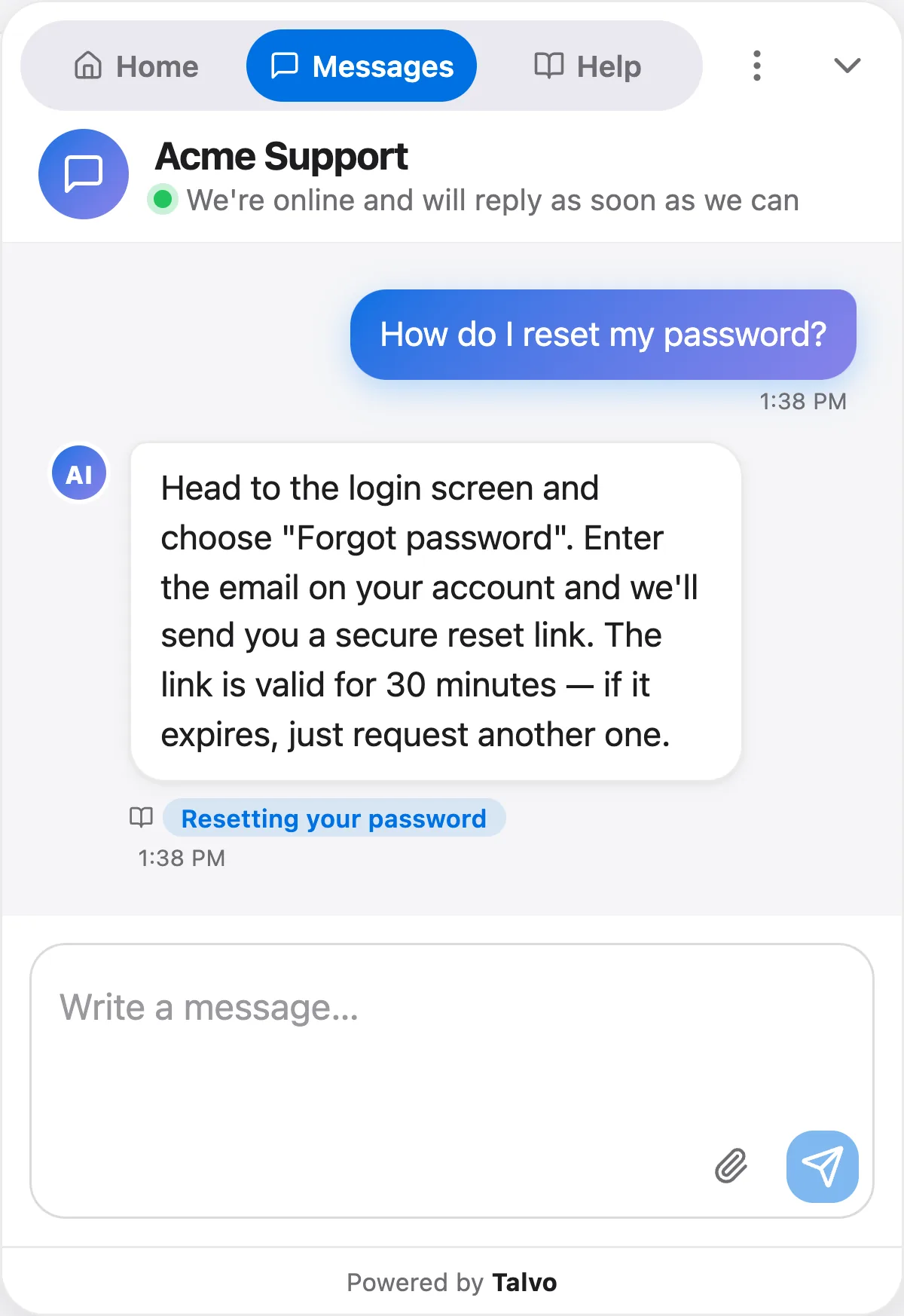
WCAG's Reflow criterion (1.4.10, Level AA) asks that content work at a width equivalent to 320 CSS pixels without scrolling in two directions. Help Scout's panel stayed 375 px wide, so its right 55 px was simply off screen. Freshchat's was cut off 61 px on the left; its header read "hdesk - chat with us". HubSpot's quick-reply buttons ran past the right edge. Talvo's panel fit, but its header tabs overlapped a button, covered below. No widget added horizontal scrolling to the host page.
Contrast, motion and markup
Only two widgets failed axe's text-contrast check (WCAG 1.4.3 asks for 4.5:1 for normal text): Talvo at 4.19:1 and Tawk.to at 3.12:1. Our pixel sampling, which is approximate, put Tawk.to's green launcher at 2.95:1 against the white page, just under the 3:1 that WCAG 1.4.11 asks of non-text graphics.
Six widgets ignored reduced motion outright: the same opening animations ran with the preference on. HubSpot's one-animation difference flipped between runs, so we treated it as noise and didn't count it, and Tawk.to has almost no motion to reduce. Zendesk dropped 4 of 17 animations, and Talvo dropped its in-panel animation but kept a 200 ms resize. WCAG puts motion triggered by interaction (2.3.3) at Level AAA, so this isn't an AA requirement. We counted it anyway: the preference exists so people with motion sensitivity can switch this off.
The other axe failures were structural: a clickable element containing other clickable elements (nested-interactive), which screen readers can announce confusingly, or a list or grid holding things it shouldn't.
Talvo came last: the seven issues
We make one of these widgets, so here is ours without softening. The results were identical on the plain test page and on talvo.chat, in both runs, on the widget build live on October 27.
- Inactive header tabs fail contrast. "Messages" and "Help" ("Home" and "Help" in the message view) are #6e6e73 on #e9e9ef, 4.19:1 at 13 px, where 4.5:1 is needed (axe
color-contrast, 2 elements in every view). - An unlabeled, invisible tab stop. The message view's hidden file input has no label (axe
label, critical), and it's a keyboard stop: right after "Write a message…", focus lands on an unnamed 1×1 px input. - Opening doesn't move focus into the panel. It stays on the launcher, and the next Tab leaves the widget (2 presses back in on the test page, 49 on talvo.chat).
- Escape doesn't close the panel.
- Closing with "Minimize chat" drops focus on the iframe's body instead of returning it to the launcher.
- Messages are not in a live region. The only live region is the typing indicator.
- At 320 px the header overlaps. The "Help" tab runs 22 px under the "More options" button. At 360 and 390 px it doesn't.
One more gap we reported but didn't count: reduced motion turns off the panel's own opening animation, but the iframe's 200 ms resize transition, set by the loader script on your page, still runs. And the message box removes its own focus outline, so the focus ring there is weak or missing (we didn't measure whether its border changes).
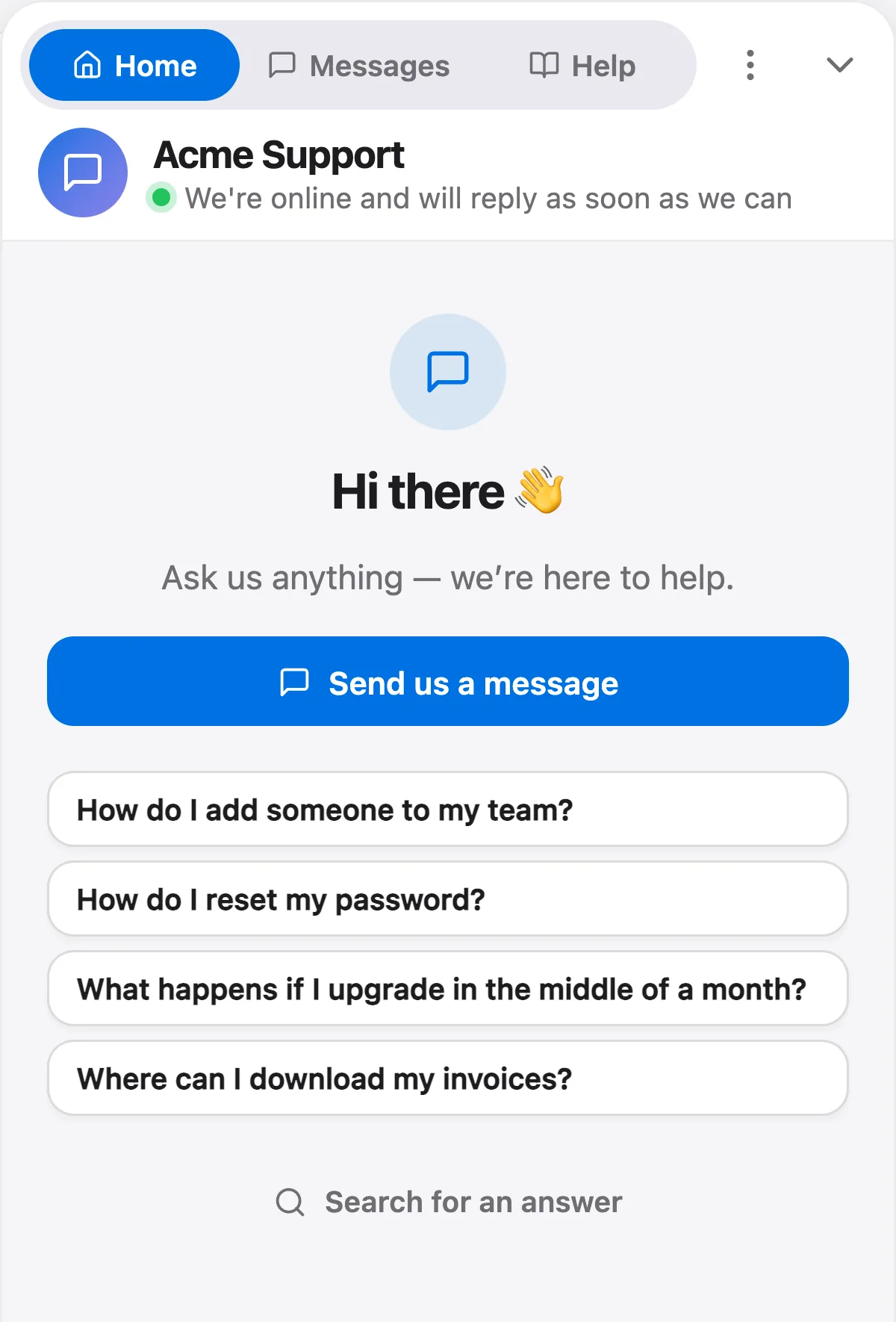
What held up: the launcher is a real button named "Open chat" and "Close chat", the iframe is titled "Talvo chat", and the panel is a dialog named "Chat with support". Every control is a native button, link or input. There's no keyboard trap and no axe failure with the widget closed. Talvo and Zendesk were the only two widgets that turned off any animation for reduced motion.
All seven are fixable in the widget code. The fixes we're working on: darken the inactive tab text to at least 4.5:1, take the hidden file input out of the tab order and label it, move focus to the first panel control on open, close on Escape, return focus to the launcher on close, put the message list in a polite live region, let the header tabs shrink or wrap at narrow widths, and drop the iframe transition under reduced motion. We'll re-run the identical test before this post goes out.
Is a chat widget an accessibility liability?
It's part of your website, so it's part of your obligations. This is general context, not legal advice.
In the US, the Department of Justice's web accessibility guidance (March 2022) says the ADA's requirements apply to all the goods and services businesses open to the public offer, including online. It also says the department has no regulation setting out detailed web standards for these businesses, and points to WCAG as helpful technical guidance.
In the EU, the European Accessibility Act (Directive 2019/882) has applied since 28 June 2025. It covers e-commerce services provided to consumers. Microenterprises providing services, meaning fewer than 10 people and annual turnover or balance sheet of no more than €2 million, are exempt from its service requirements.
WCAG 2.2 is the current W3C Recommendation, first published in October 2023 and updated in December 2024. Most of what we tested maps to Level A and AA criteria, which is the level people usually mean when they talk about an accessible site.
One practical point: you can't fix a vendor's widget yourself. If it fails, your options are to configure around it (brand color, greeting), pressure the vendor, or switch.
Check your own chat widget in 10 minutes
You don't need our harness. Use your real page, with your real colors and cookie banner, because that's what visitors get.
- Unplug the mouseClick the address bar, then press Tab until you reach the chat launcher. If you can't reach it, or can't see where focus is, stop there: that's your first finding.
- Open it with EnterDid focus land inside the panel, on the message box or a button? Or is it still on the launcher? Press Tab once and see where you end up.
- Walk the panelTab through every control to the message box and the close button. Note any stop where you can't see what's focused, or that seems to be nothing at all.
- Press EscapeDoes the panel close? Where's focus now? It should be back on the launcher.
- Close it with its own buttonSame question: does focus return to the launcher, or vanish?
- Zoom to 400%On a 1280 px-wide window, press Ctrl or Cmd and + until the browser shows 400%, then open the chat. Is anything cut off, overlapping or unreachable?
- Run axe on the open panelInstall the free axe DevTools browser extension, open the chat, and run a scan. Only look at issues inside the widget.
- Turn on reduced motionIn your operating system's accessibility settings, reduce motion, reload and open the chat. Does it still slide and bounce?
How the widget got onto your site doesn't change these results; our guide to adding live chat and WordPress live chat guide cover the install side.
Then ask the vendor. A good one will answer without hedging.
- Which WCAG version and level do you test against, and when was the last test?
- Do you have an accessibility conformance report (a VPAT) for the chat widget itself, not just the dashboard?
- Which screen readers and browsers do you test new messages with?
- Does Escape close the panel, and does focus return to the launcher?
- Are incoming messages in a live region?
- Does the panel honor reduced motion and fit at 320 px?
- Does my brand color change contrast, and do you warn me if it fails?
If accessibility is one factor among several, our comparison of live chat software for small businesses weighs price, channels and AI.
Frequently asked questions
Are live chat widgets accessible?
Mostly partly. In our test of ten widgets on October 27, 2026, only Zendesk's messaging widget had no issues we could count. The others had 2 to 7, most of them keyboard focus problems, missing live regions, layouts that break at 400% zoom, or ignored reduced-motion settings.
Which live chat widget is the most accessible?
In our test, Zendesk's messaging widget had 0 counted issues and HubSpot had 2. Intercom, Crisp, Tawk.to and Freshchat had 3, and Tidio, LiveChat and Help Scout had 4, differences too small to rank on. These are vendor pages on one day without a screen reader, so test the widget on your own site with your own colors.
Does passing an axe scan mean my chat widget is accessible?
No. axe found only 0 to 3 failing rules per widget in our test, while most of the problems came from checks it doesn't run: where keyboard focus goes, whether Escape closes the panel, and whether messages are announced. Passing an automated scan is not WCAG conformance.
Should a chat widget close when you press Escape?
WCAG has no rule that says it must, but keyboard users expect it. Escape closed the panel in 6 of the 9 widgets we could test by keyboard; it did not close Talvo, Tidio or LiveChat. Whichever way it closes, focus should go back to the launcher.
How do I test my chat widget for accessibility?
Use only the keyboard: Tab to the launcher, open it with Enter, check where focus lands, press Escape, and close it with its own button to see whether focus returns to the launcher. Then zoom a 1280 px window to 400%, run the free axe browser extension on the open panel, and turn on reduced motion in your operating system.
Does the European Accessibility Act apply to my website chat?
The European Accessibility Act has applied since 28 June 2025 and covers e-commerce services provided to consumers, which can include the chat on a store's site. Microenterprises providing services, with fewer than 10 people and turnover or balance sheet of no more than 2 million euros, are exempt from its service requirements. This is general information, not legal advice.
Is Talvo's chat widget accessible?
Not yet as accessible as it should be. On October 27, 2026 it had 7 issues, the most of the ten widgets we tested: low-contrast inactive tabs, an unlabeled hidden file input that takes keyboard focus, no focus move on open, no Escape to close, focus lost after minimizing, messages outside a live region, and a header overlap at 320 px. Its launcher, iframe and dialog are correctly named, and it has no keyboard trap.
Sources
Other products' prices and features change. We checked these pages; if something is out of date, tell us and we'll fix it.
- W3C: Web Content Accessibility Guidelines (WCAG) 2.2
- U.S. Department of Justice: Guidance on Web Accessibility and the ADA (March 18, 2022)
- EUR-Lex: Directive (EU) 2019/882, the European Accessibility Act (Articles 2, 3, 4 and 31)
- axe-core (Deque), the rules engine used, version 4.10.3
- Page tested: Intercom
- Page tested: Crisp
- Page tested: Tidio
- Page tested: LiveChat
- Page tested: Zendesk messaging widget on Box's help center
- Page tested: Help Scout Beacon on Help Scout docs
- Page tested: HubSpot
- Page tested: Tawk.to
- Page tested: Freshchat on the Freshdesk product page
- Talvo: install the chat widget